1、Function description
- Relevant departments require web sites to display ICP website record number
- The customer obtains his own record number and modifies it in the server management console.
2、Operating instructions
2.1 Copy Code
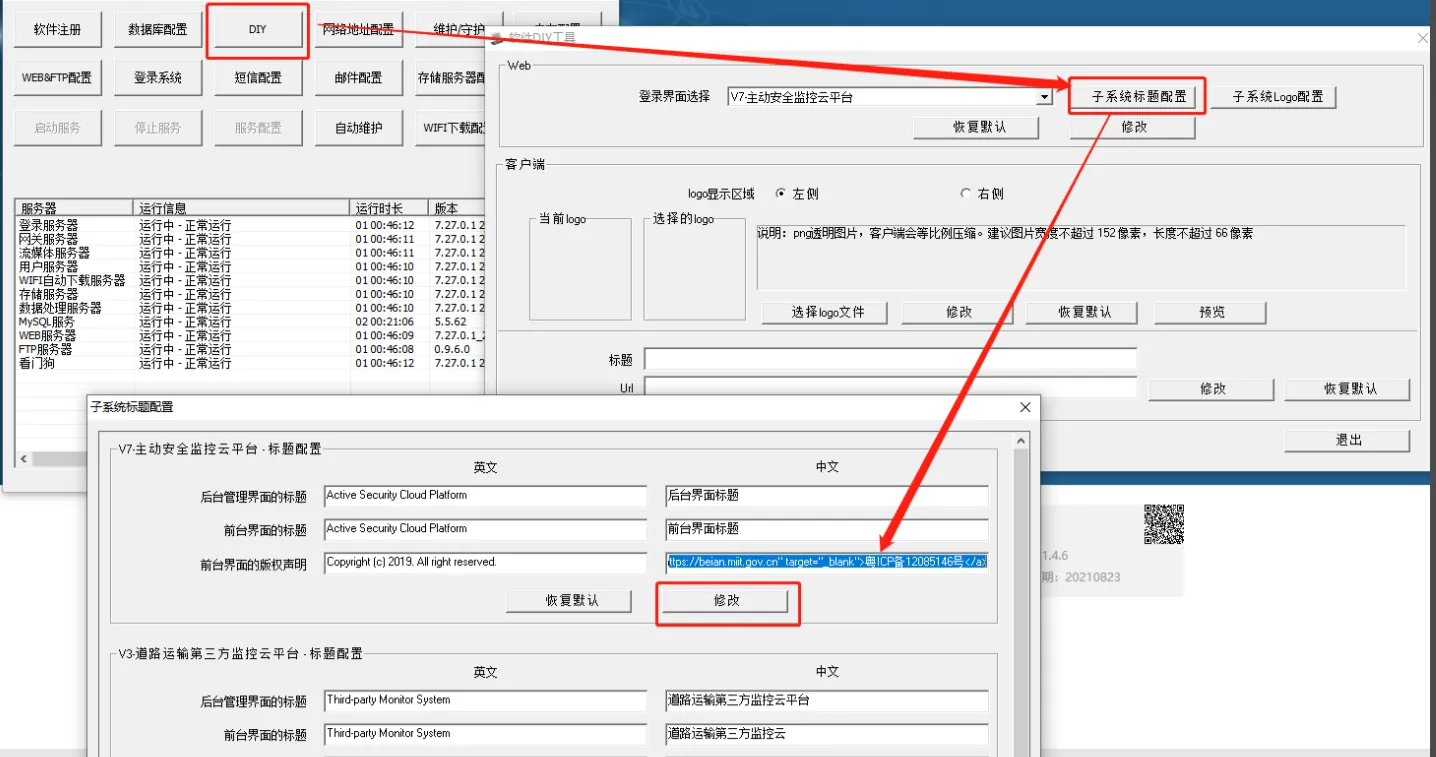
- Paste the following code into the server - - DIY - - [Copyright Statement on Front Desk Interface], and change the website record number in the code to' Guangdong ICP 12085146 No. 'to your own record number
<a rel="nofollow" href="https://beian.miit.gov.cn" target="_blank">'Guangdong ICP No. 12085146 </a>
2.2 Click [Modify] to restart the web server automatically.
2.3 Add record number for public network security equipment
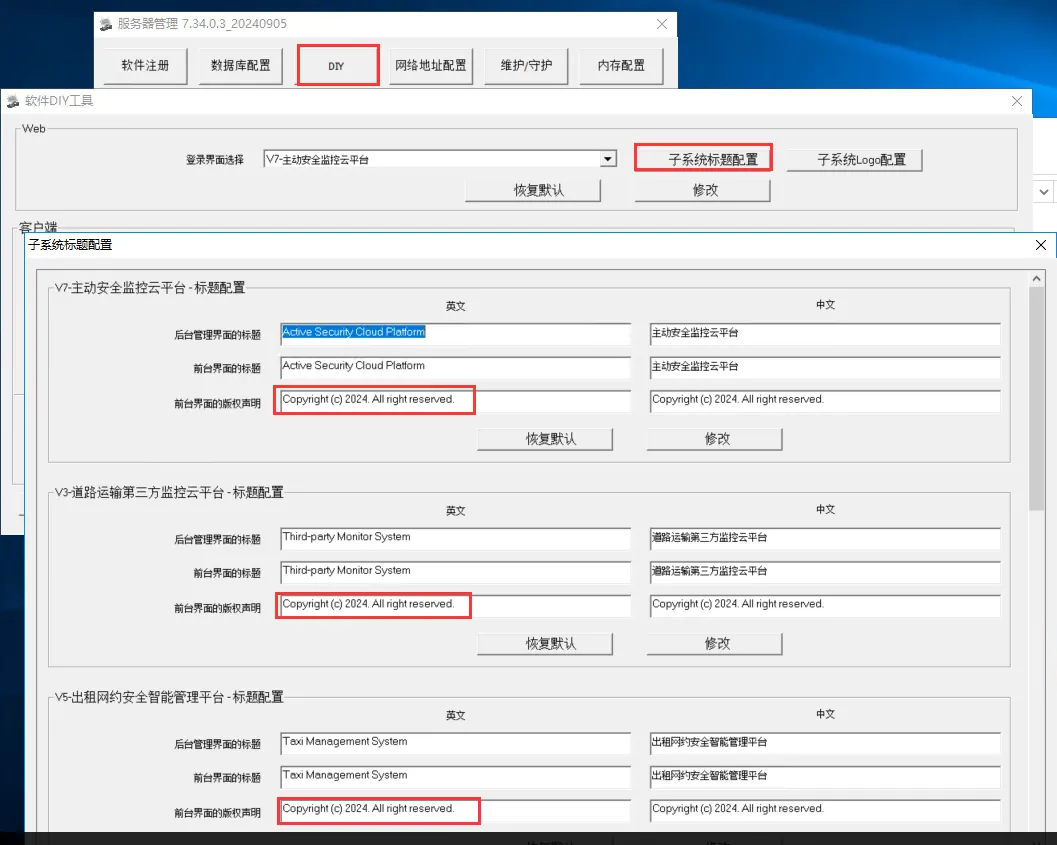
- Add the following line to the copyright statement
 Gui Public Network Anbei XXXXXXX No.'

3、Notes
- ICP record number and public network security record number are added according to local requirements
- After adding, all customers who log in to this platform can see it.
