1 Function description
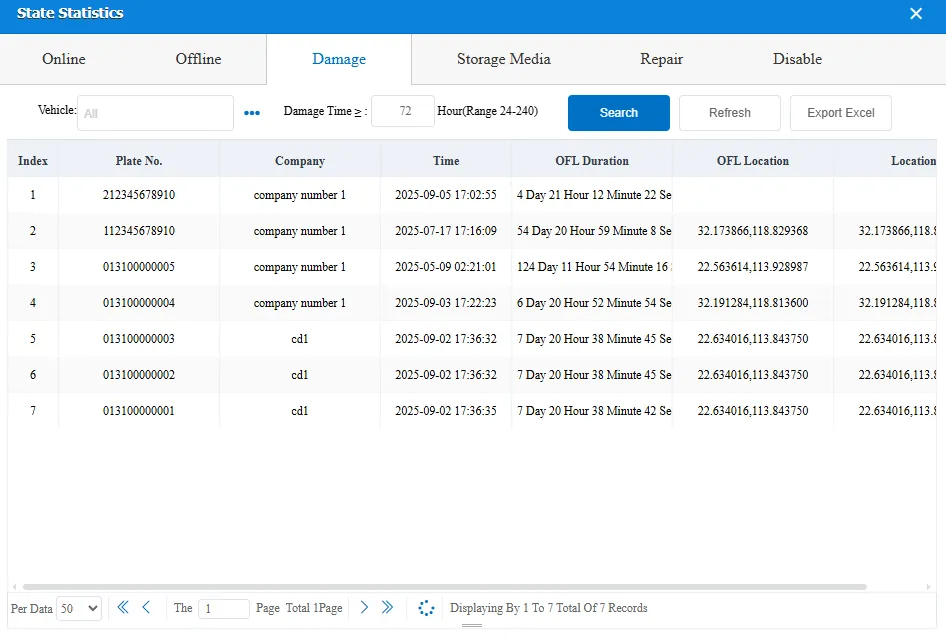
This function is used to filter vehicles that have been offline for a long time, display the fixed loss number of vehicles in real time, support viewing information such as offline duration, company, and offline location of vehicles, and export data to Excel for subsequent statistics and analysis.
2 operating instructions
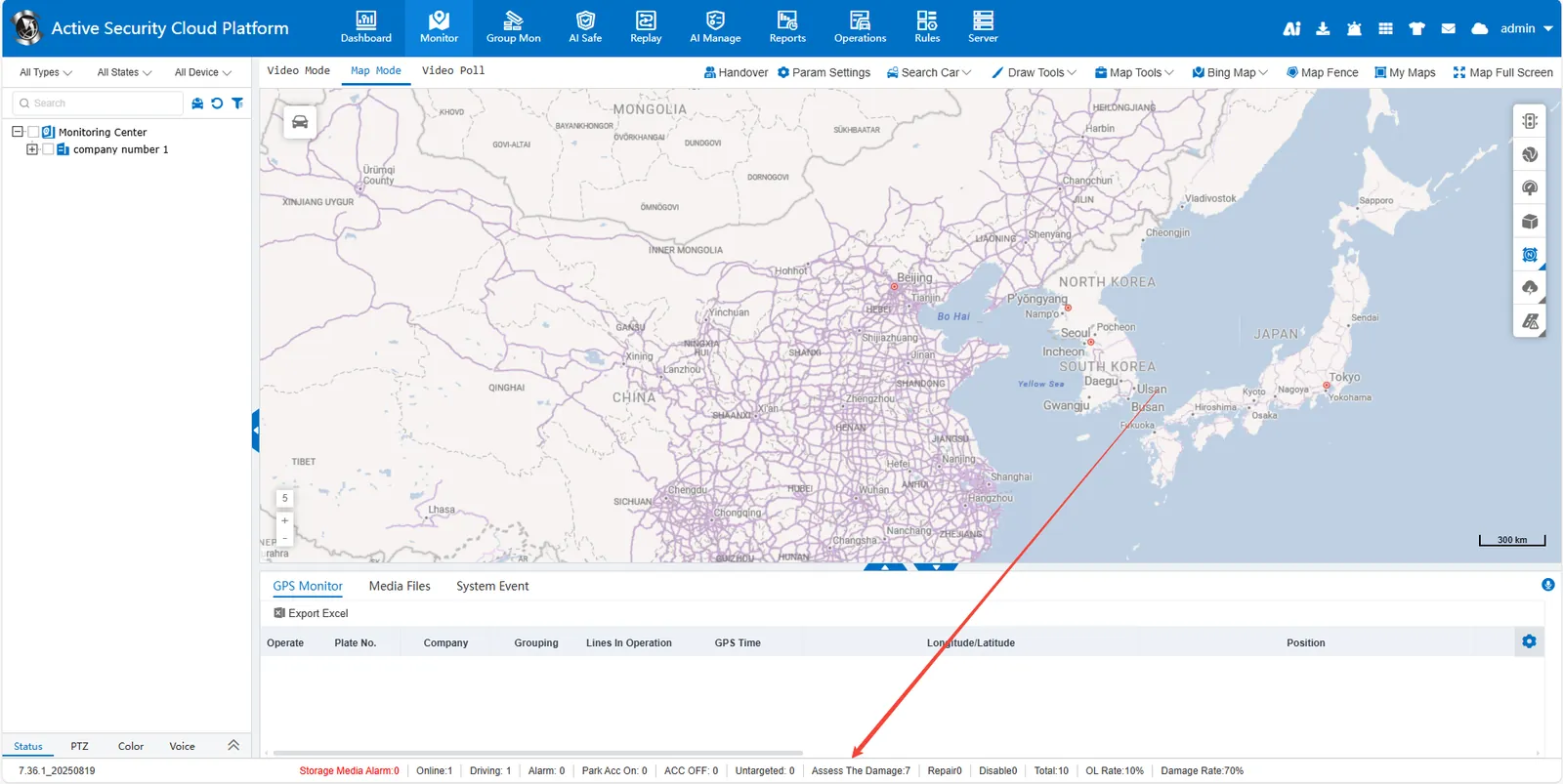
Enter the function page: click the status bar, select the "Damage" function module.
Set filter criteria:
- Select vehicle range: Default to All, or select specific vehicles on demand.
- Set Offline Duration: Enter the offline duration in the "Damage Time" input box (the range supported by the system is 24 - 240 hours. If you need to filter offline vehicles for more than 72 hours, enter 72).
Execute query: Click the "Search" button, the system will automatically filter the vehicles that meet the conditions and display them in the list.
Export data: To save the data, click the "Export Excel" button to export the filtered results in Excel format.