1 Function description
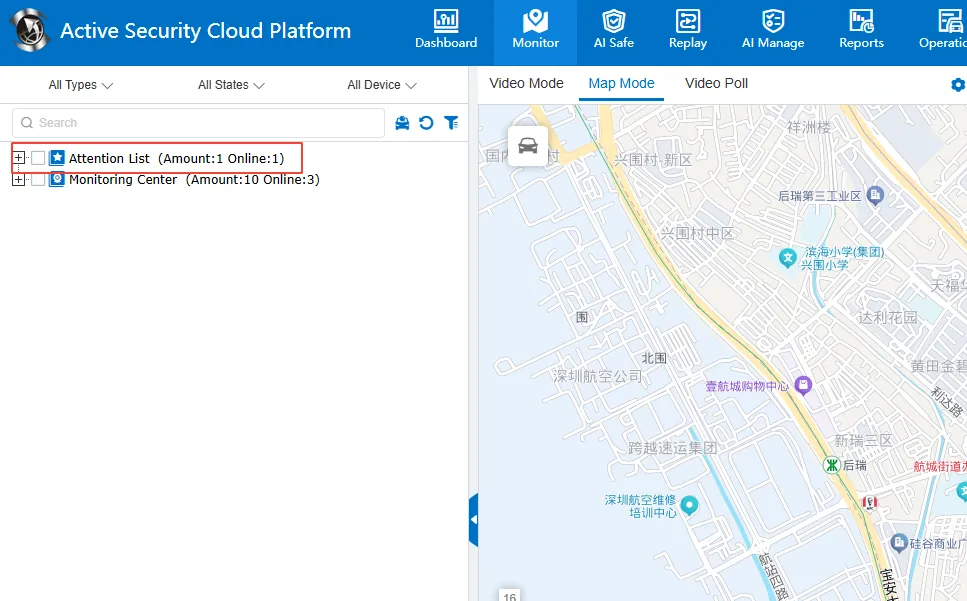
- Users can add vehicles that need to be monitored to the watchlist for quick viewing
- The vehicle being watched will still be displayed normally in the monitoring center (double visible)
- Watch list data is stored independently by account, and lists of different accounts do not affect each other.
2 operating instructions
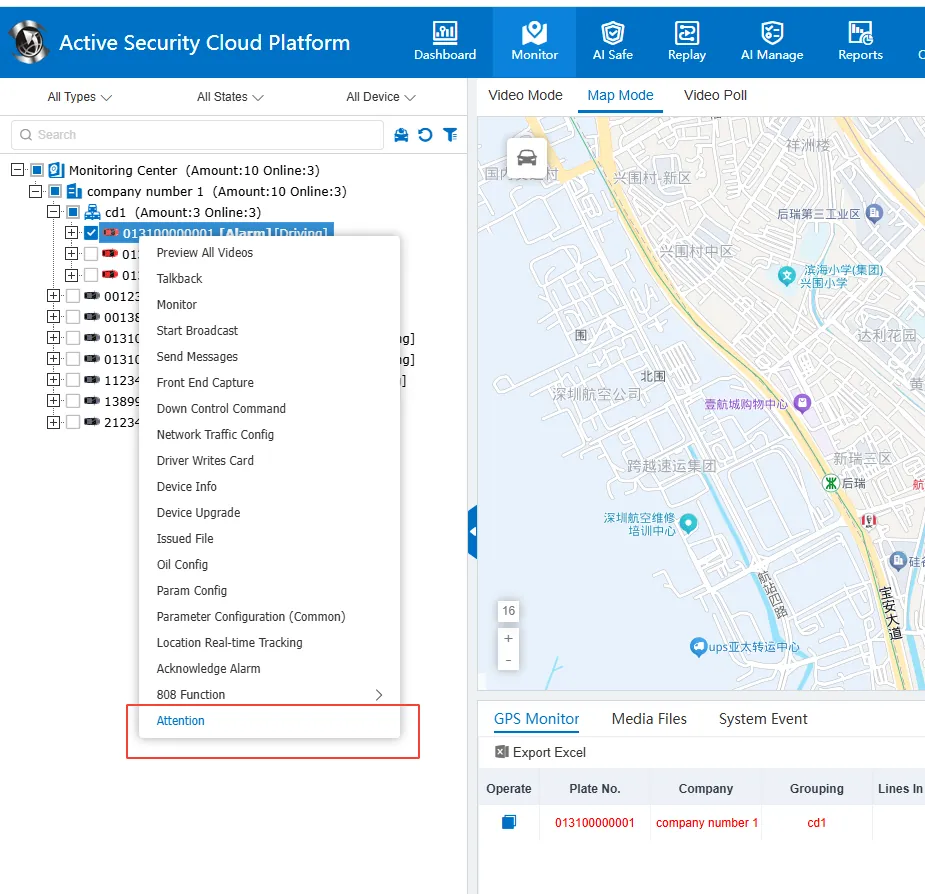
2.1 add concern:
- Select the target vehicle in the list on the left side of the monitoring center
- Right- click the pop- up menu
- Choose the "Add Attention" option
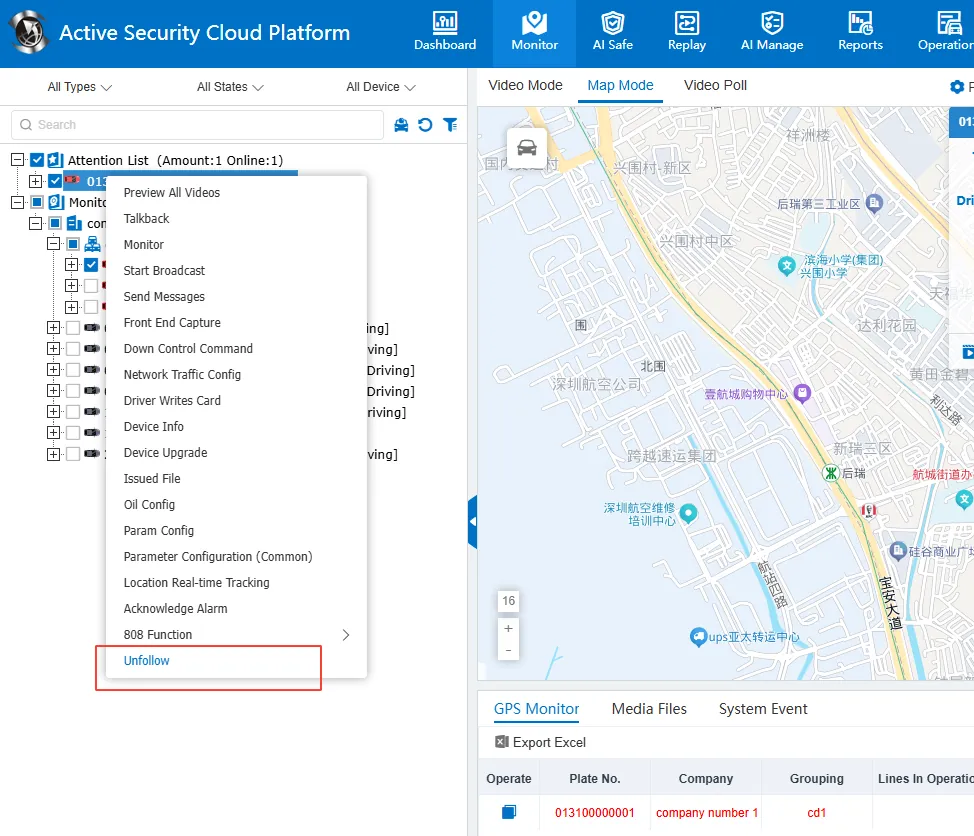
2.2 unfollow:
- Select the target vehicle on the left side of the watch list
- Right- click the pop- up menu
- Choose the "Unfollow" option