1. Function description
The system provides two vehicle search methods to help users quickly locate the target vehicle.
2. operating instructions
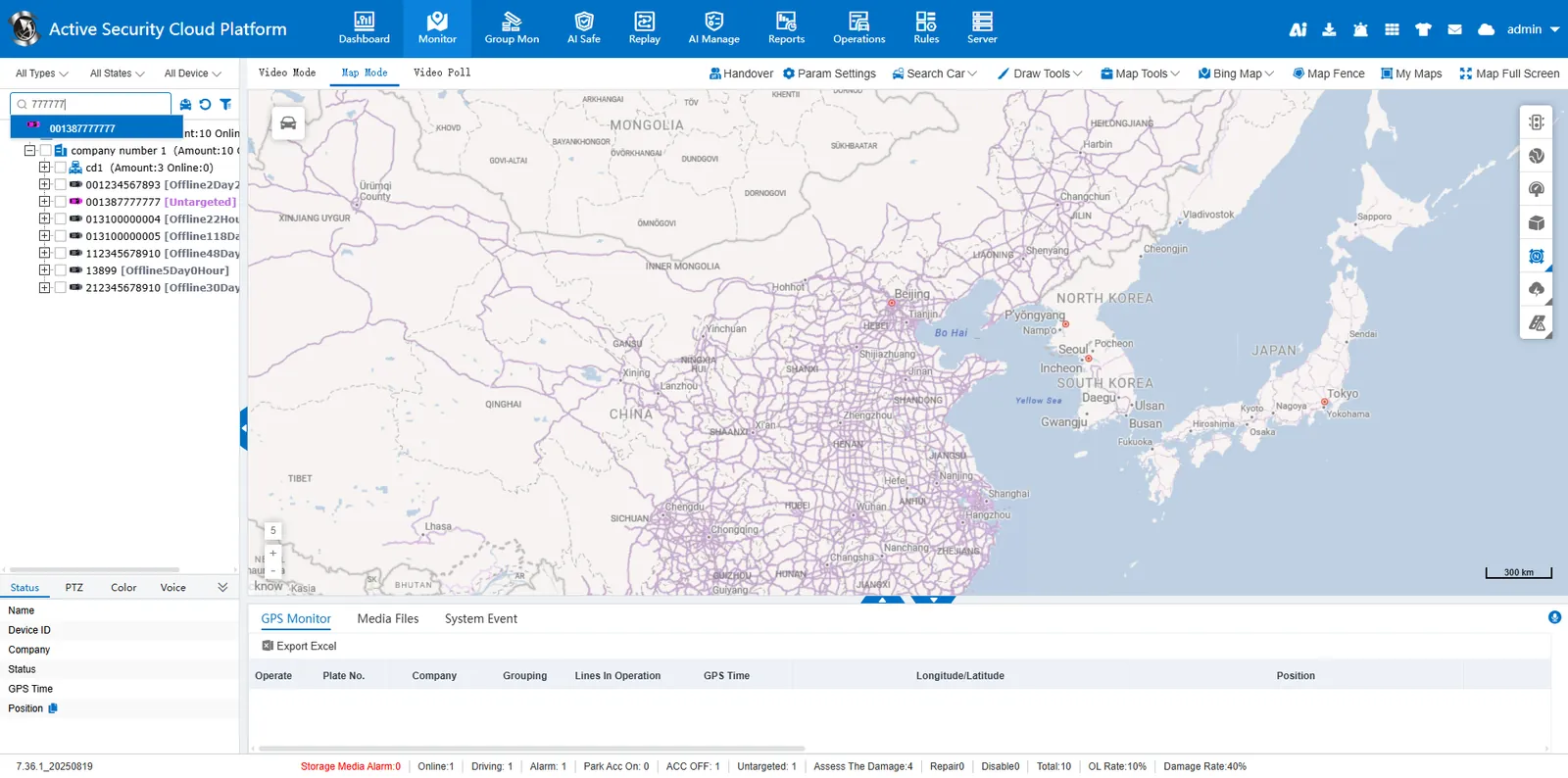
Method 1: Quick Search
- Enter the license plate number/device number/SIM card number/driver name/company name in the search box to search, support fuzzy search
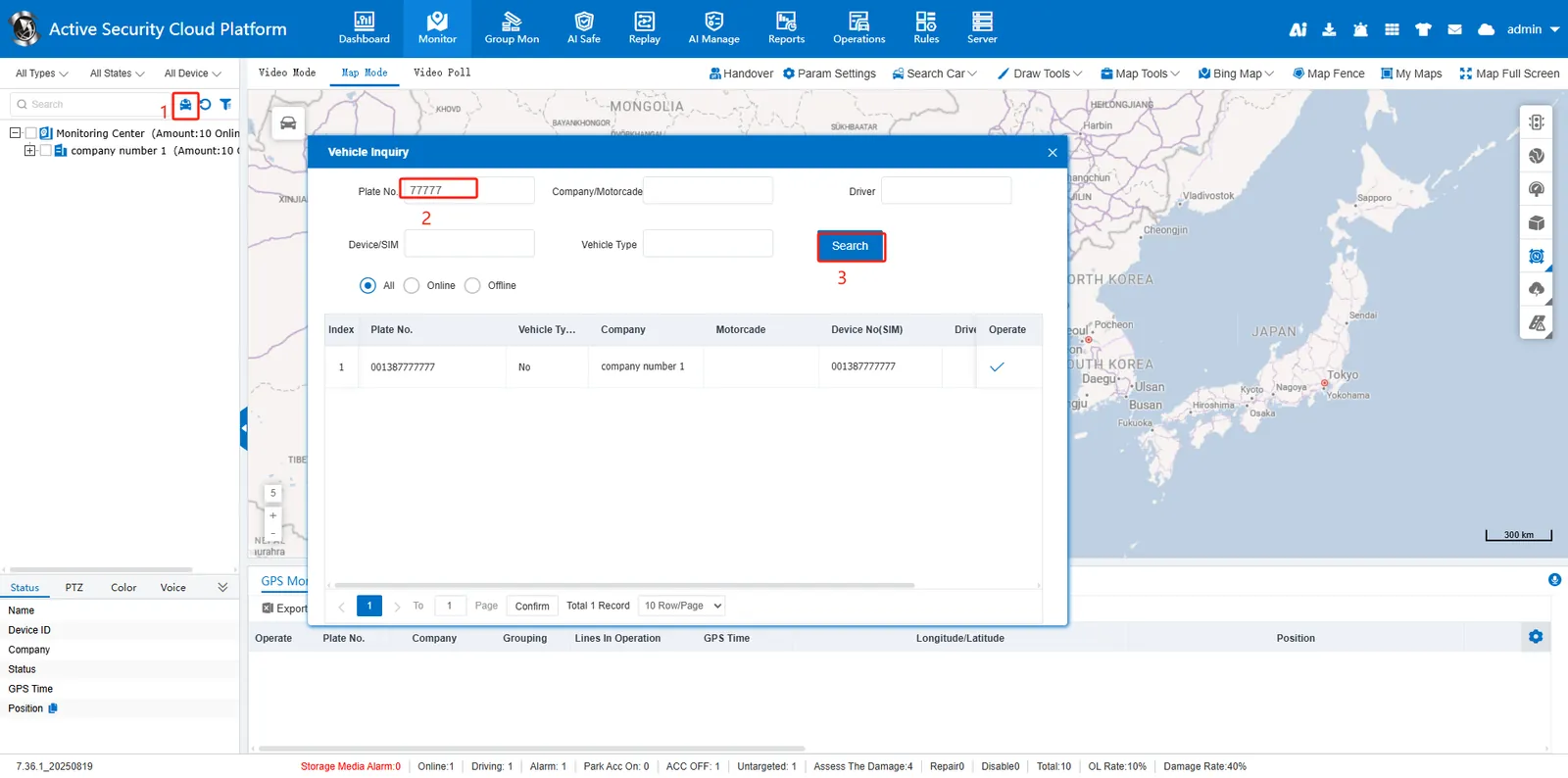
Method 2: Advanced Query
-
Click the magnifying glass icon to open the query panel
-
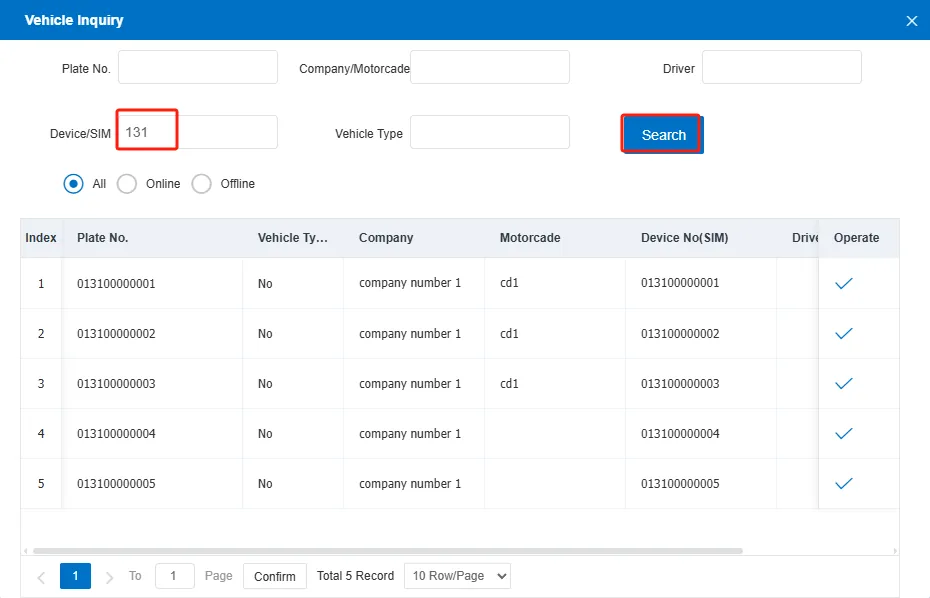
Enter license plate number/company/fleet/driver/equipment number/SIM card number/vehicle type, support fuzzy search
-
Click the "Query" button
-
Online/offline vehicles can be filtered
- Click the operation button:
- Select the vehicle in the monitoring center
- Popup the vehicle information bubble window
