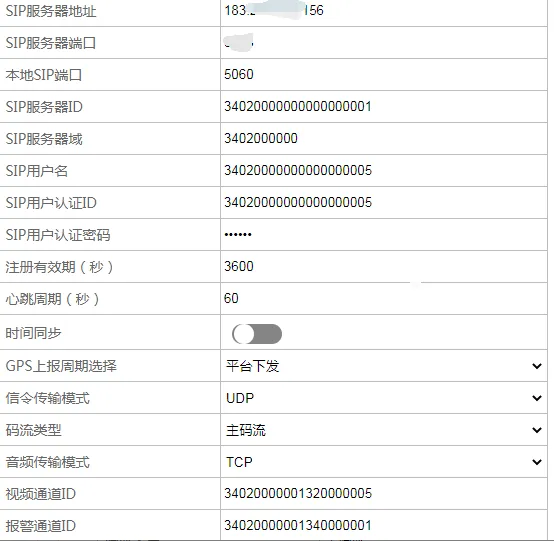
1. Function description
- platform is compatible with GB/T28181- 2011 and GB/T28181- 2016 protocols, and devices conforming to the protocol can be accessed;
- platform provides access IP address and port to the device;
- The device provides the device ID and channel ID to the platform, and the channel ID needs to be consistent with the channel ID of the platform;
- The platform does not verify the server ID, user authentication ID and password, so these parameters on the device can be initial;
2. operating instructions
2.1 vehicle platform configuration method
- Set the reporting server IP and gateway port on the device. The default port is 6608;
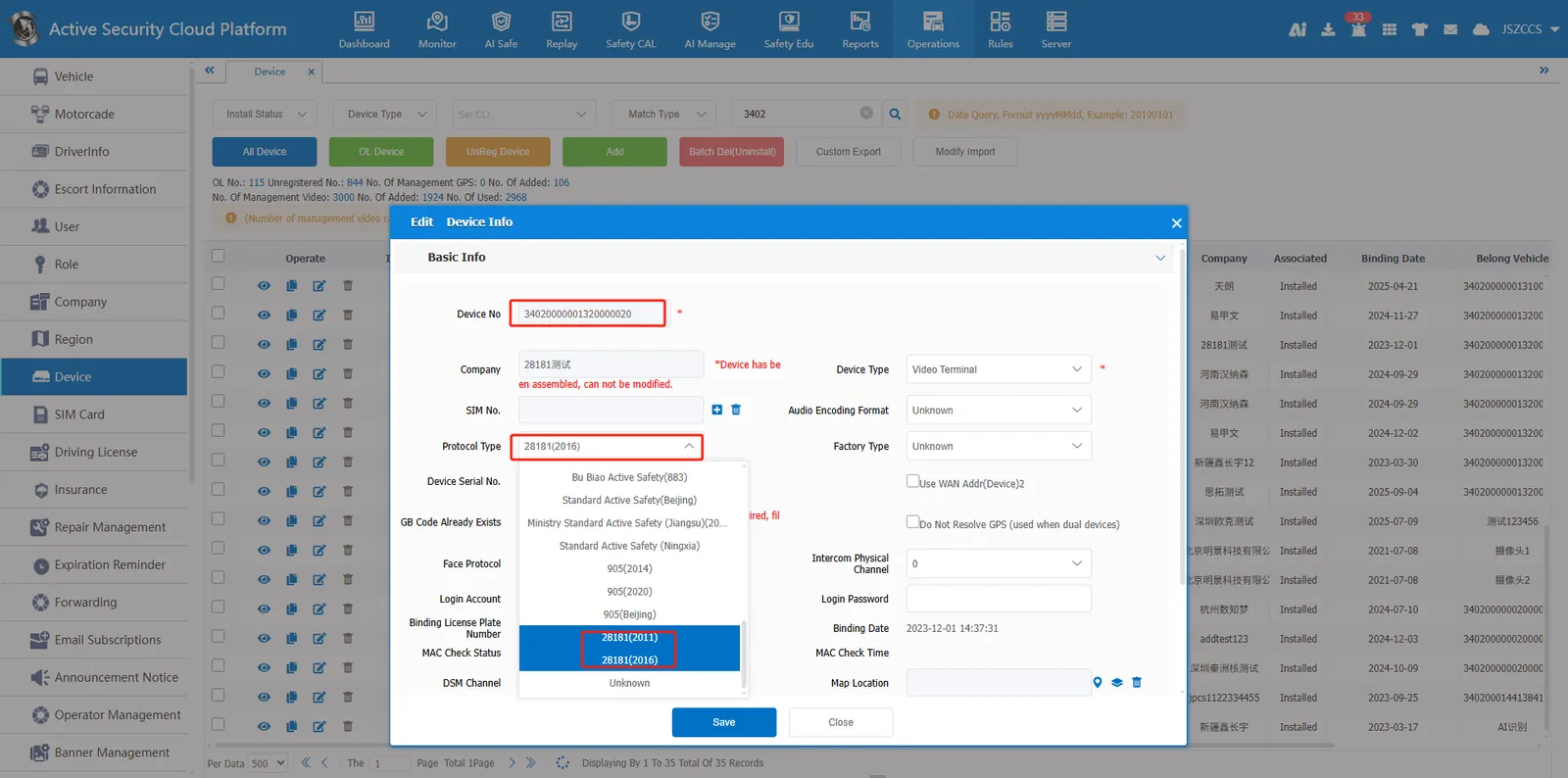
- Add vehicles and equipment to the vehicle information, and enter the 20- digit equipment number;
- The protocol type selection in the equipment management shall be 28181(2011) or 28181(2016), which shall be consistent with the equipment protocol type;
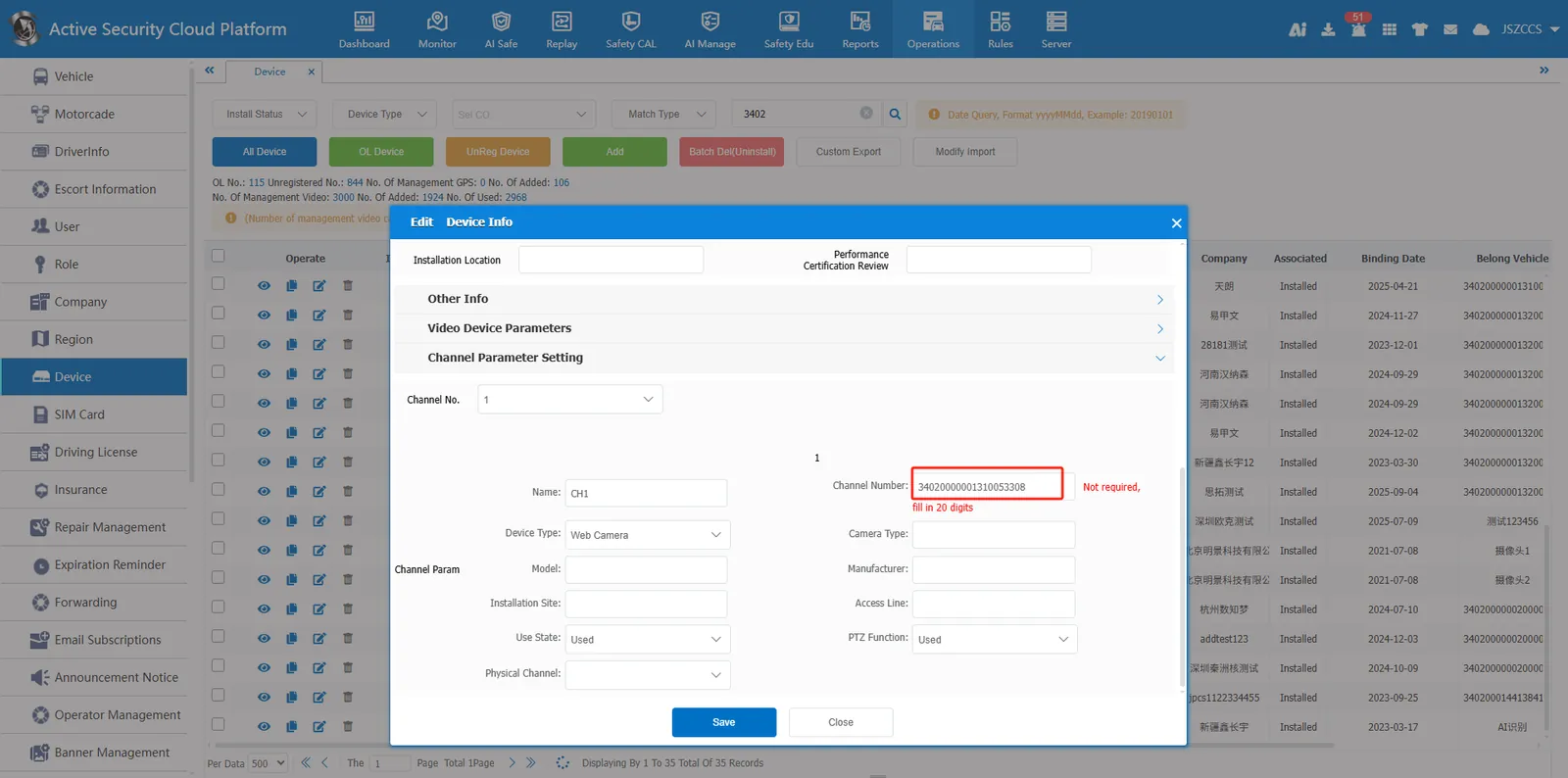
- Modify the channel number and enter the 20- bit channel number (the platform will add as many channels as the equipment has);
3. Precautions
- If the gateway port is customized, you need to configure the customized port.
- 28181 devices need to open 20000- 21000 tcp and udp ports to watch real- time video;
- 30000- 31000 tcp and udp ports need to be opened for video playback of 28181 equipment;
- How many channels are there, how many ports are open
4 Frequently Asked Questions
Question 1: Cannot go online after the device is added
A: Check that the device ID and server port are correct.
Question 2: The equipment is online and cannot watch the video.
Answer: First, confirm whether the device uses TCP or UDP to report. The server must open the corresponding 20000- 21000 ports. Second, check the channel number and whether the platform and device channel ID are consistent.
5. Device configuration example
- 5.1 Shenzhen Famous Times Ball Machine