1. Function description
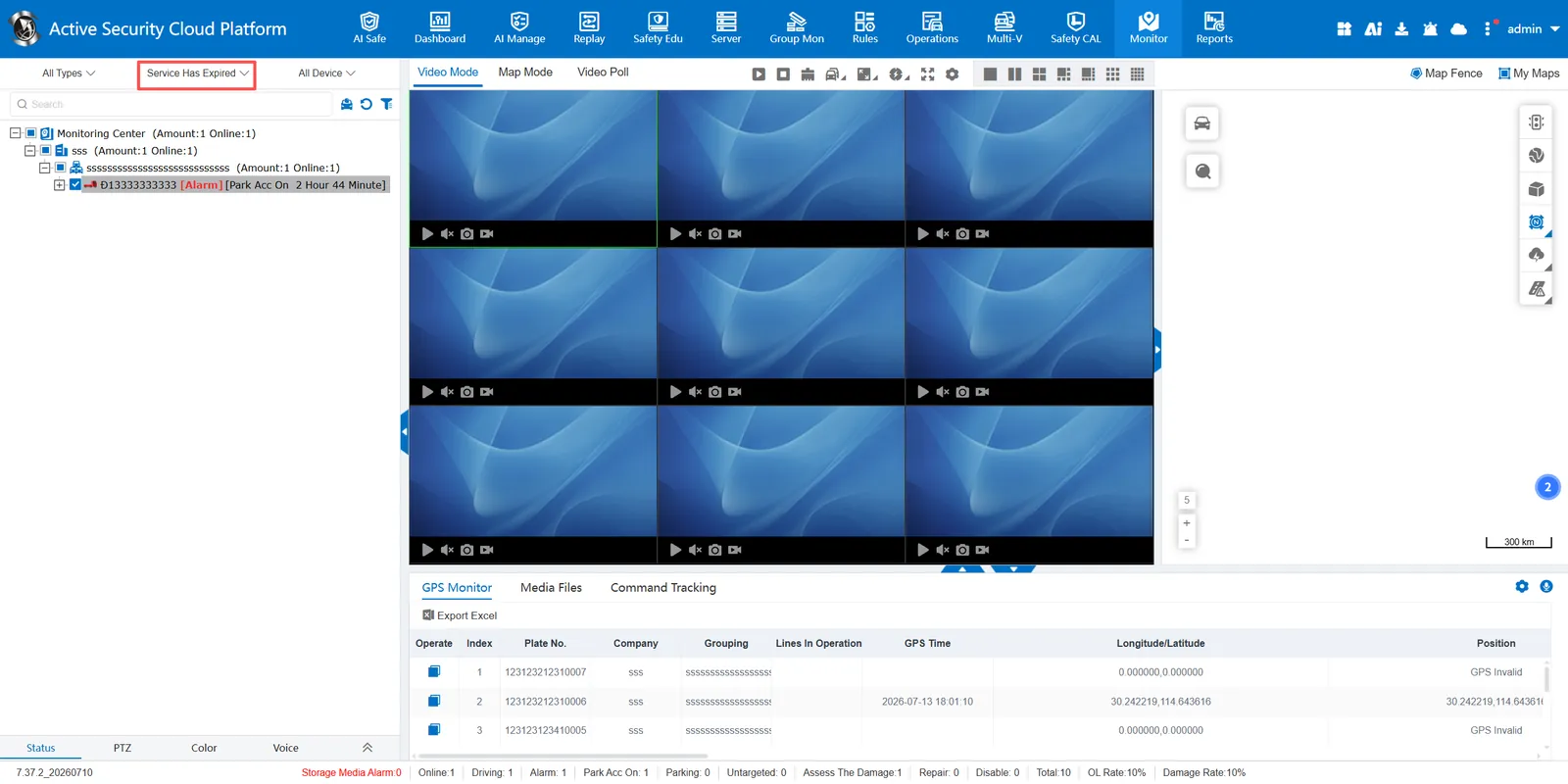
The system provides three vehicle screening methods: by vehicle type screening, by state screening, by terminal type screening, to help users quickly locate the target vehicle.
2, operating instructions
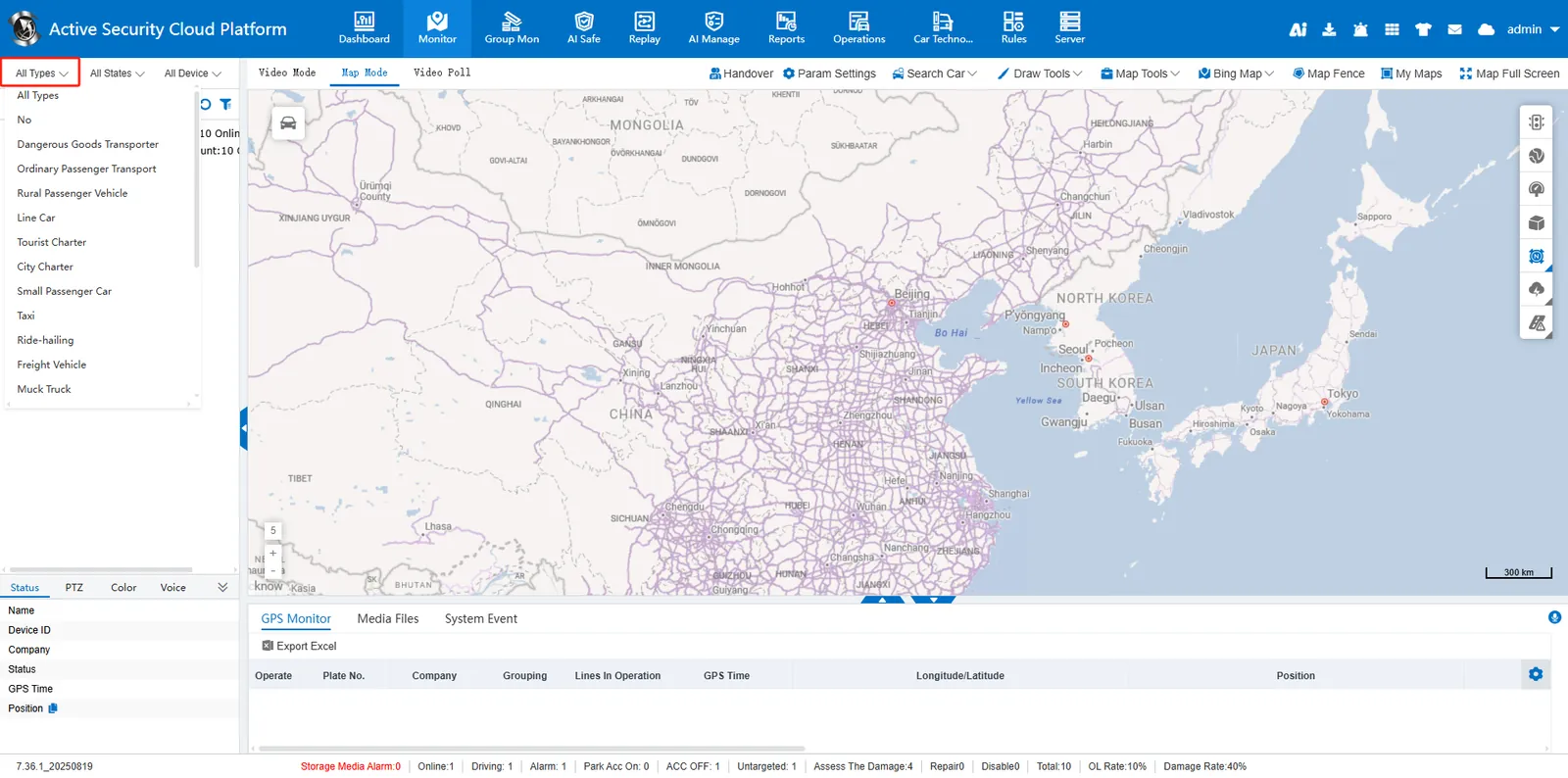
1. Filter by vehicle type
Specific types of vehicles registered in the screening system, including dangerous goods transport vehicles, ordinary passenger vehicles, rural passenger vehicles, etc. The effect after screening is as follows
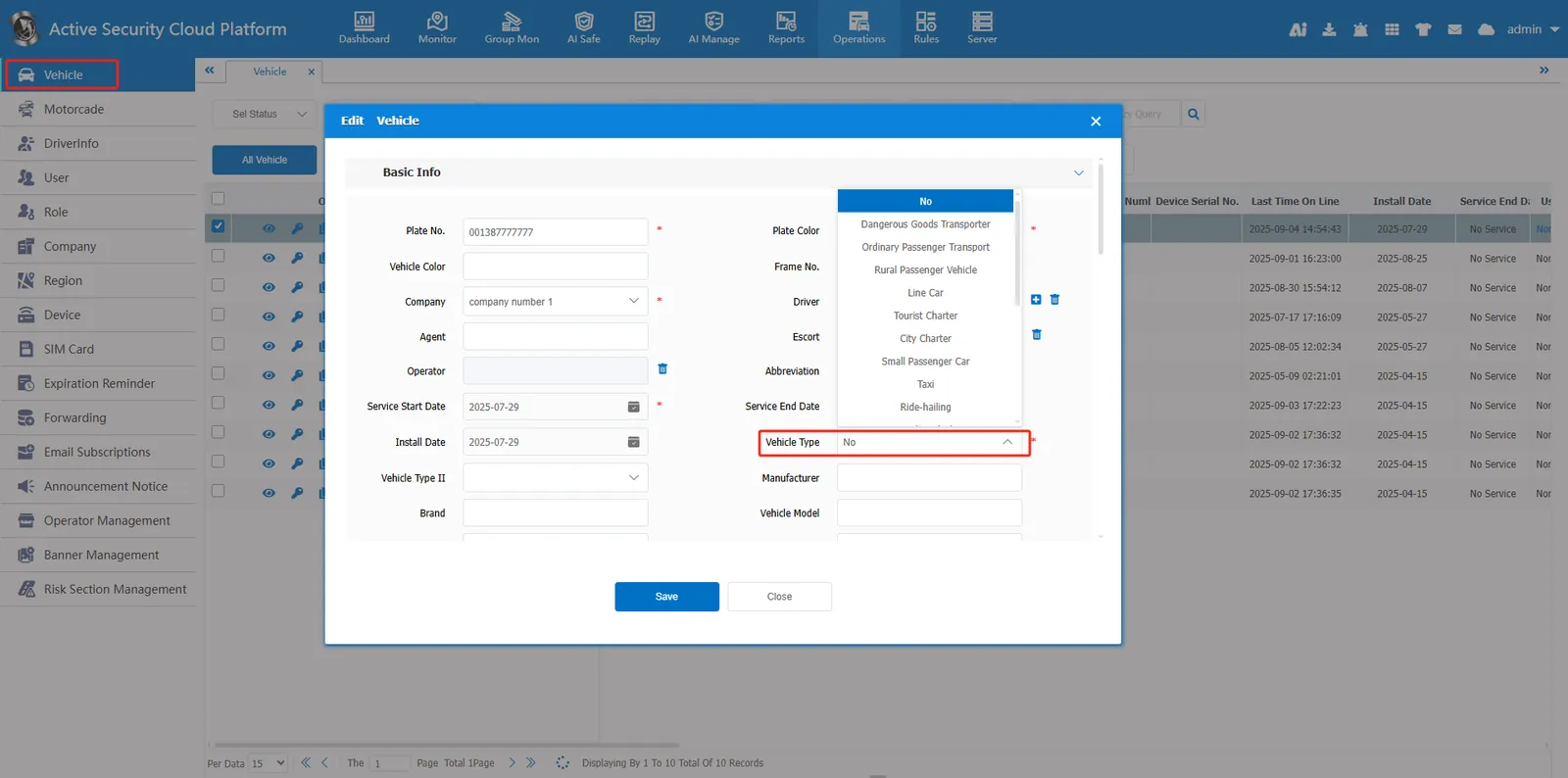
In [Operation Management] > [Vehicle Information], you can modify the vehicle type, as shown in the following figure
2, filter by status
The platform supports 8 vehicle states: driving, online, offline, alarm, idling, parking, unpositioned, and heavy vehicles. The effect after screening is as follows
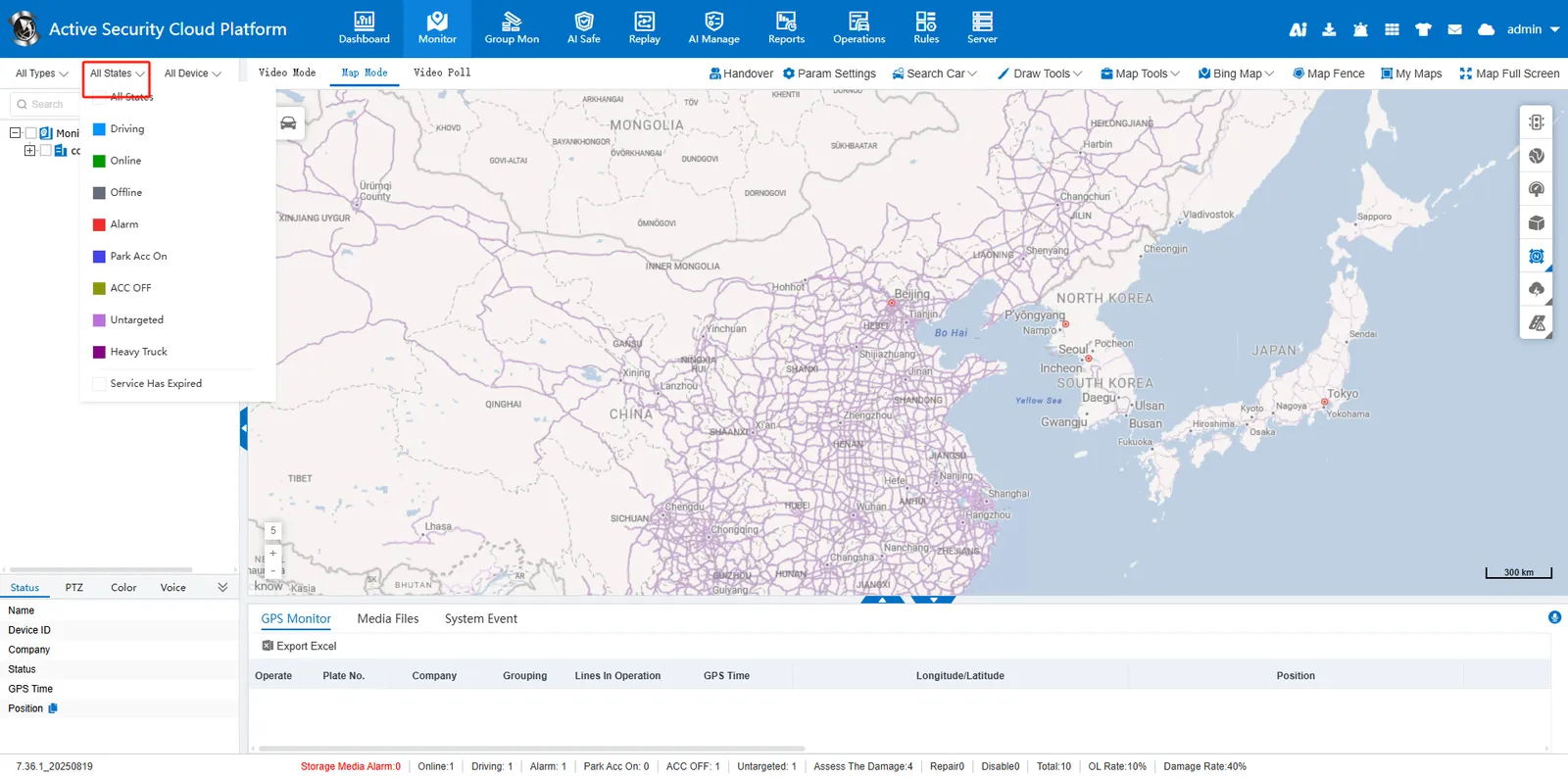
Online: device online, normal communication status
Offline: Device communication disconnected
Not Located: determines the location status reported by the device.
Alarm: The current vehicle has an alarm
Protocol Version Differences
- 808- 2011/2013 protocol equipment, the vehicle status is judged by the platform:
Driving: Speed is greater than 0
Idle speed:ACC is on and speed is equal to 0
Stop:ACC is off and speed is equal to 0
- 808- 2019 protocol equipment, driving and stopping status is directly reported by the equipment:
Driving: The vehicle is in a driving state
Idle speed:ACC is on and the vehicle is stopped
Parking:ACC is off and the vehicle is stopped
3. Filter by terminal type
The effect after screening is as follows
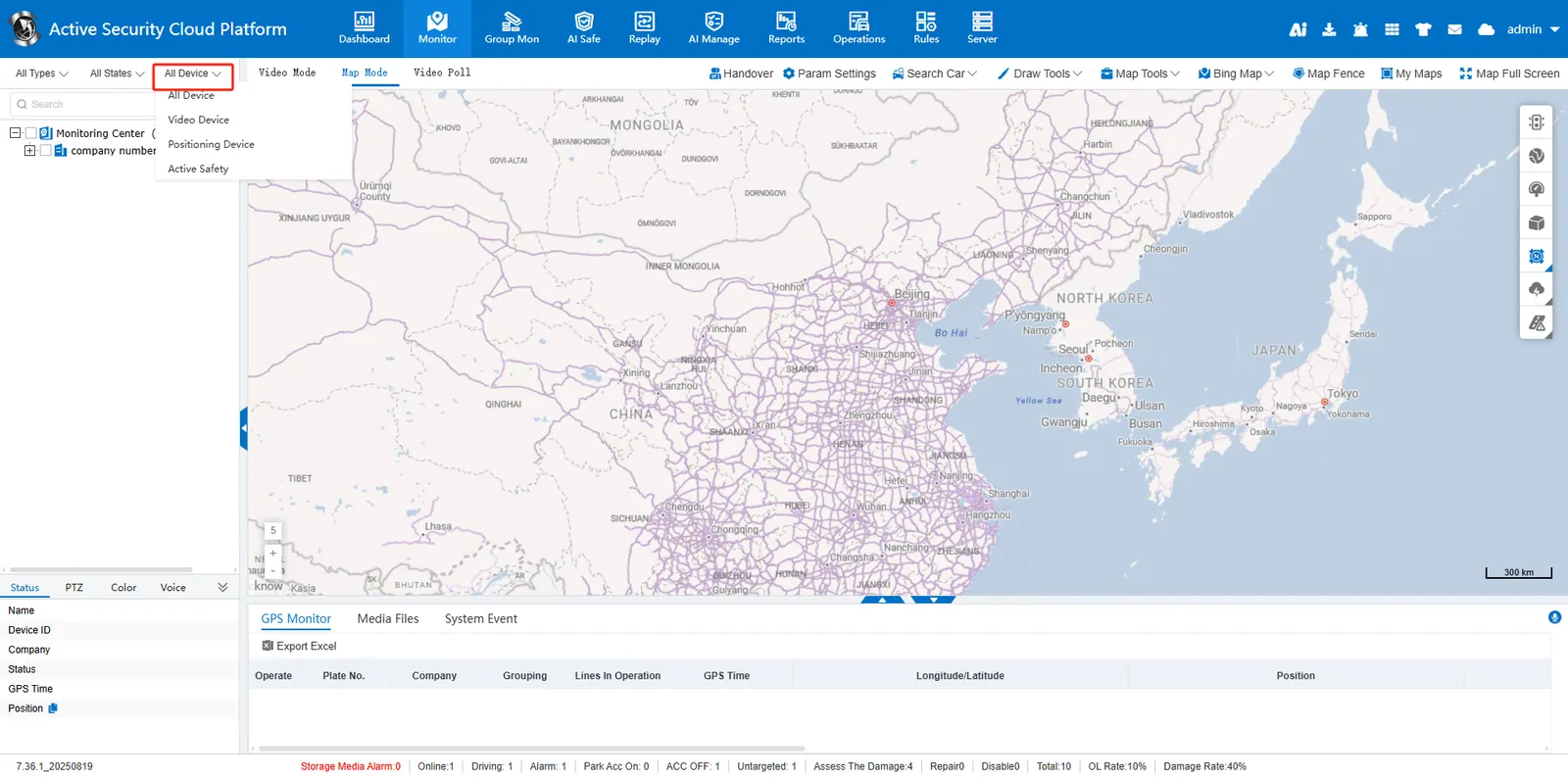
General Type: Video Equipment/Positioning Equipment/Active Safety Equipment
It can be modified in [Operation Management]> [Equipment Management], as shown in the following figure
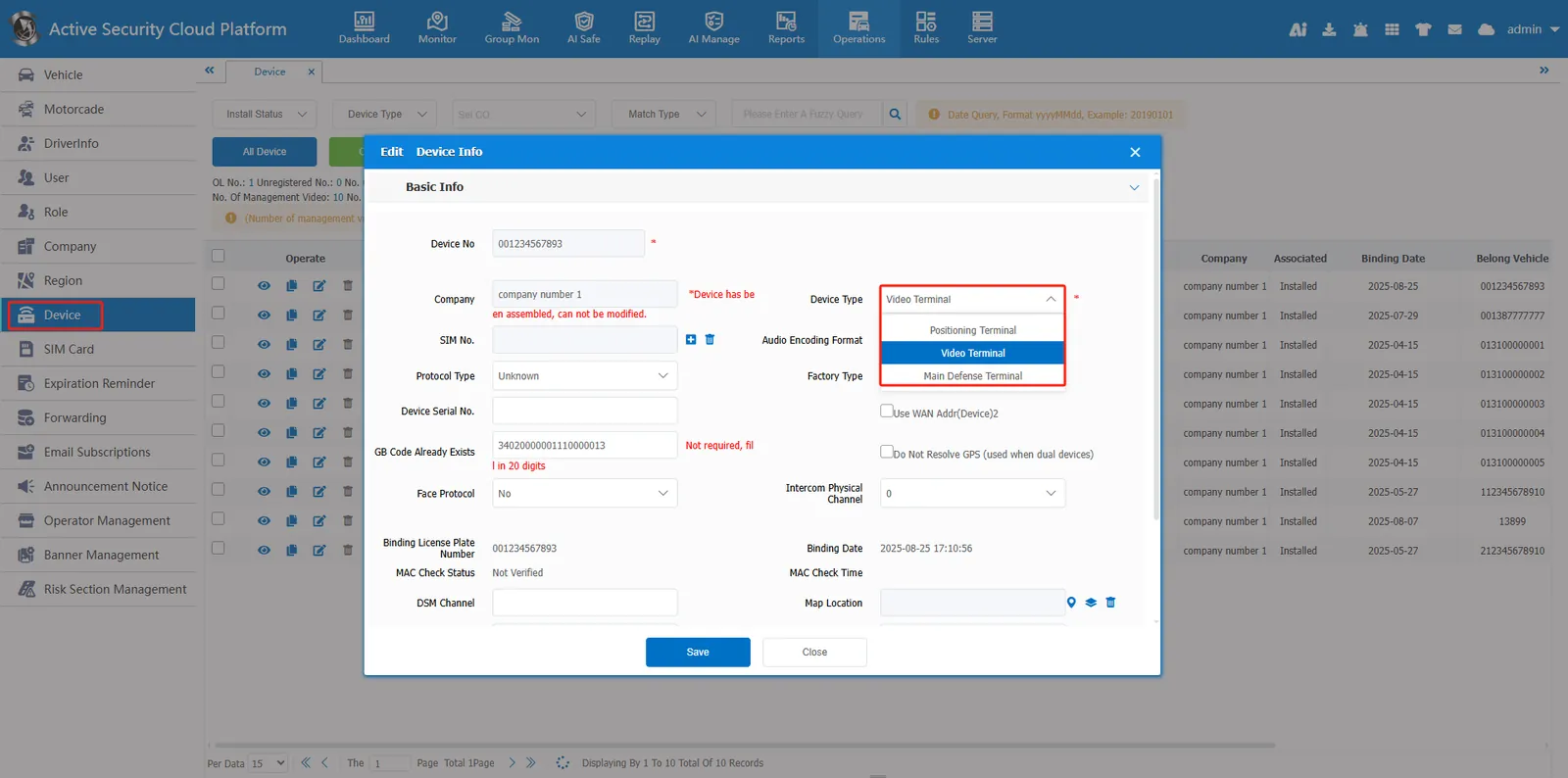
** Special Type **: Single Beidou equipment (terminal equipment that only supports Beidou satellite positioning and does not rely on other navigation systems such as GPS and GLONASS. It is judged according to whether the positioning type in the equipment status is only Beidou positioning.)
4. Filter by offline status
Can be filtered by the number of days the device is offline
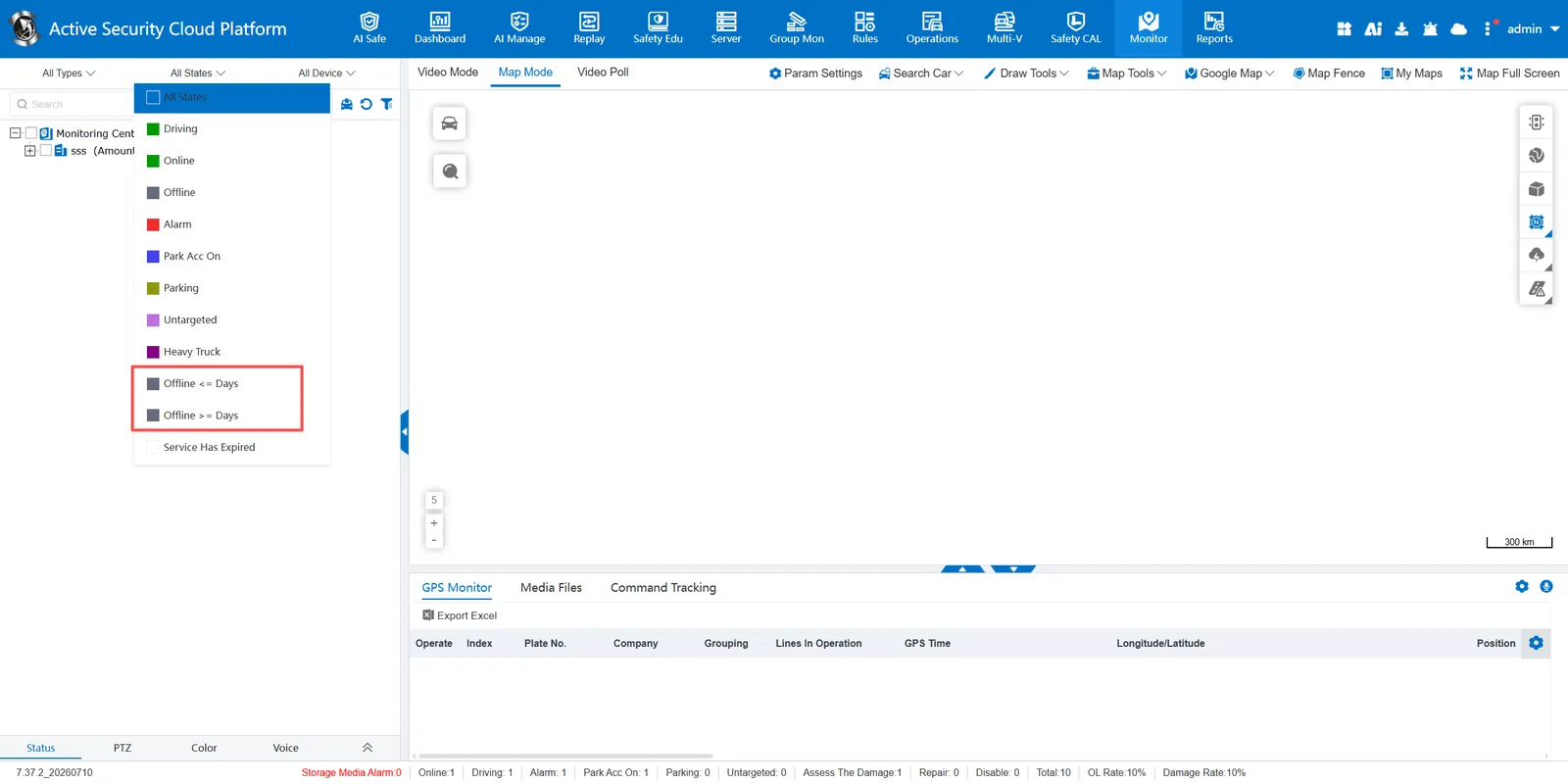
For example: Filter devices whose offline days are greater than or equal to 1 day
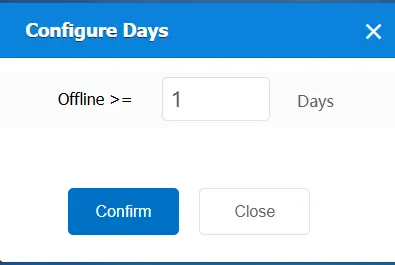
The effect after screening is as follows
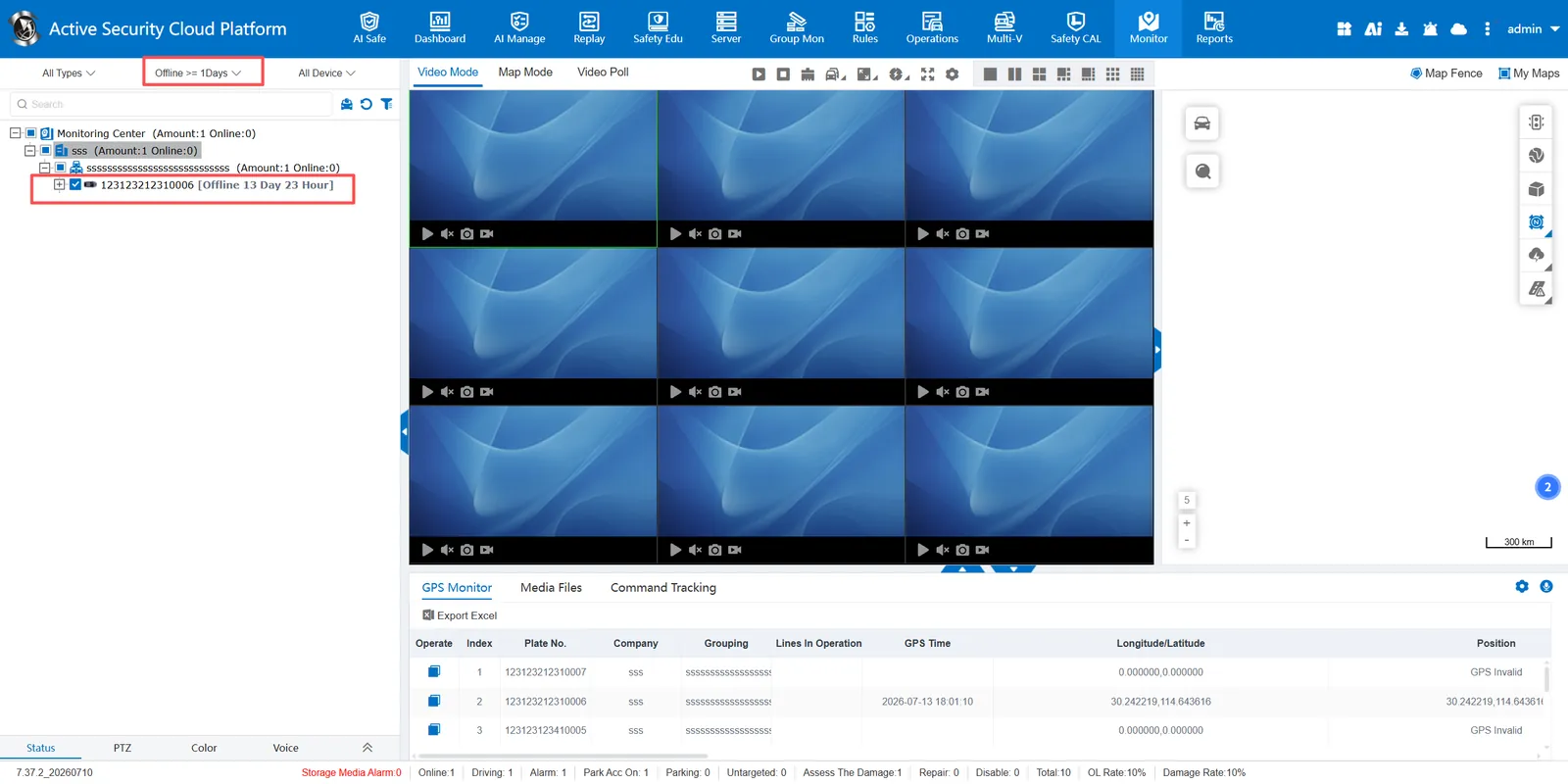
5. Filter by Service Expired
Service expired can be selected for filtering in all statuses
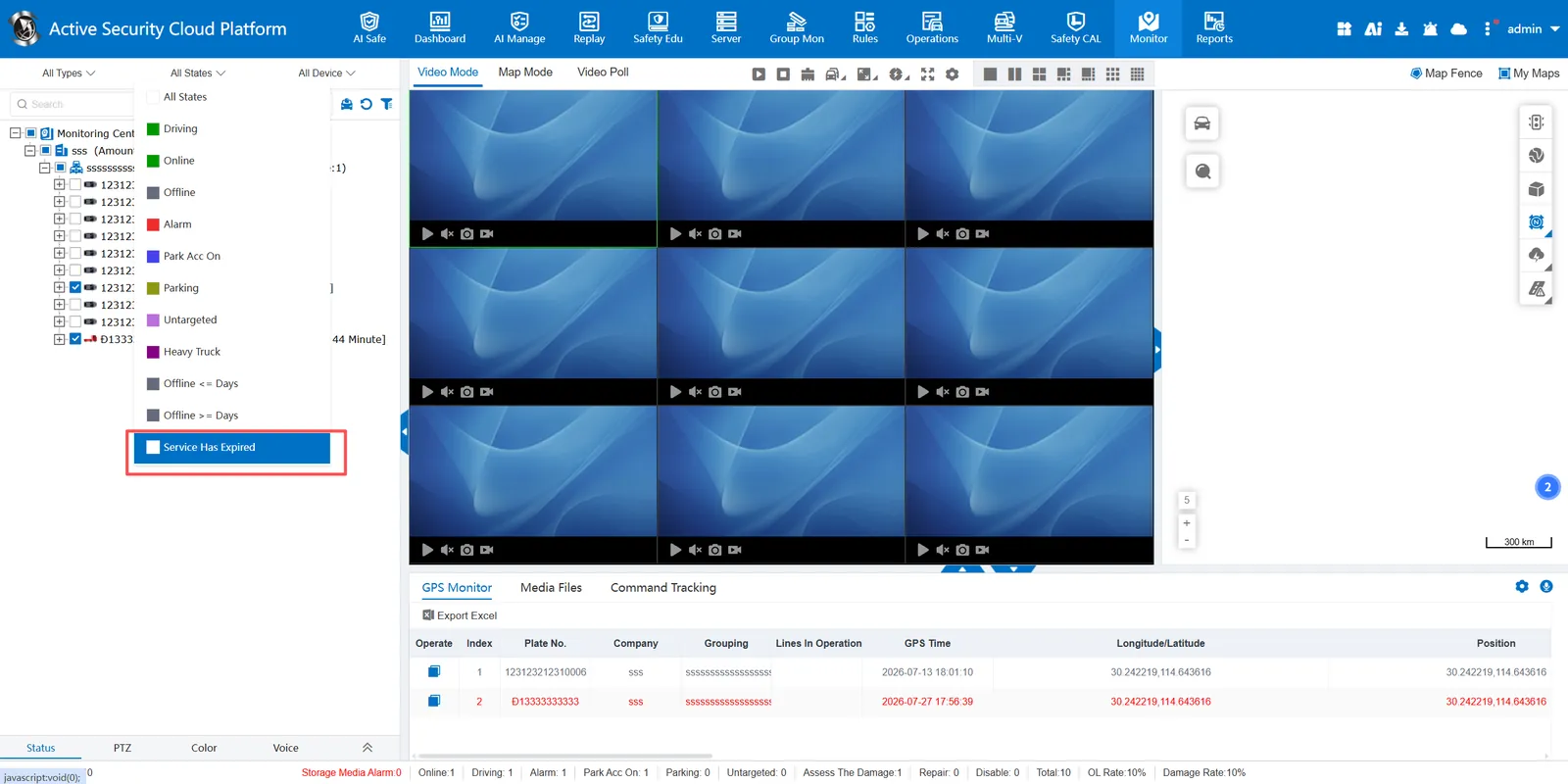
The effect of filtering by service expiration is as follows