1. Function description
Configure device communication logs to analyze and troubleshoot issues.
2, operating instructions
2.1 to open the web log management page
- Use admin account to log in to the web side;
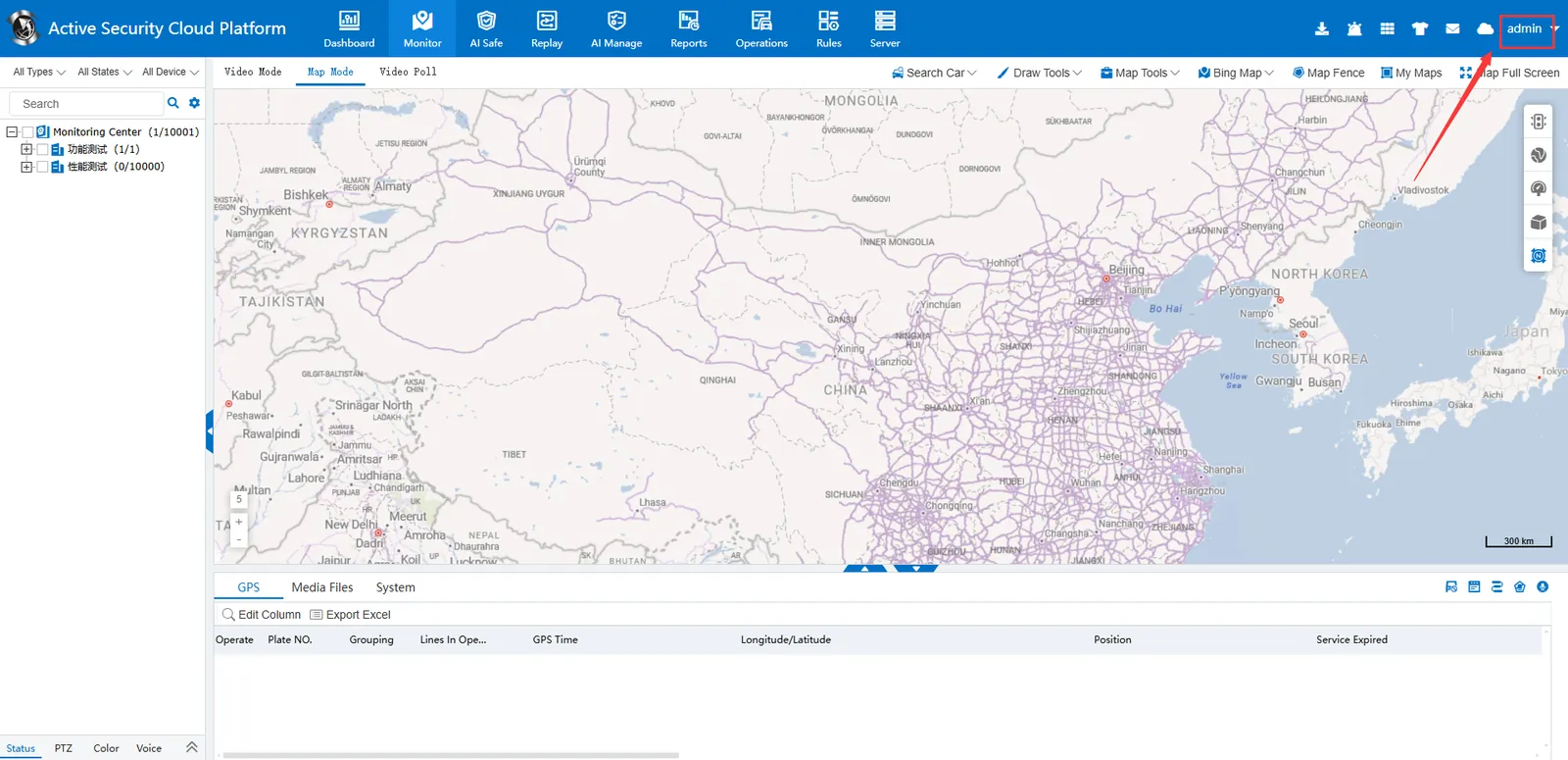
- A new window access log management page is opened. The access address is as follows:
- If the server IP is 192.168.1.123 and weB port is 80, it is as follows
(1) http://192.168.1.123/log.html?ttx=1 - If the server IP is 192.168.1.123 and weB port is 8080, it is as follows
(2) http://192.168.1.123:8080/log.html?ttx=1 - If the server address is a domain name https://v7.cmsv8.com, it is as follows
(3) https://v7.cmsv8.com/log.html?ttx=1
2.2 the configuration device log
Fill in the device number, log level, maximum log capacity, whether to save media data, whether to save Rtp package, and save it after configuration.
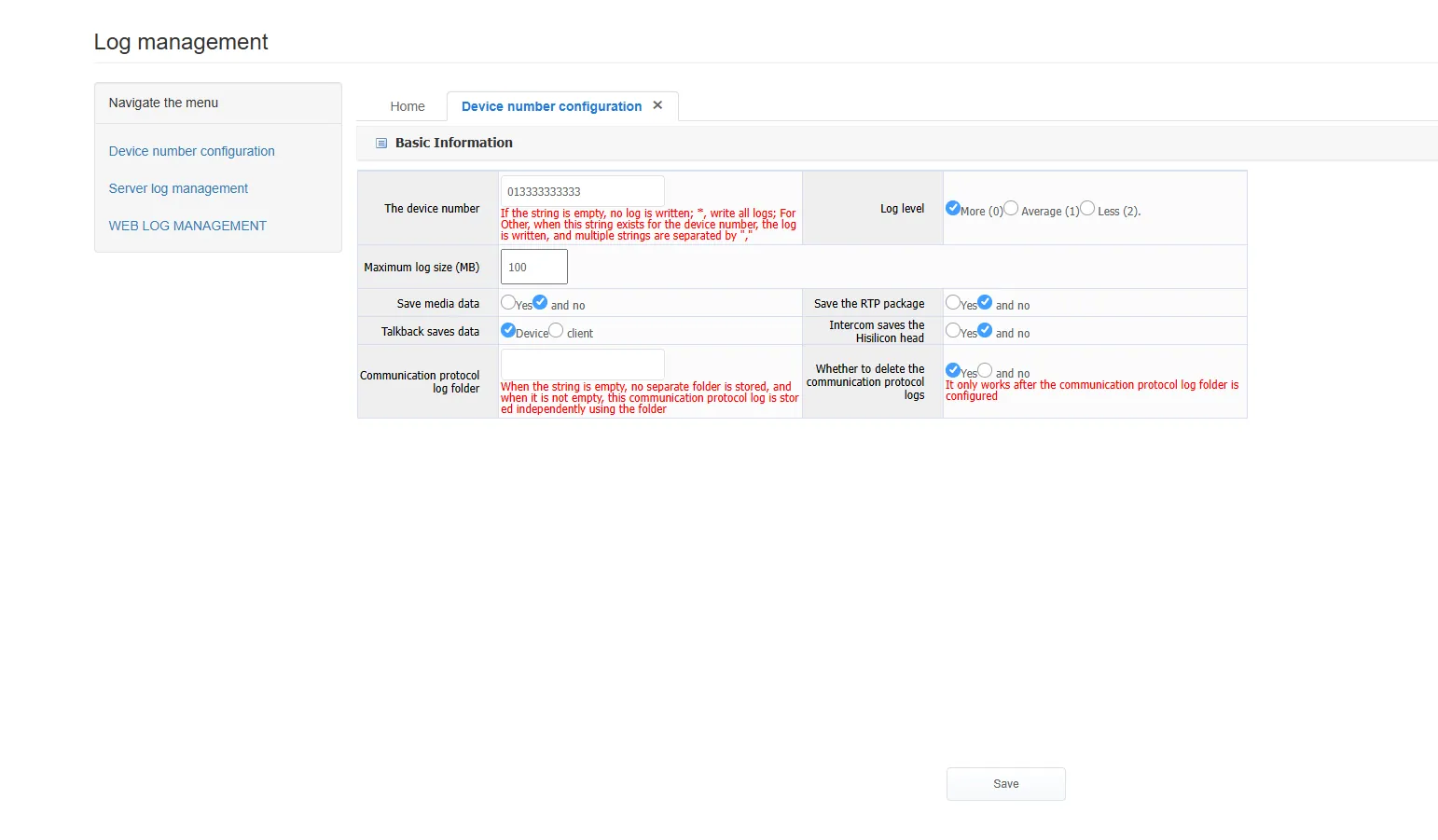
- Device number: when it is configured as empty, no log is recorded; when it is configured as *, logs of all devices are recorded; when it is configured as a specific device number, only logs of the configured device number are recorded
- Log level: When you want to store logs, please configure it to 0, during normal operation, please use normal or multiple
- Maximum log capacity: After the log file exceeds this size, the old log file will be deleted.
- Save RTP packet: used to record the rtp data packet sent when the 1078 device is docked, and the corresponding file name is the file beginning with jt1078
- Save 264 video data: used to record real- time video, intercom, monitor, and save the parsed video data after playback into a file, and the corresponding file name is the file beginning with jt1078
- Communication protocol log folder: The communication log is stored separately in another folder, which can be used to record the device communication log for a long time. Normal operation Please configure empty string
- whether to delete the communication log: yes, it will be deleted, no, it will not be deleted
2.3 communication log search and download
After waiting for some time for new data to be written to the log, you can download the log file in <Server Log Management>:
(1) The log beginning with GPSGatewaySvr----libmdvrnet is the communication log of the gateway server
Log files are displayed in reverse chronological order by default
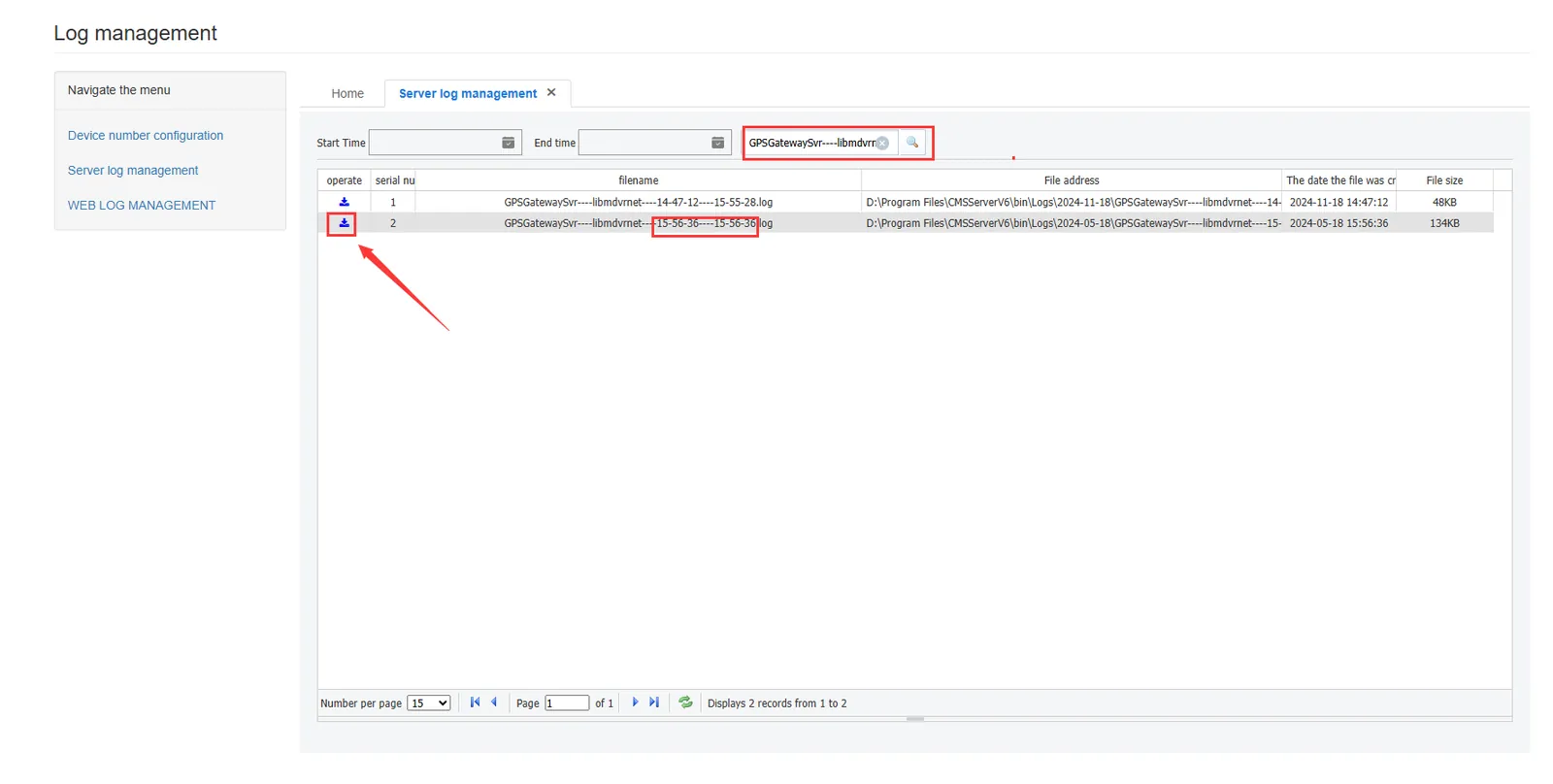
(2)jt1078 begins with stored rtp video data packets

(3) SearchGPSMediaSvr----libmdvrnet, download media data packets, and mainly analyze audio and video data
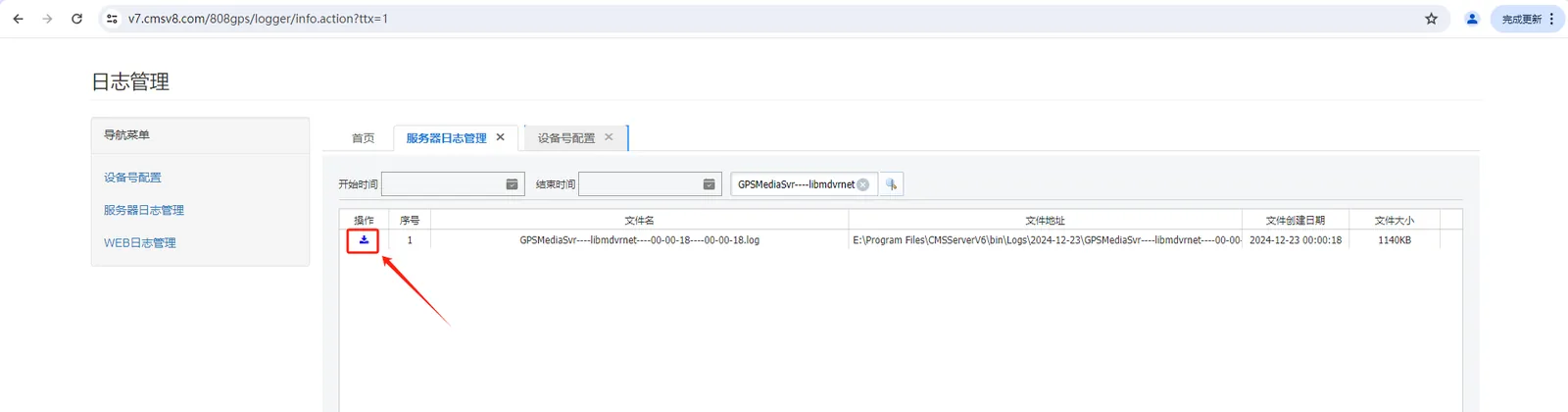
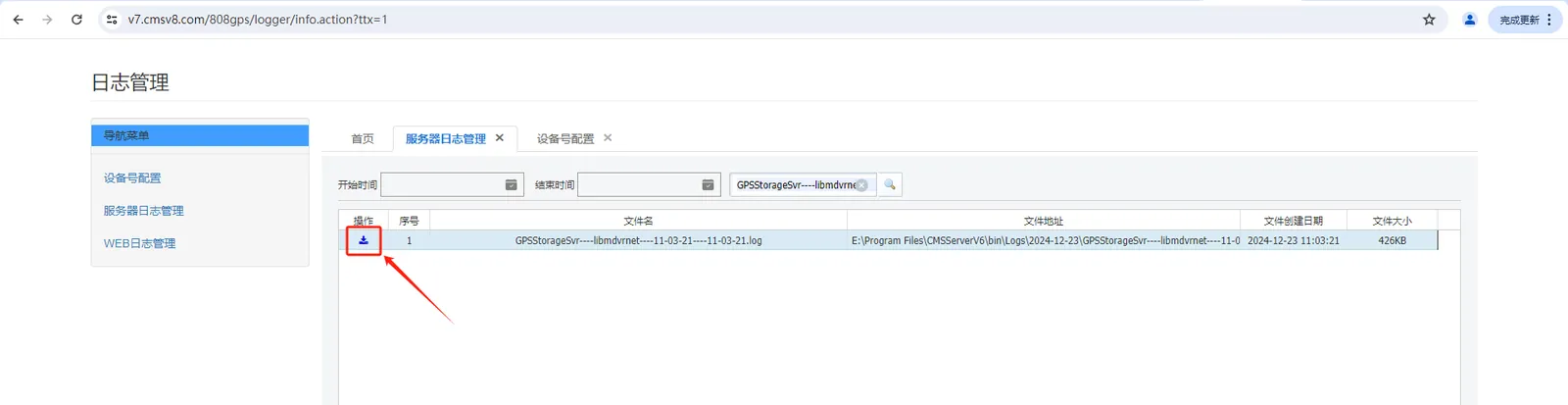
(4) SearchGPSStorageSvr----libmdvrnet, download storage server logs, mainly analyze device active security attachments, and capture photo uploads