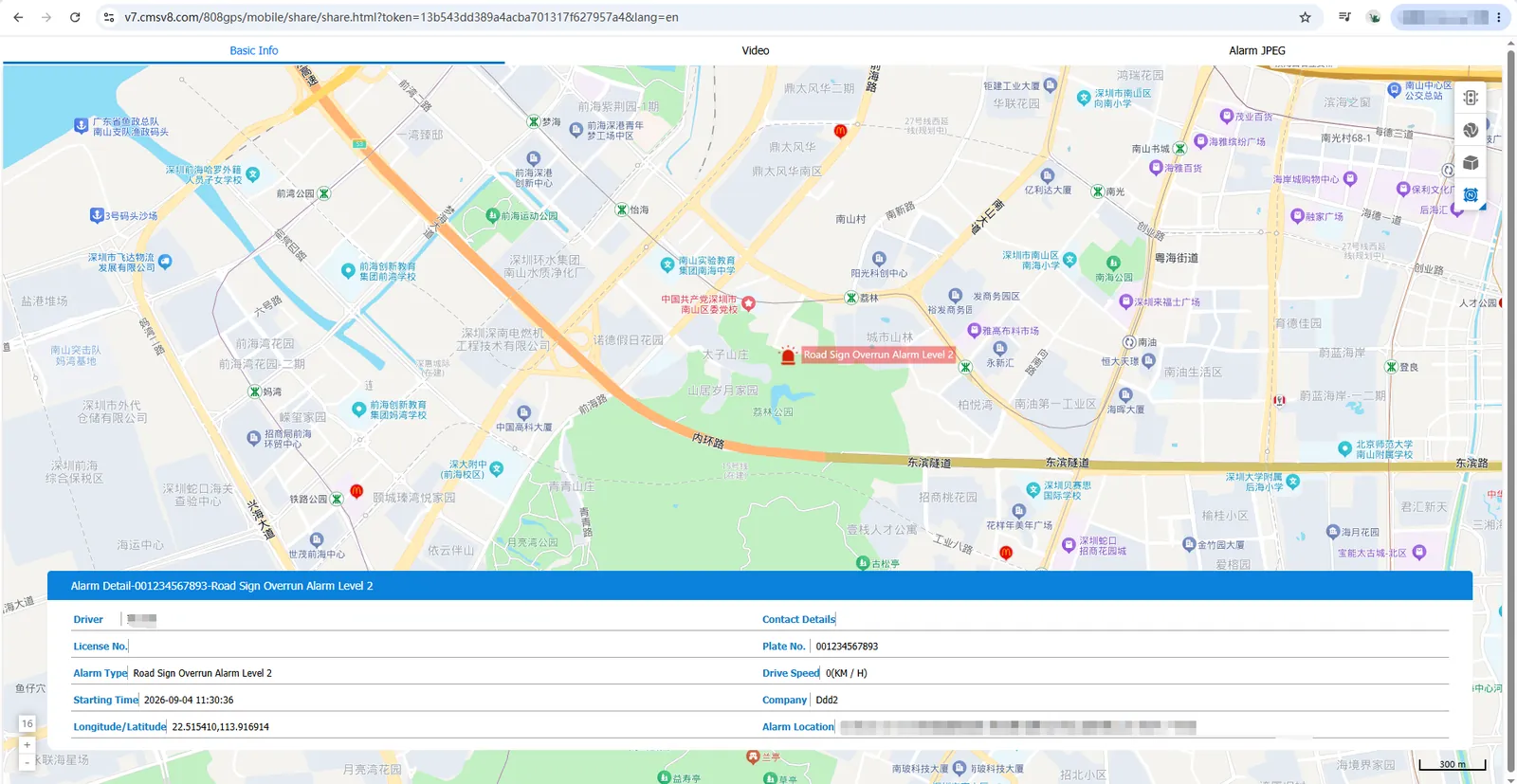
1. Function description
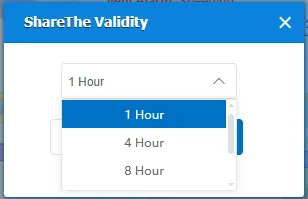
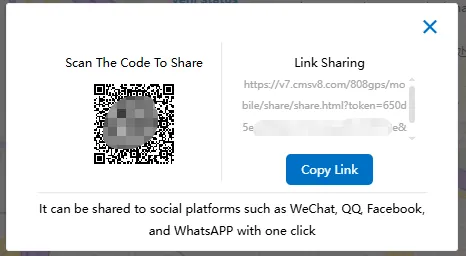
Support the sharing of real-time location, real-time video, track playback, video playback and active security alarm events. Find the sharing portal in the corresponding function and select a sharing validity period to generate a sharing QR code or URL link. Support computer browser or mobile phone mobile terminal access. The mobile terminal recommends using the default browser to access.
Share validity: You can choose 1 hour, 4 hours, 8 hours, 1 day, 7 days.
Sharing form: scan the code to share, link sharing
2. operating instructions
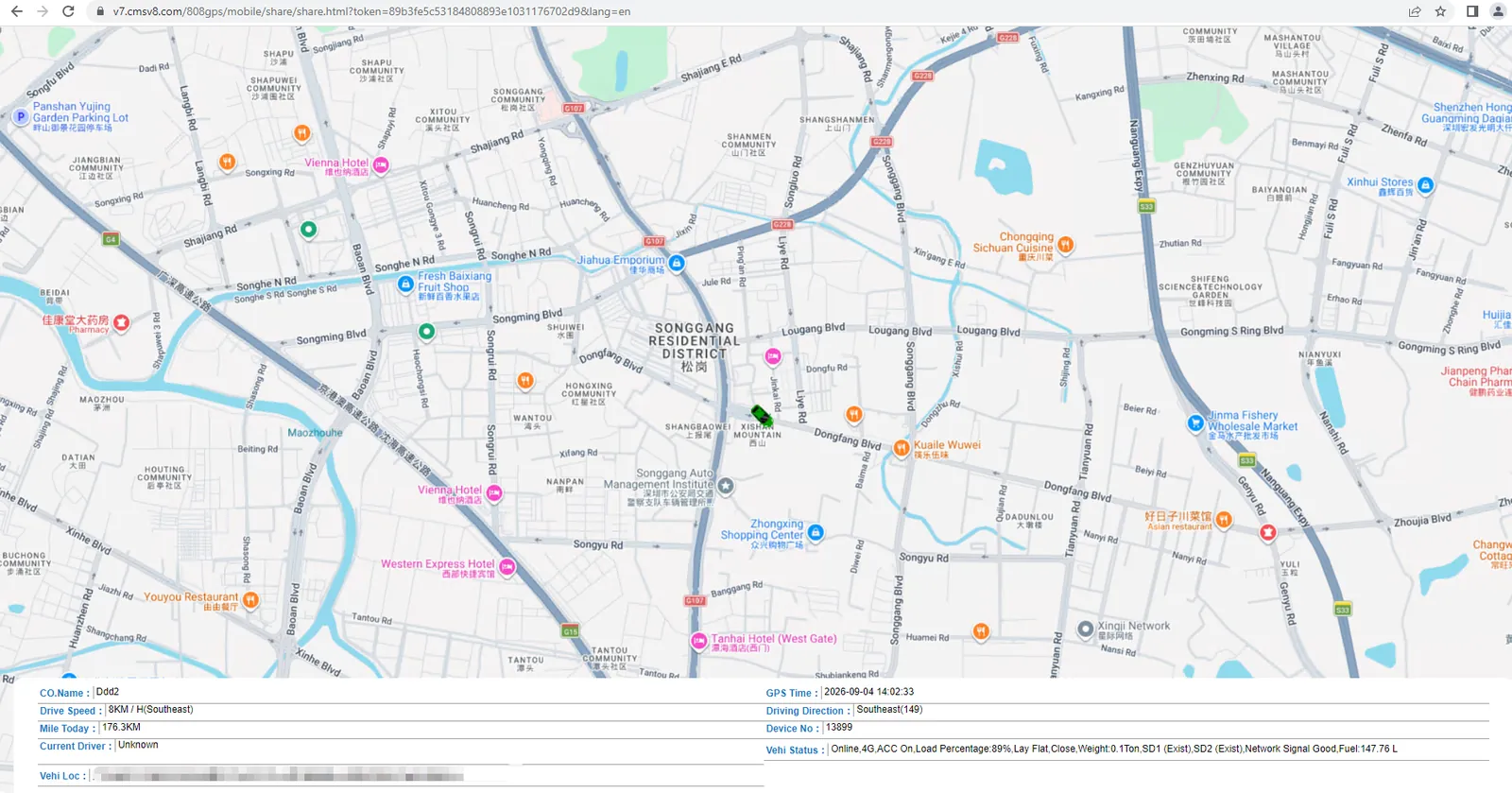
2.1 real-time location sharing
Sharing portal: after the electronic map displays vehicle monitoring, click [more]> [share]> [real-time location]
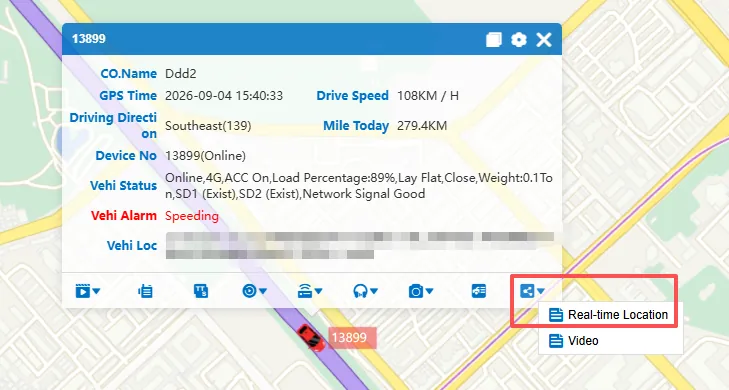
Share example:
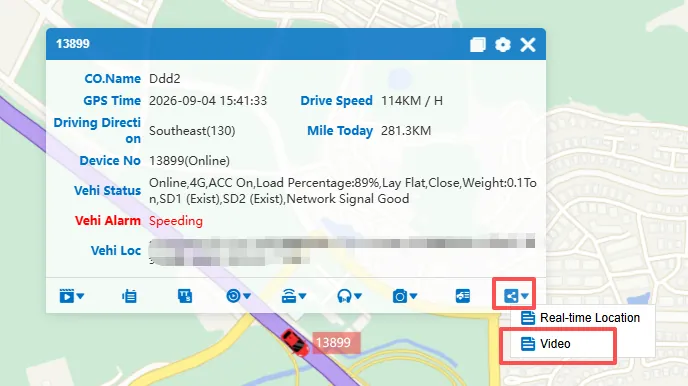
2.2 real-time video sharing
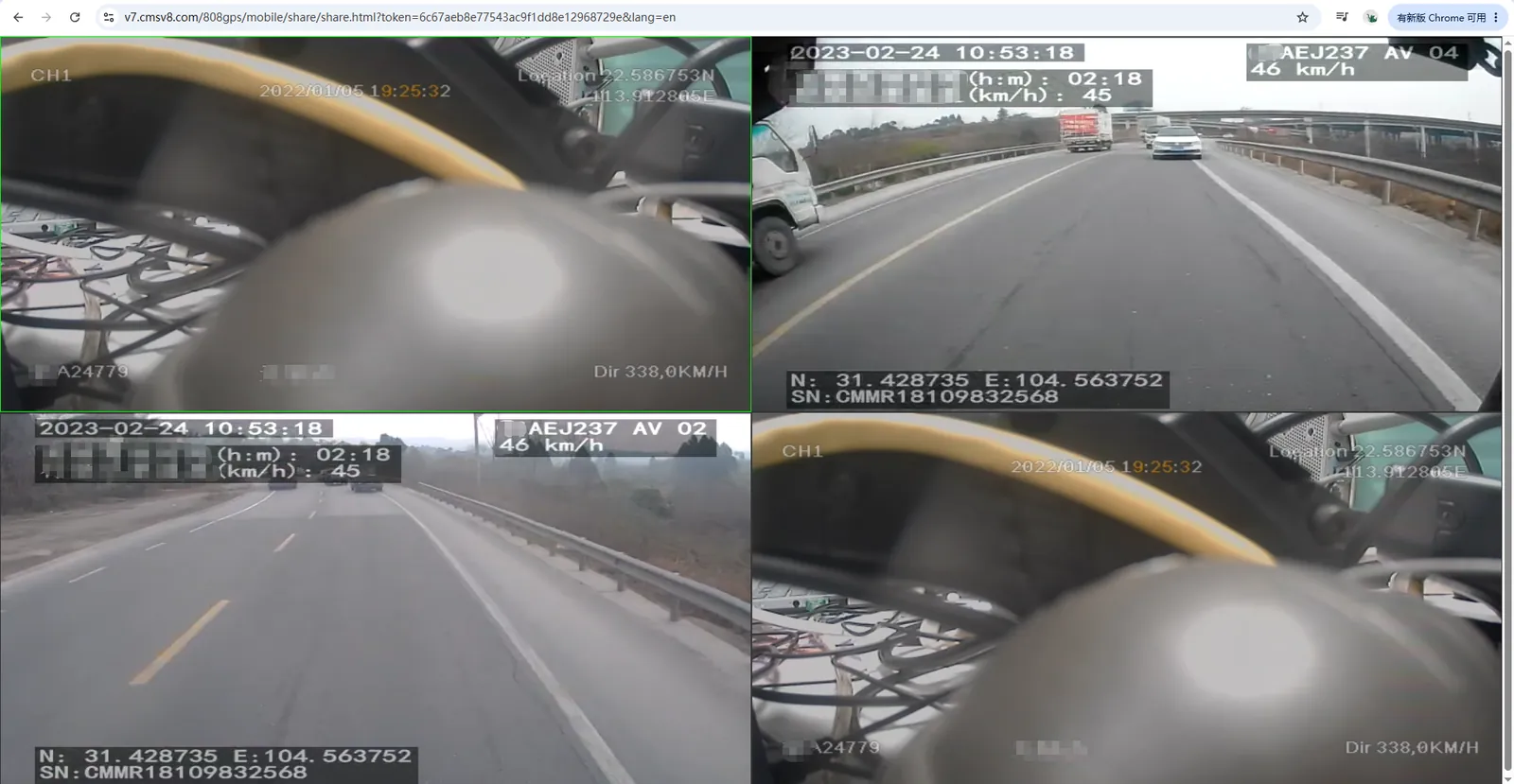
Sharing portal: after the electronic map displays vehicle monitoring, click [more]> [share]> [video]
Share example:
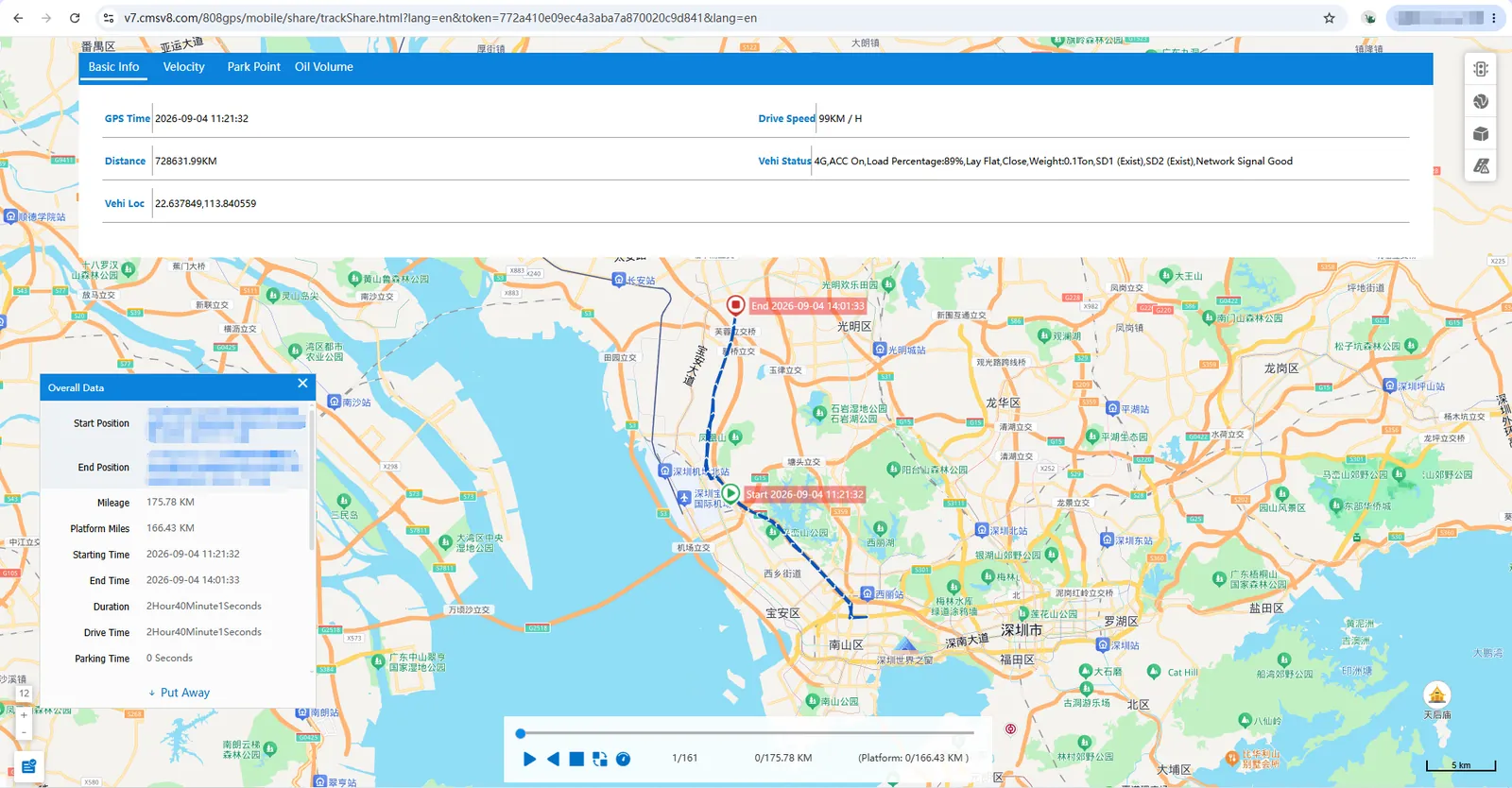
2.3 track playback sharing
Sharing portal: [Replay]> [Track], after searching the vehicle track, click on the lower right corner of the page to share
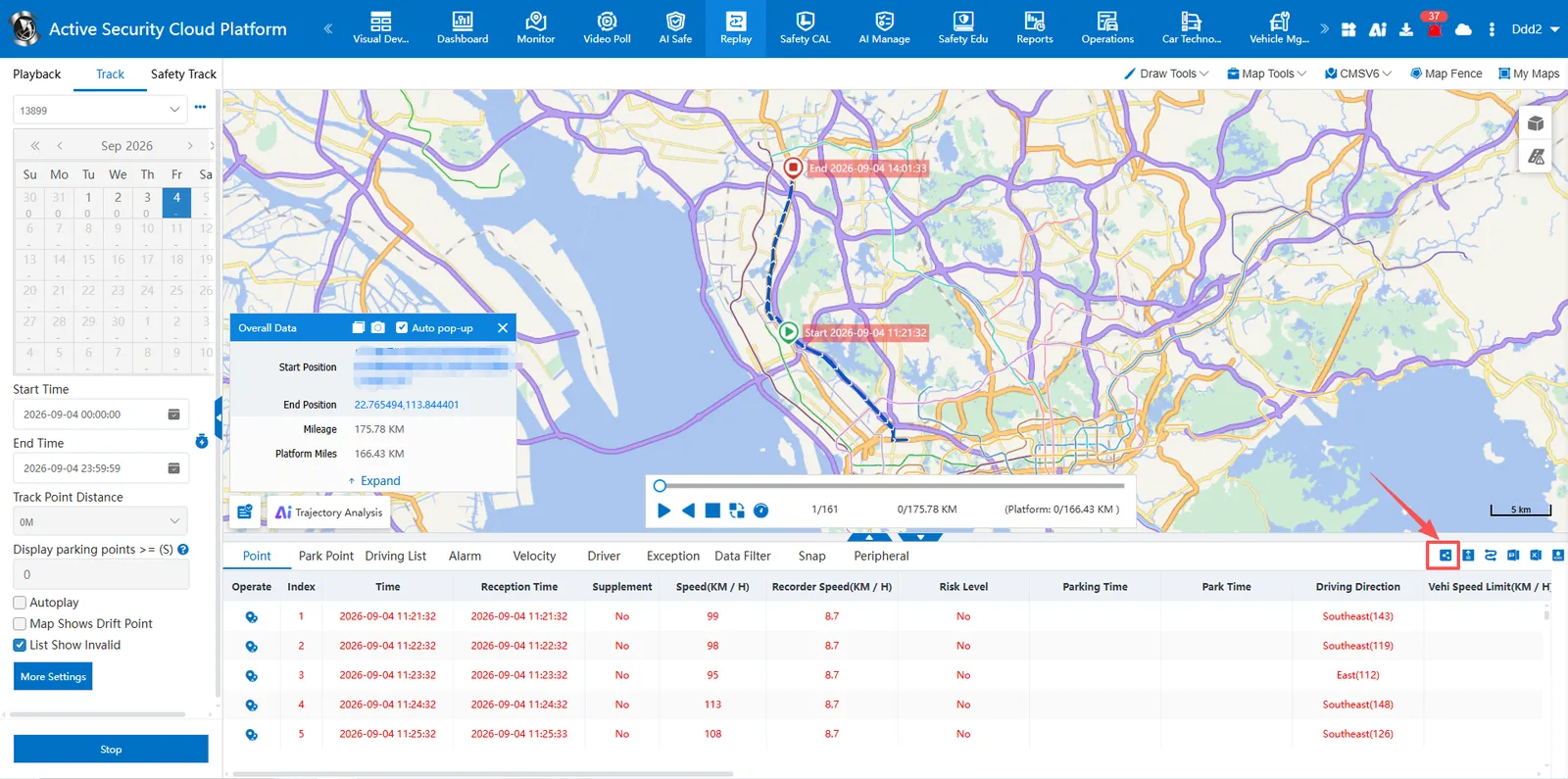
Share example:
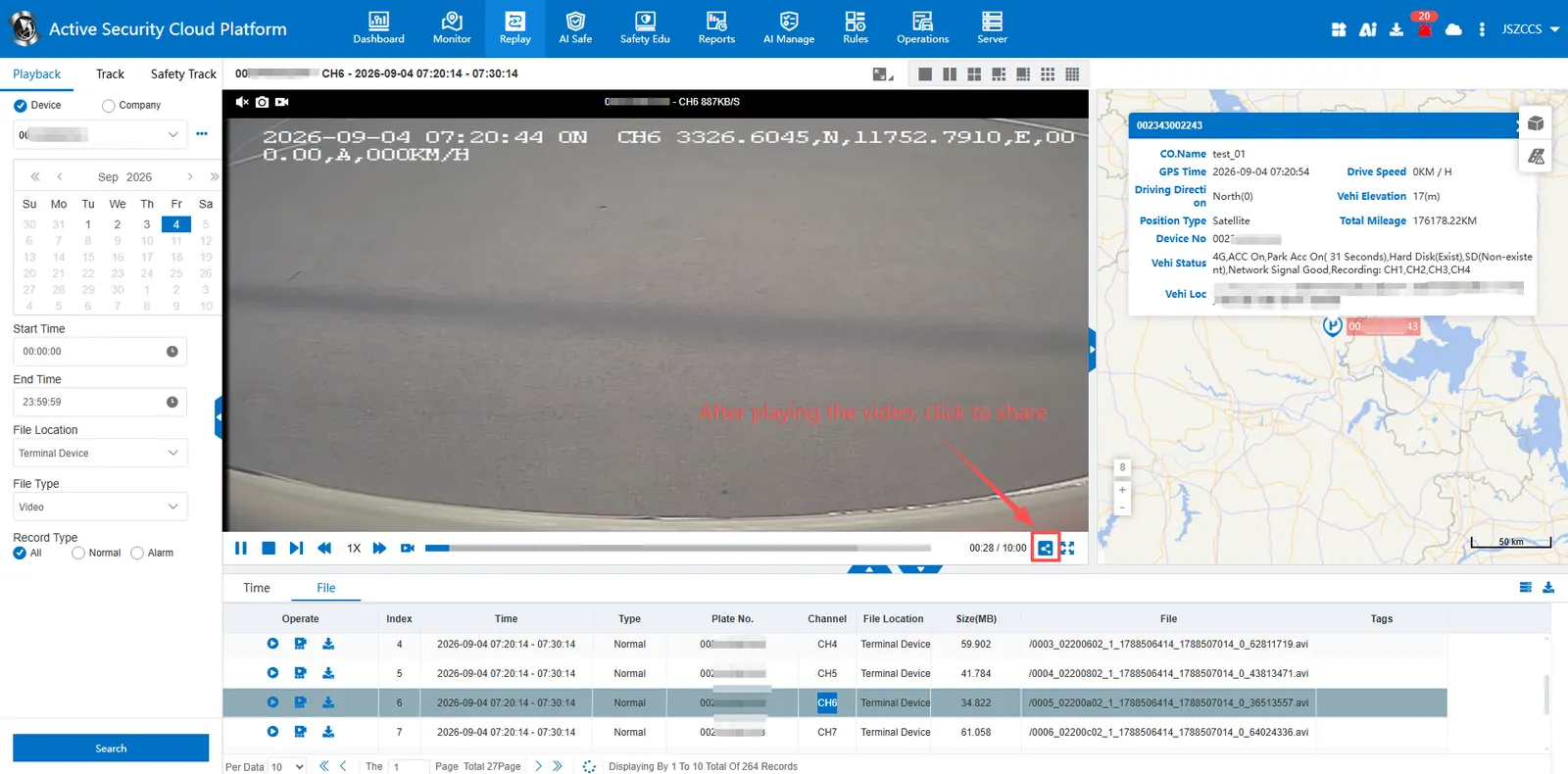
2.4 video playback sharing
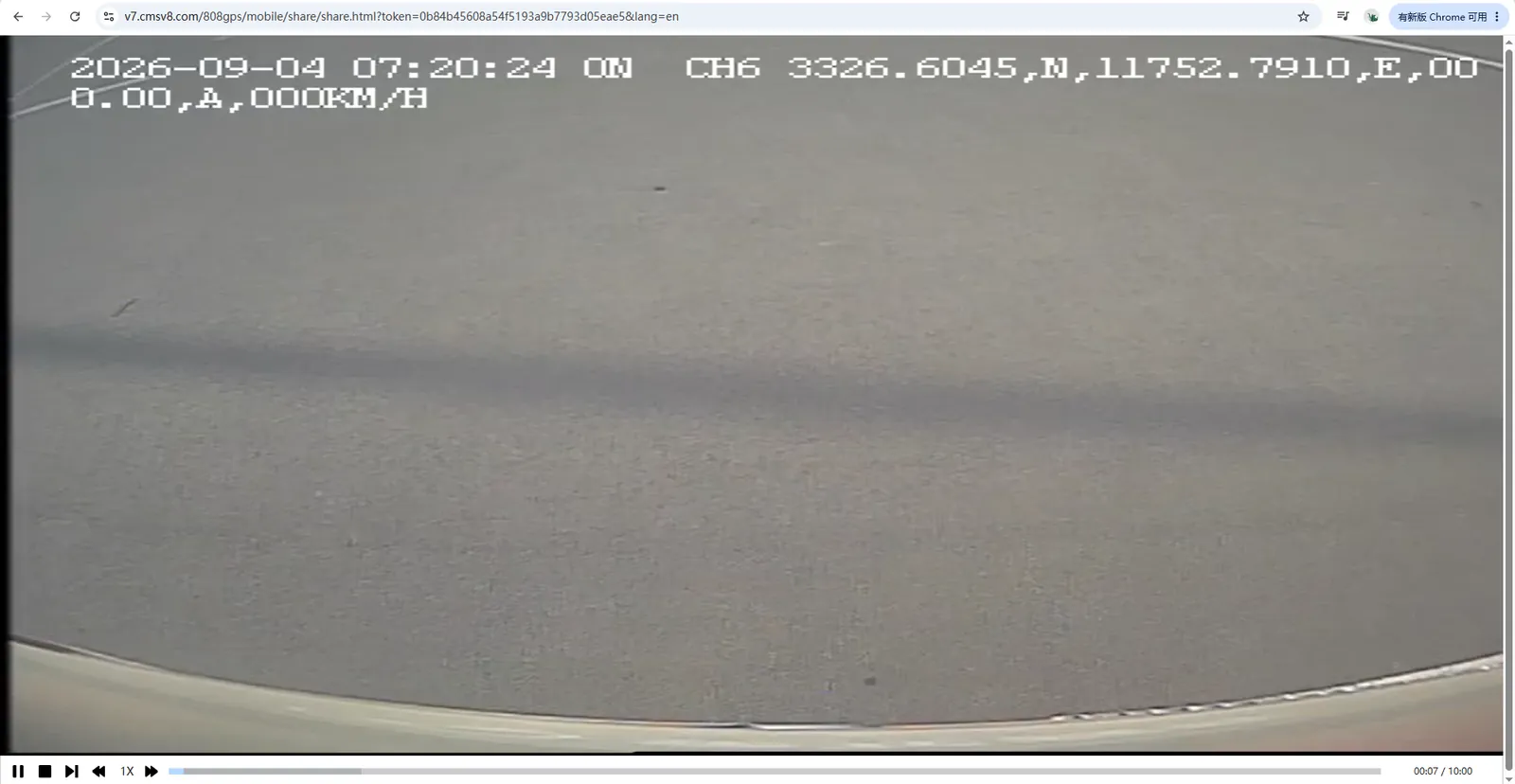
Sharing portal: [Replay]> [Playback], search for vehicle video and open it for playback, click to share in the lower right corner of the window
Share example:
2.5 alarm event sharing
Sharing portal: active safety alarm details, click on the upper right corner of the window to share
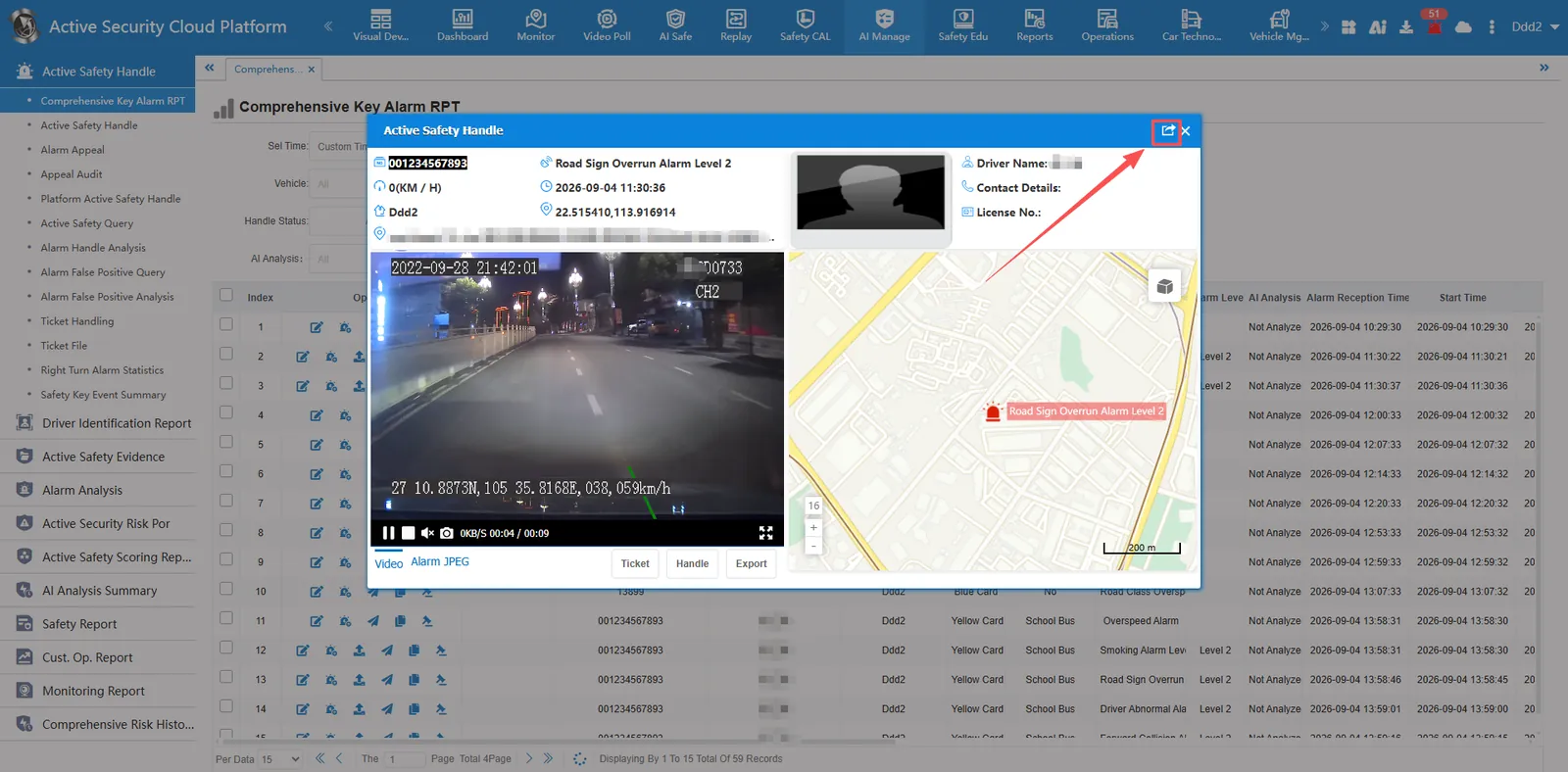
Share example: