Author 杨海青Updated 2026-05-09 14:10:41Doc ID 1530105 words · 1 min readView original ↗
1. Function description
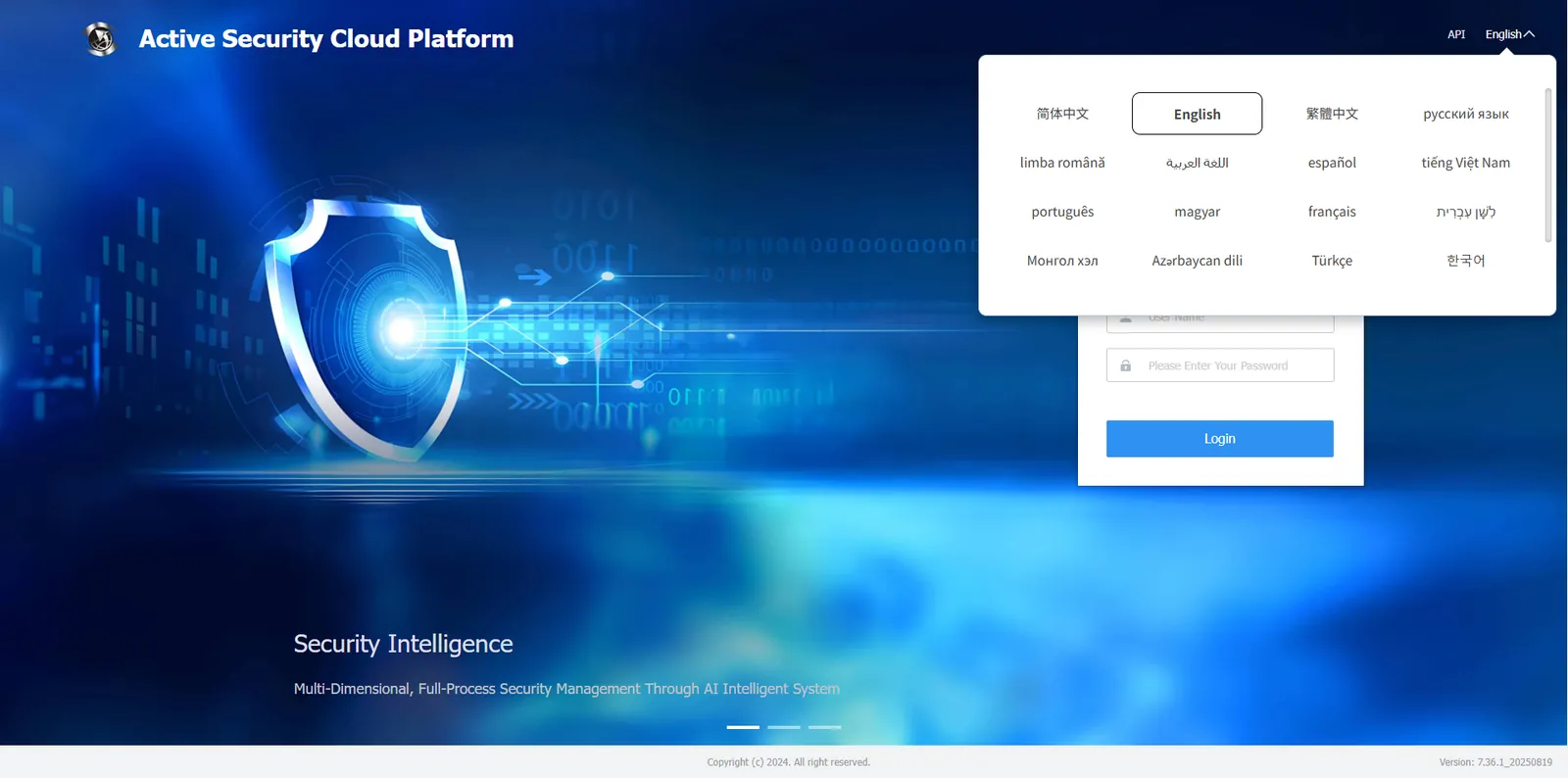
You can switch languages in the upper right corner of the web login home page. Chinese is the default in China and English is the default in foreign countries.
Currently supports: Simplified Chinese, Traditional Chinese, English, Russia, Romania, Arabic, Spain, Vietnam, Portugal, Hungary, French, Hebrew, Mongolian, Azerbaijan, Turkey, Korean, Indonesia and other 17 languages, and the follow- up is still being adapted.
2, operating instructions
Enter the WEB login home page, click the [Language] column in the upper right corner of the page, select the desired language from the drop- down menu, and then the page will switch to the corresponding language.