1. Function description
- 1.1 platform is compatible with 808- 2 011,808- 2019,1078- 2016 protocol, and all devices conforming to the protocol can access it;
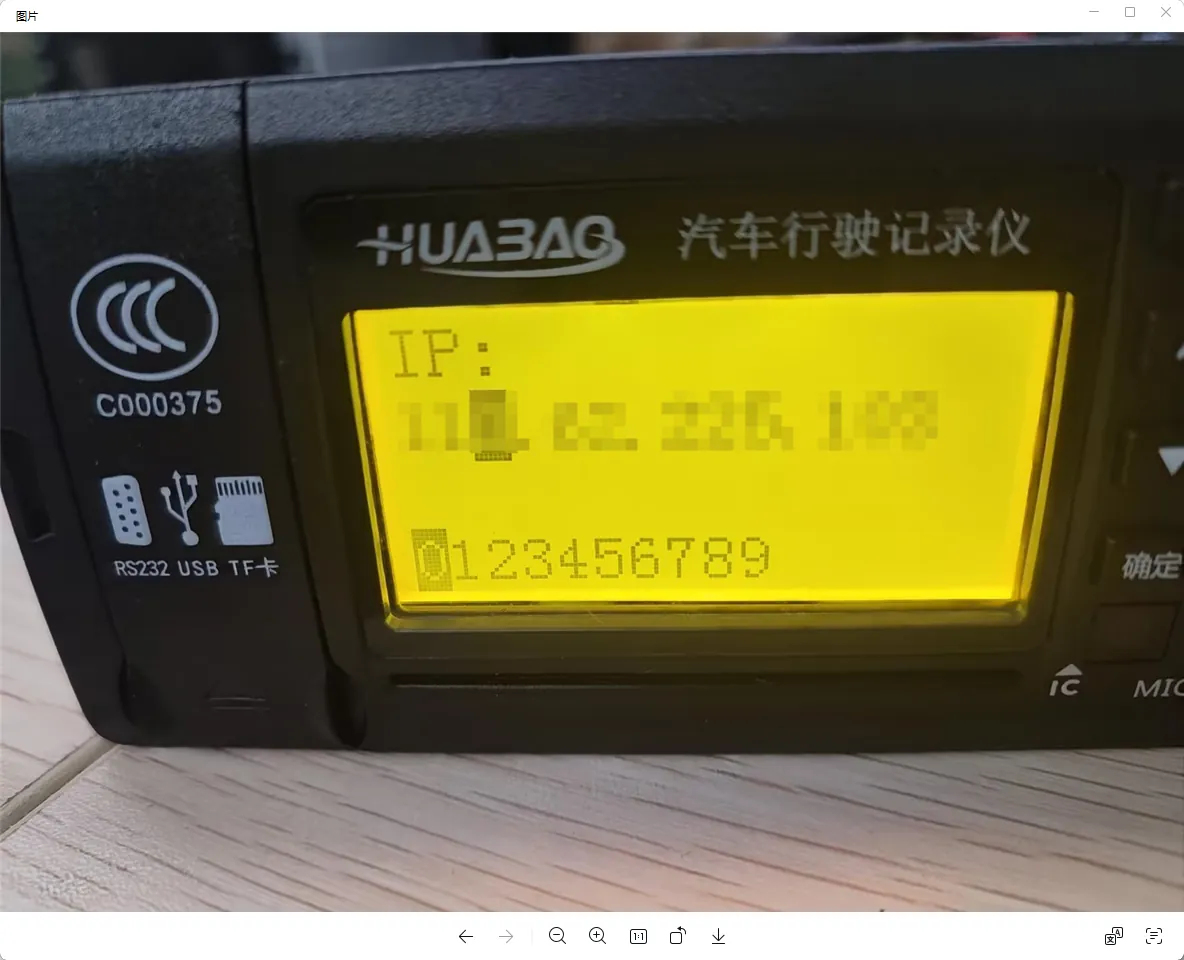
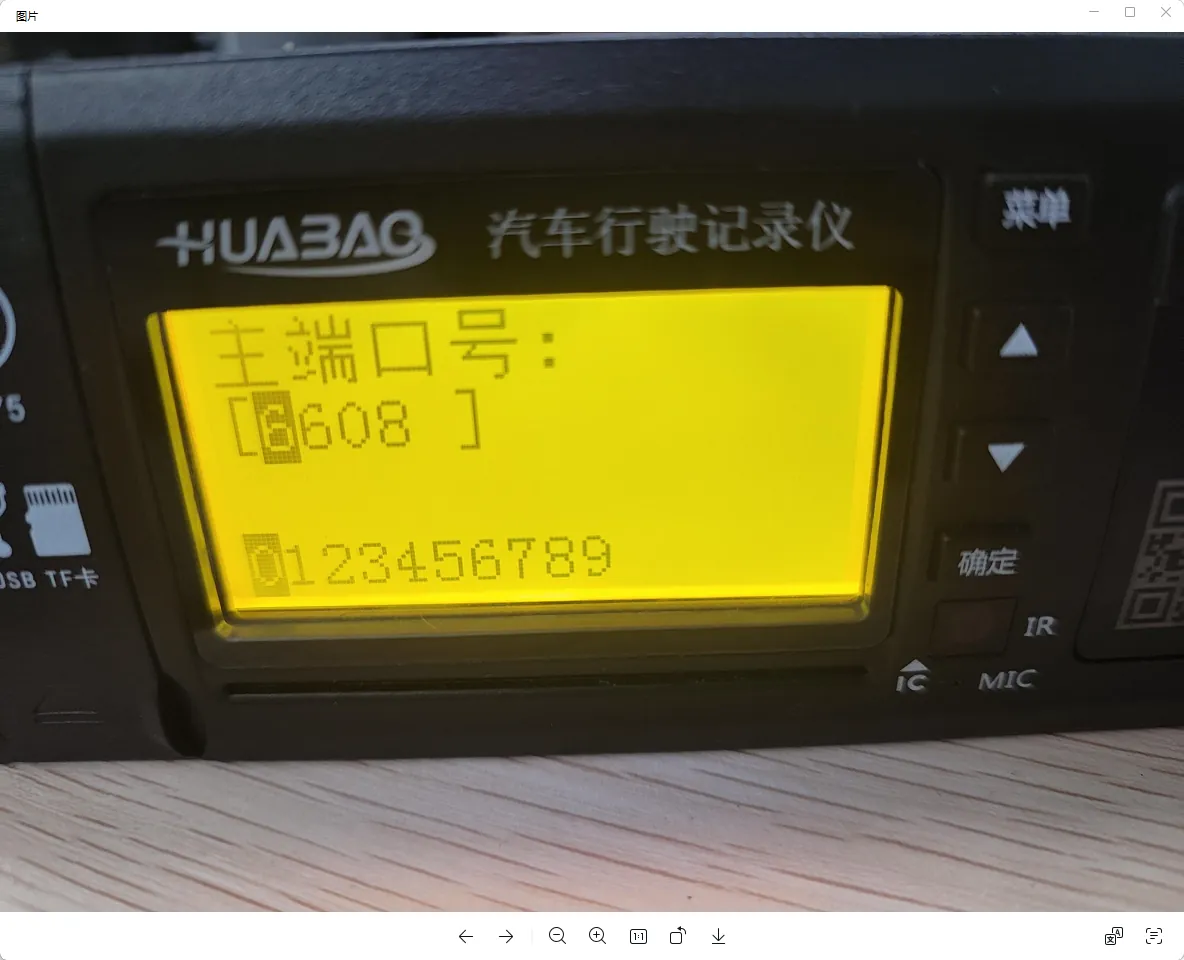
- 1.2 platform provides access IP address and port to the device;
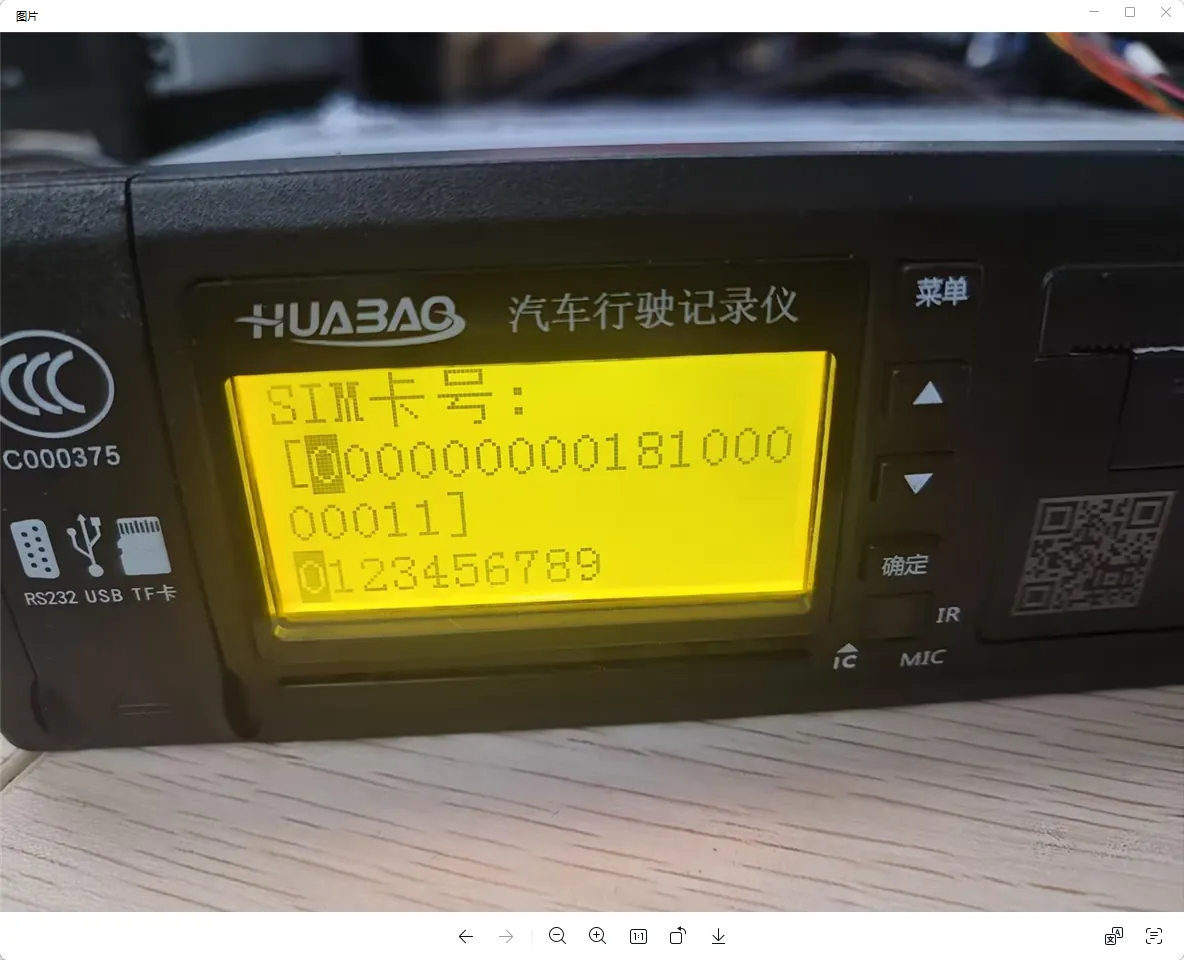
- 1.3 equipment provides the equipment ID to the platform, and the equipment ID needs to be consistent with the equipment number of the platform (the equipment number of the department mark equipment on the platform is generally 12 bits, and the platform with less than 12 bits will automatically add 0 to the front to form 12 bits);
2, operating instructions
2.1 device reporting
There are generally three types of information that the device needs to set: server public network ip, device reporting port, and device number;
2.2 platform end equipment information entry
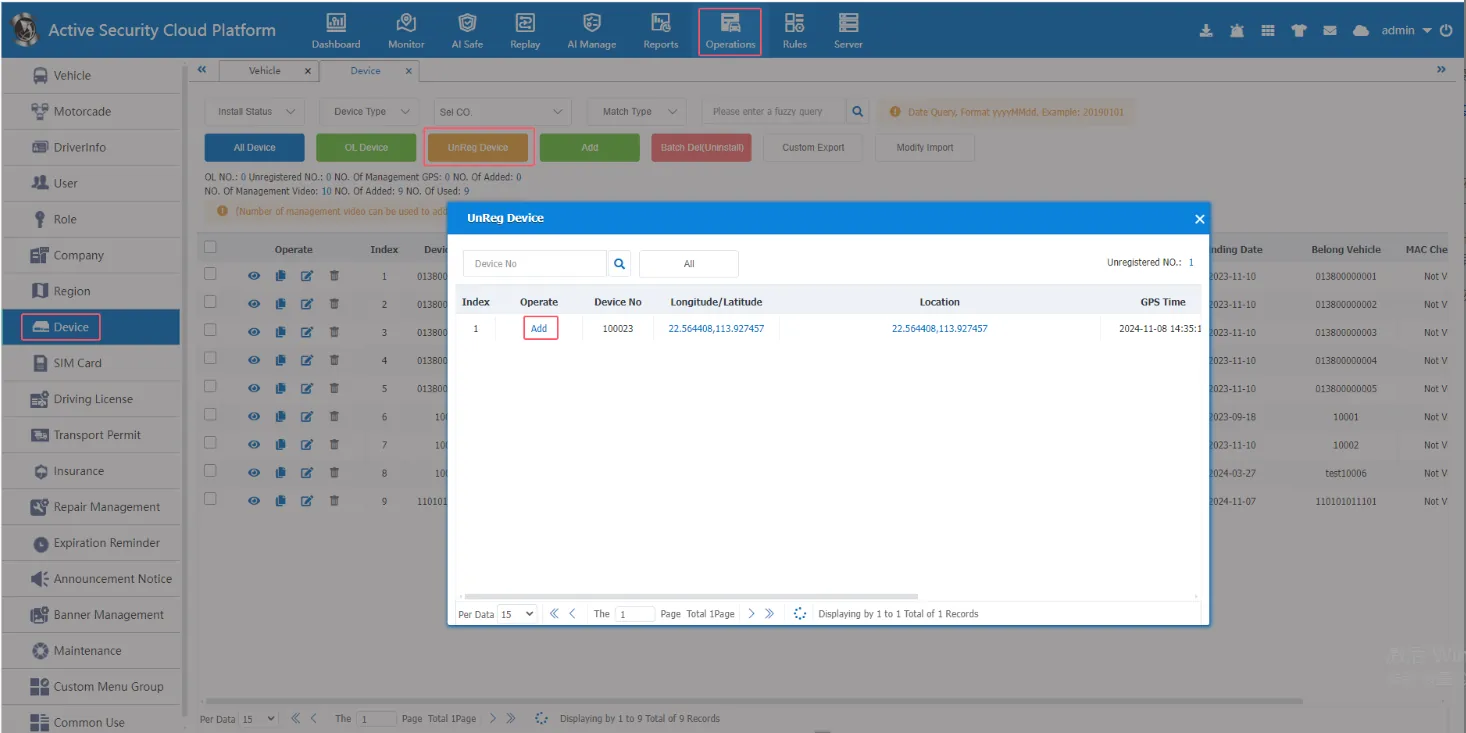
In general, equipment and vehicles are added directly in the equipment management- unregistered equipment, which jumps to the quick car adding interface of vehicle information (the equipment appearing in unregistered equipment is the equipment that has been reported to the platform through the server public network ip equipment reporting port)
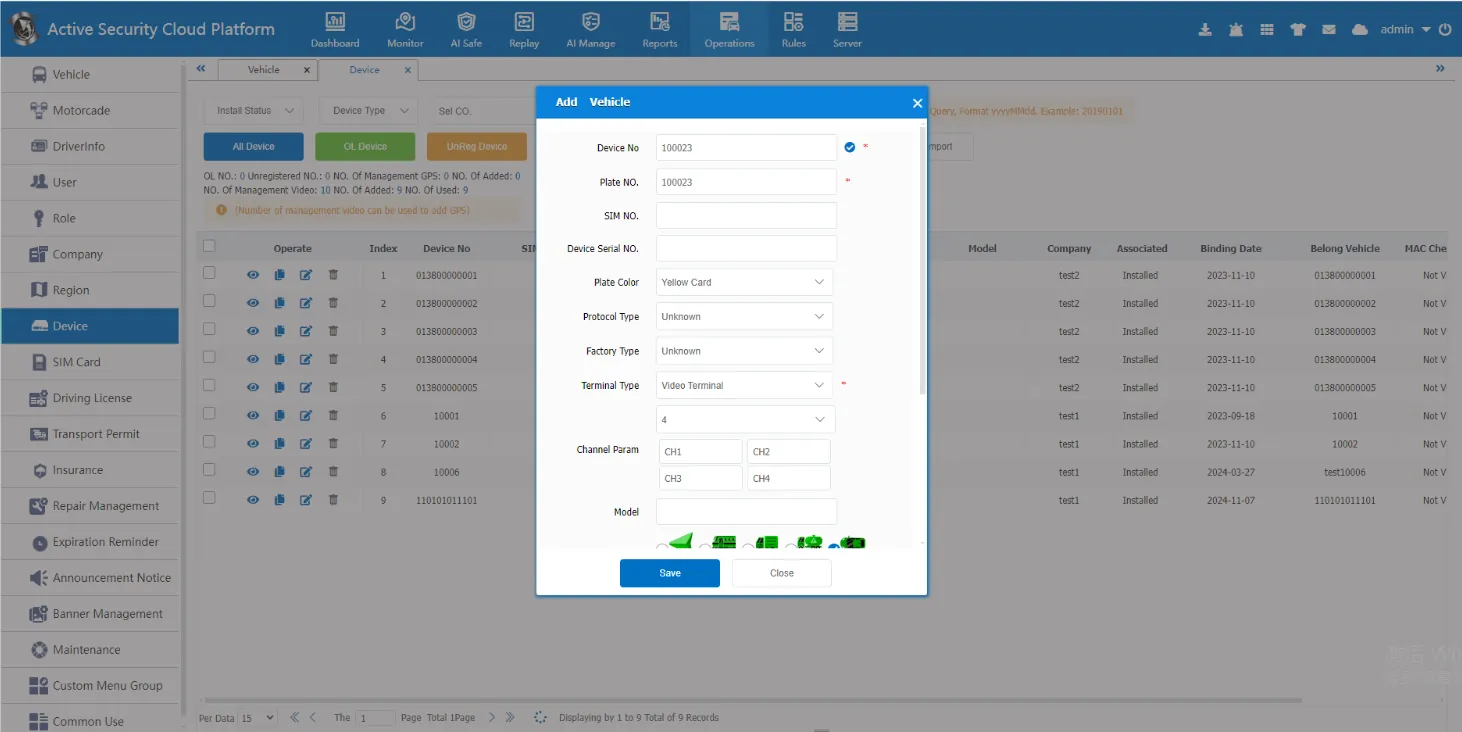
Before adding vehicles, you need to add companies, users, roles, etc.
Add Company
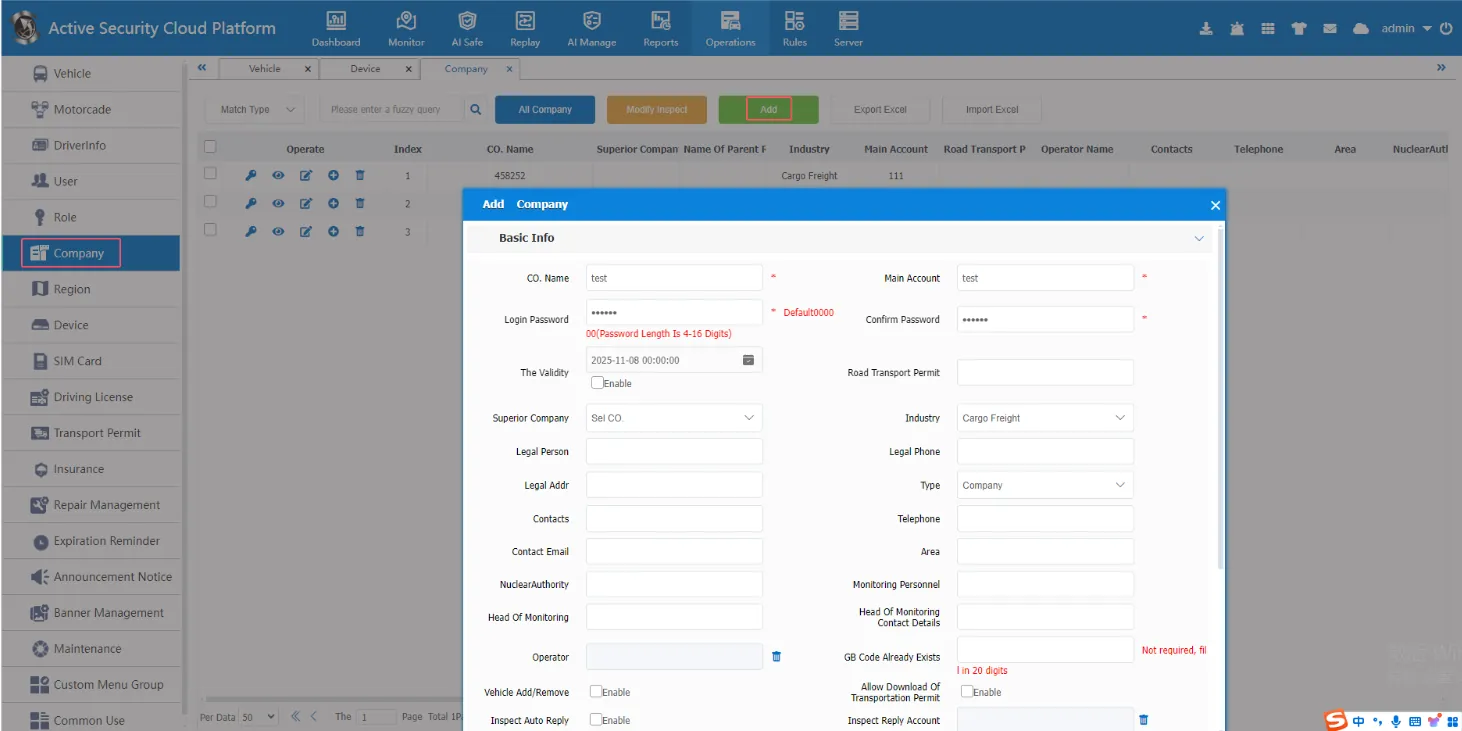
After the company is added, a company master account will be automatically generated (the master account is equivalent to the company boss and has all the permissions in role management, that is, it is not controlled by the permissions of role management)
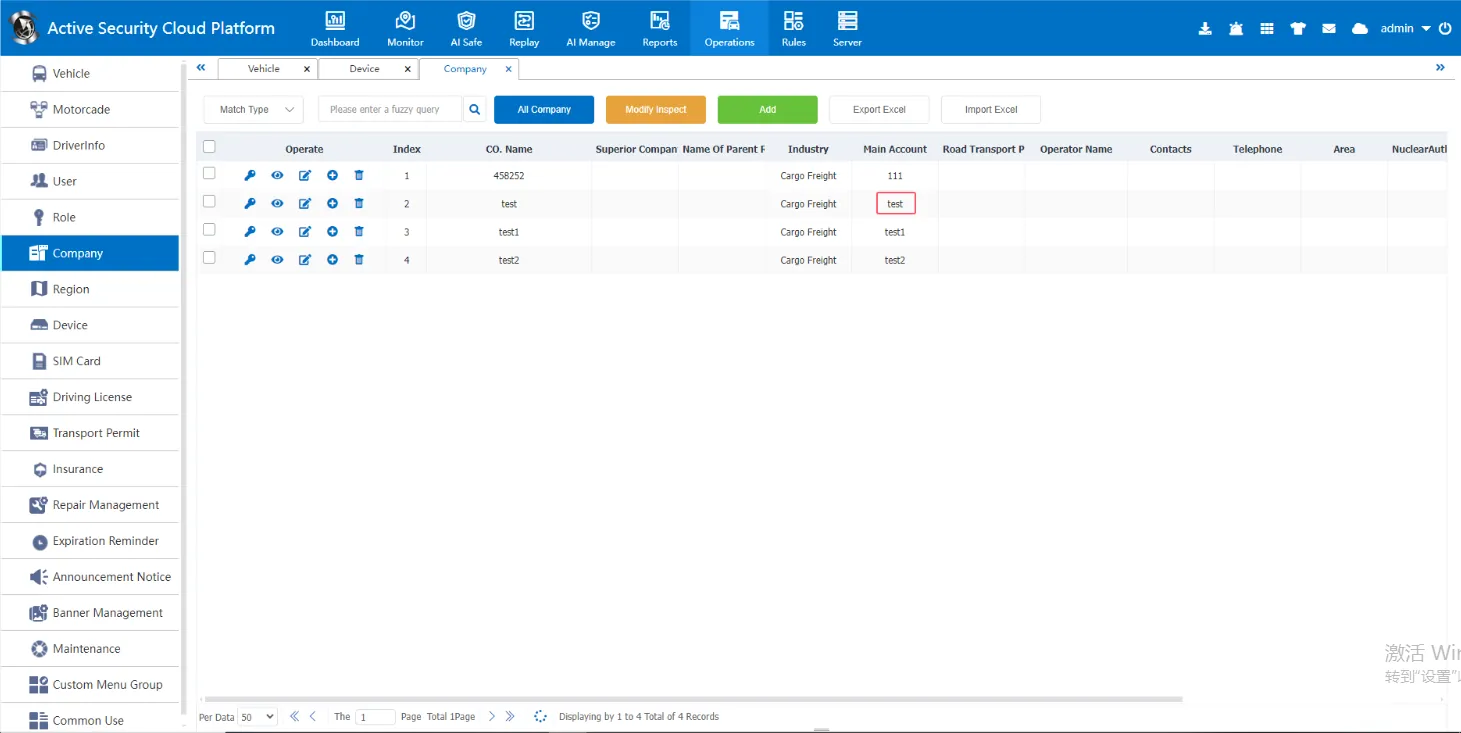
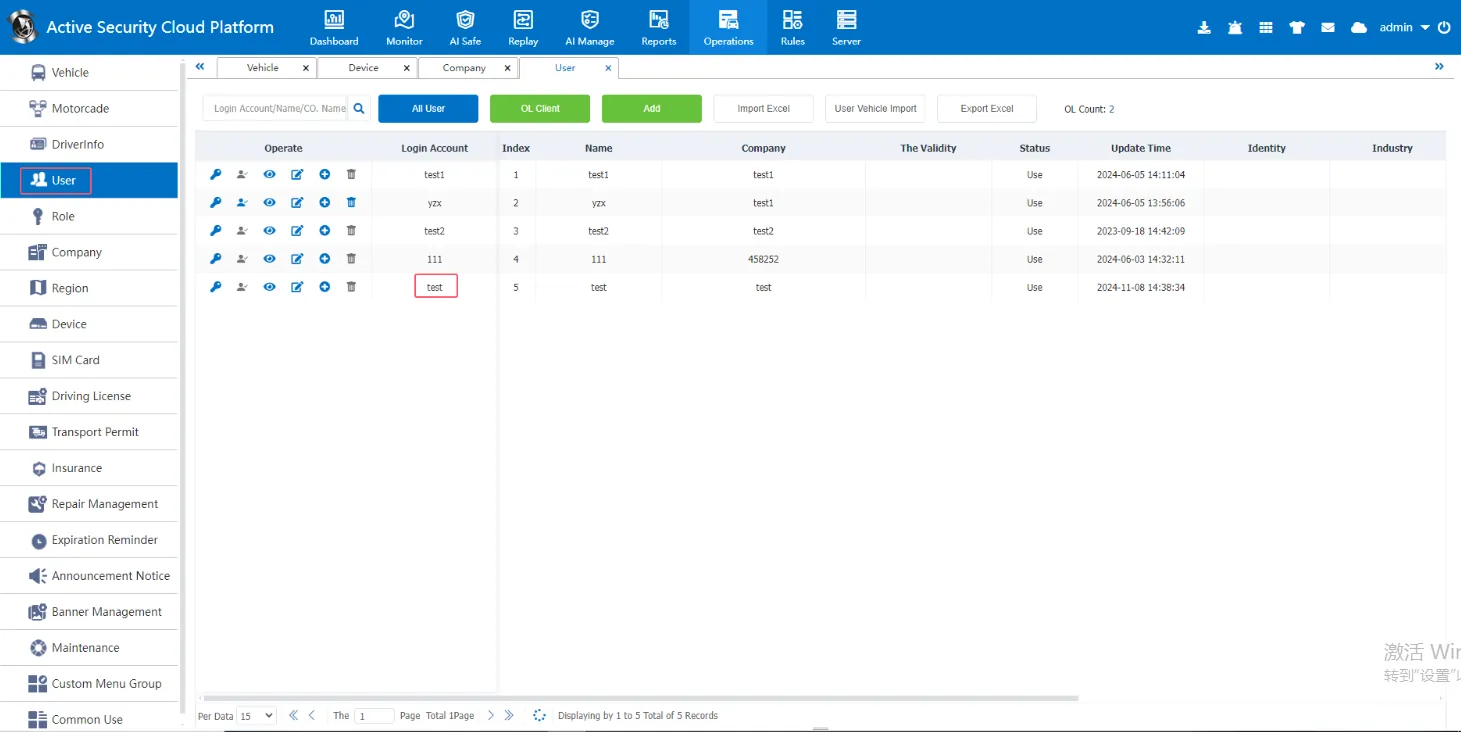
Add a role (the role is equivalent to the company's personnel manager, responsible for managing the authority of the company's employees)
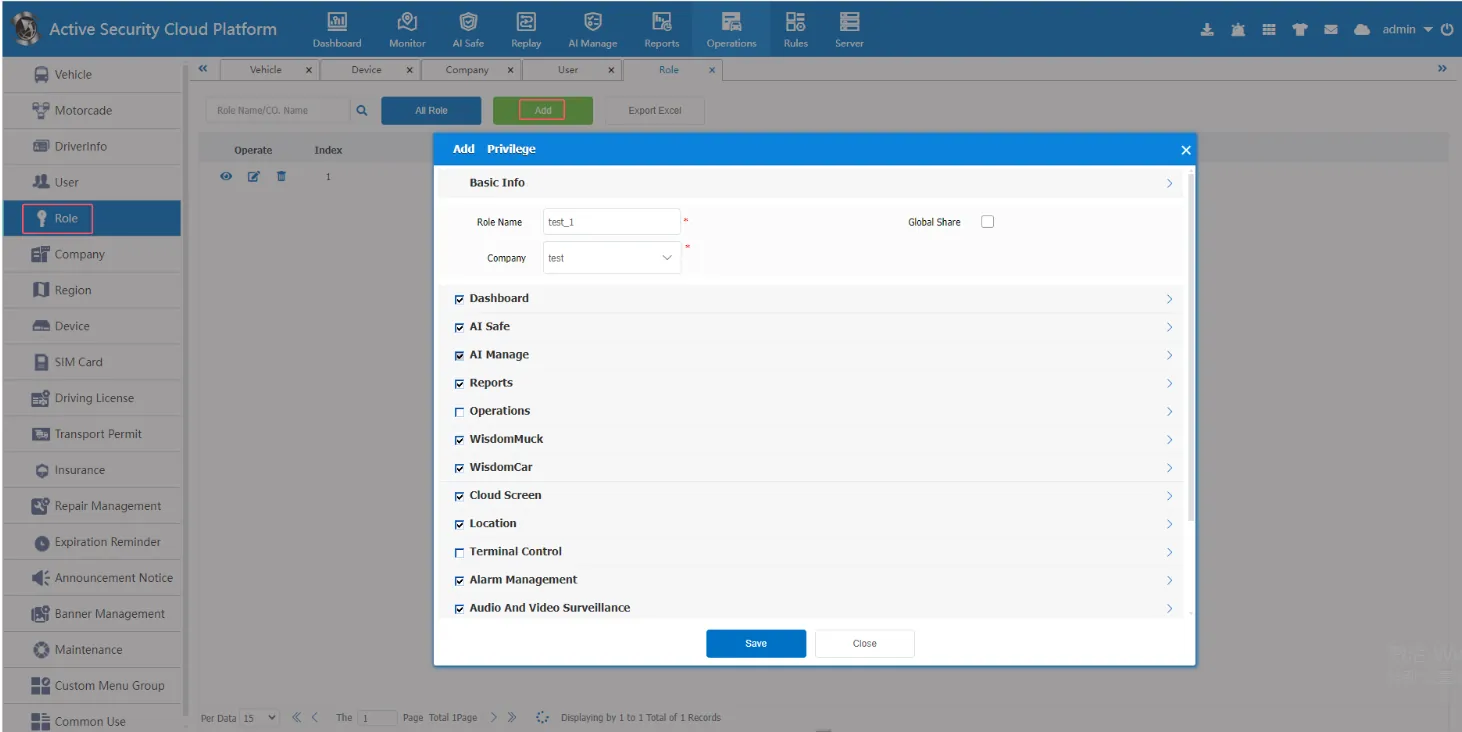
Add a user (a user is equivalent to an employee of a company whose permissions are controlled by a role)
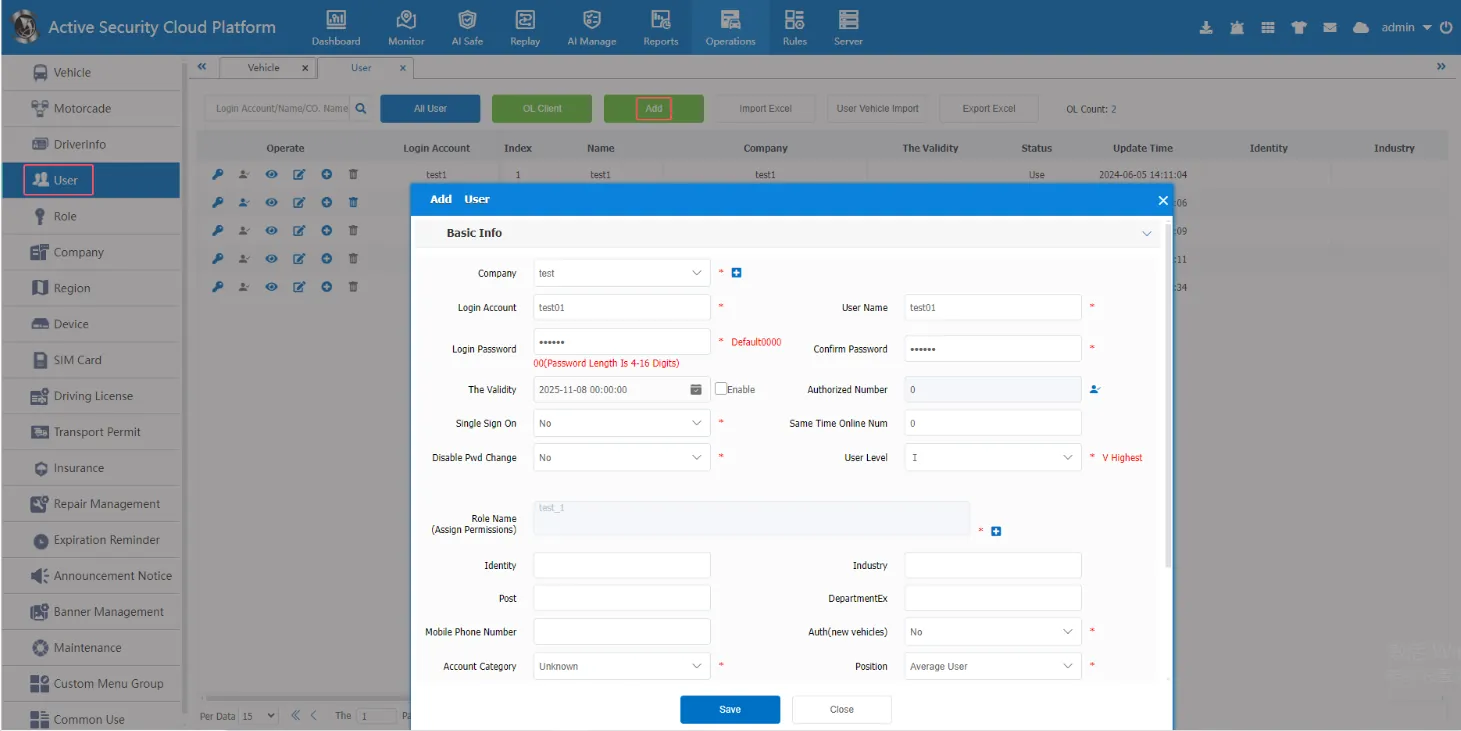
3. Precautions
3.1. The equipment number must be confirmed. The equipment number is the only basis for the platform to identify the equipment.
3.2. Confirm that the equipment network is not a directional network. If it is a directional network, it can only be specified to report to a certain server.
4. Device configuration example
Zhixin Vision
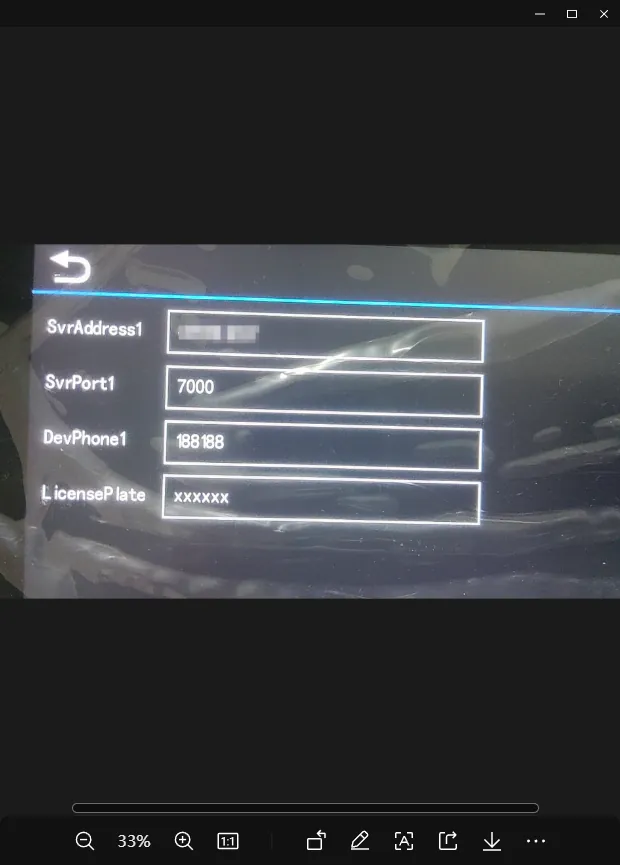
Warburg