1. Function description
The system loads the full map of China by default. Users can customize the default map area. After setting, the set map area will be displayed by default next time they log in.
2. operating instructions
2.1 the default location in map mode
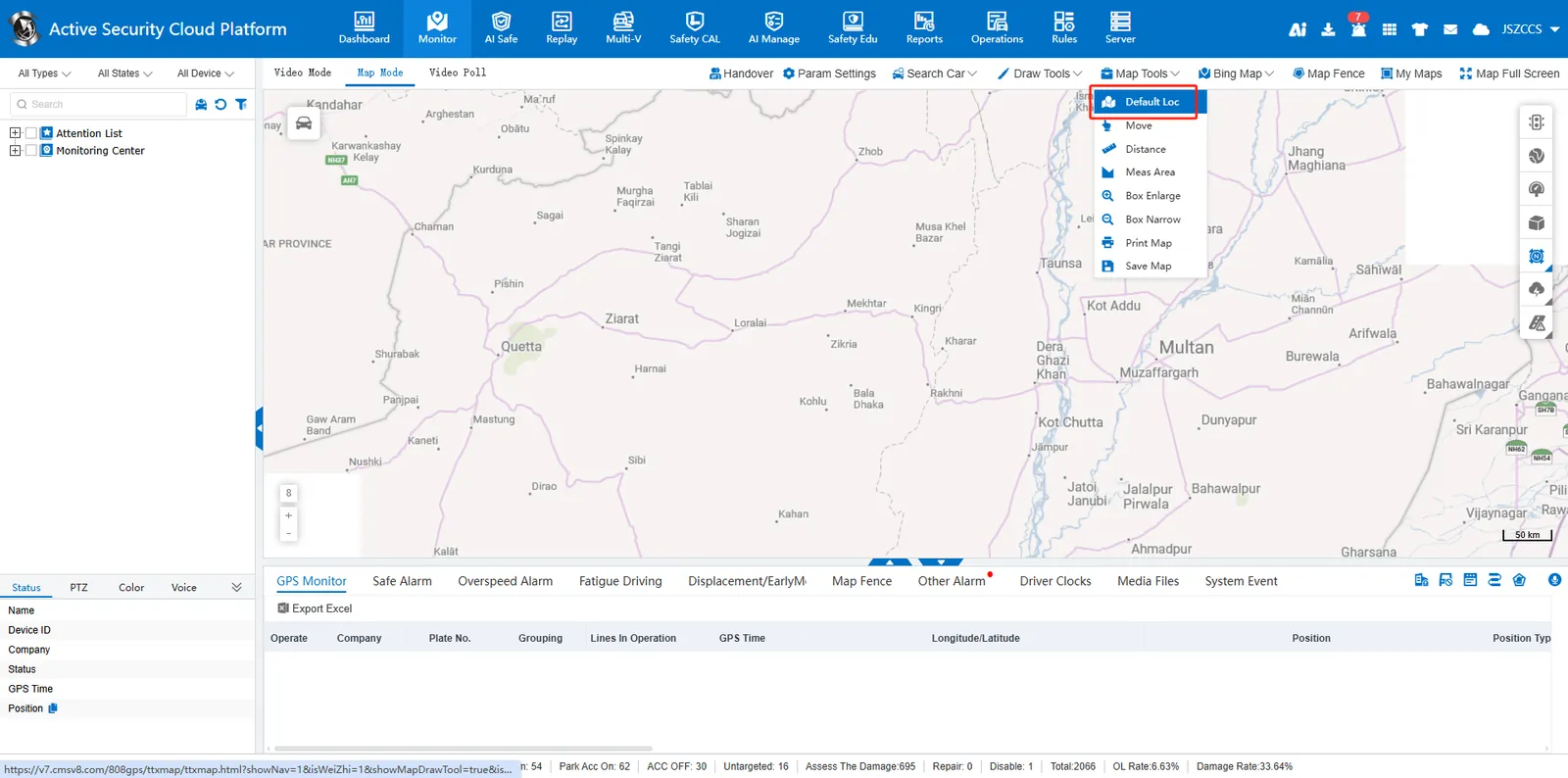
In the map mode, first drag and zoom the map to the user- specified area, and then click 【Map Tool】- 【Set Default Location】
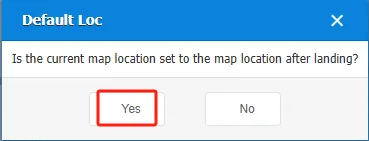
Select "Yes" in the dialog box, then refresh the page or log in again, and the map will load the area just set by default.
2.2 the coordinates of the center point of the default map
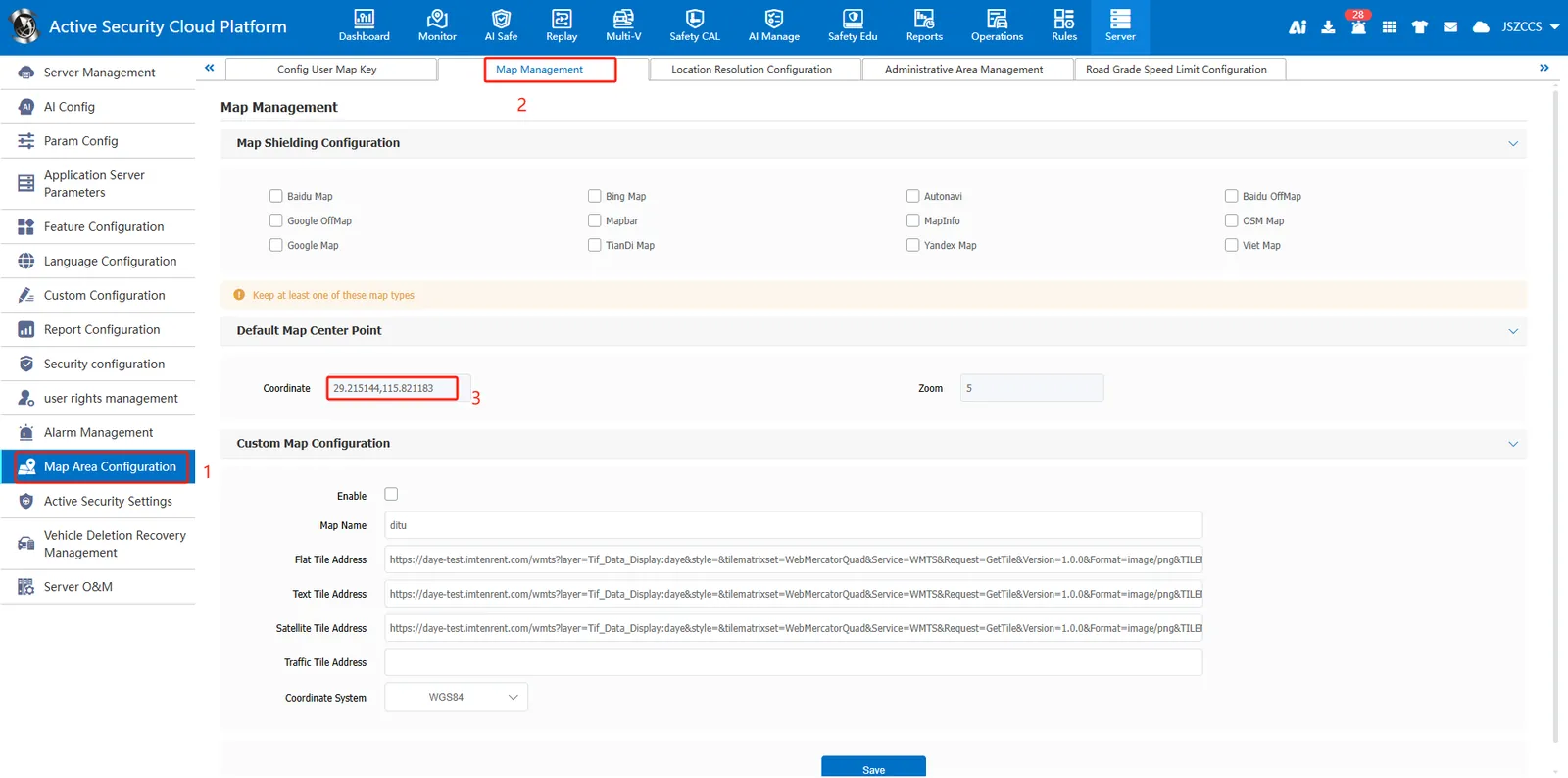
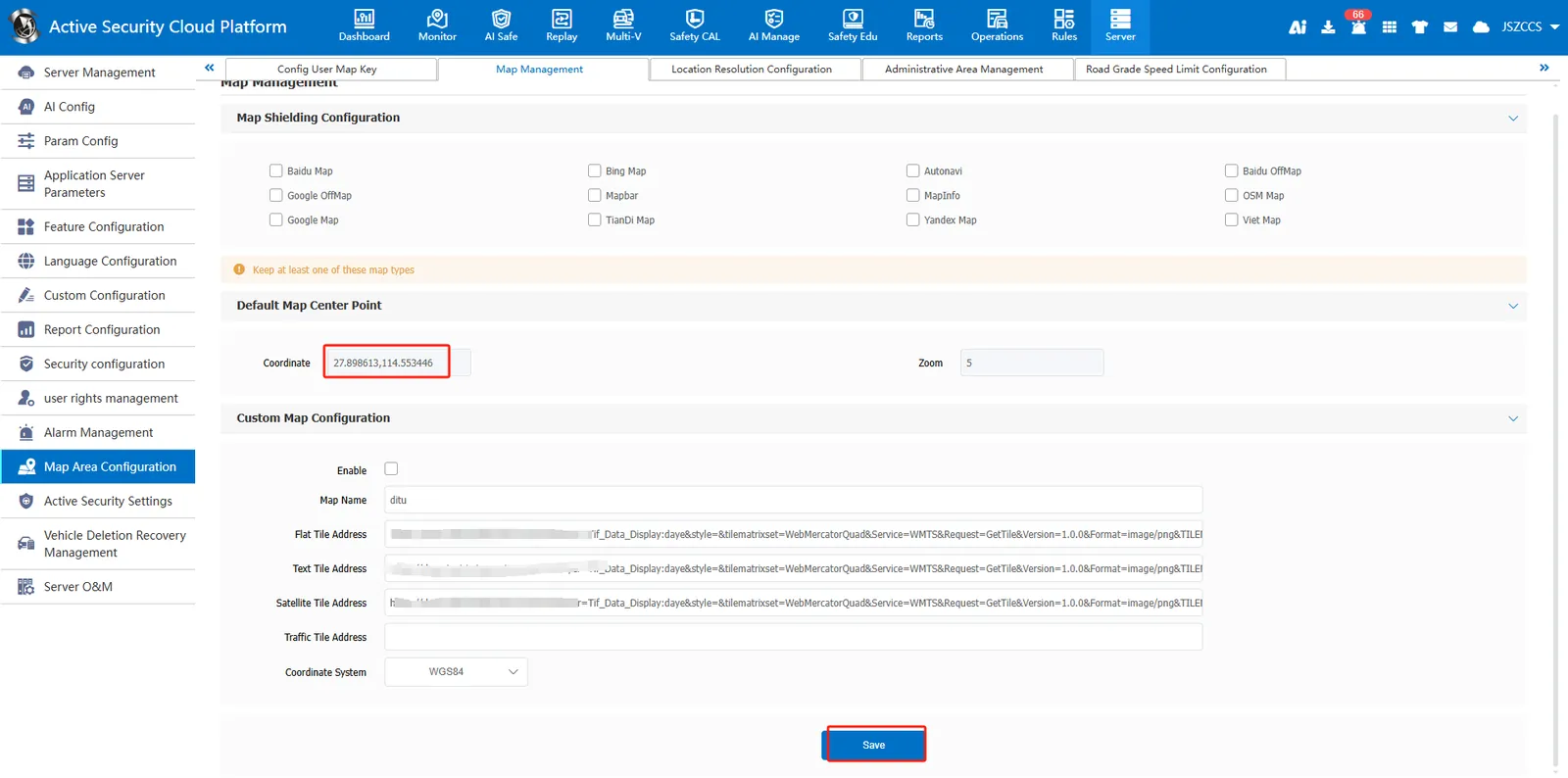
Go to 【Server Management】- 【Map Area Configuration】- 【Map Configuration】, find the default map center coordinates, and click the coordinates box to open the map interface.
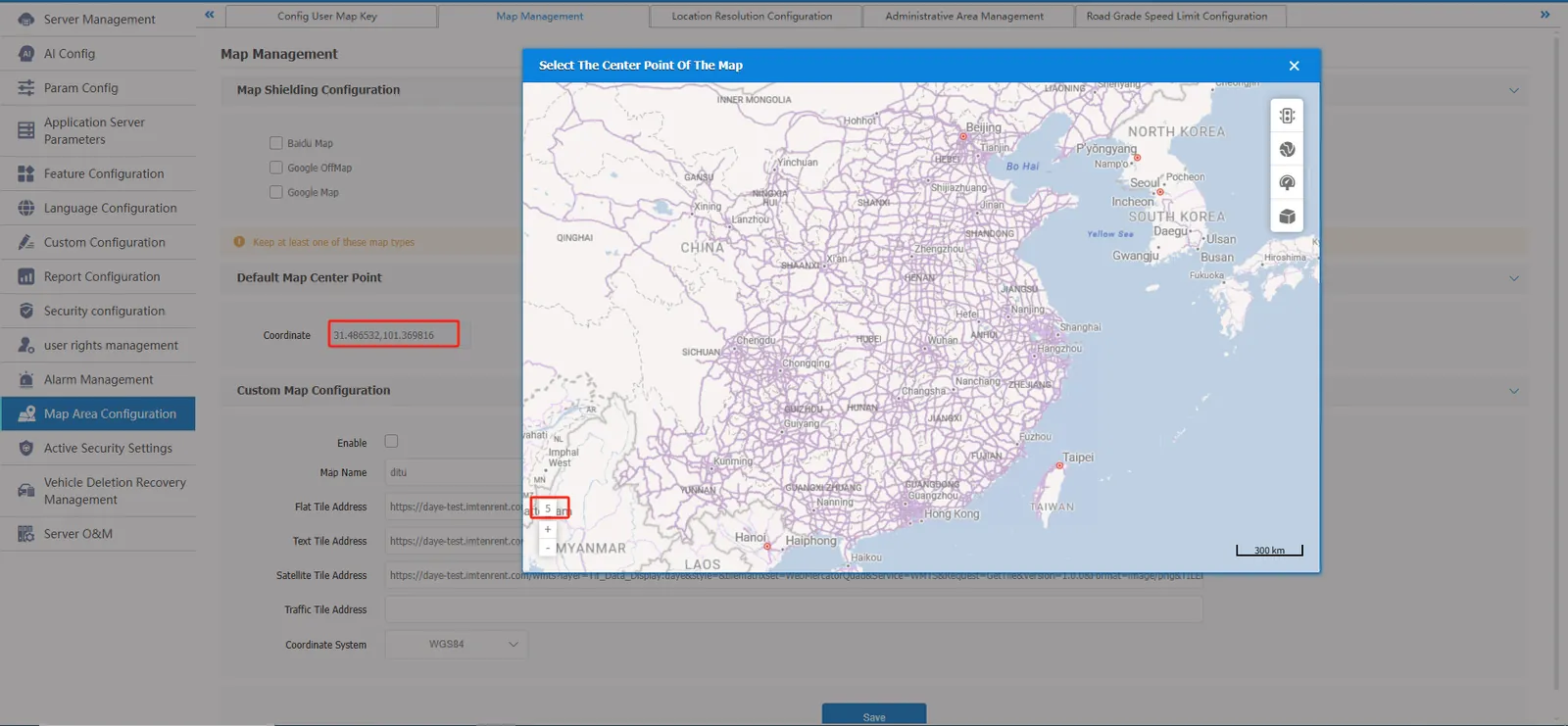
Hold down the left mouse button and drag the map to the specified location, and zoom to the required level, click the left button to confirm, and finally point to save.
2.3 considerations
- The 2.1 is effective for the current account and the 2.2 is effective for global users;
- When both are configured at the same time, the priority set by the 2.1 user is higher;
- When the user does not configure his own default center point, the settings in the map configuration take effect; if the map configuration is not configured, the system- defined center point is used.
- Map interface involved: real- time monitoring, track playback, remote playback, call, lost property search, etc.