1、 function description
Apply for Baidu map key for geographic location analysis
Geographical location analysis: refers to the conversion of the longitude and latitude reported by the device into a geographical location. For example, longitude: 113.23234, latitude: 23.123454. after geographical location analysis, how many meters is XXX, xx road, Nanshan district, Shenzhen city
Current status: The real- time location monitoring of the client will convert the GPS longitude and latitude of the vehicle into a geographic location. Report queries also need to convert GPS latitude and longitude into geographic locations. With the increase in the number of system vehicles, it is currently necessary to perform a large number of geographic location resolution query requests to the Baidu map server every day. Therefore, I hope your company can apply for the key of Baidu map enterprise account for geographic location analysis service. Each enterprise KEY has a limit of 3 million per day.
Benefits of applying for KEY: Increase the number of daily geolocation resolutions for CMSV6. Improve the user experience, to avoid the user using CMSV6 geographical location resolution is not successful.
Risk of applying for KEY: The key applied for is only used for geographic location analysis and not for other purposes. There is a daily 3 million limit. When the limit is exceeded, the geographic location resolution will be unsuccessful and no cost will be incurred.
2、 operating instructions
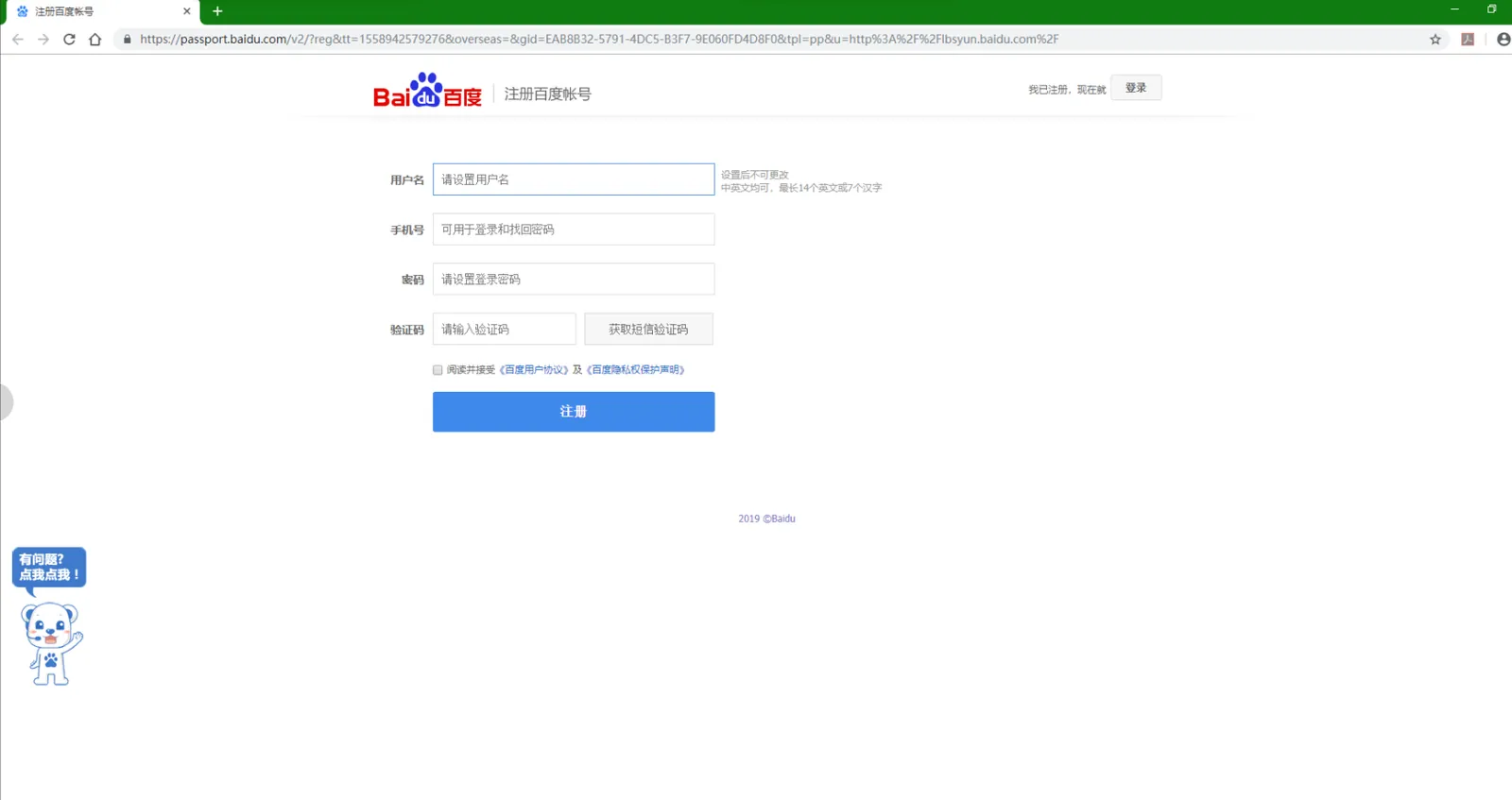
2.1 Apply for Baidu Account
http://lbsyun.baidu.com/
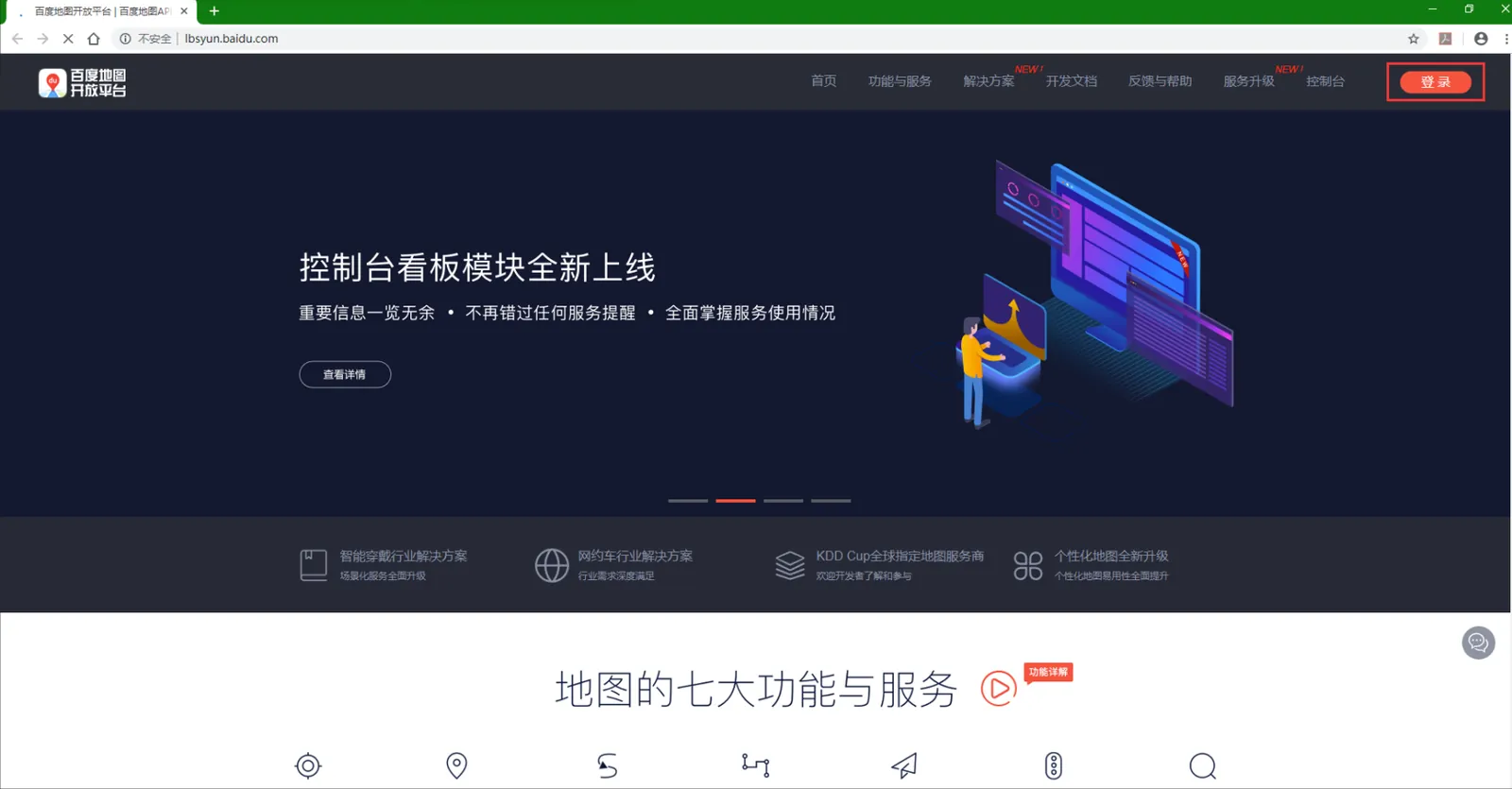
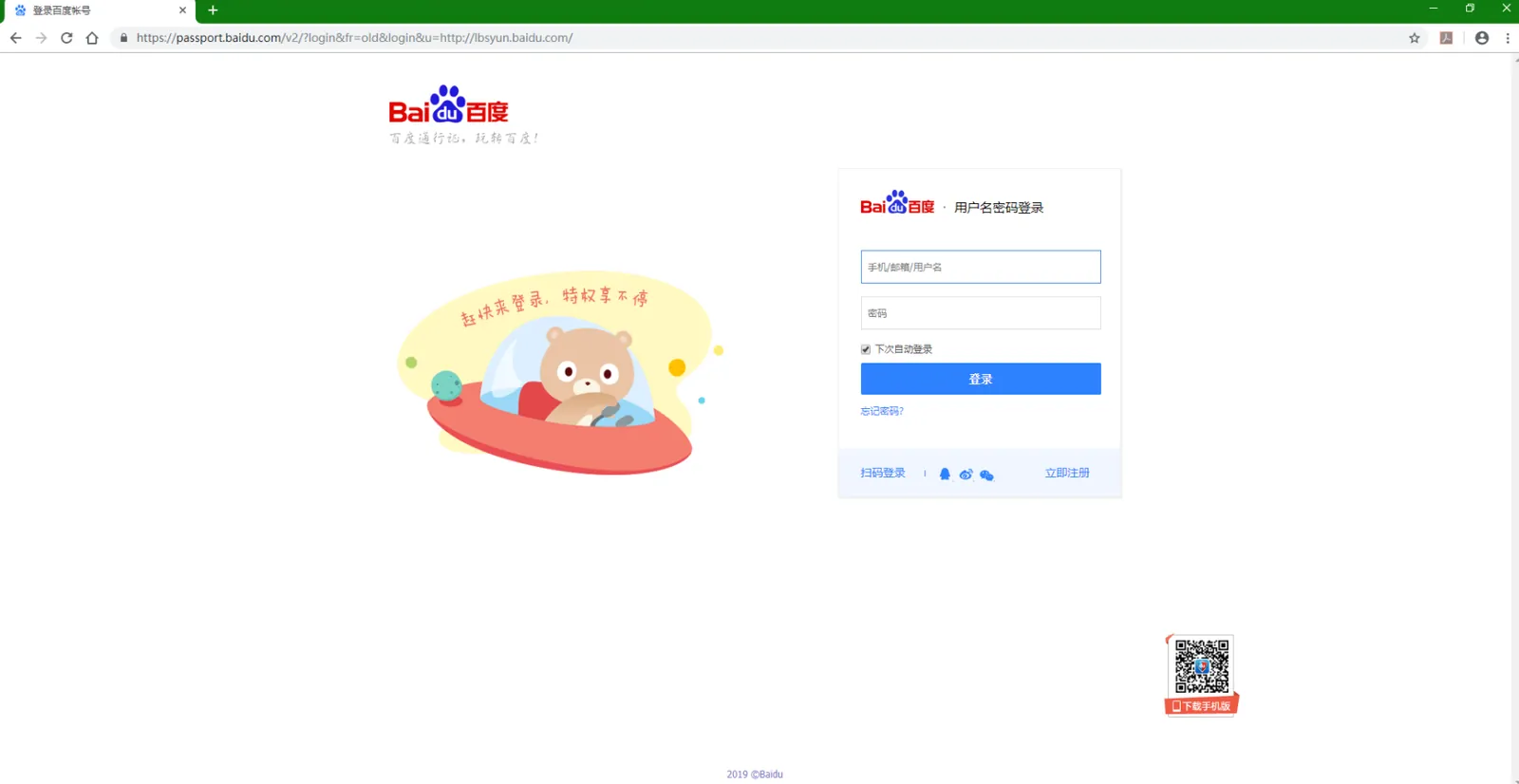
Enter this website, click login in the upper right corner, jump to the login interface, and click register
2.2 Login
http://lbsyun.baidu.com/
2.3 Registered Developer
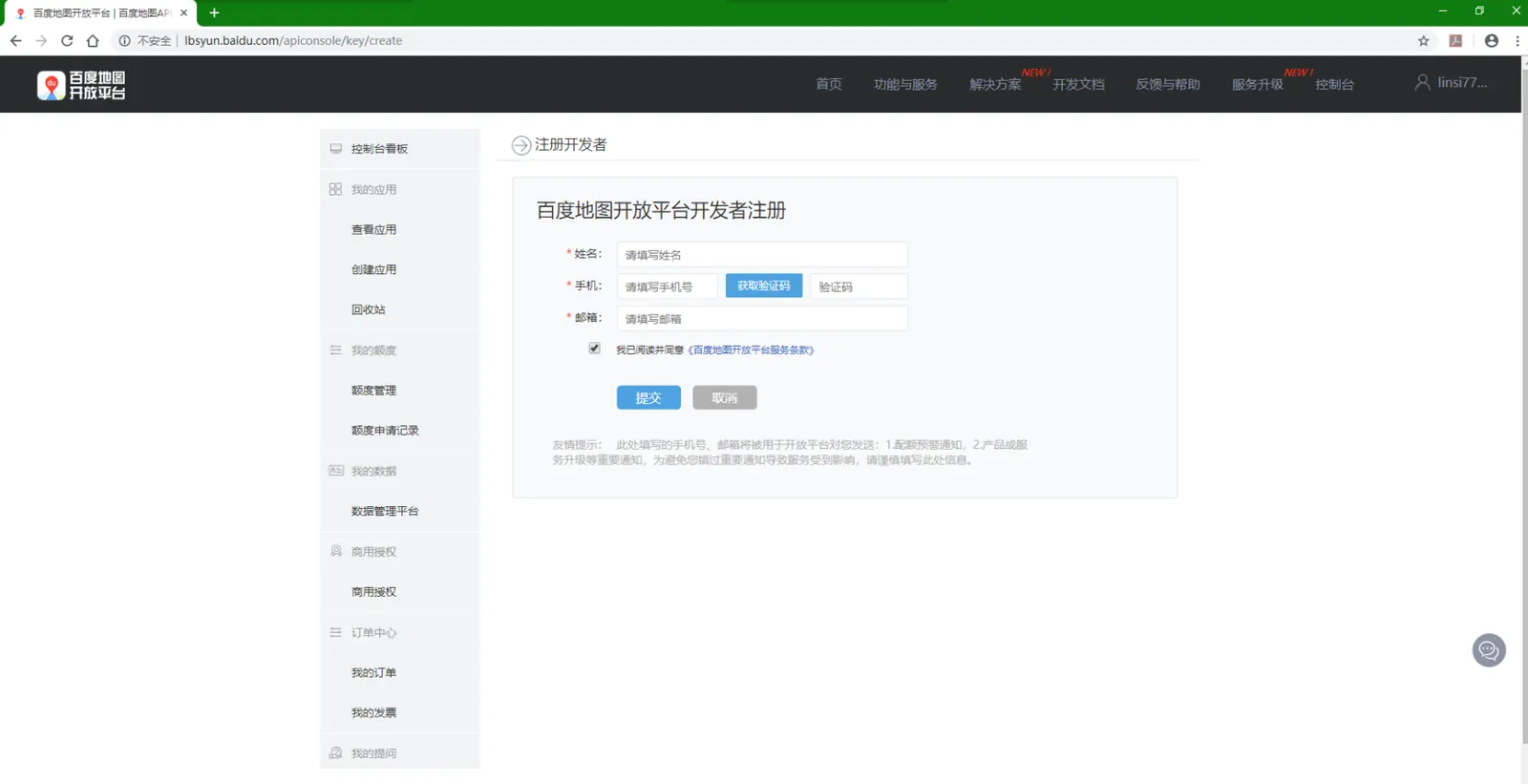
2.4 Activate Developer
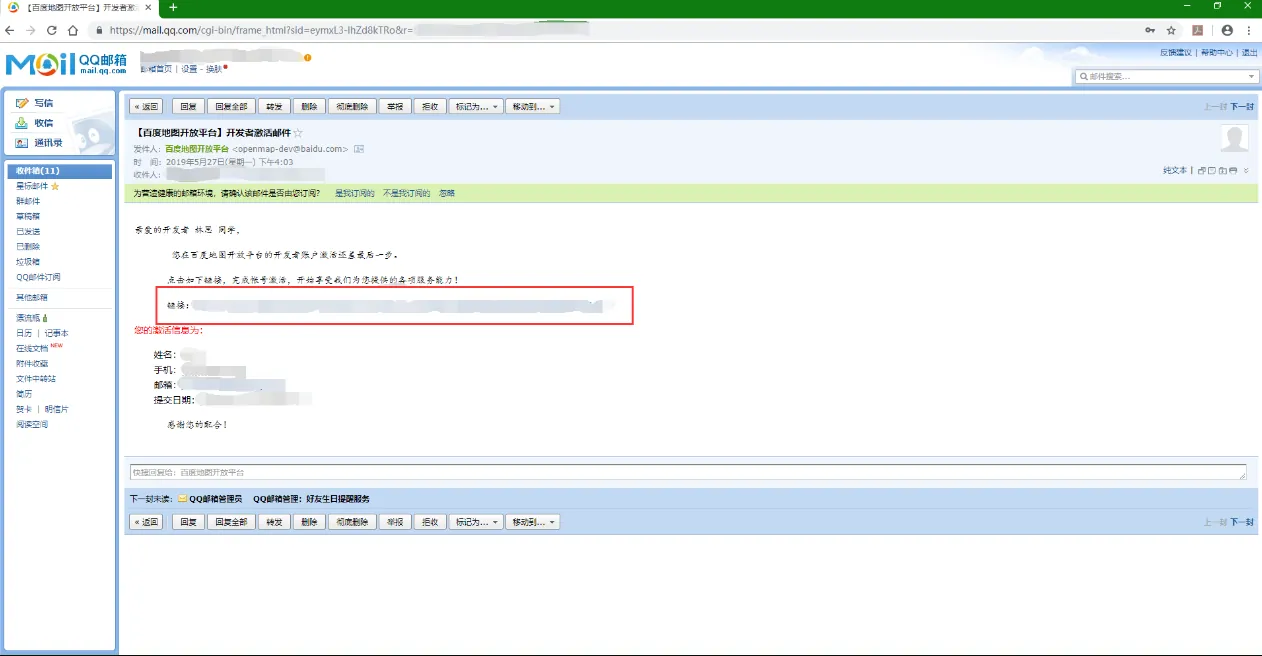
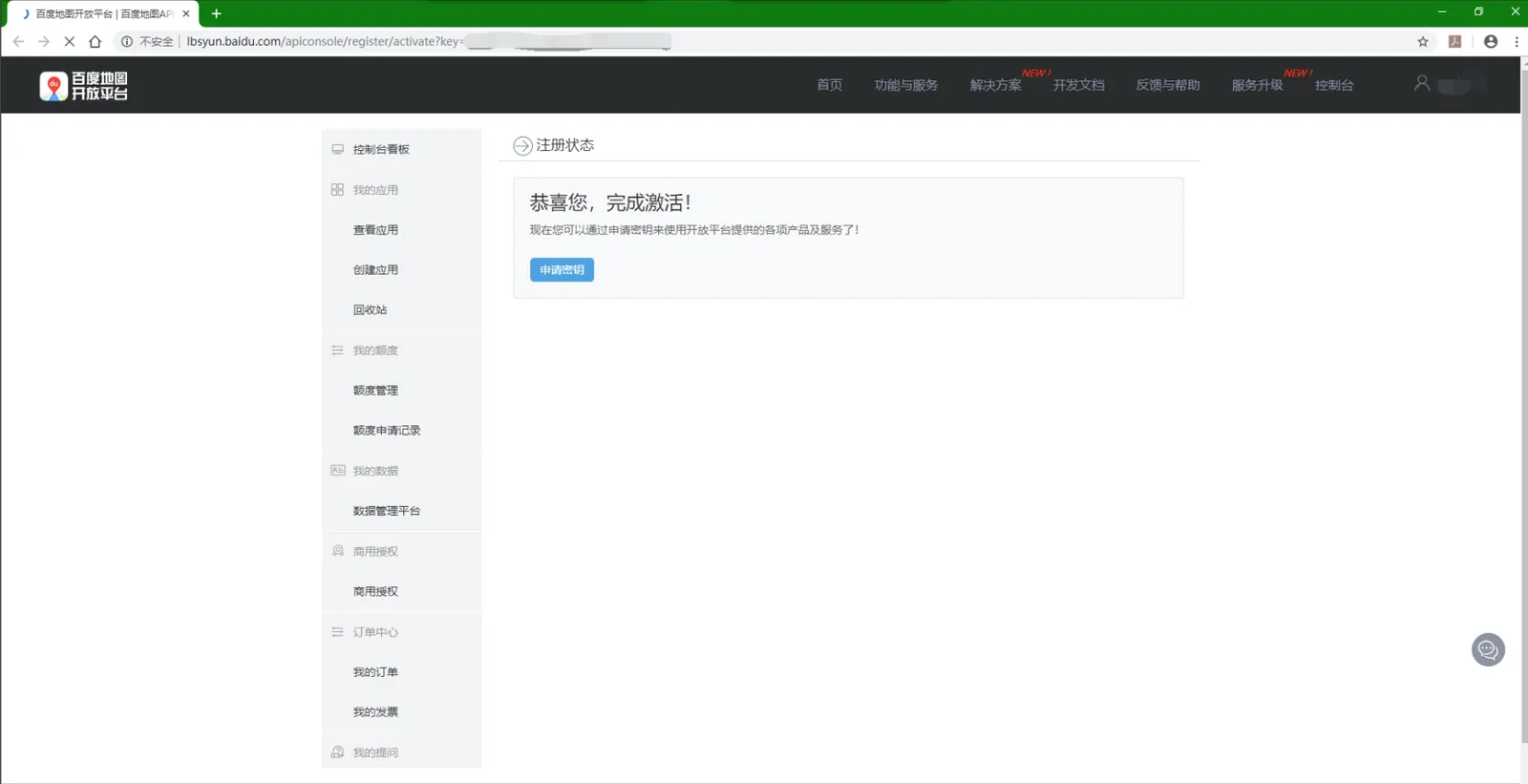
After completing the developer registration, Baidu Map Open Platform will send an activation email to the email box filled in step 3. Log in to the email box, click the activation link, and activate it.
2.5 Enterprise Developer Certification
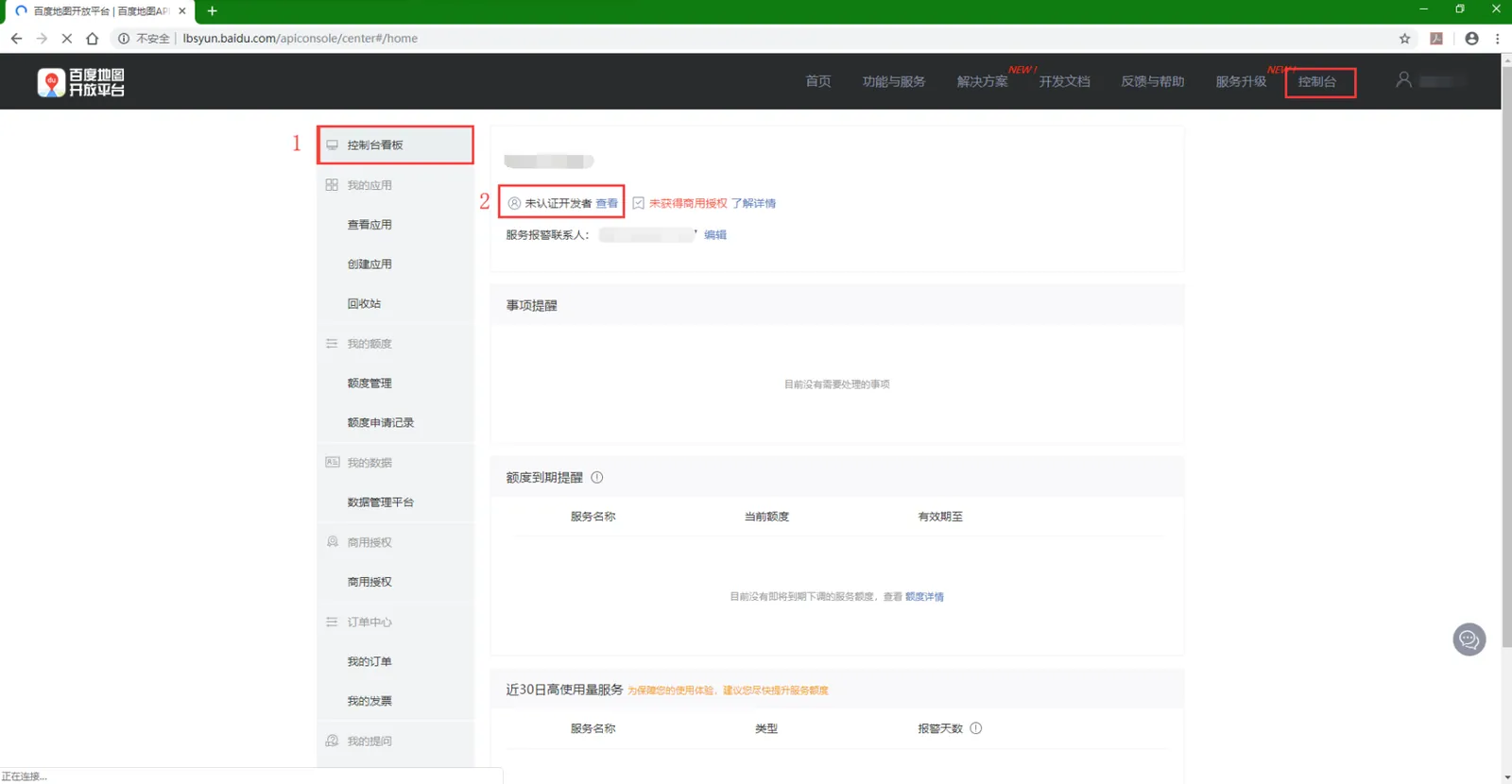
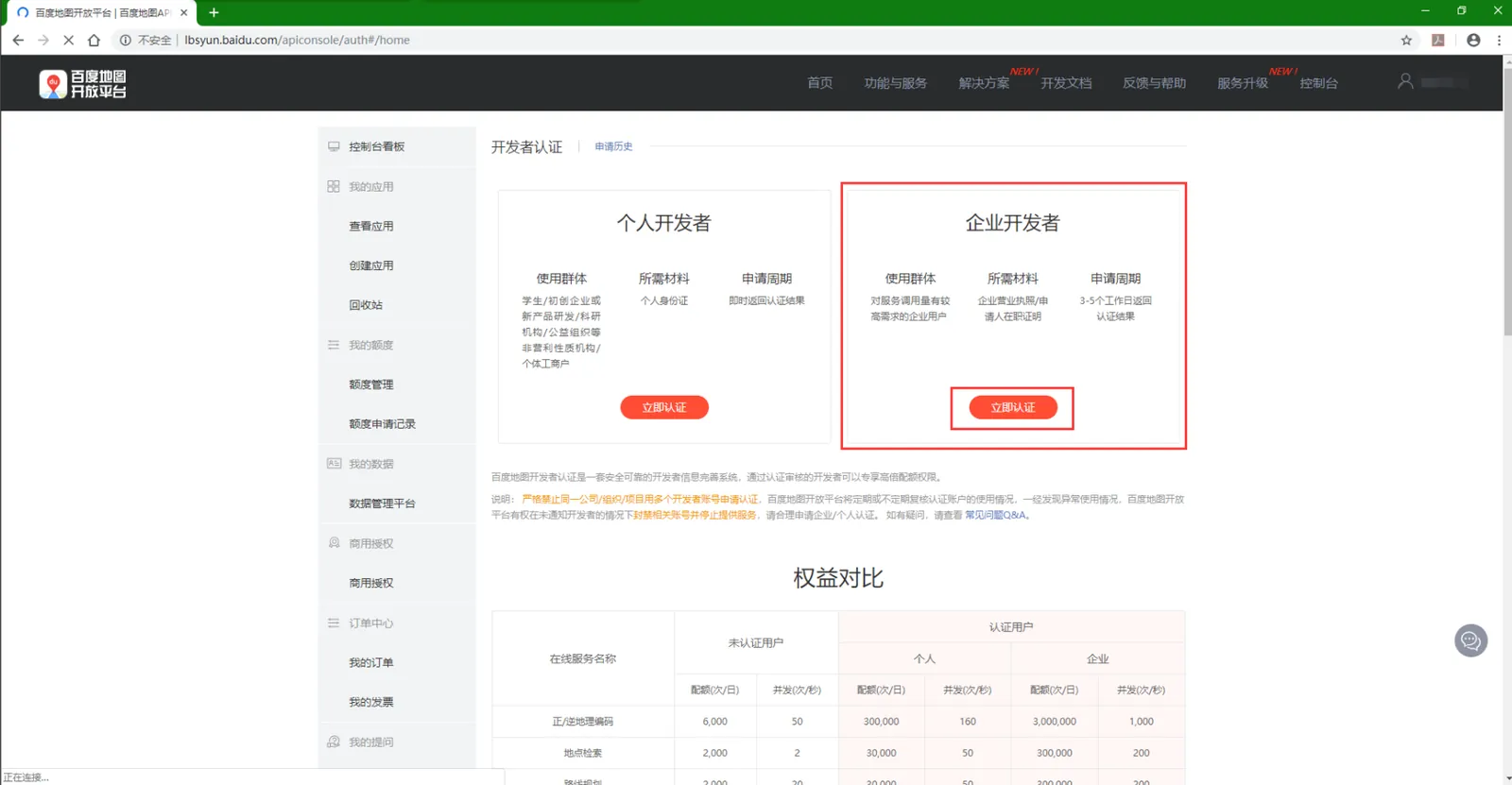
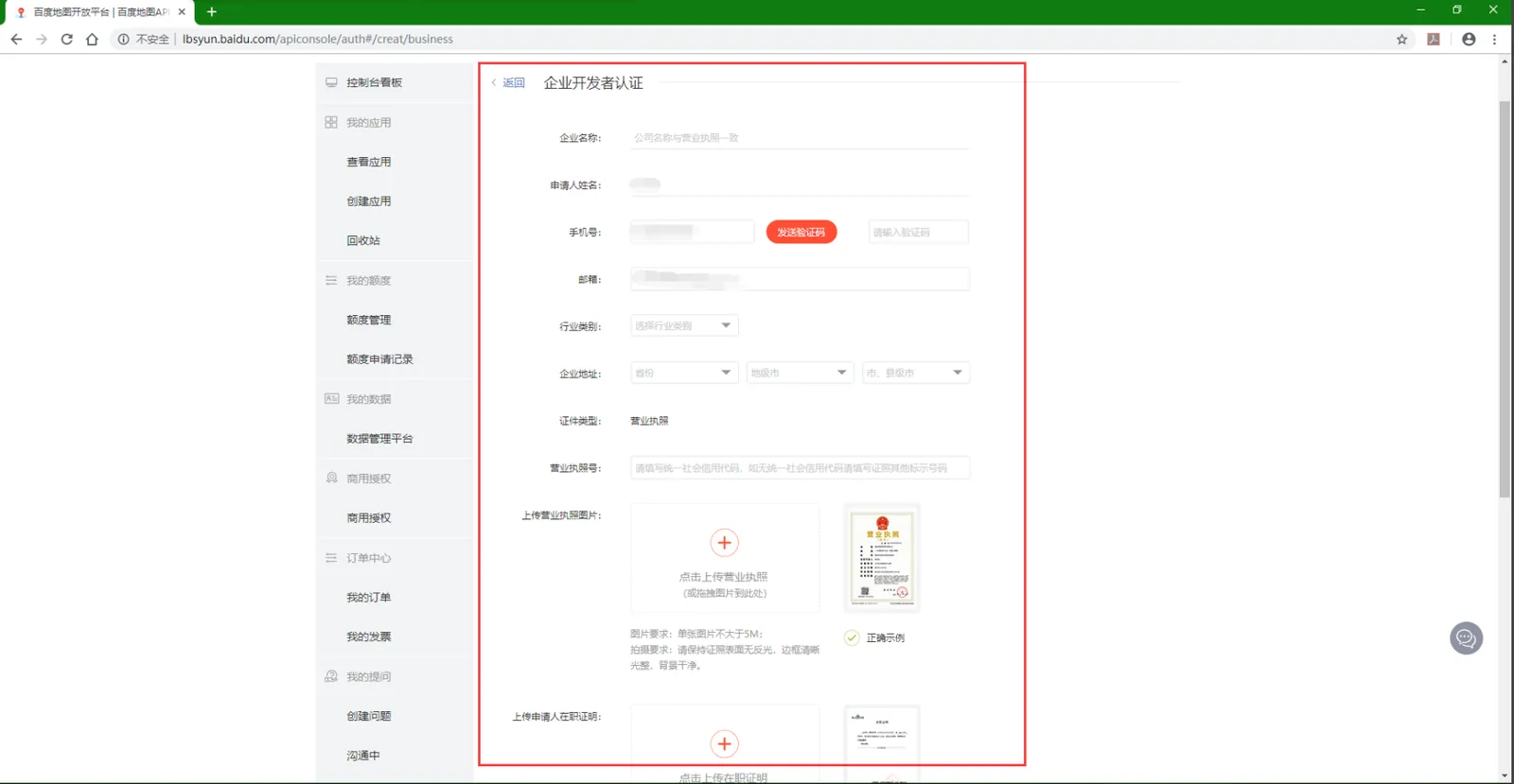
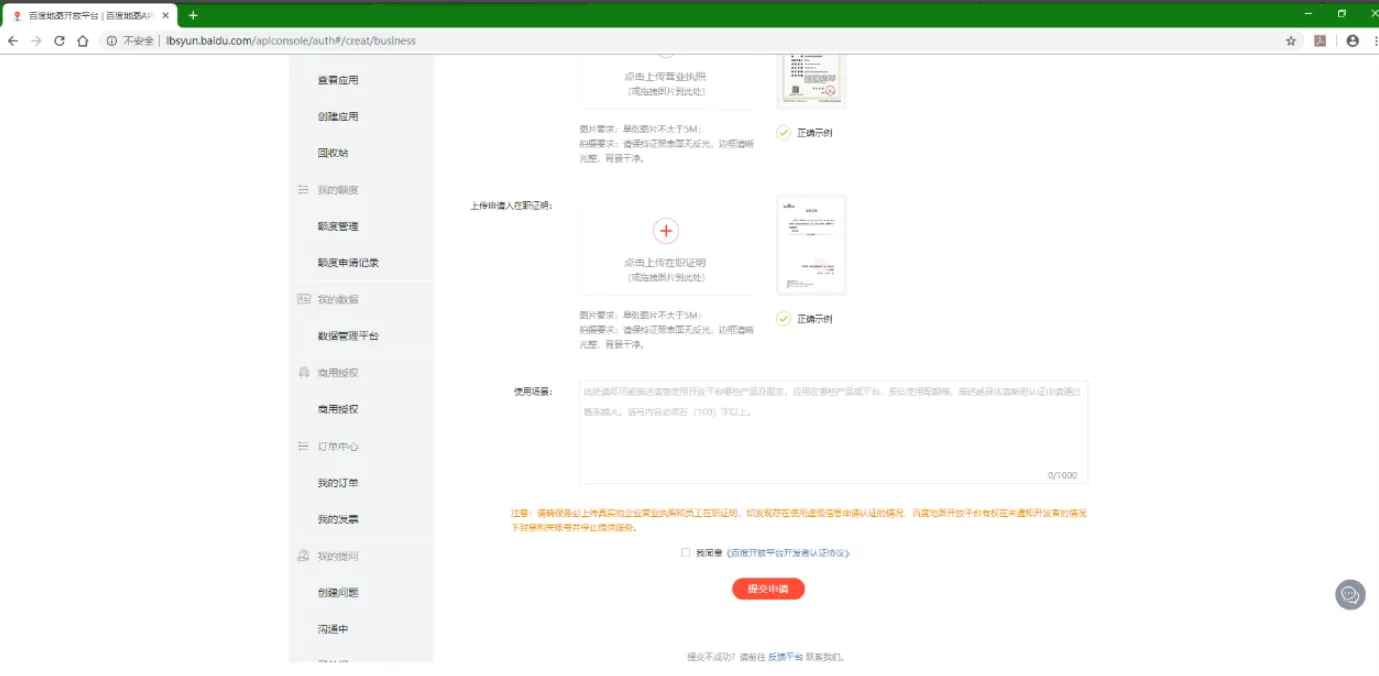
2.6 to submit certification data
Fill in relevant information and upload relevant documents; Submit and wait for review
The audit period is generally 3 to 5 days;
2.7 Application Key
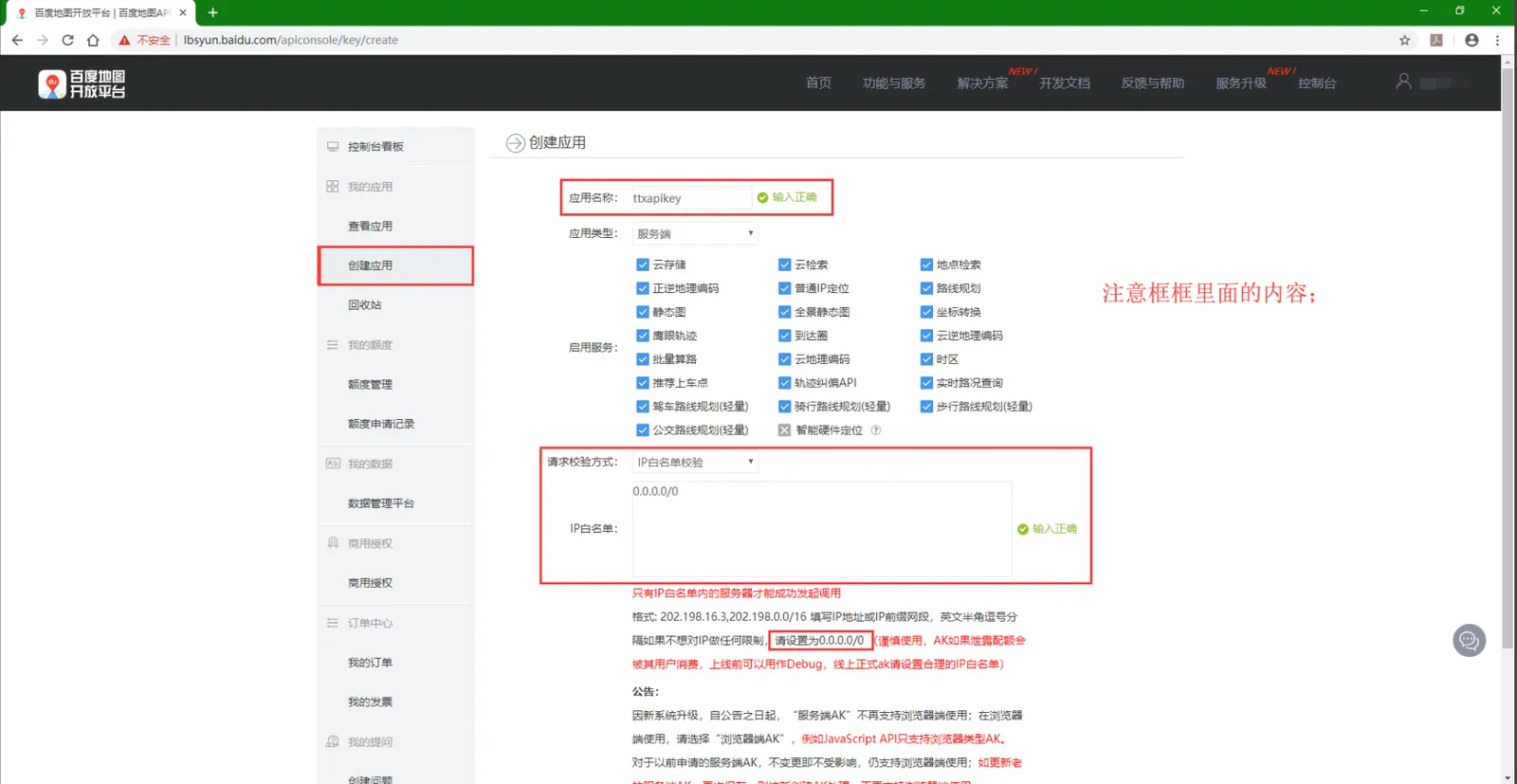
Click "Create Application";
Application Name: Custom;
Request verification method: IP whitelist verification;
IP whitelist: 0.0.0.0/0
Then click "Submit";
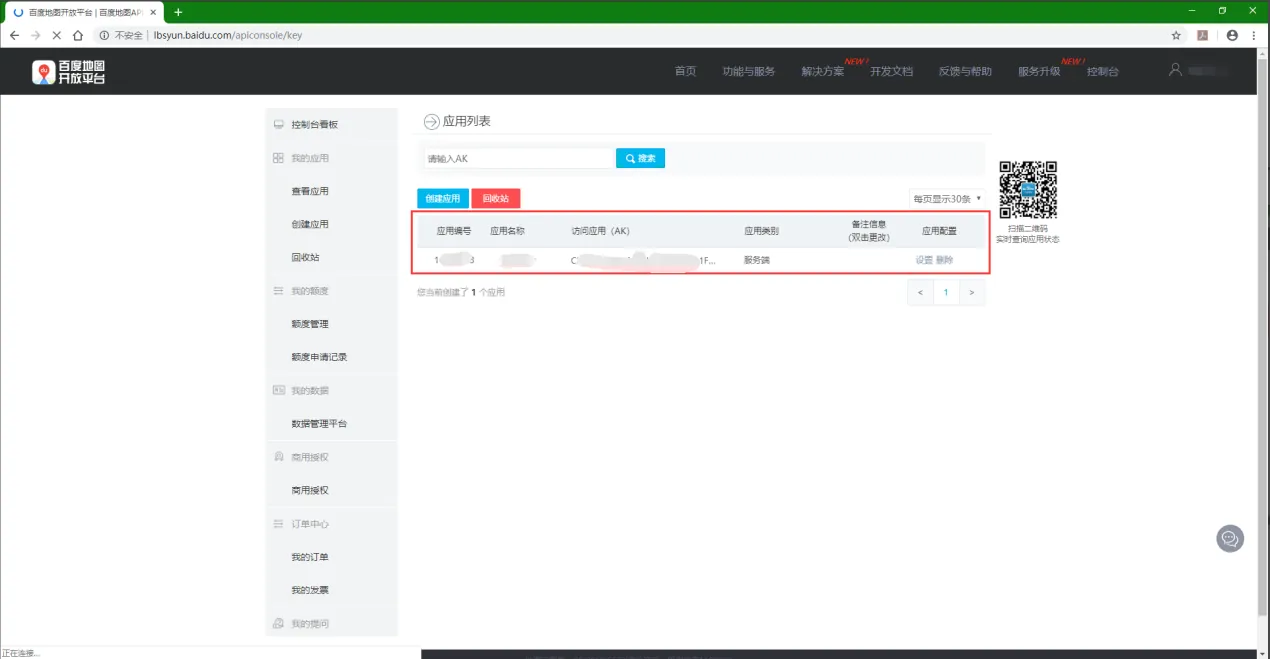
2.8 add the requested key to the platform
server management- map configuration- map key configuration
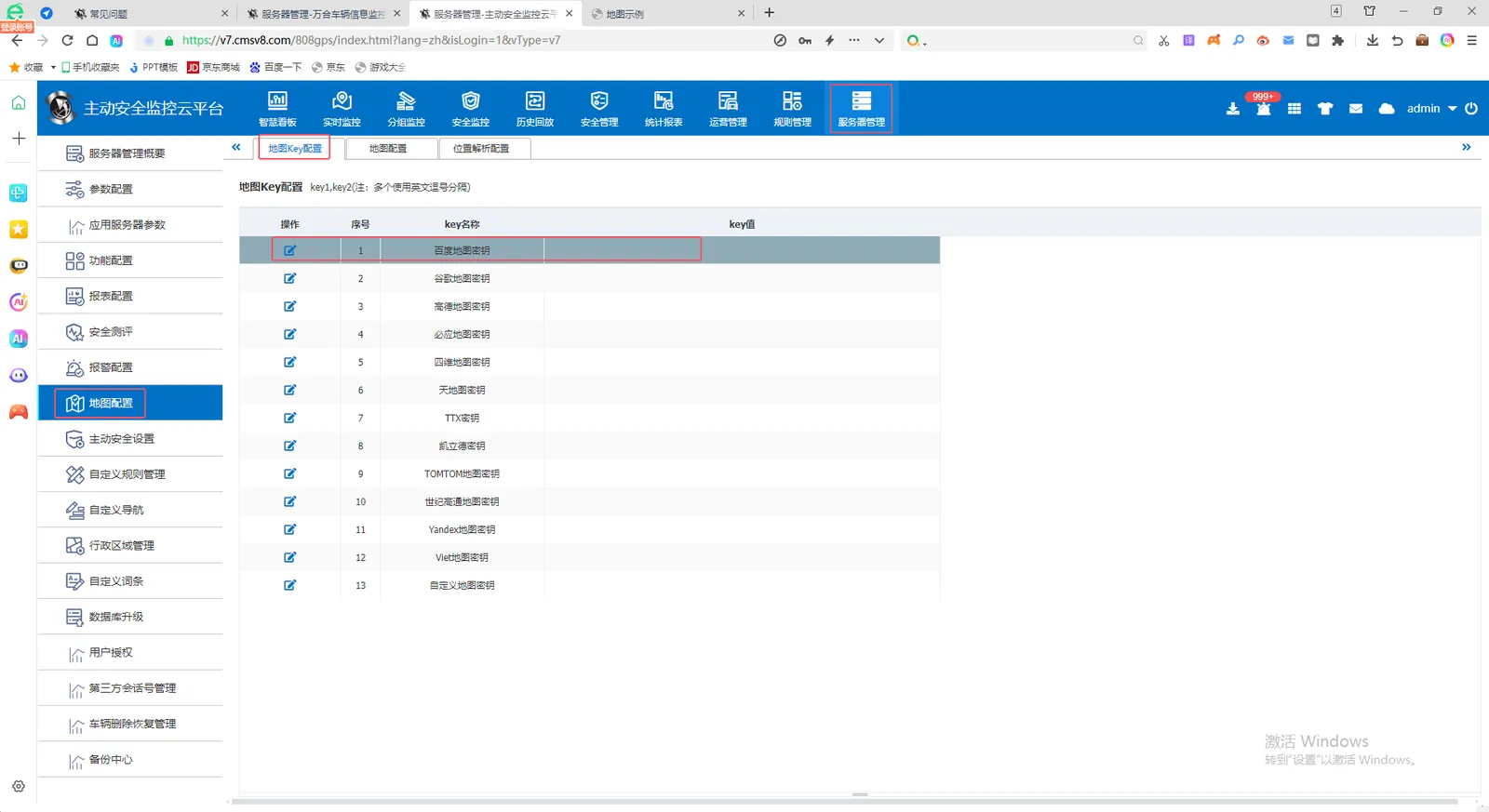
You can configure 1 to more than one key. Customers with large quantities suggest to apply for multiple keys with multiple companies. Multiple keys of each company share a quota, so they must be keys of multiple companies. Multiple keys are separated by English commas.
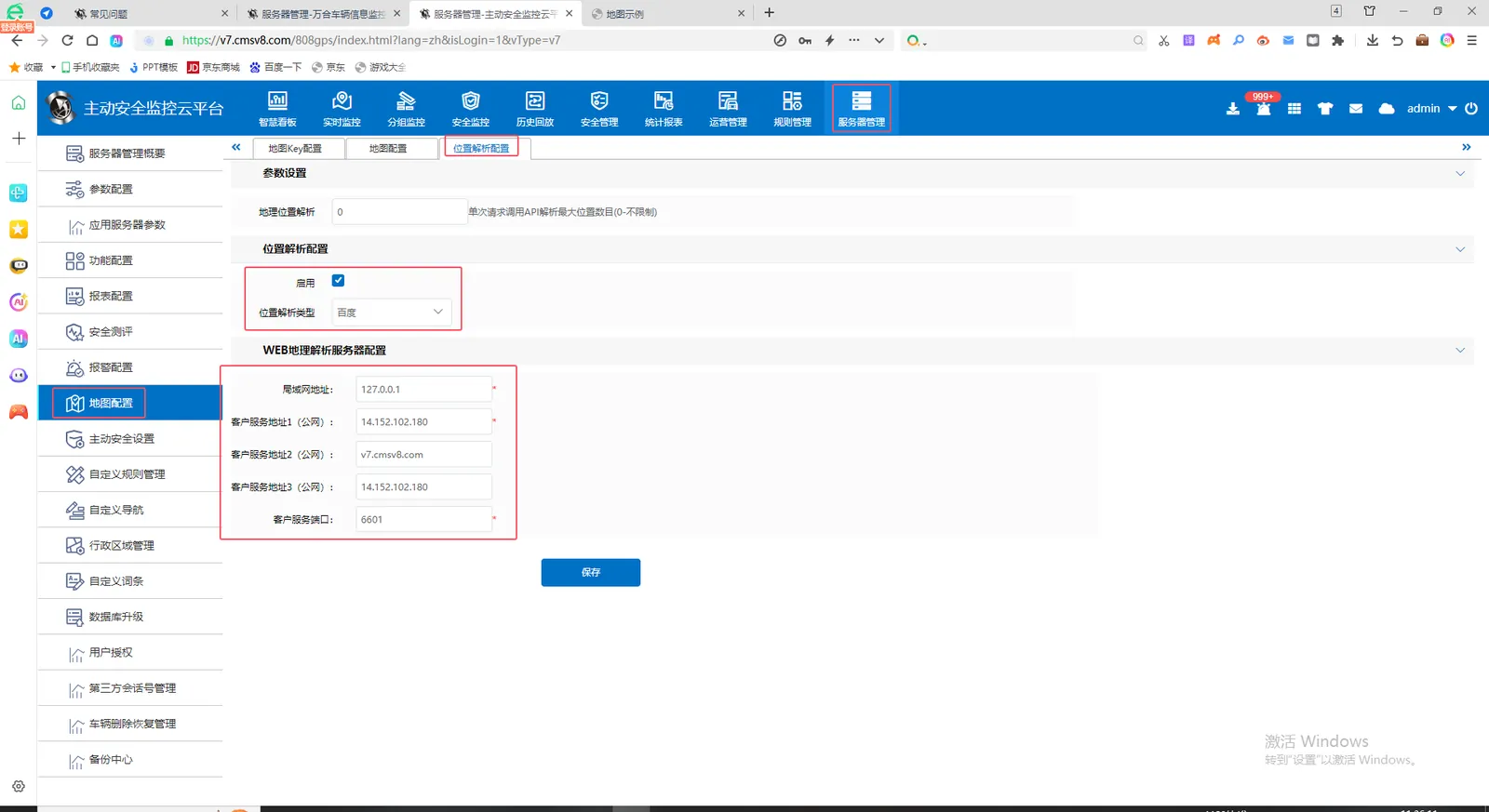
2.9 Location Resolution Configuration
Server Management- Map Configuration- Location Resolution Configuration Select the corresponding location resolution type as Baidu. Then configure the server LAN address and public network address. If it is a server with domain name enabled, the customer service address can be filled with domain name and ip