1. Function description
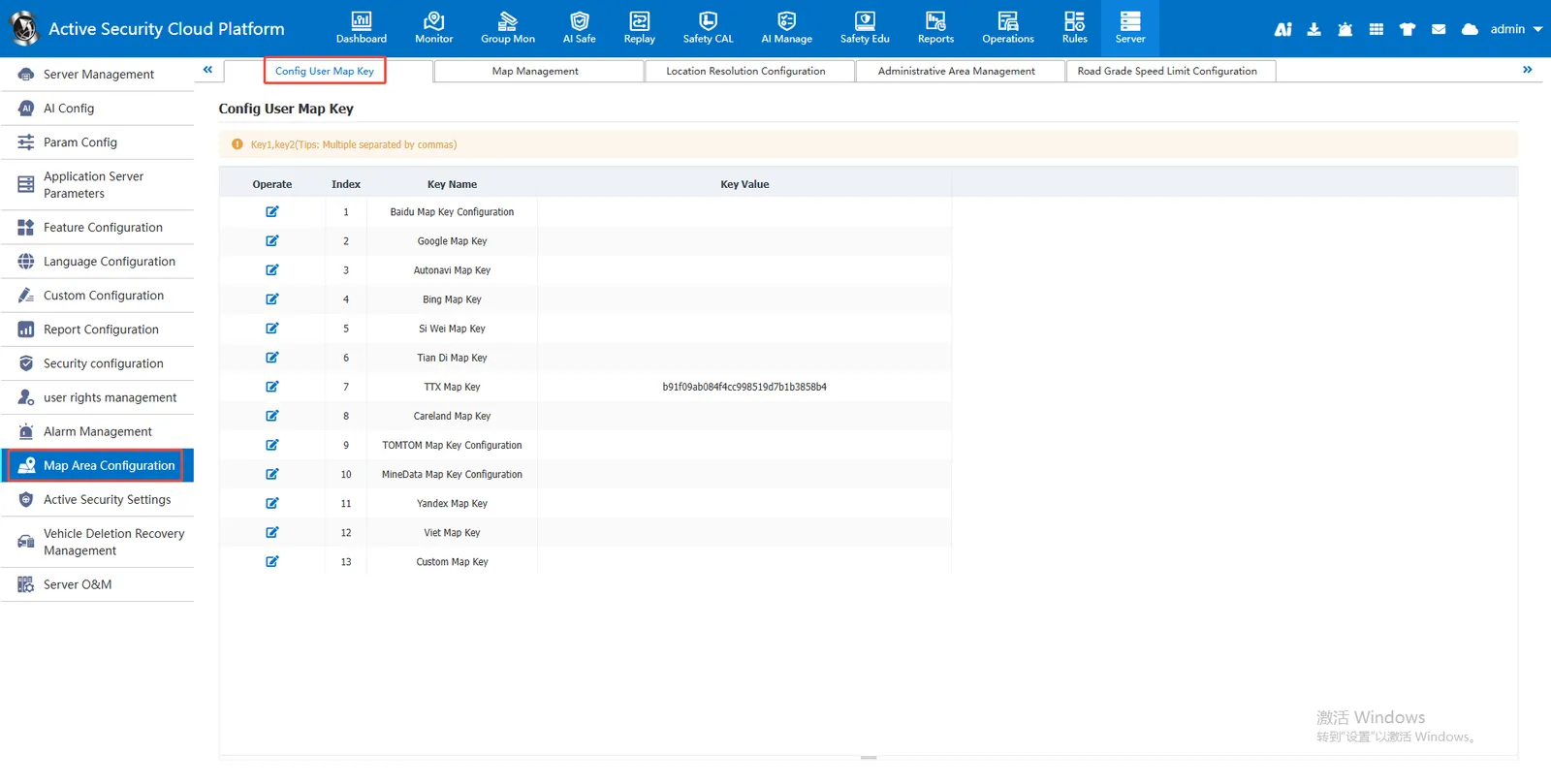
Configure the applied or purchased map KEY to the back of the corresponding map type
Currently supported map types are: ** Baidu, Google, Gaud, Bing, 4D, Sky Map, ttx, Khalid **, etc.
2. operating instructions
2.1 configuration map KEY
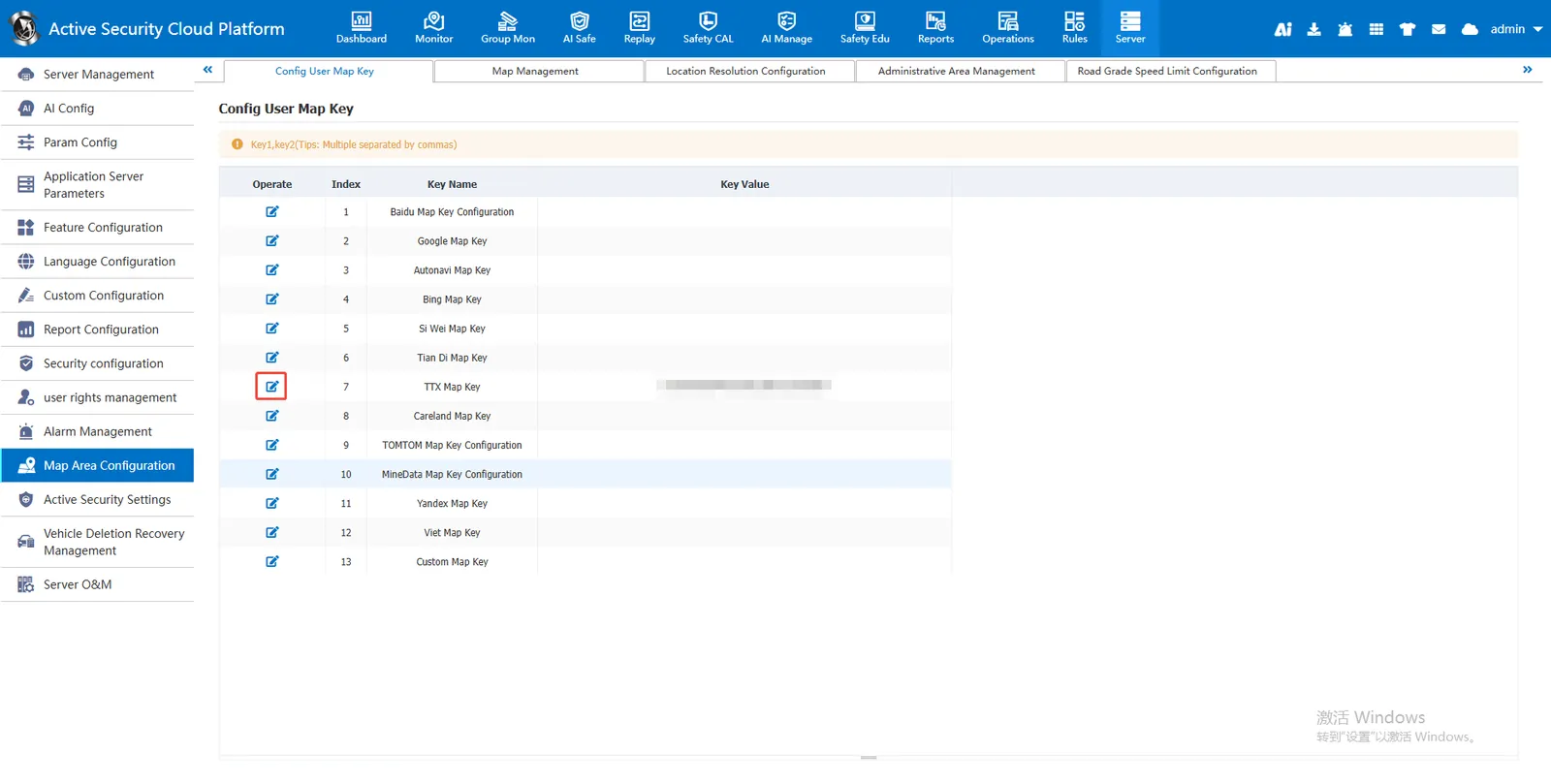
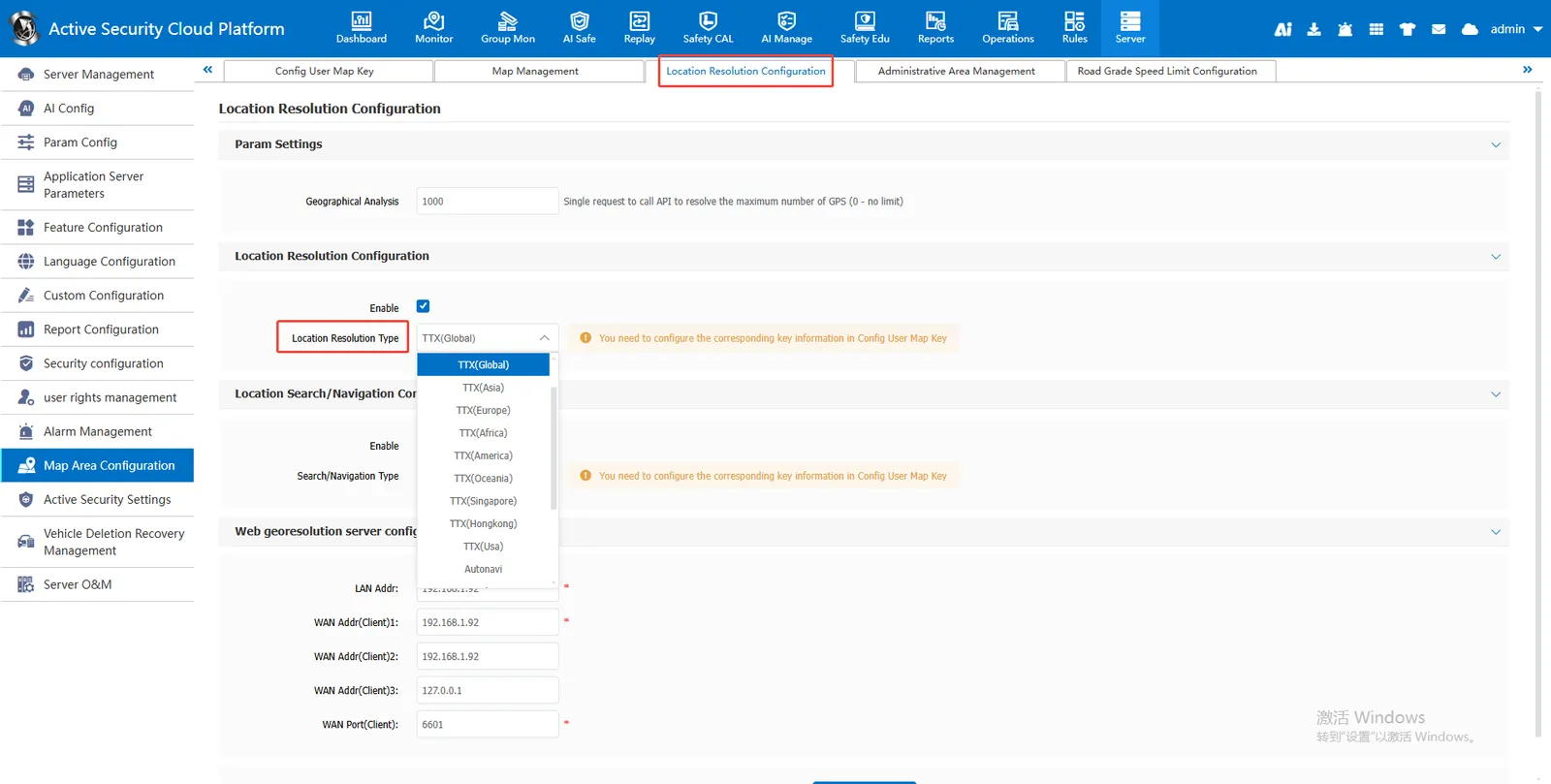
Enter [Server] - [Map Area Configuration] - [Location Resolution Configuration], click edit button to configure the KEY provided by the graphic dealer.
2.2 parameter settings
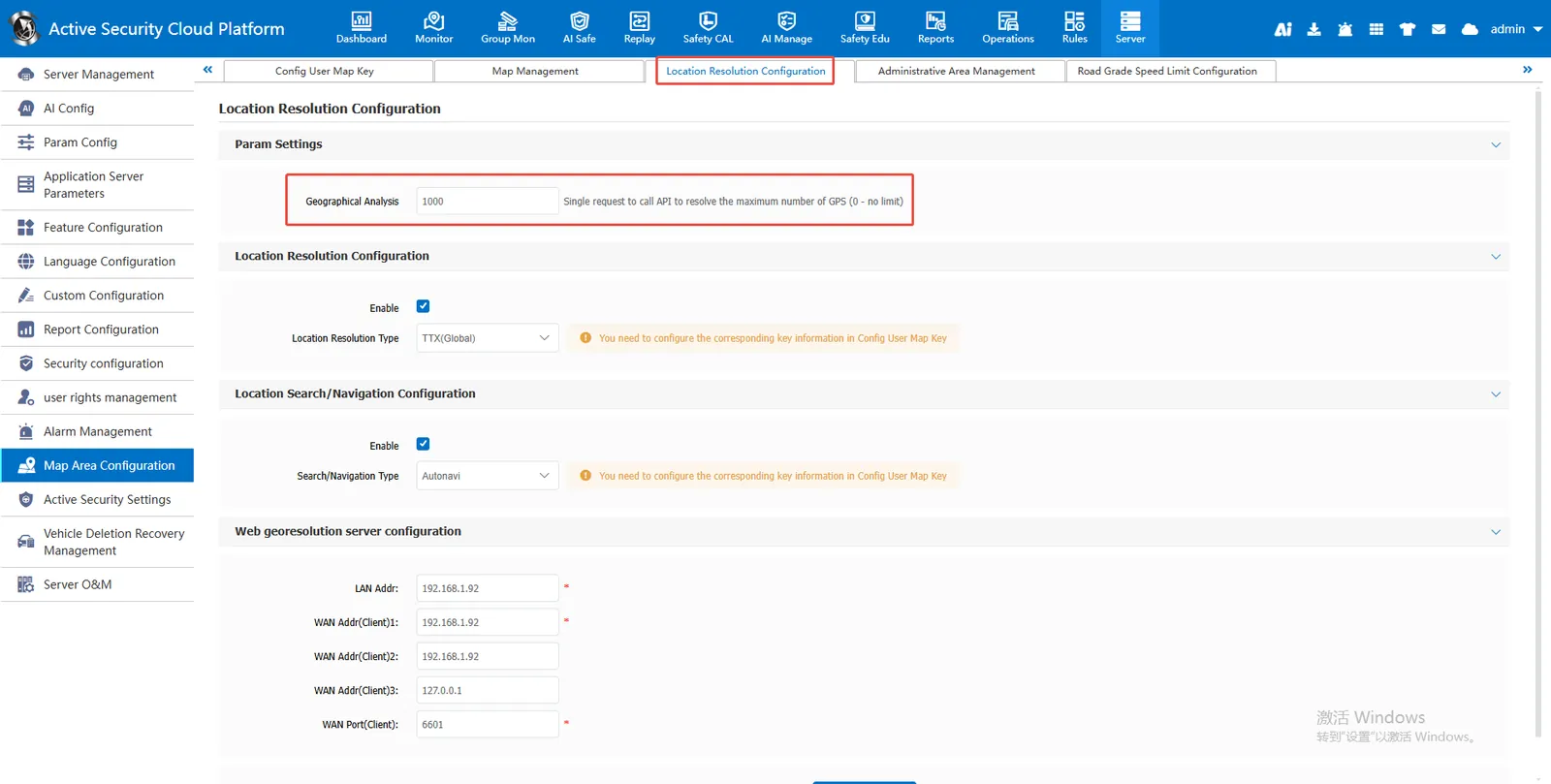
In [Location Resolution Configuration], set the maximum number of locations resolved by a single request API call (0- unlimited) to 0, and there is no limit on the number of concurrent geographic location resolution requests.
If the configuration is 1000, the concurrent volume of geographic location resolution requests is 1000. When reporting, the longitude and latitude may not be completely converted to the location.
2.3 location resolution type selection
- Check Enable and select location resolution type
- For the KEY of the configured map, select the map resolution type here, otherwise the location cannot be resolved normally.
2.4 WEB geographic resolution server IP configuration
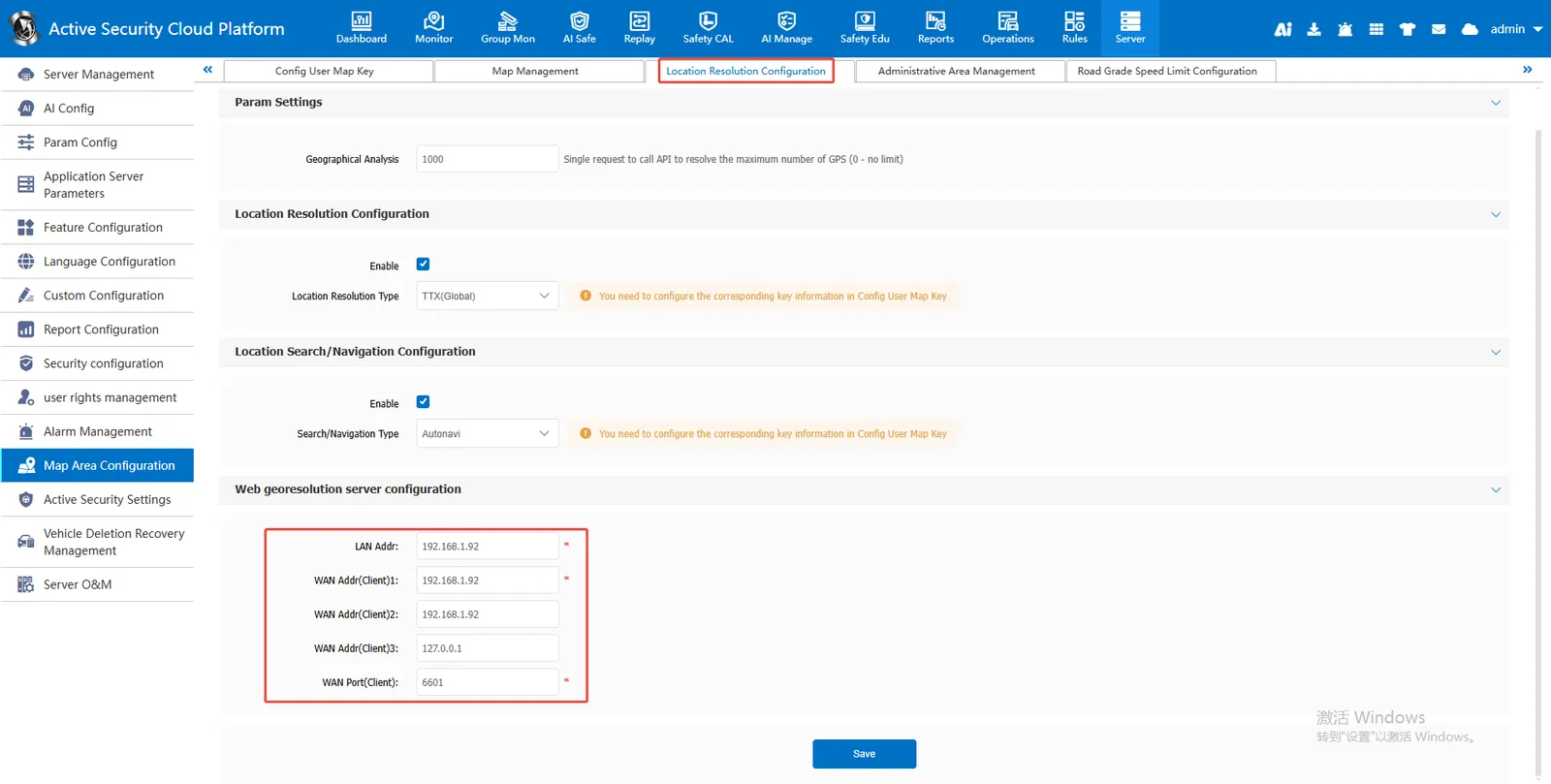
LAN Address: the LAN IP address of the configuration server or 127.0.0.1
Customer Service Address (Public):
- If the server does not have a domain name enabled, the public network IP will be filled in for all three customer service addresses;
- If the domain name is enabled on the server, the customer service address 1 will be filled with the domain name and the rest will be filled with public network IP;
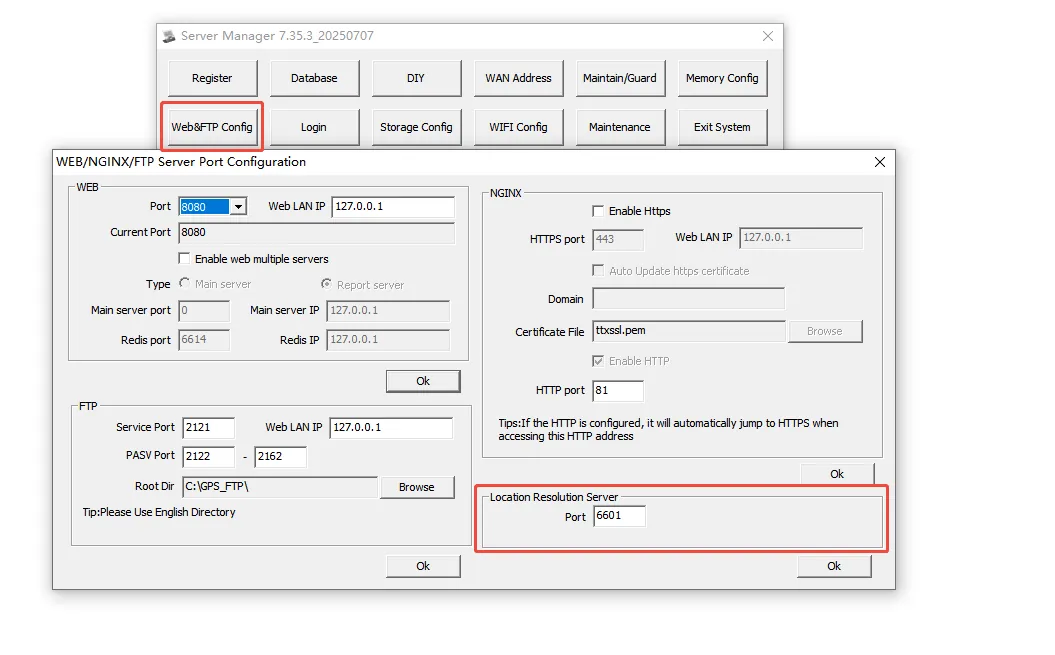
2.5 location resolution port configuration
Customer Service Port: The default port is 6601, which must be consistent with [WEB Geo Resolution Server Configuration].