1. Traffic statistics
1.1 function description
The vehicle is recorded as one trip from ACC ON to OFF. The trips are daily trips, with 1 for the first trip and 2 for the second trip.
1.2 operating instructions
1.2.1 Enable Configuration Item
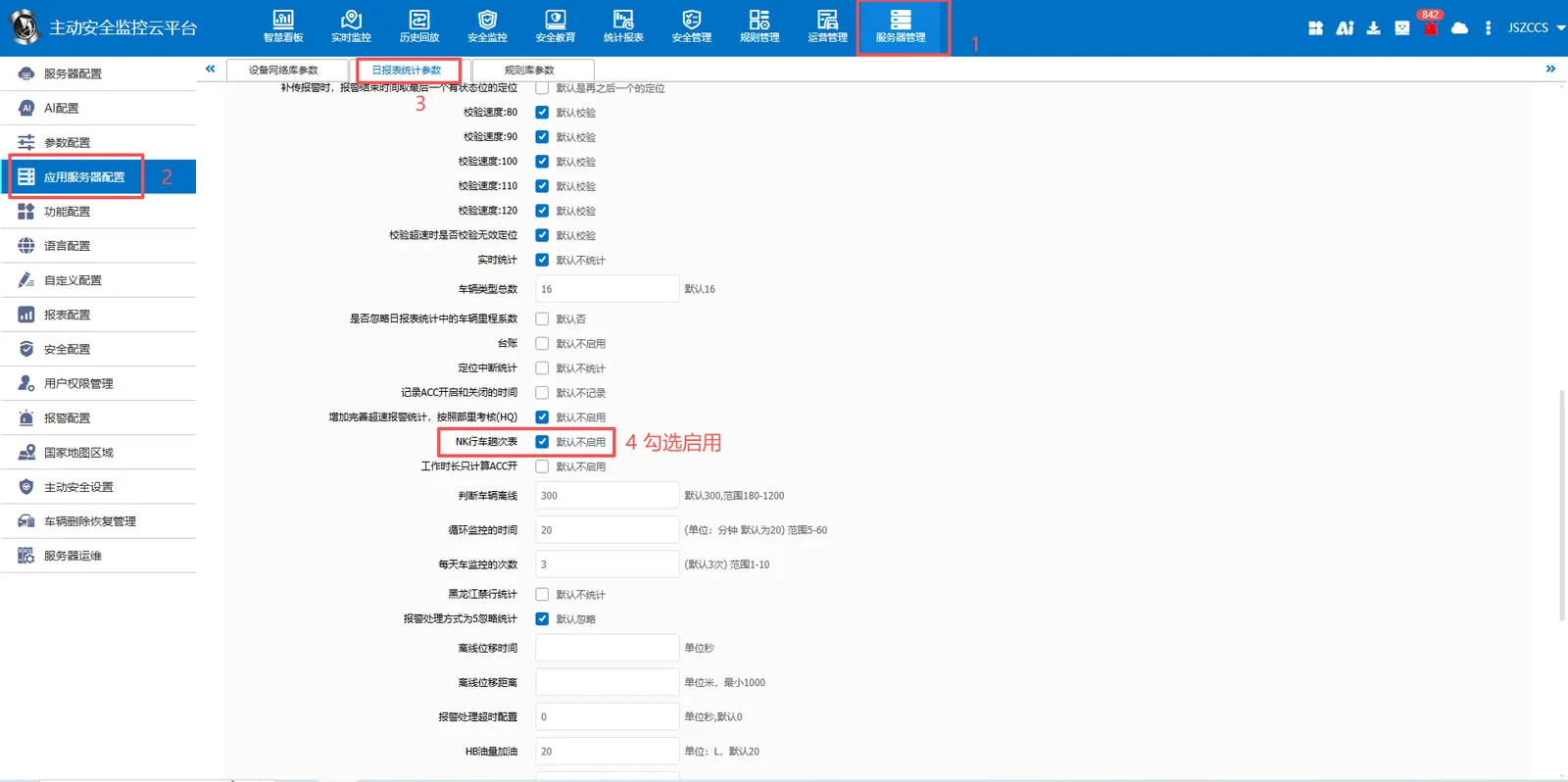
In [Server Management]> [Application Server Configuration]> [Daily Report Statistics Parameters]> Check Enable "Trip Table" and click Save.
1.2.2 Enable Reports
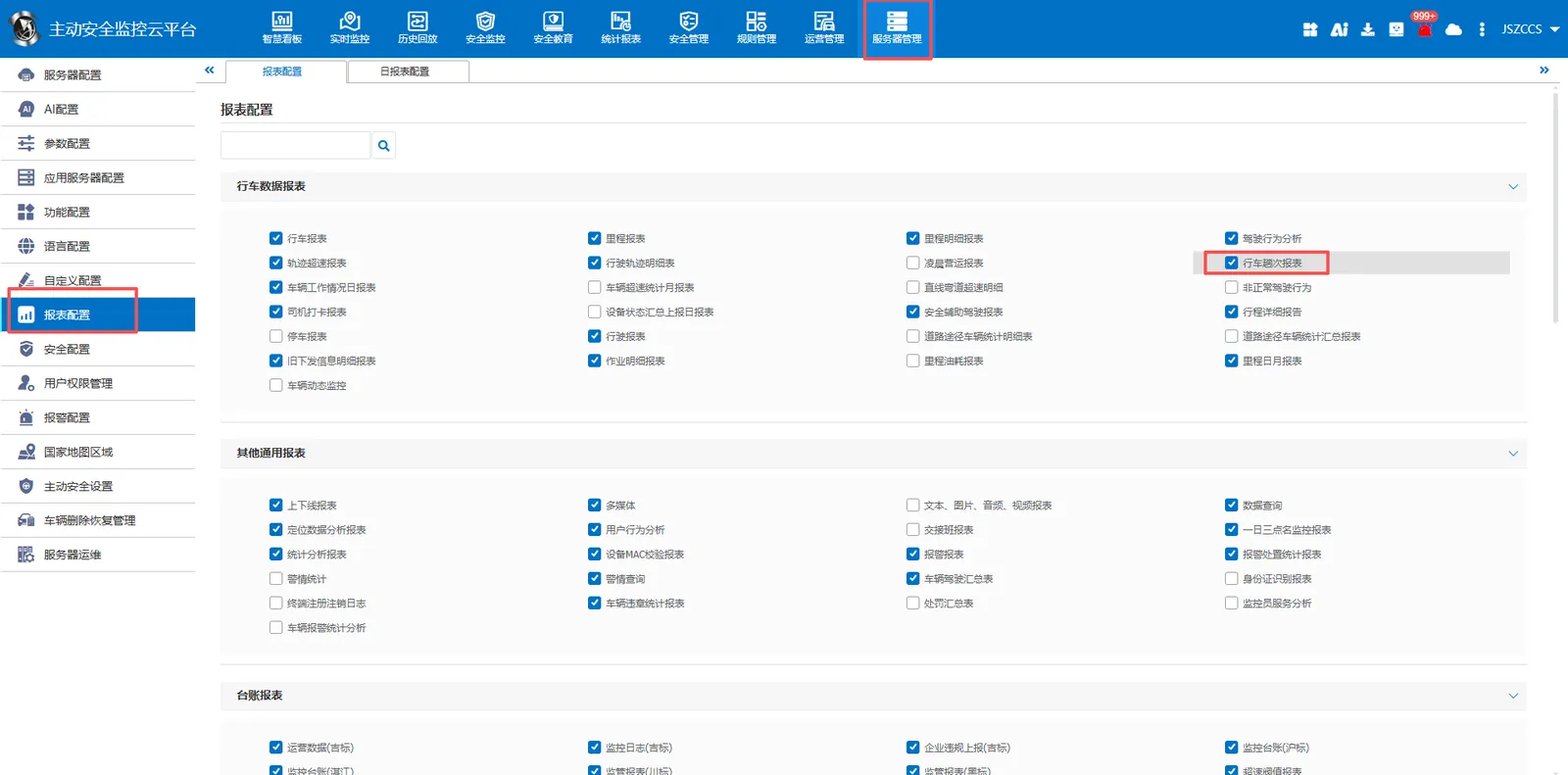
In [Server Management]> [Report Configuration]> [Travel Data Report], check Enable "Travel Times Report" and click Save.
1.2.3 Trip Report
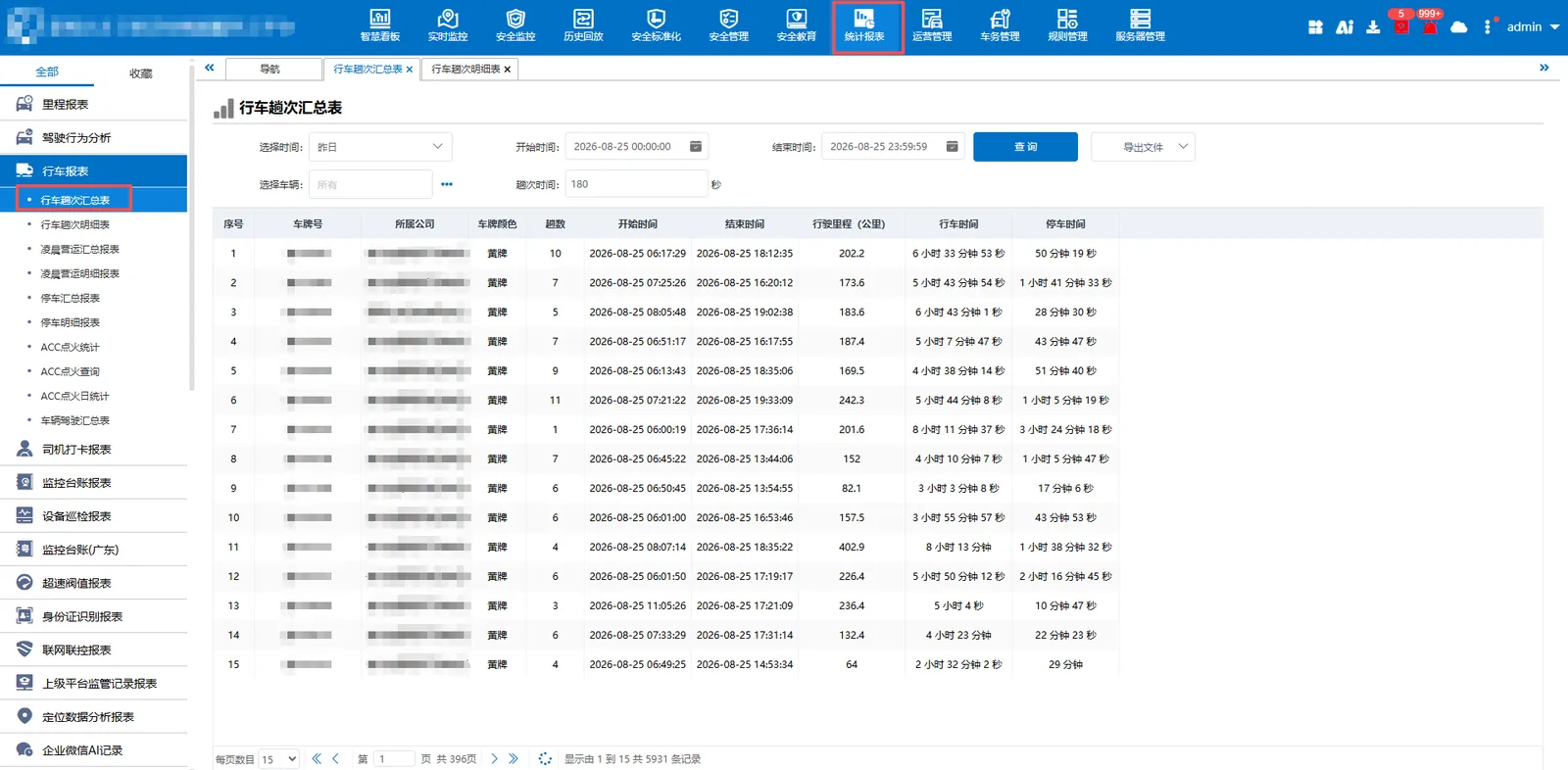
Summary of Trip Times
Summarize the total number of vehicle trips, total mileage, total driving time and total parking time.
Schedule of trips
The specific location, mileage, single trip time, driving time and parking time of each trip of the vehicle shall be counted.
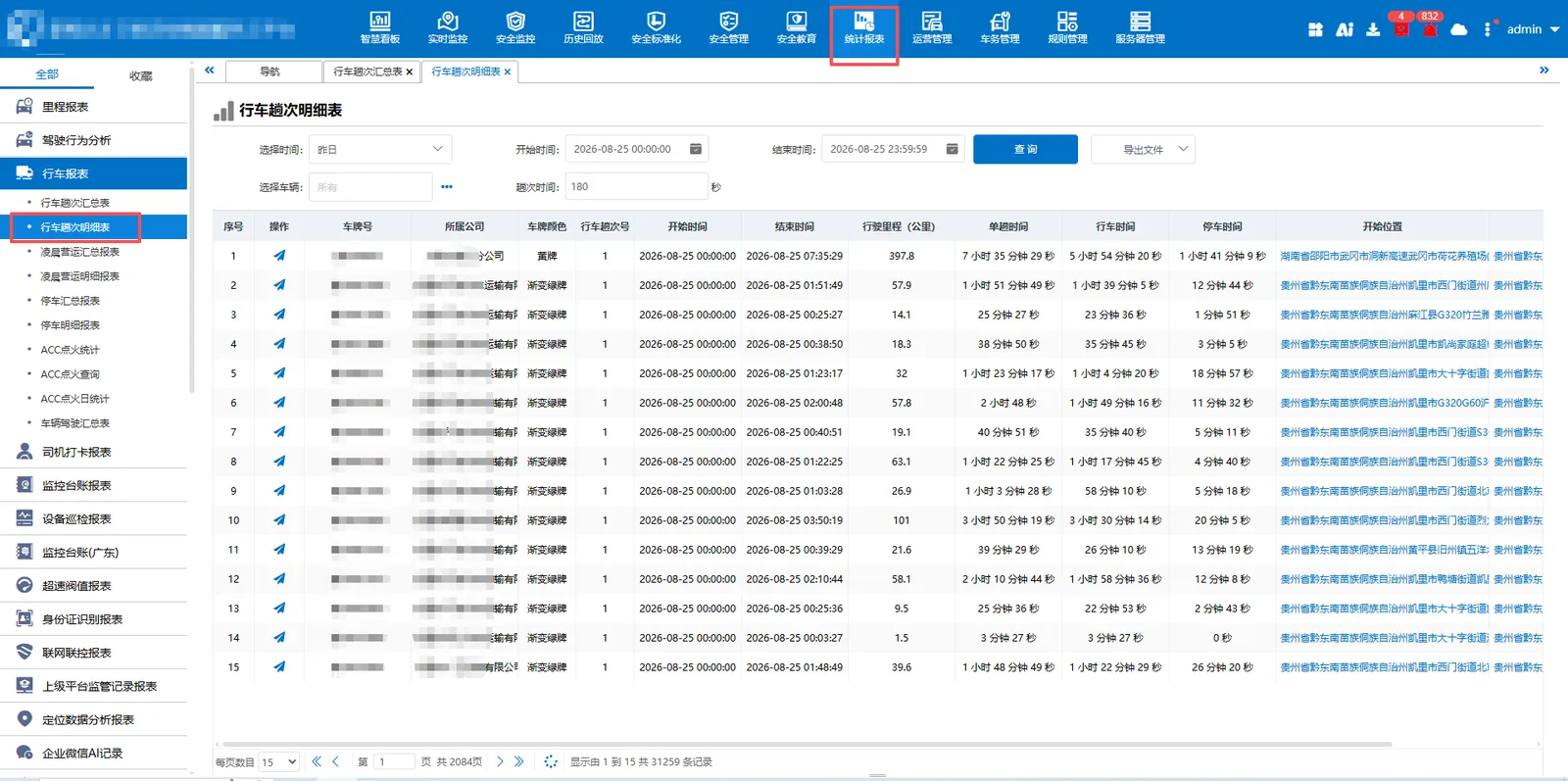
Note: Reports are real- time statistics
2. Fence trip statistics
2.1 function description
As long as the vehicle travels between the two areas once, it is recorded as 1 trip. One- way is recorded as one time, and back and forth is two times, that is, one trip.
2.2 operating instructions
2.2.1 Enable Reports
In [Server Management]> [Report Configuration]> [Electronic Fence Report], check Enable "Trip Statistics Report" and click Save.
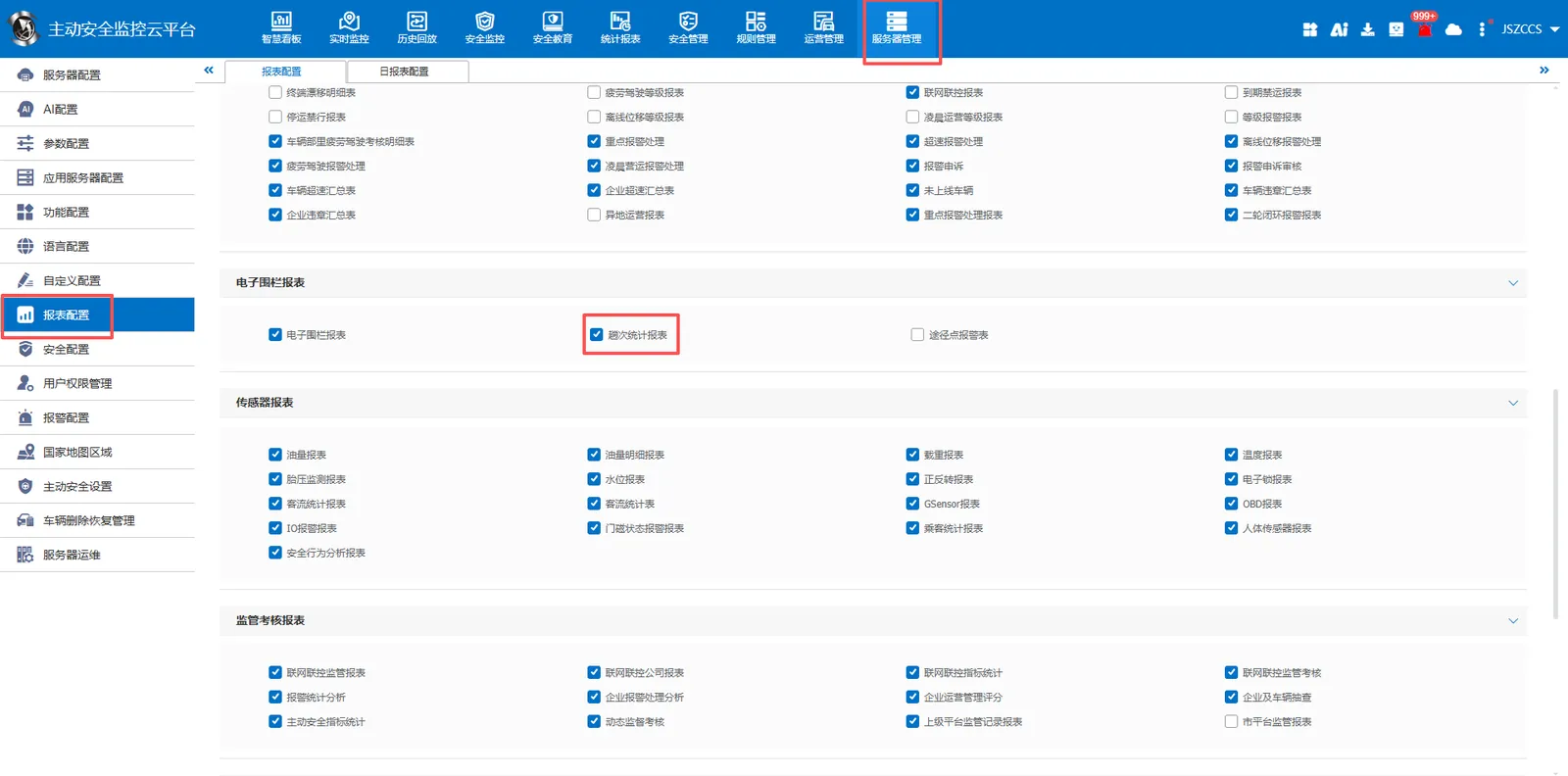
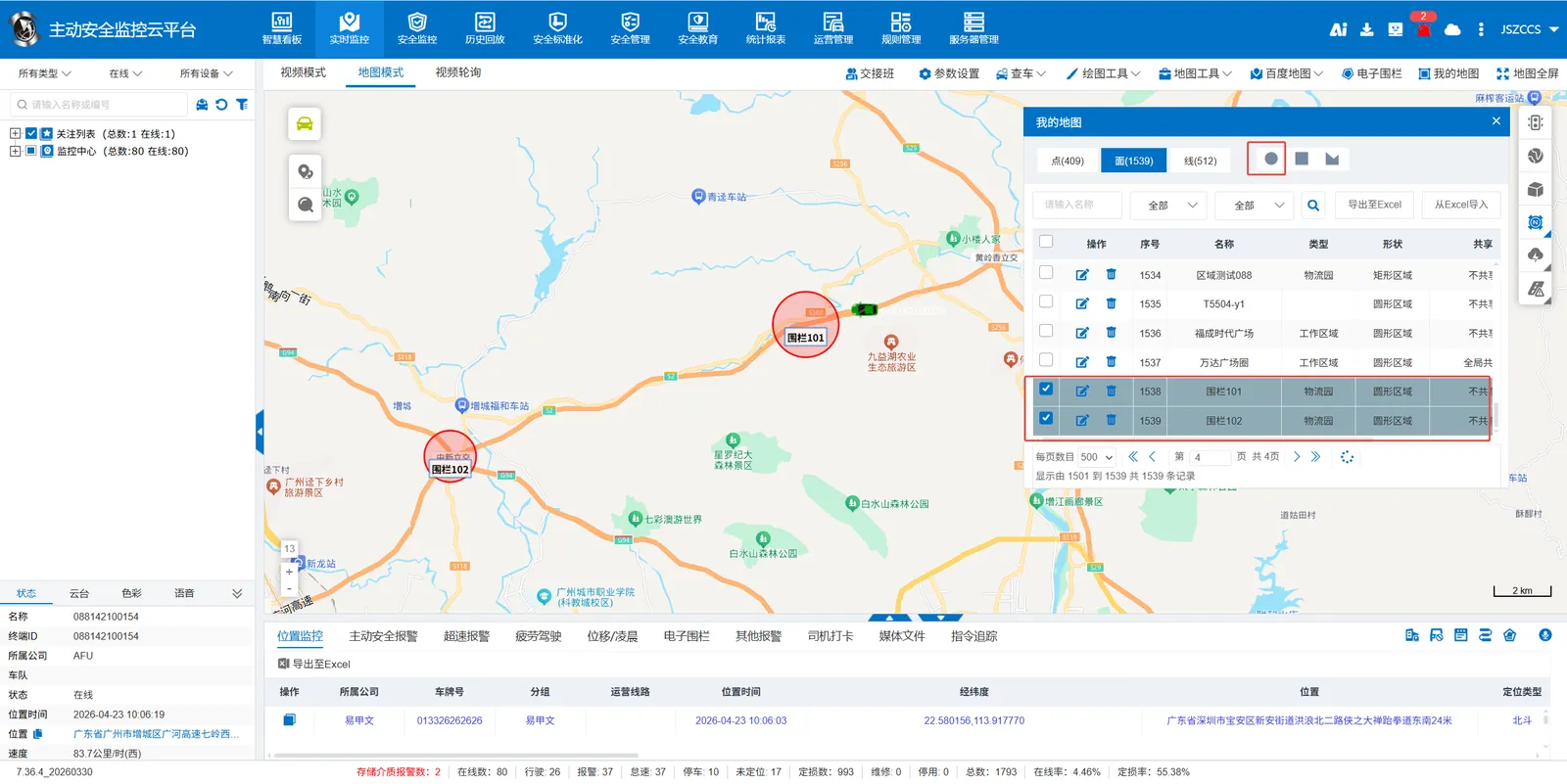
2.2.2 Draw start and end fence
Use the map tool to draw the start and end fences separately.
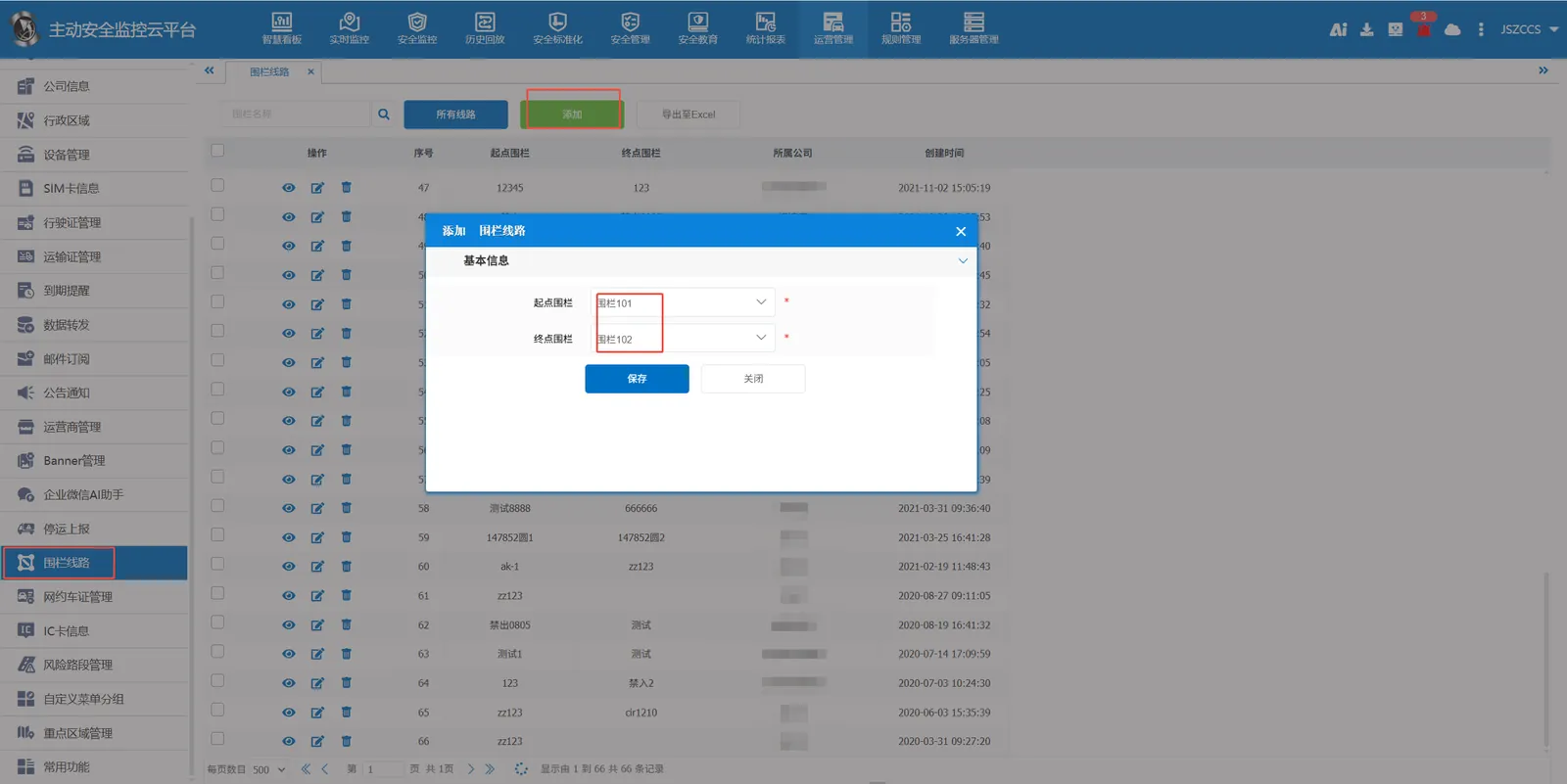
2.2.3 Create fence lines
Add start fence and end fence in [Operation Management]> [Fence Line].
2.2.4 Add fence rules
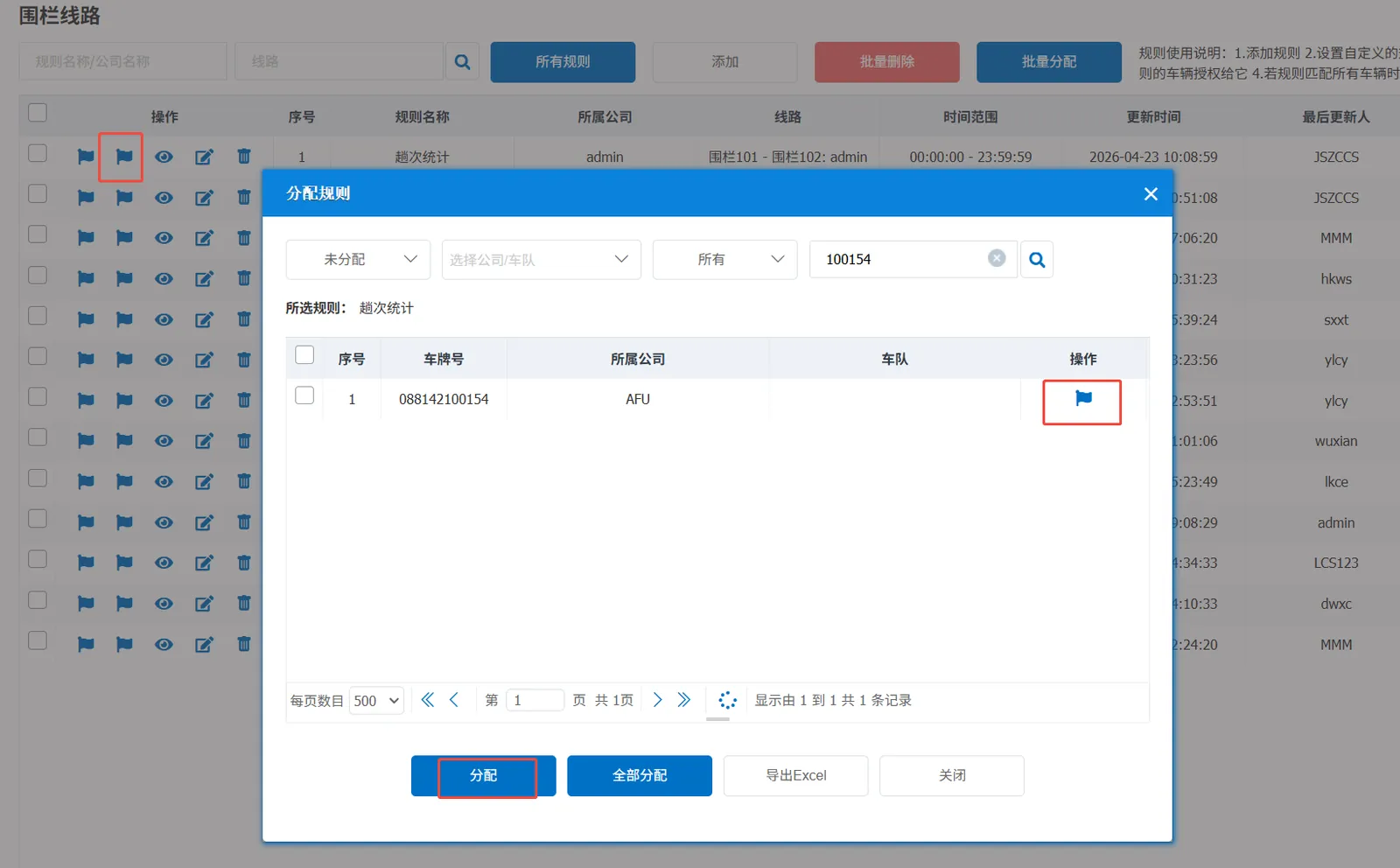
Add a fence line rule in [Rule Management]> [Area Line]> [Fence Line] and assign the rule to the corresponding vehicle.
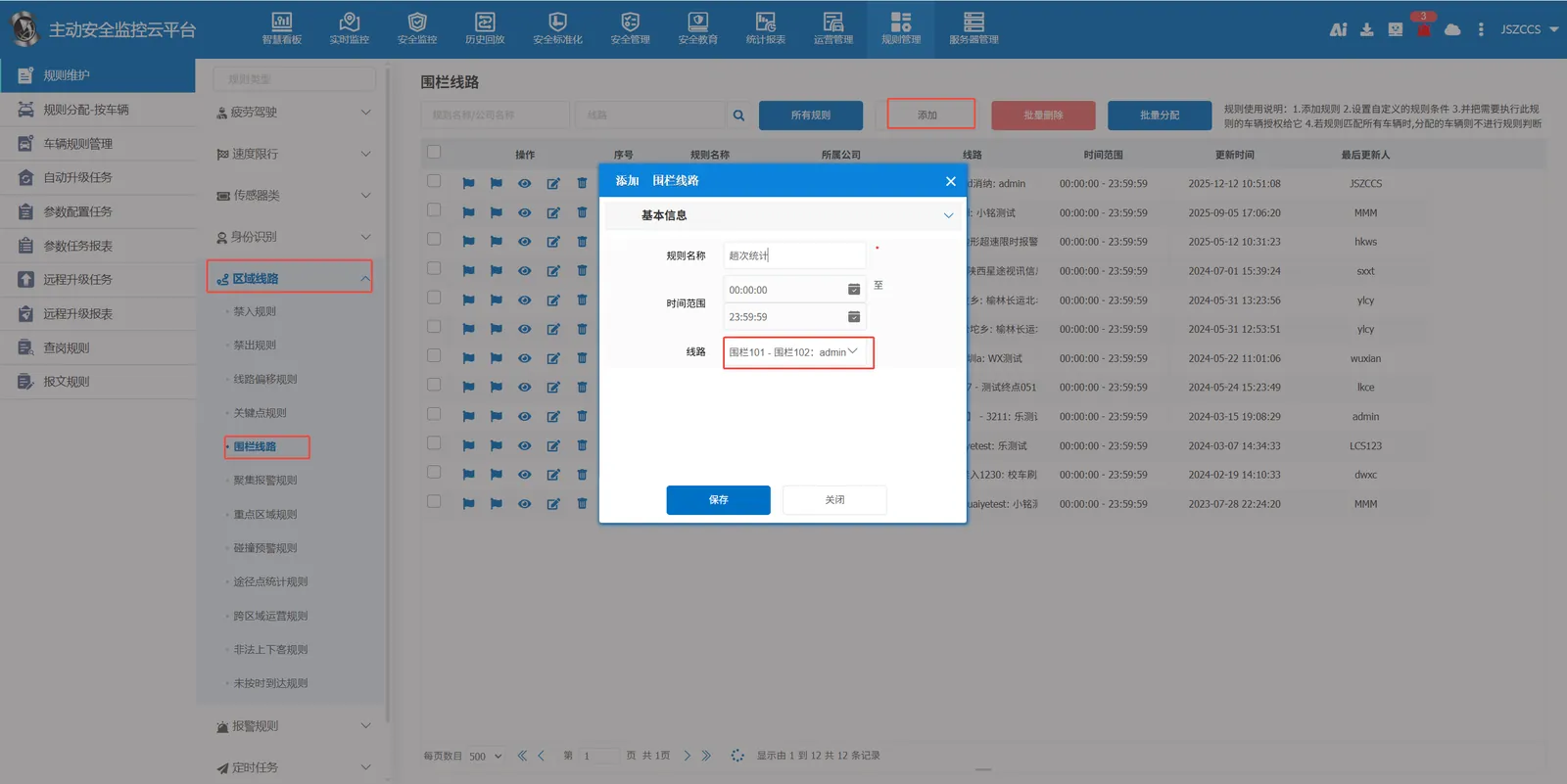
Rules to assign vehicles
2.2.5 Statistical Report of Times
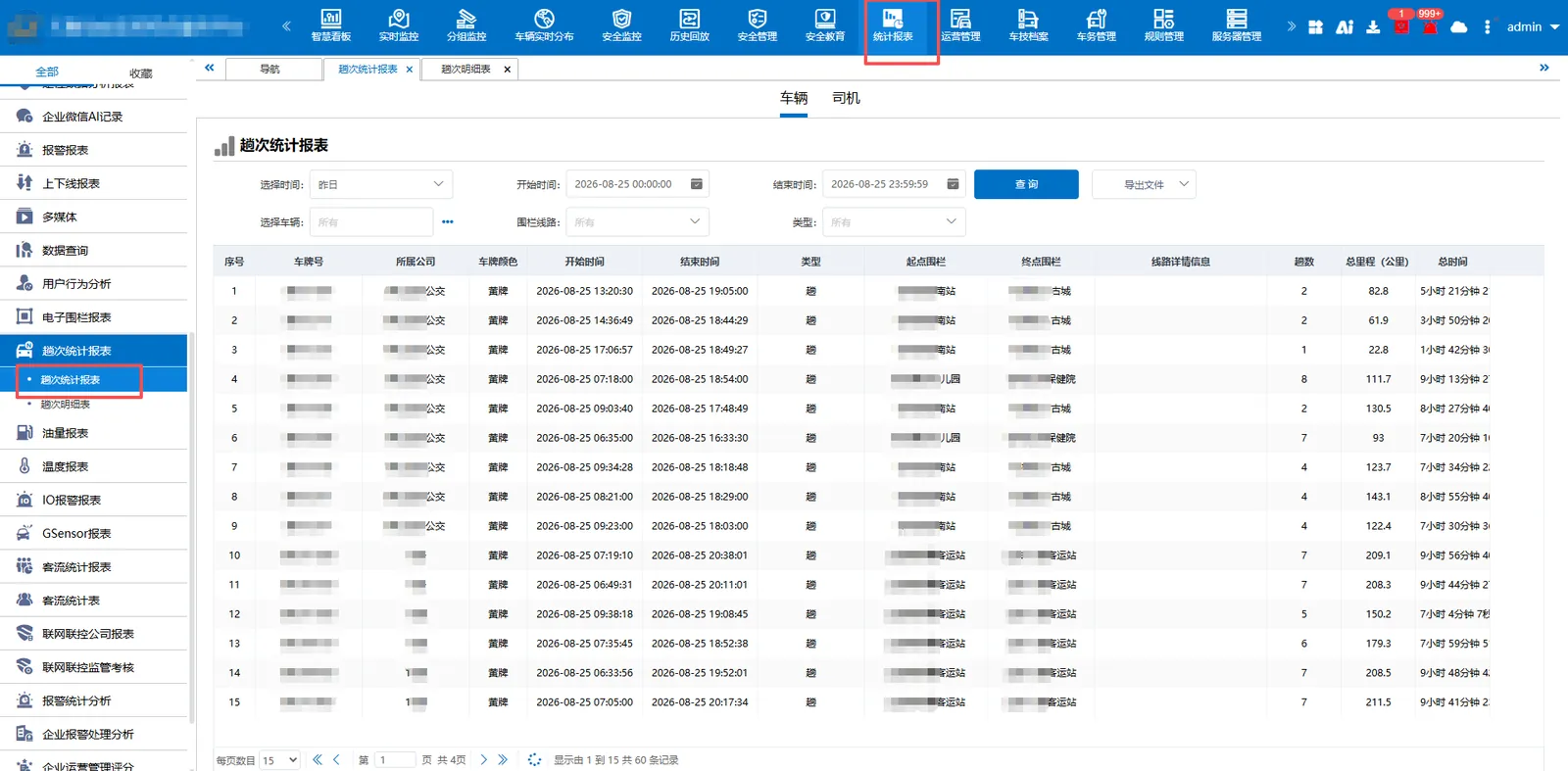
Trip Statistics Report
Summarize the total travel time and total mileage of vehicle trips.
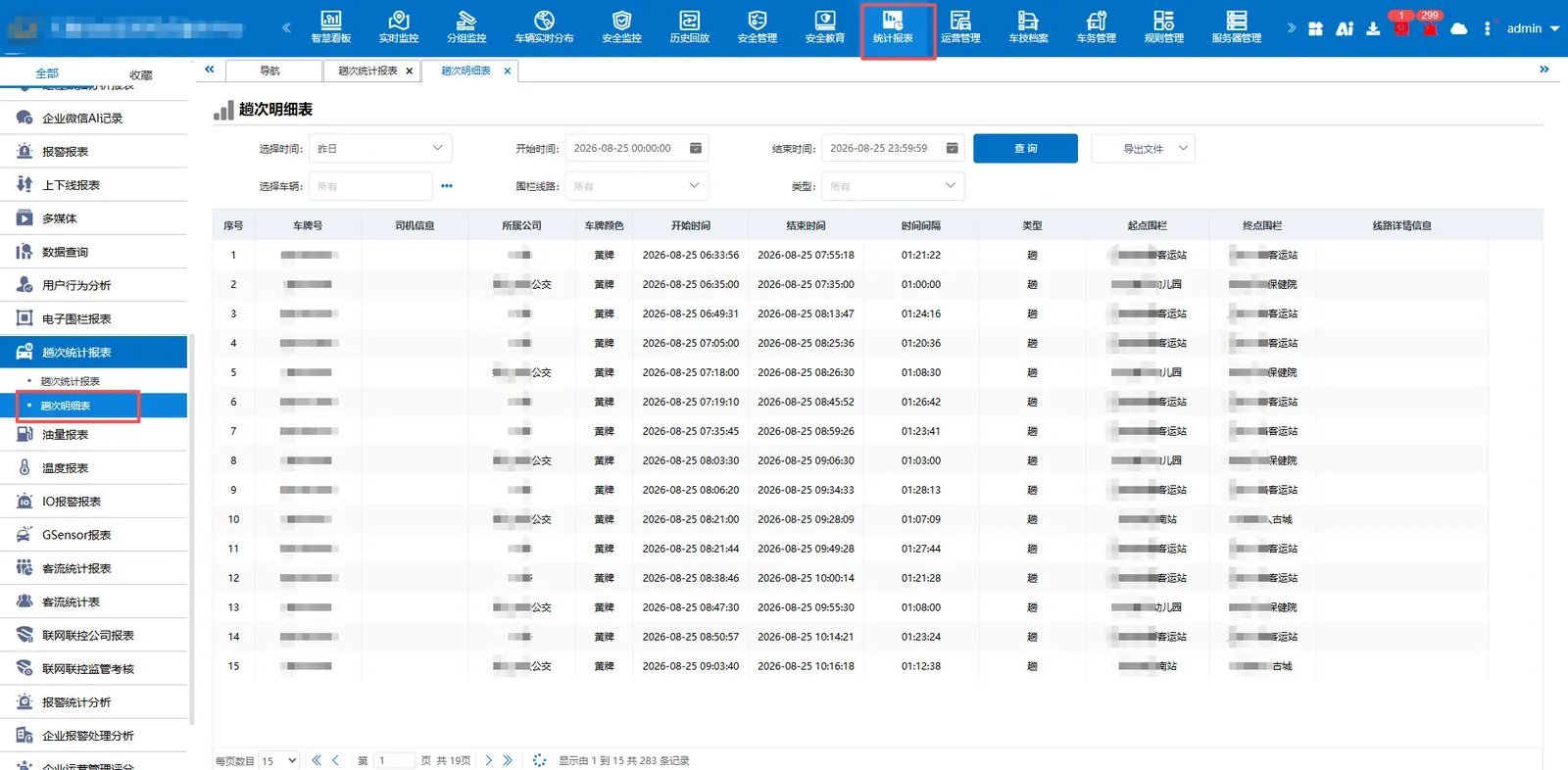
Schedule of trips
The detailed travel time and route direction of each vehicle or trip shall be counted.
** Note: The report is counted every other day **
3. Statistics of muck train trips
3.1 function description
The muck truck counts once from the construction site to the disposal site, and does not count when returning from the disposal site to the construction site.
3.2 operating instructions
3.2.1 Enable Configuration Item
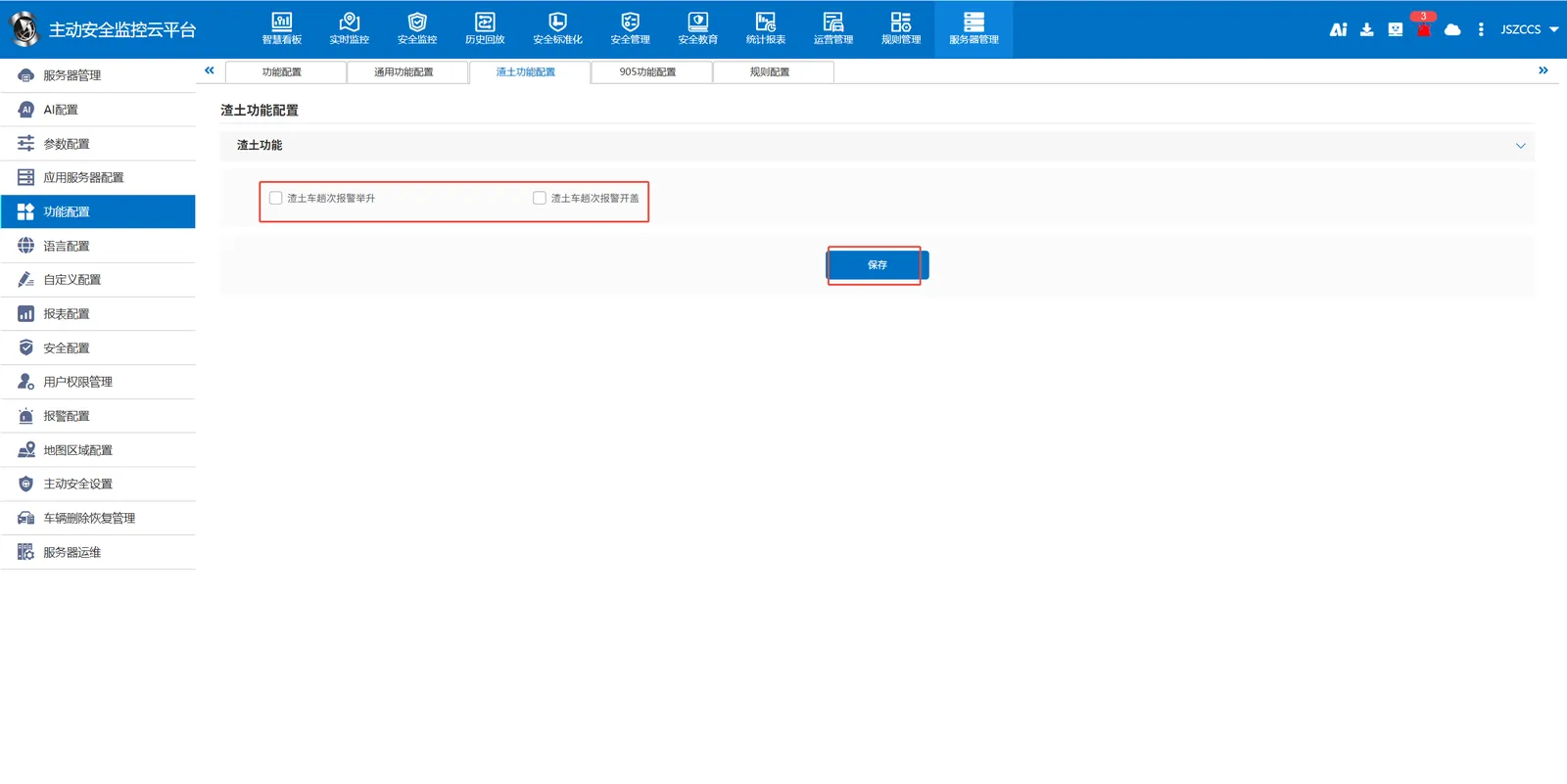
In [Server Management]> [Function Configuration]> [Muck Truck Function Configuration], check and cancel the two functions of "Muck Truck Alarm Lifting" and "Muck Truck Alarm Opening", and click Save.
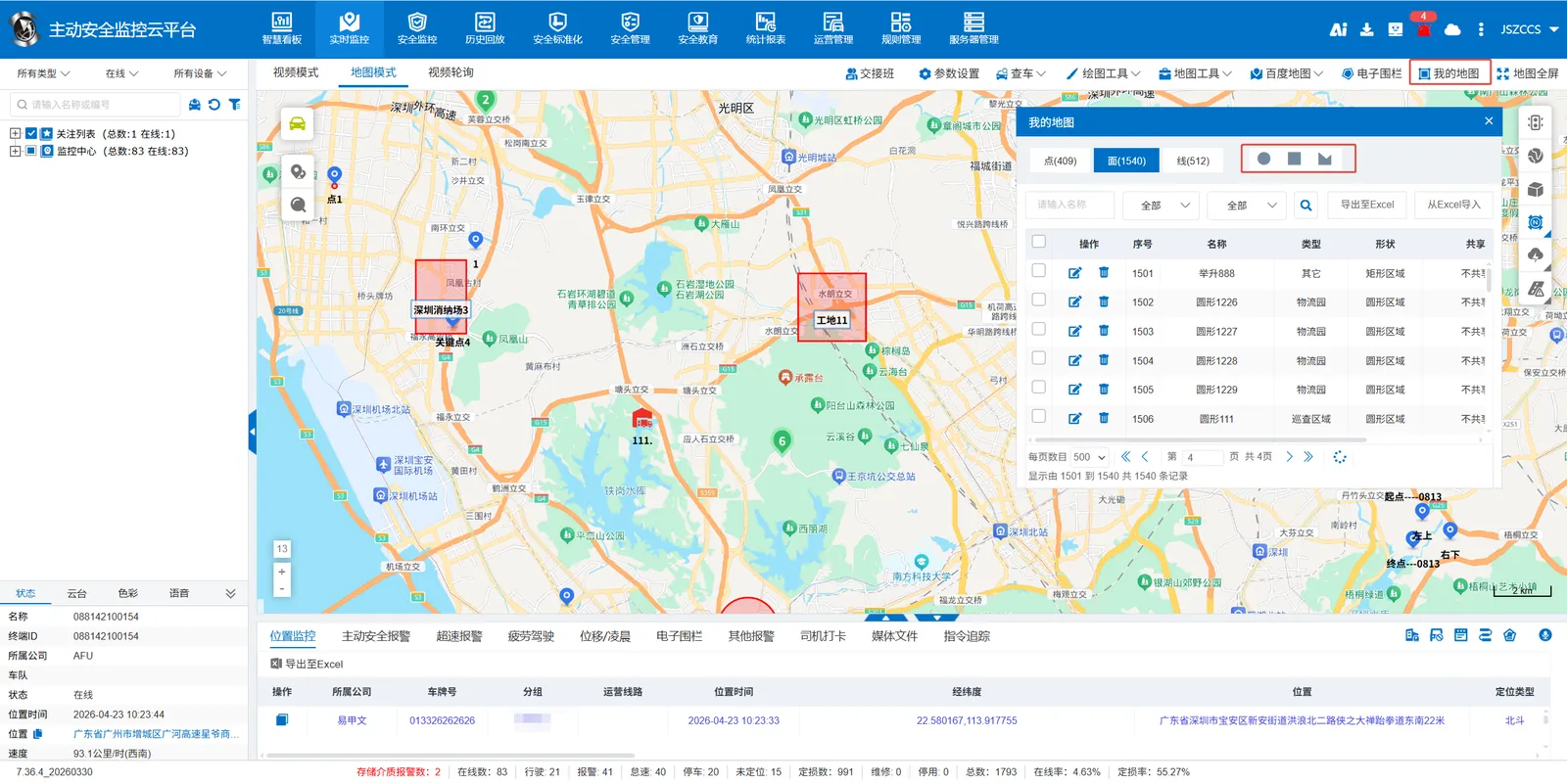
3.2.2 Drawing of Site and Discharge Field Fencing
Use the map tool to draw two areas of the map type "construction site" and "elimination site" respectively.
3.2.3 Add site and disposal site information
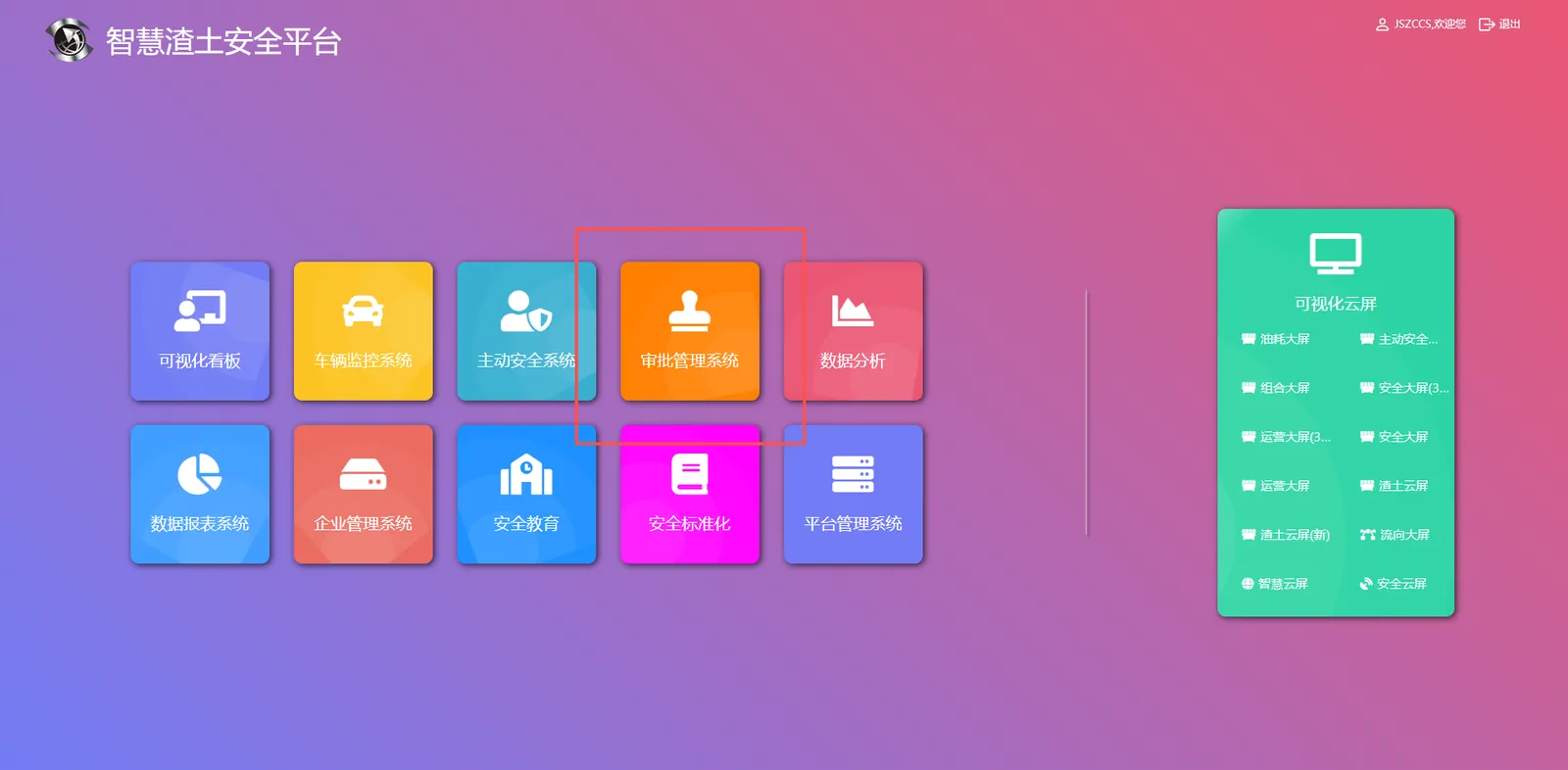
Log in to the muck truck platform and enter the "Approval Management System" module
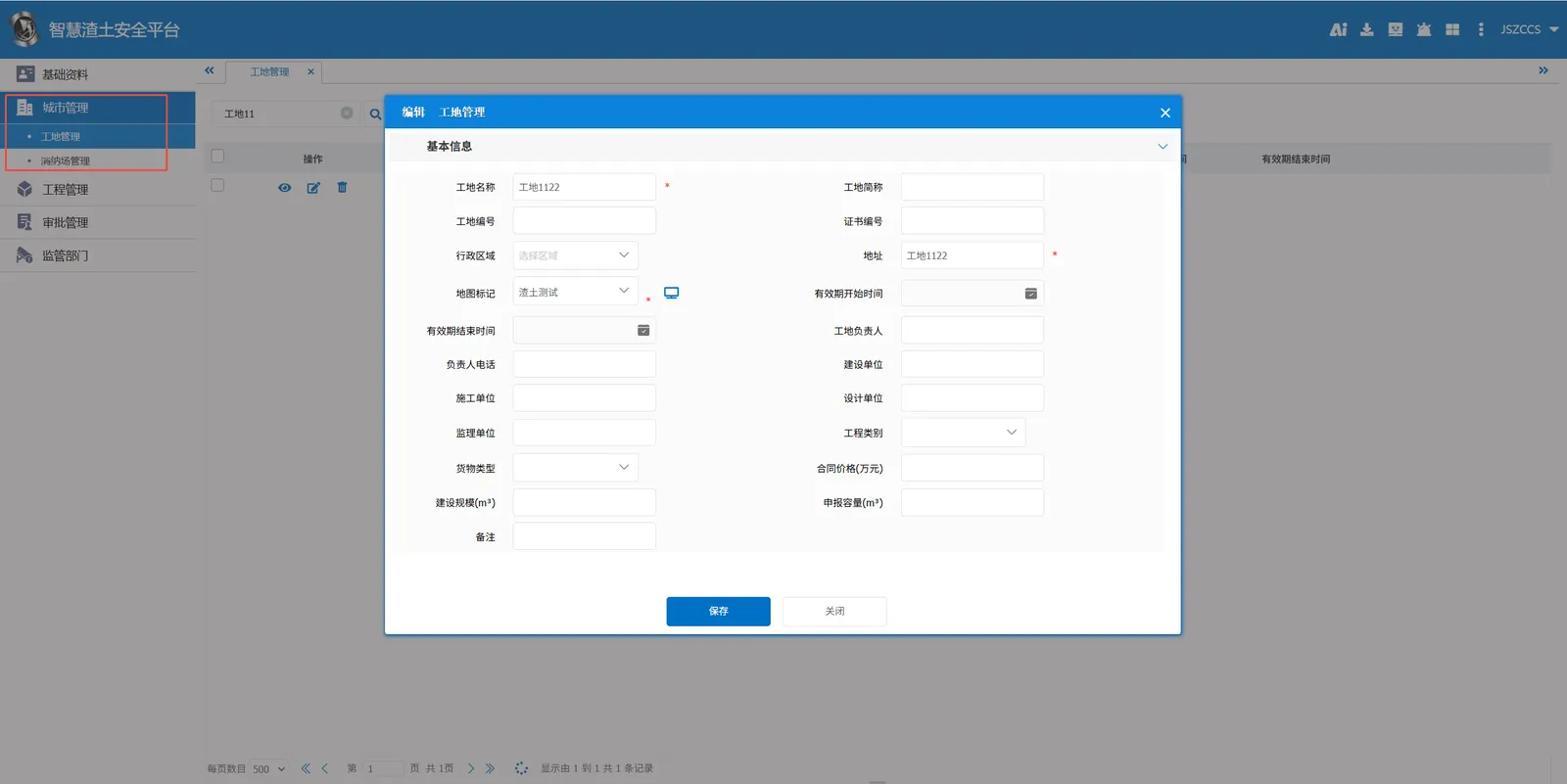
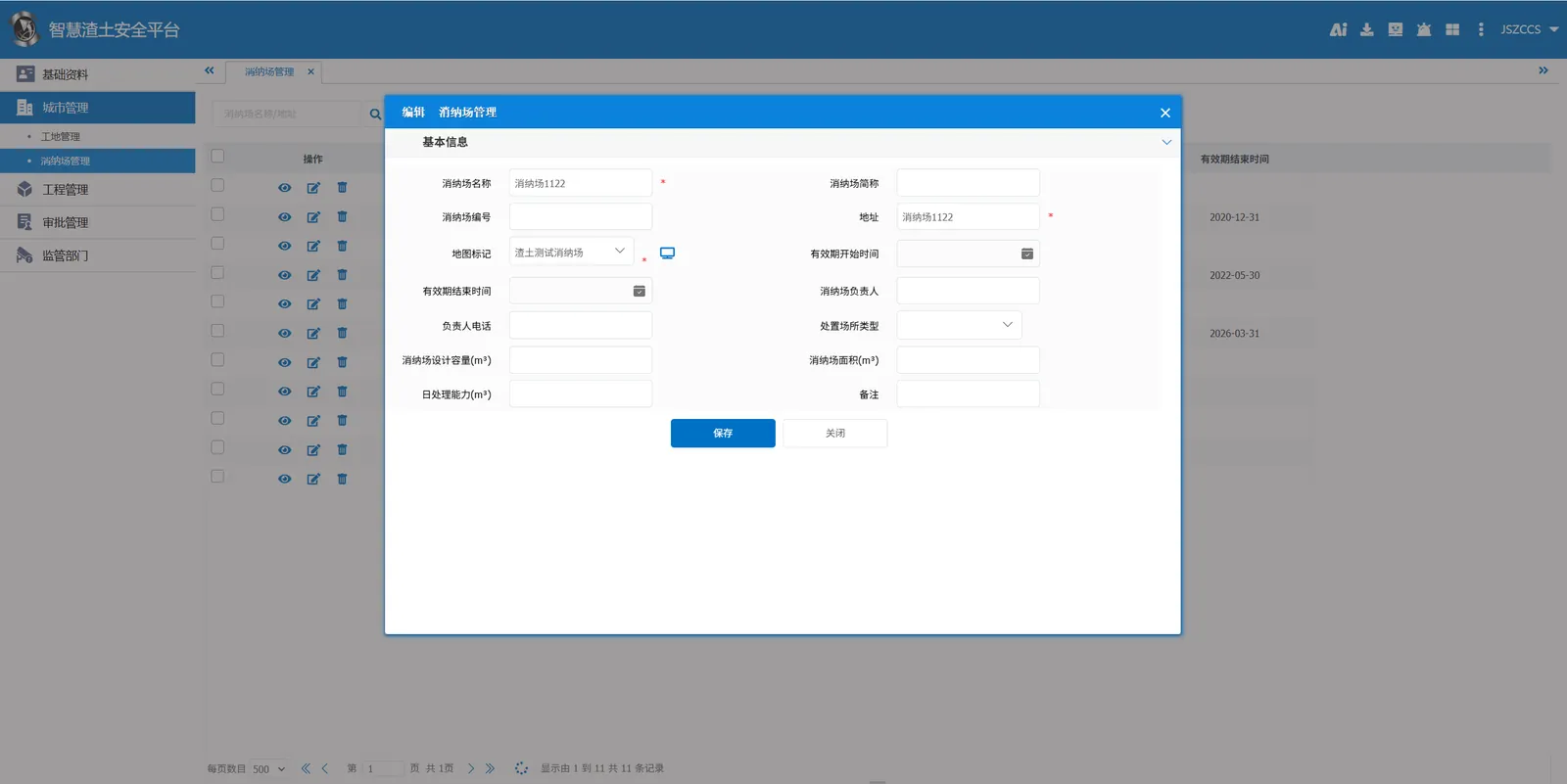
Add site management and disposal yard management to city management.
3.2.4 Report
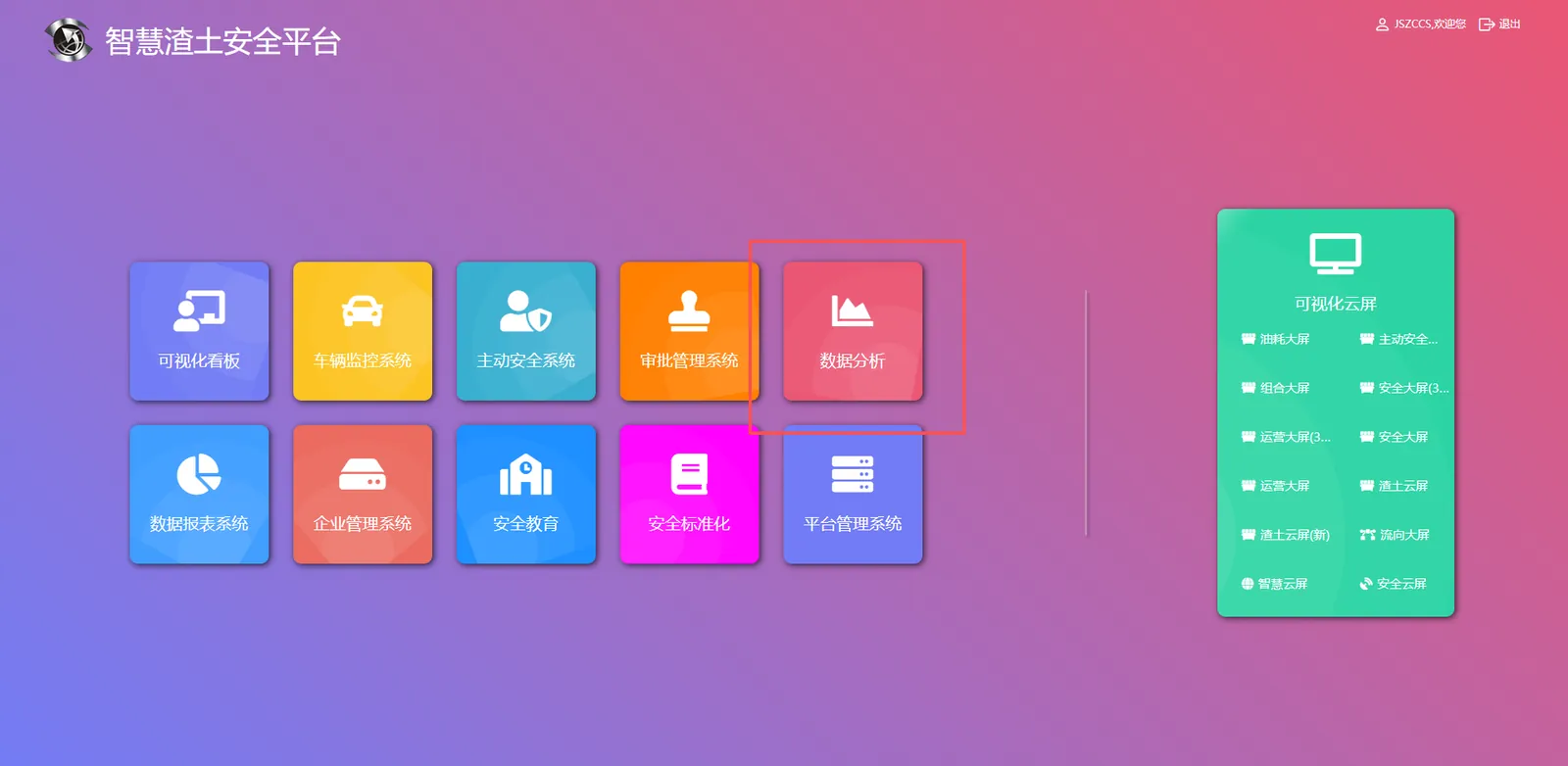
Enter the Data Analysis module
Schedule of Times Statistics
Statistics of each trip of the vehicle delivery time, loading location, arrival time and unloading location and other key operational data, you can query each trip transport time, distance, load weight and loading volume (volume).
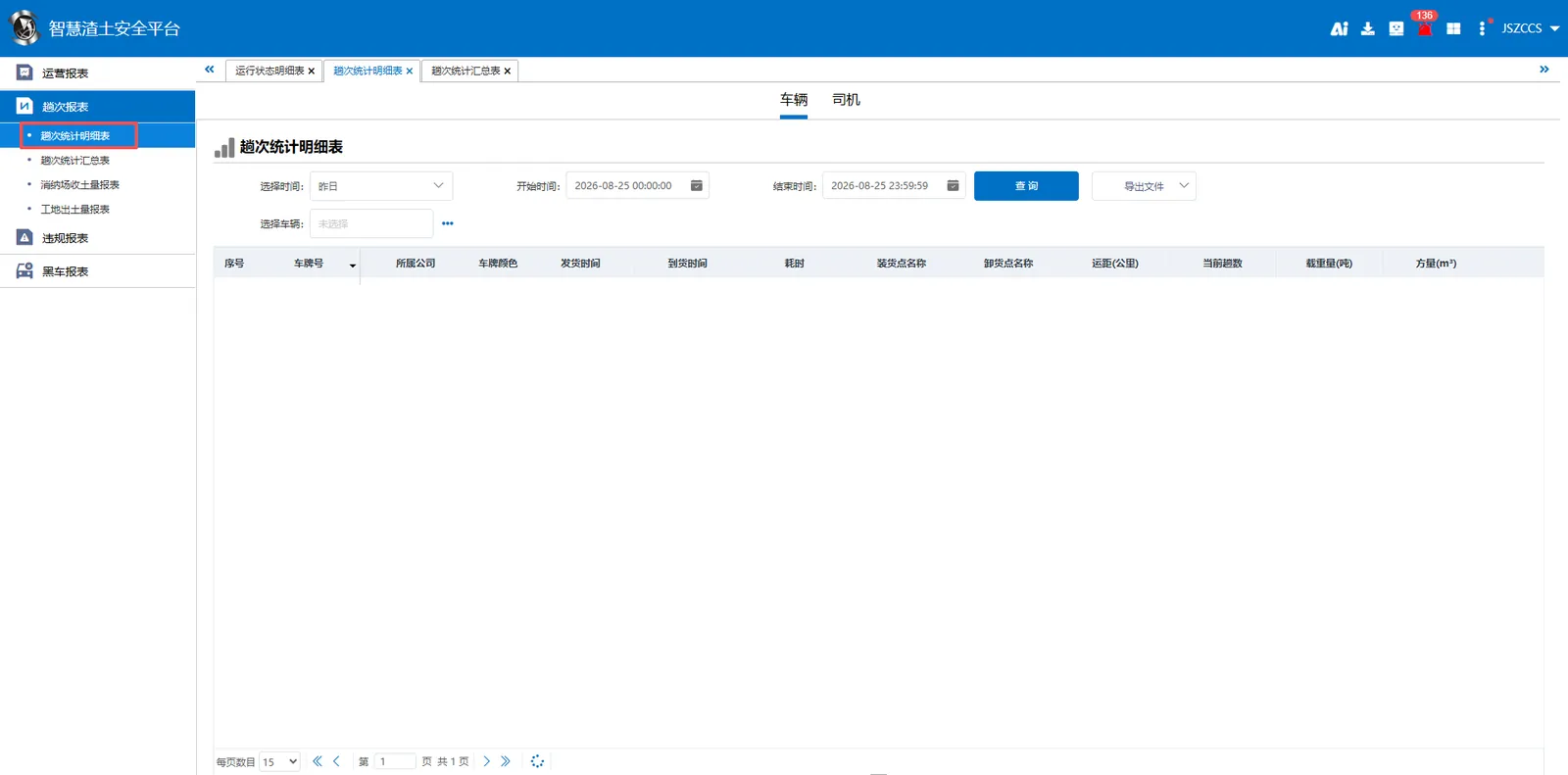
** Special Note: The platform does not calculate the loading time. The time point when leaving the site area is taken as the delivery time, and the time point when entering the disposal area is taken as the arrival time. This is one trip. However, the platform will not handle how to return to the construction site or which construction site to return. **
Summary of trip statistics
Summarize the total number of trips, total transportation time, total haul distance, total weight and total loading volume (total square quantity) during the query period by vehicle.
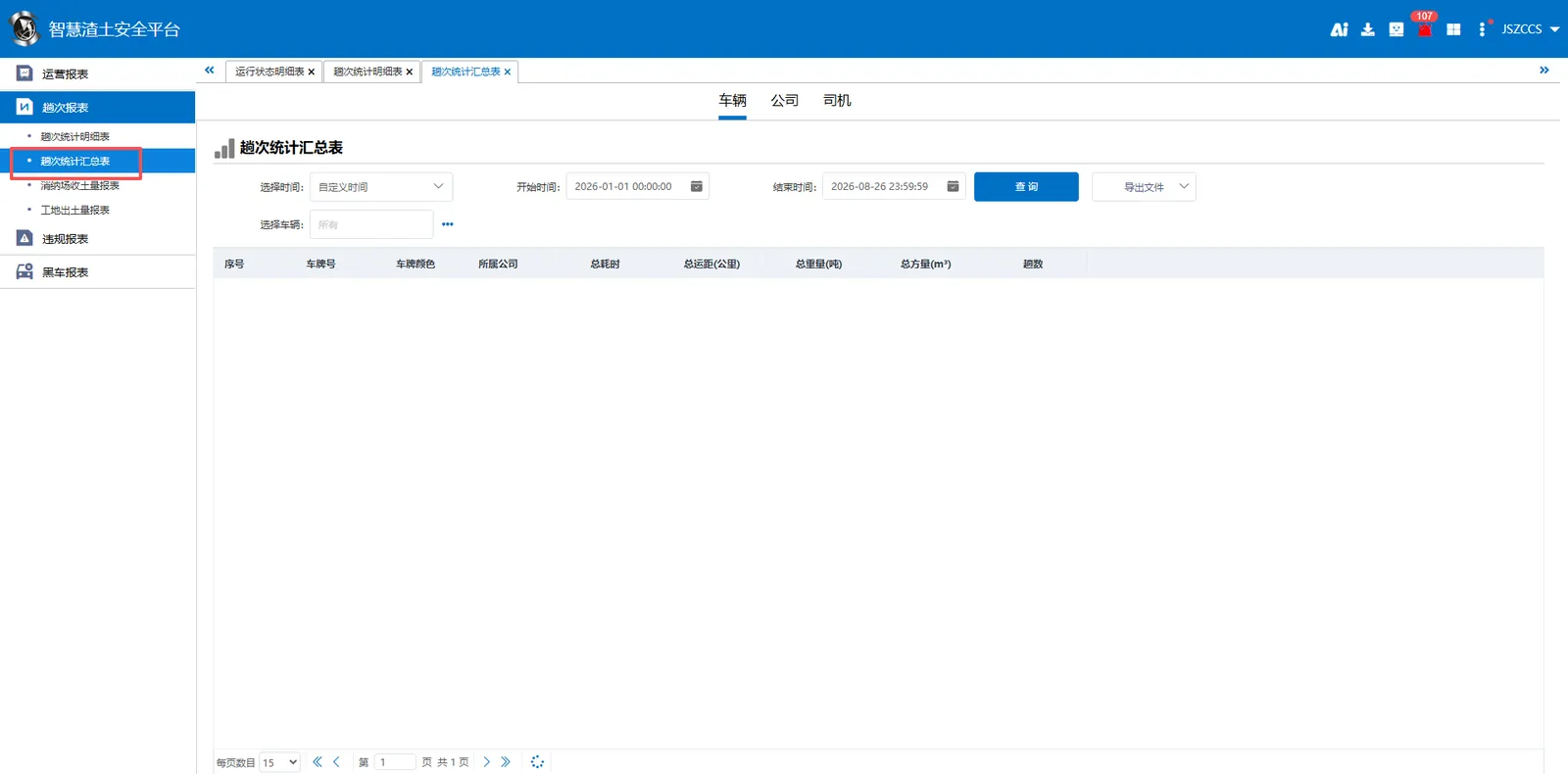
** Note: The report is counted every other day **