1. Function description
- View the IP and port configuration information of each server;
- Customize each server port;
- View service resource usage, etc.
2, operating instructions
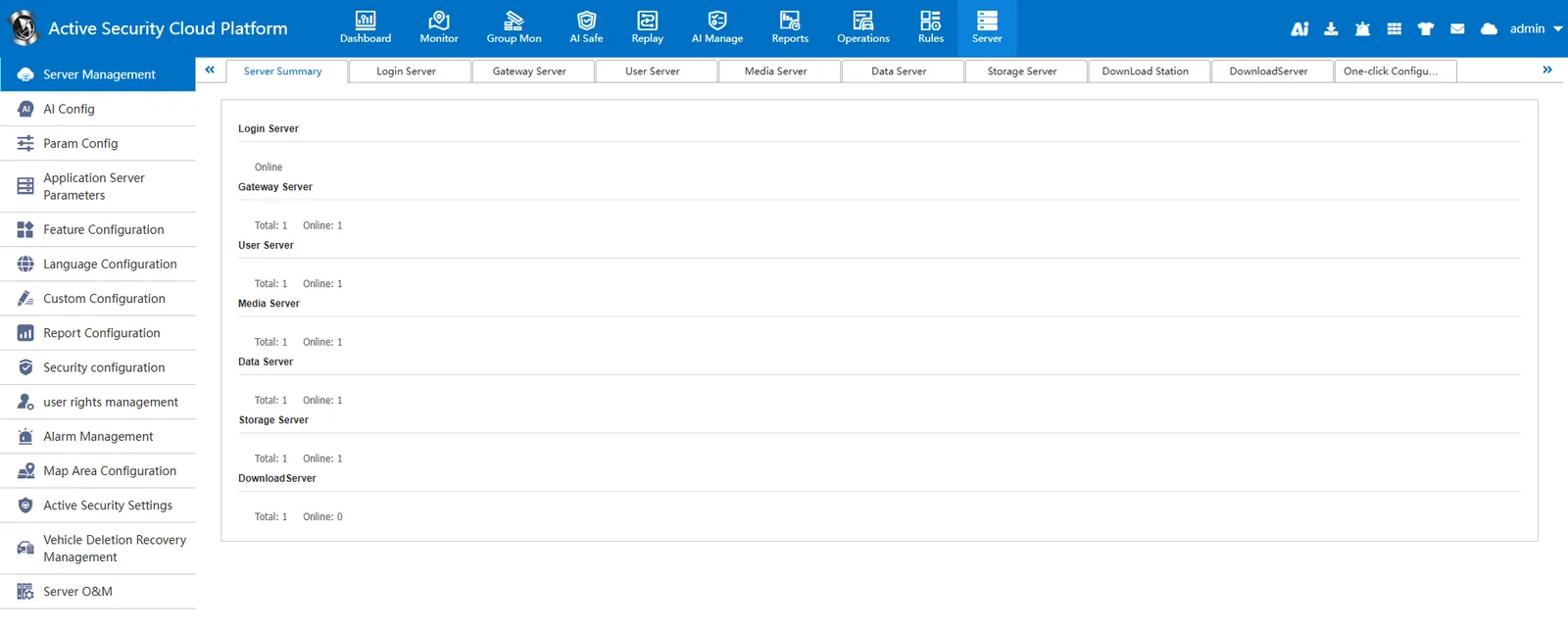
2.1, server summary
[Server] - [Server Management] - [Server Summary] View the running status of each service
2.2, login server
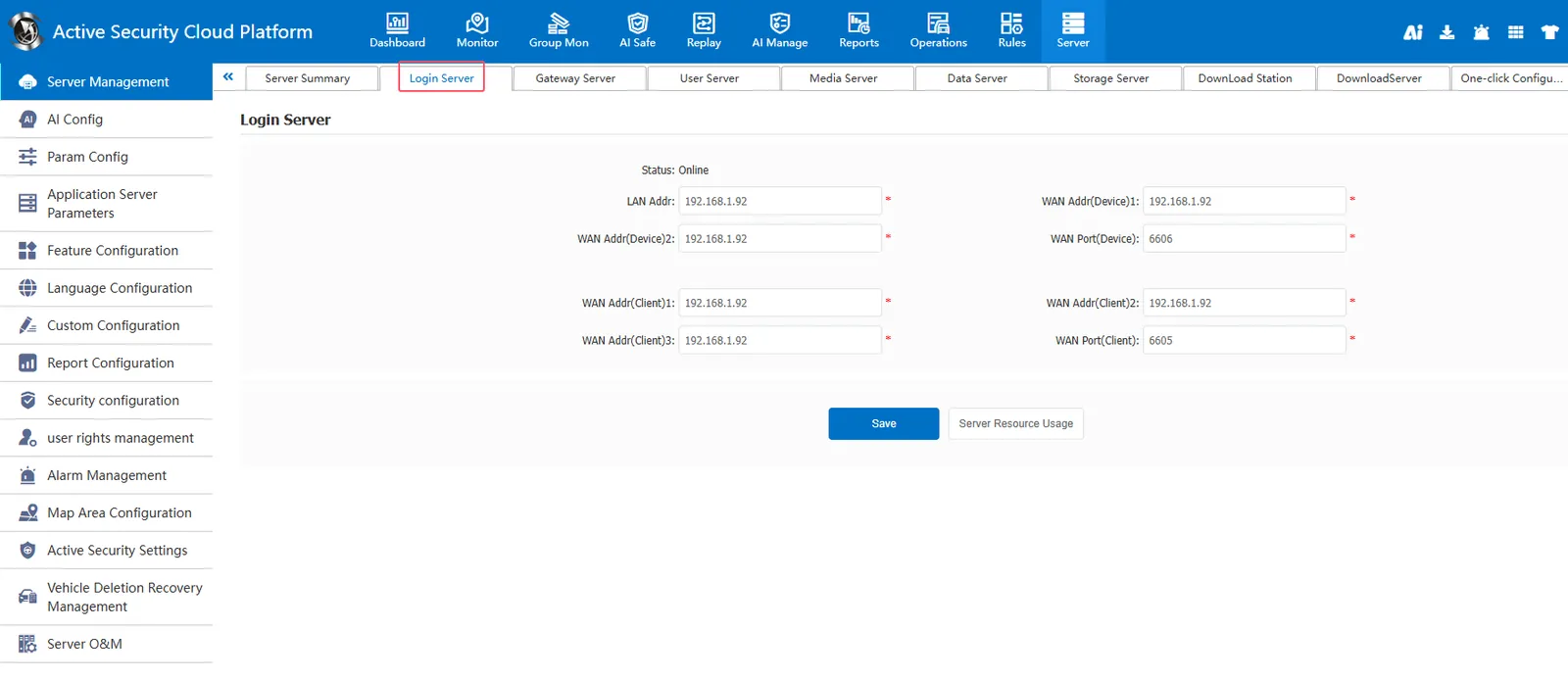
[Server] - [Server Management] - [Login Server]]
Login server default port 6605 (customer service port),6606 (device service port)
Special attention:
6605 is the pc client login port
If the customer service port of the login server is changed to another port, when app logs in to the platform, the login ip must add a web port to log in
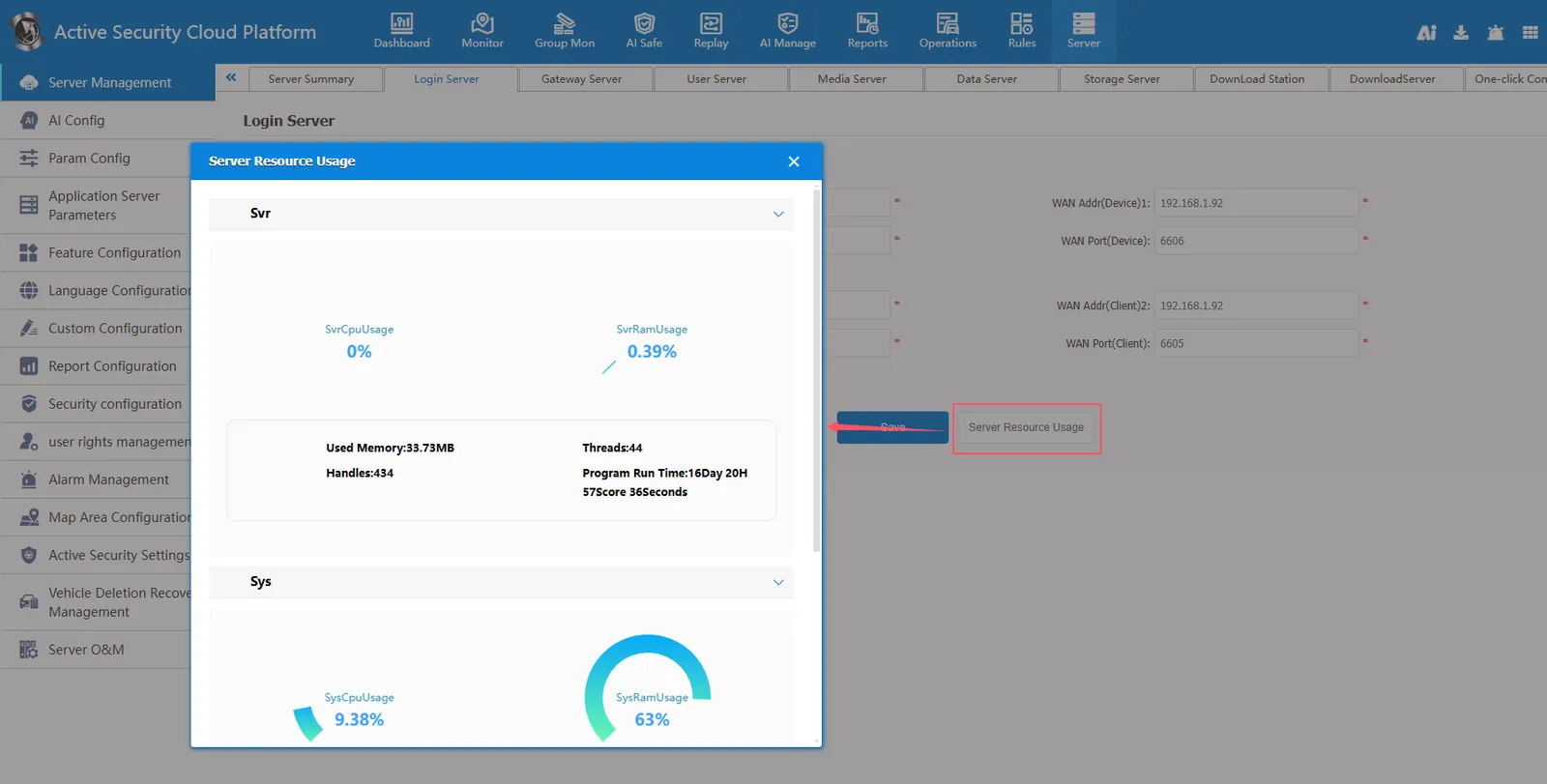
View server resource usage
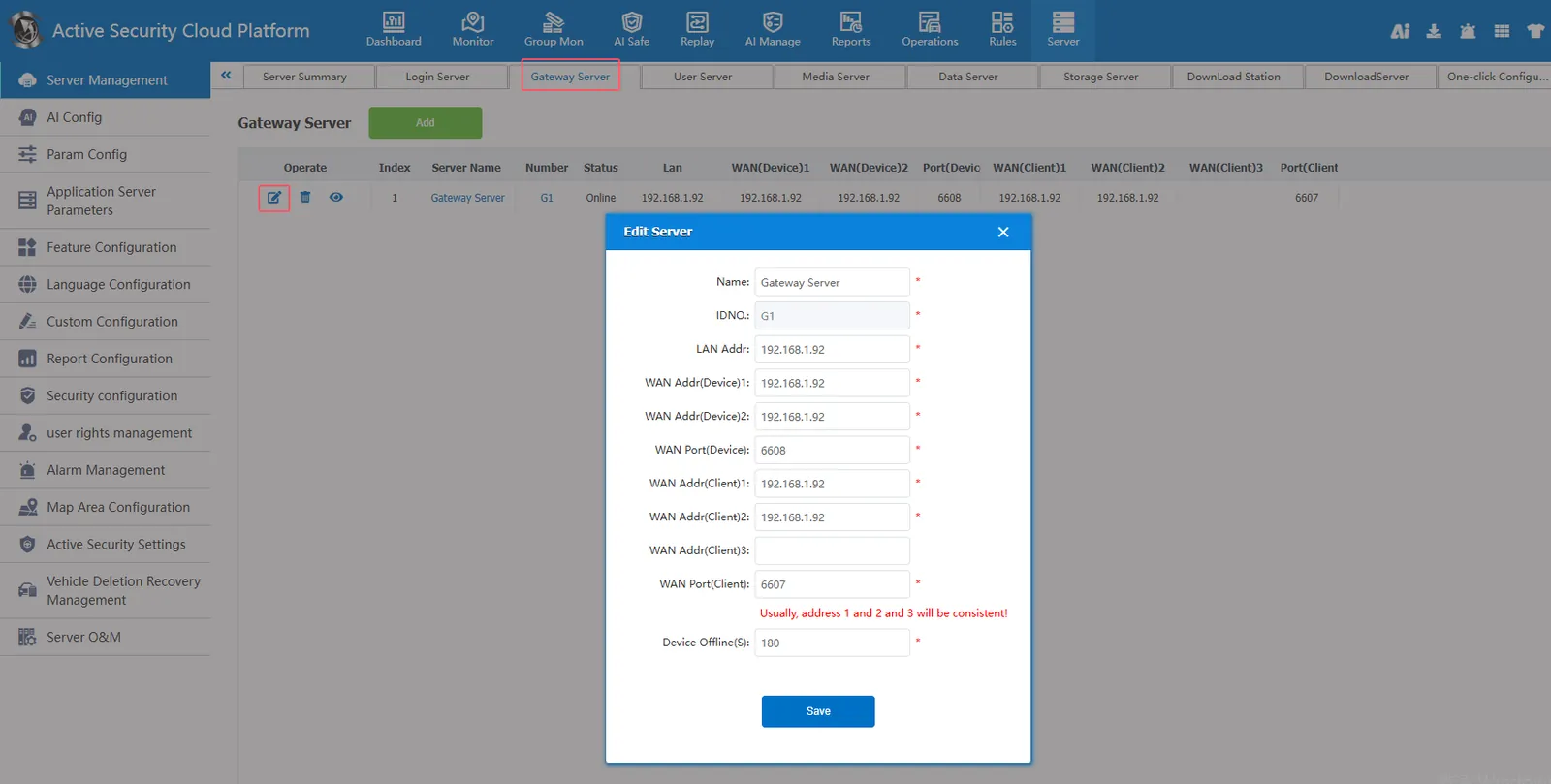
2.3, gateway server
[Server] - [Server Management] - [Gateway Server]]
Gateway server default port 6607 (customer service port),6608 (device service port)
Special attention:
6608 is the port of the device reporting platform
The default value of the device offline duration (seconds) is 180 seconds. If the device does not transmit positioning or heartbeat data to the platform for more than 180 seconds, the platform will judge that the device is offline.
2.4, user server
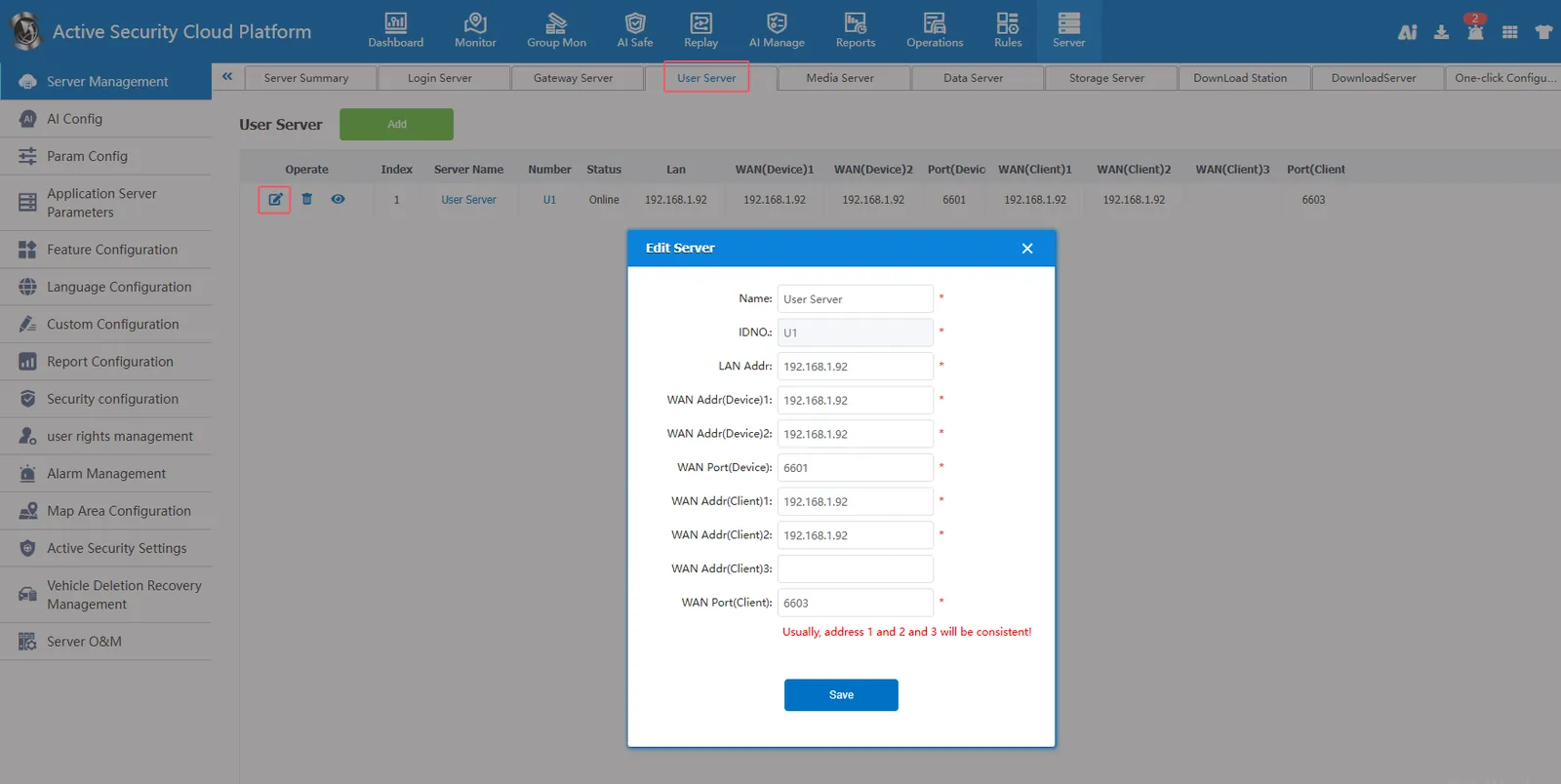
[Server] - [Server Management] - [User Server]]
User server default port 6601 (device service port),6603 (customer service port)
Special attention:
6603 is the pc client login port
2.5, streaming media server
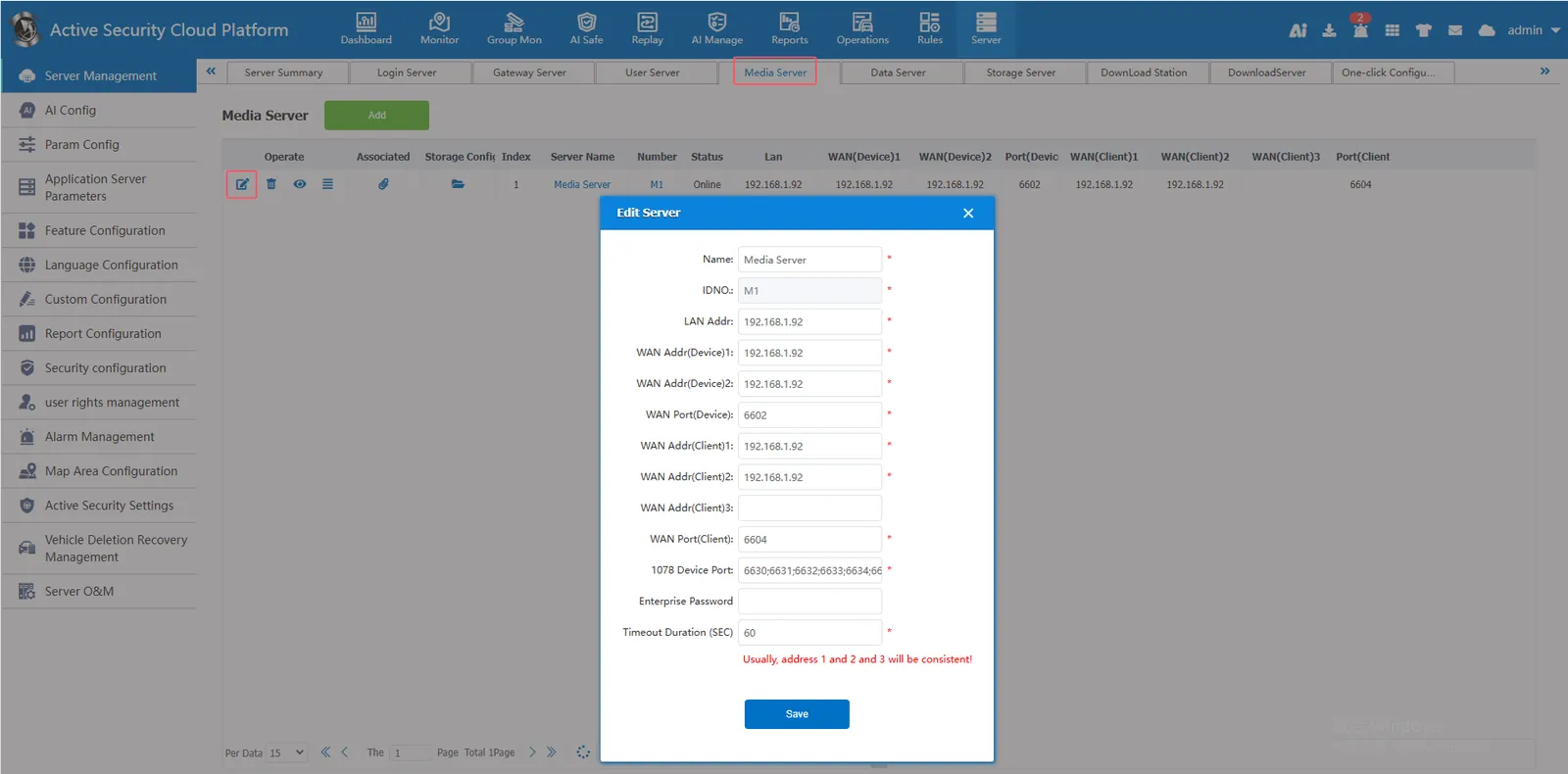
[Server] - [Server Management] - [Streaming Media Server]]
Streaming server default port 6602 (device service port),6604 (customer service port)
Other Ports of Streaming Media Server:
6602 is the 1078 device preview main stream
6631 is the 1078 device preview substream
6632 is 1078 equipment intercom
6633 are 1078 devices listening, broadcasting
6634 is 1078 device playback
6635 is 1078 equipment transparent transmission (not used for the time being)
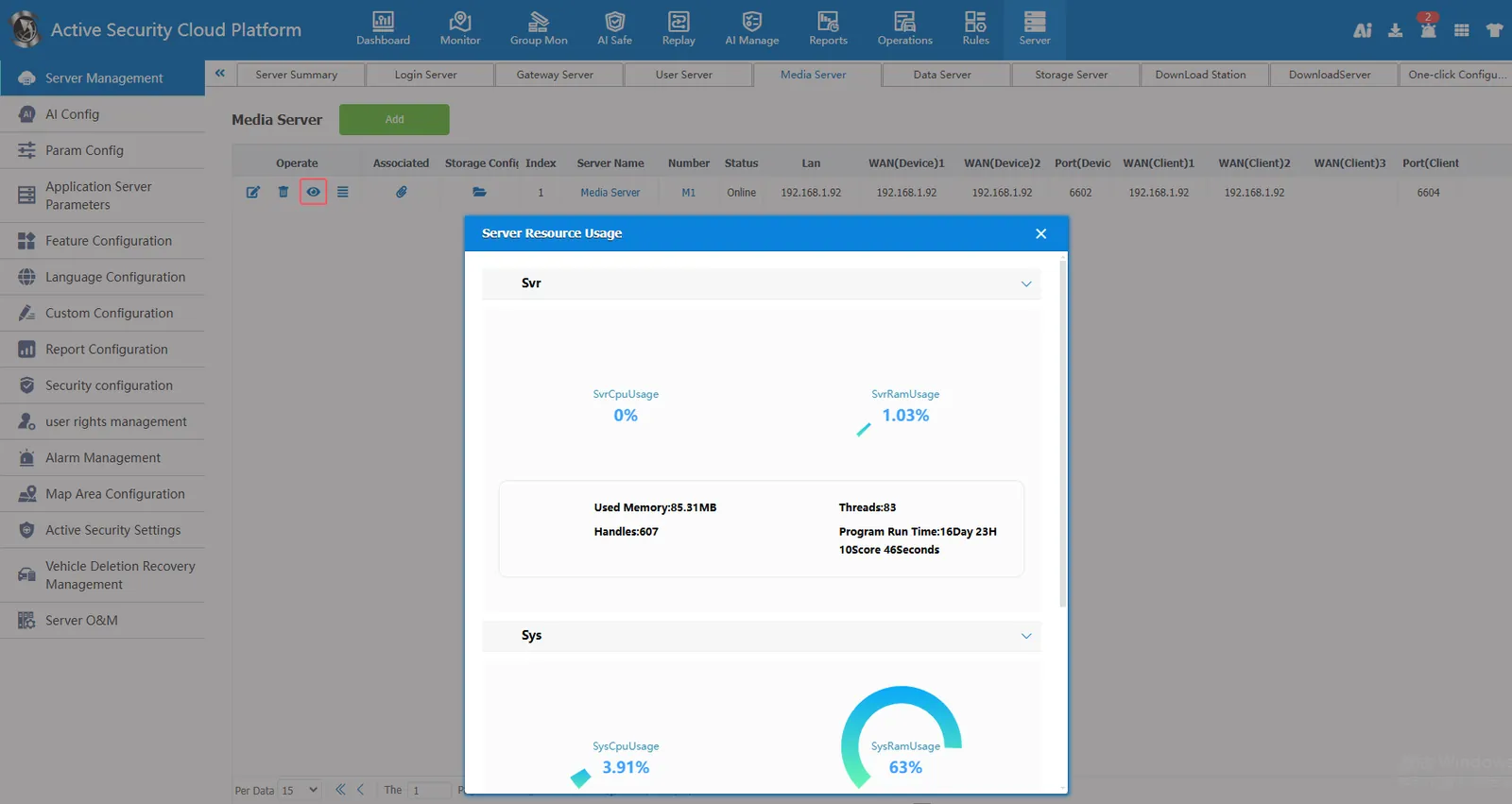
Server resource usage
Forwarding situation
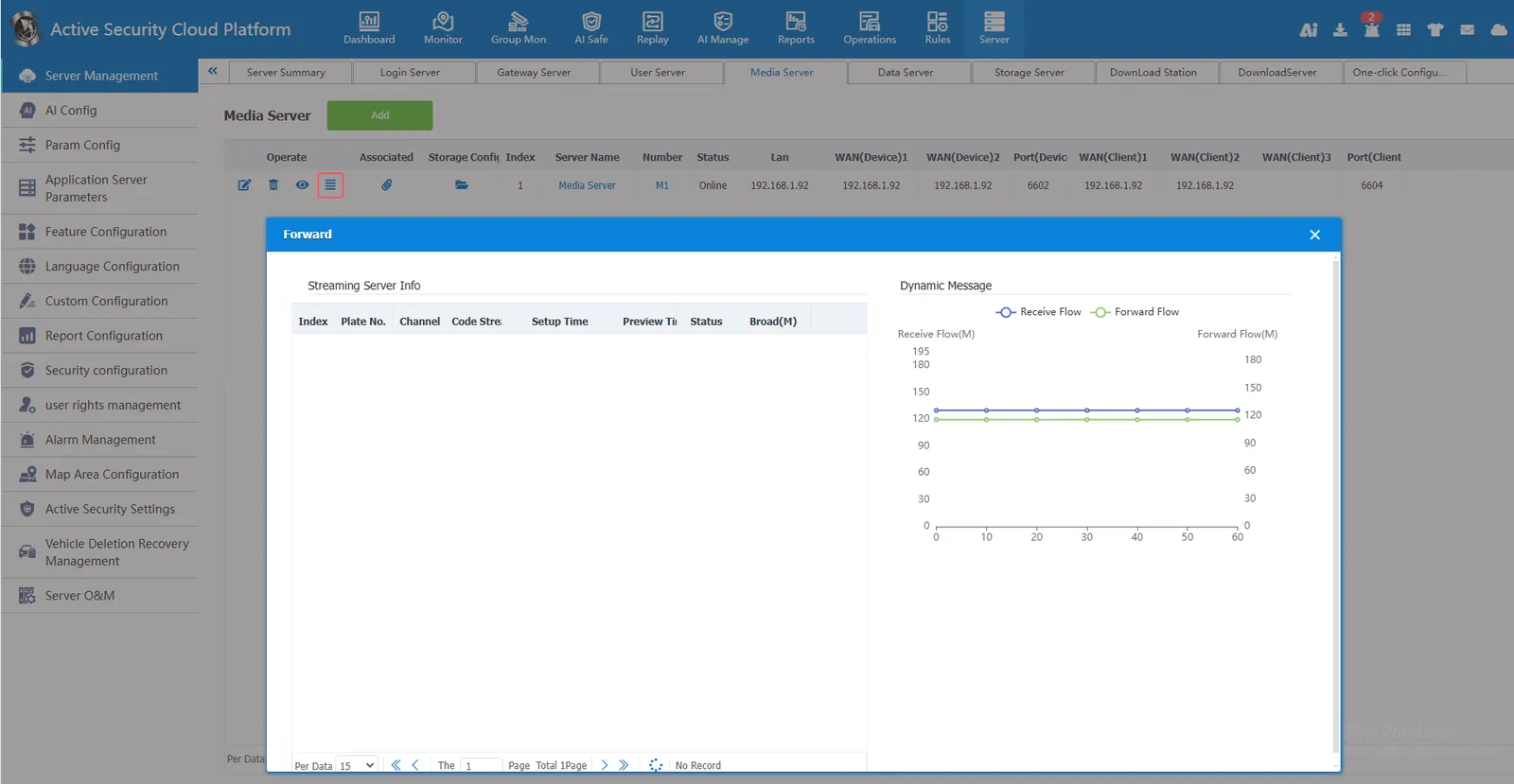
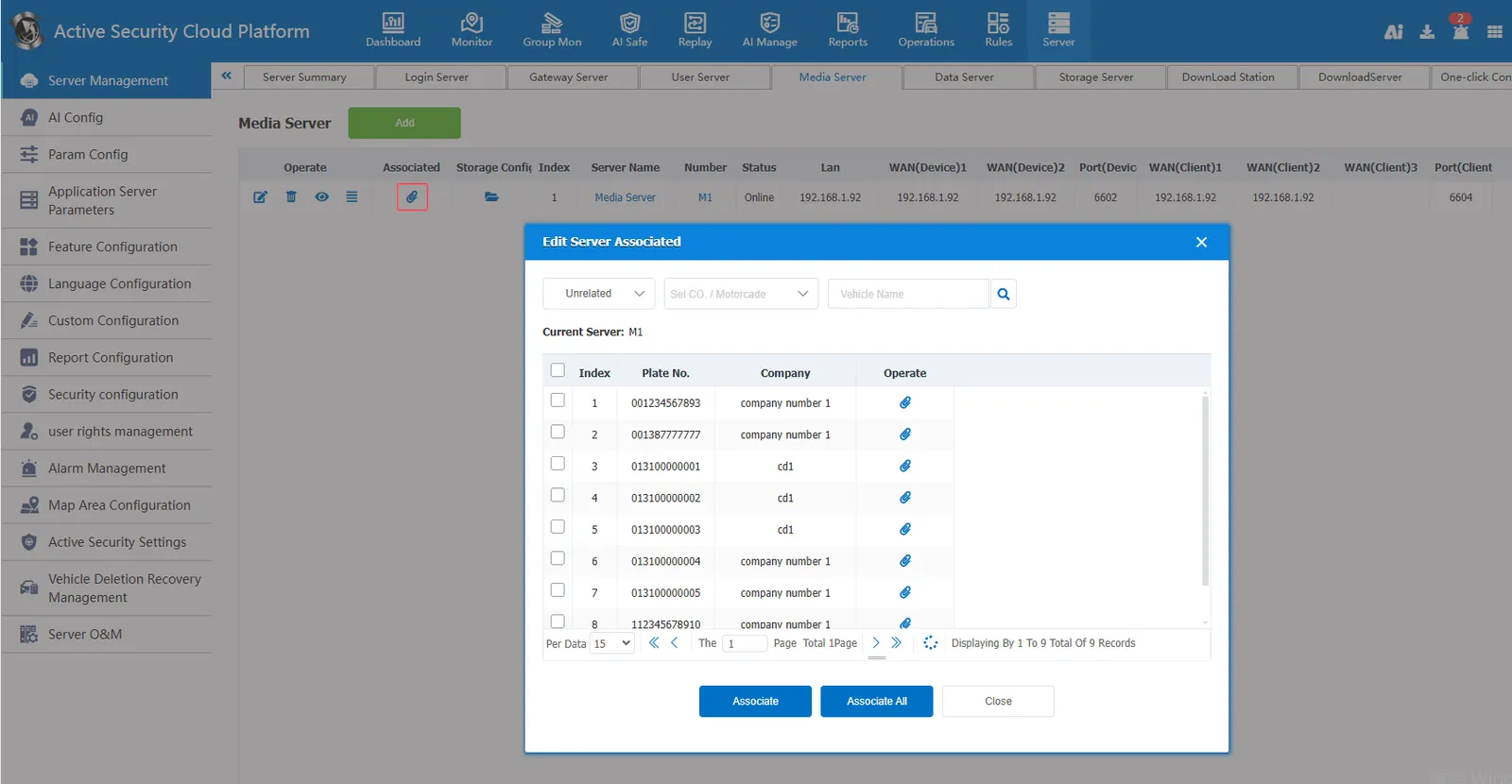
The device is associated with a streaming media server. When a server has multiple streaming media servers, you can specify which streaming media server the device uses to obtain media streams. If the device does not specify a streaming media server, streaming media server 1 is used by default.
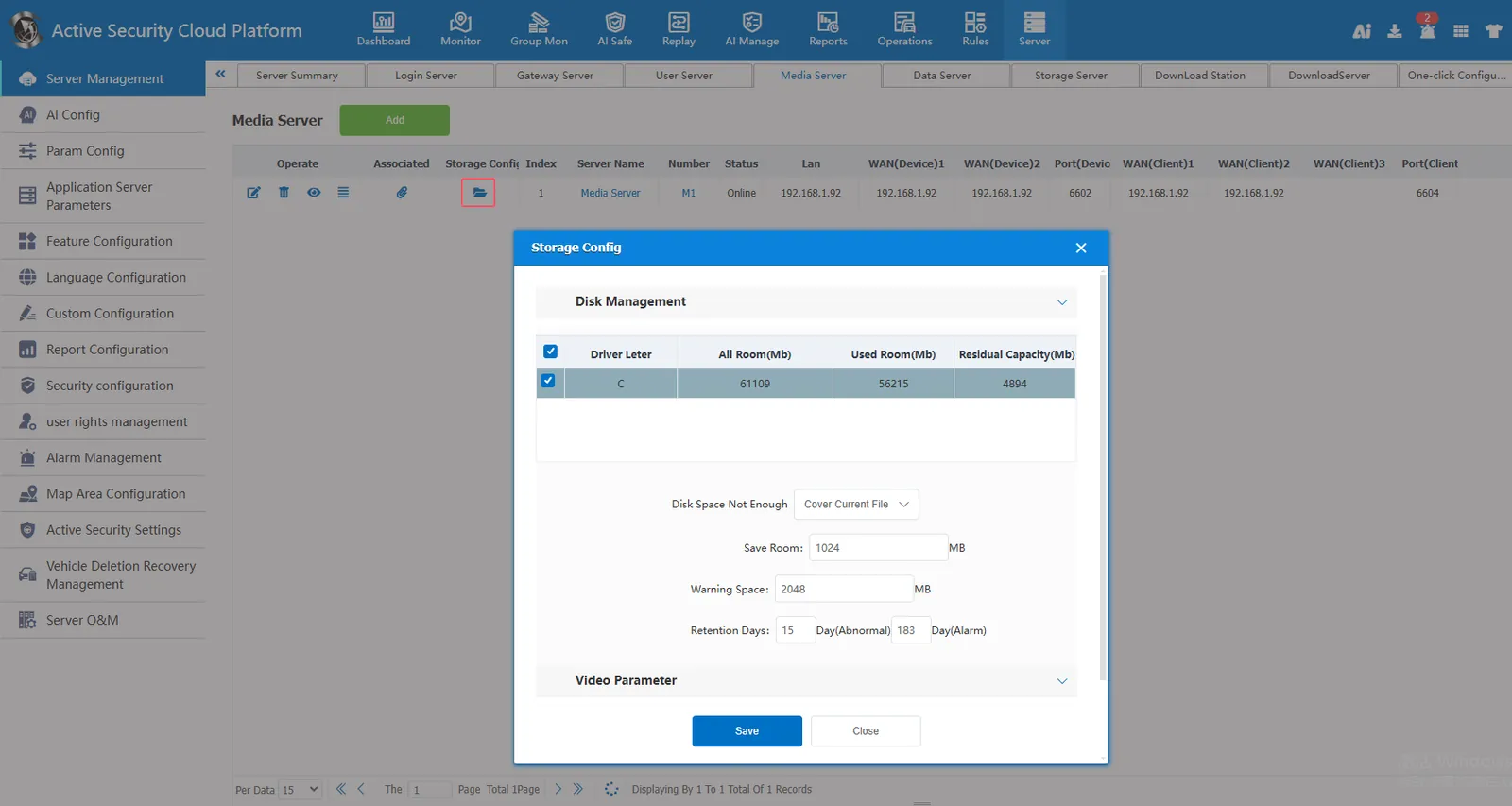
Storage configuration, set the previewed video to save to the server
2.6, data processing server
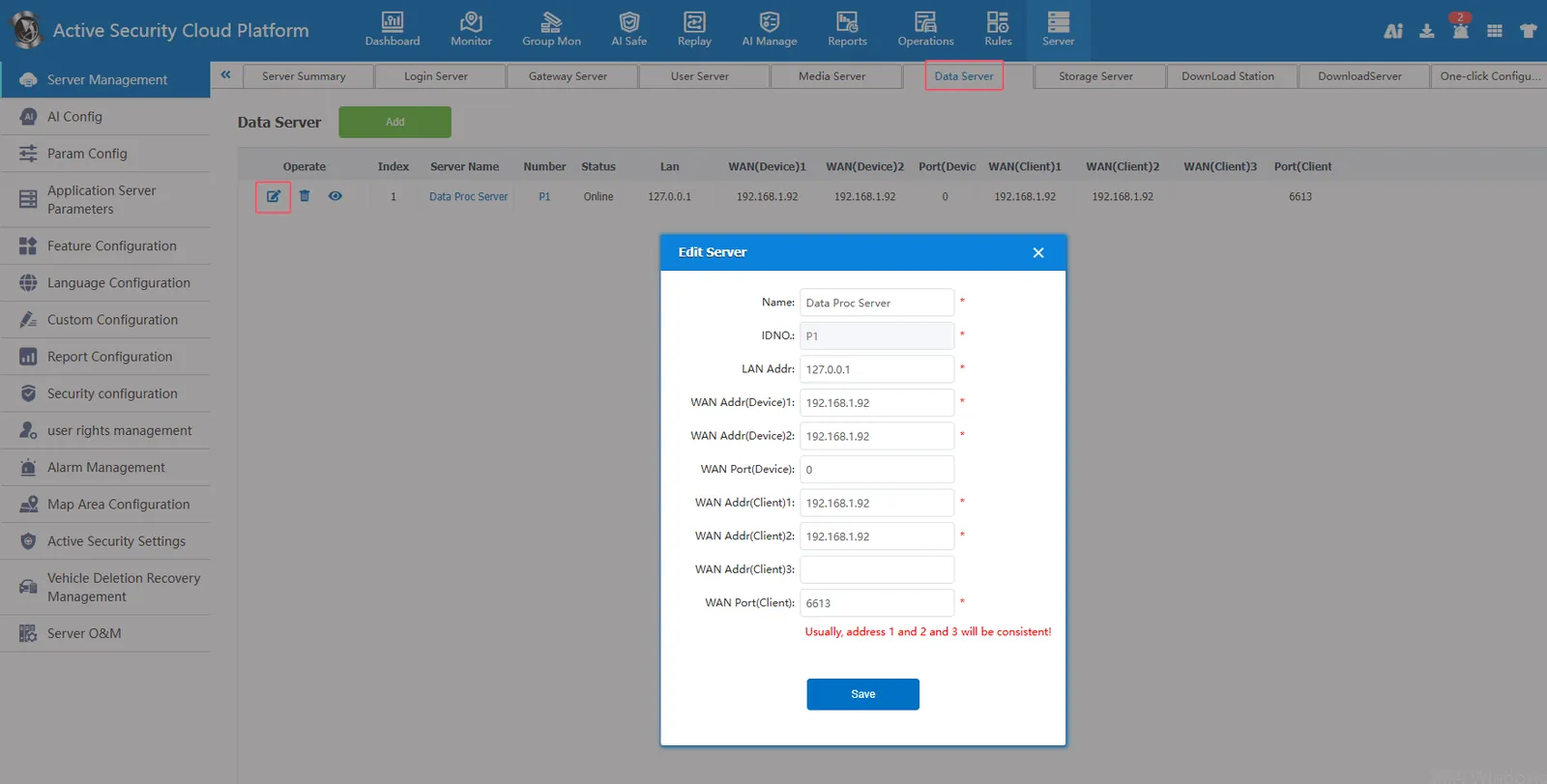
[Server] - [Server Management] - [Data Processing Server]]
The data processing server is used to handle plug- in data forwarding and pushing.
2.7, storage server
[Server] - [Server Management] - [Storage Server]]
Storage server default port 6611 (customer service port),6612 (appliance service port)
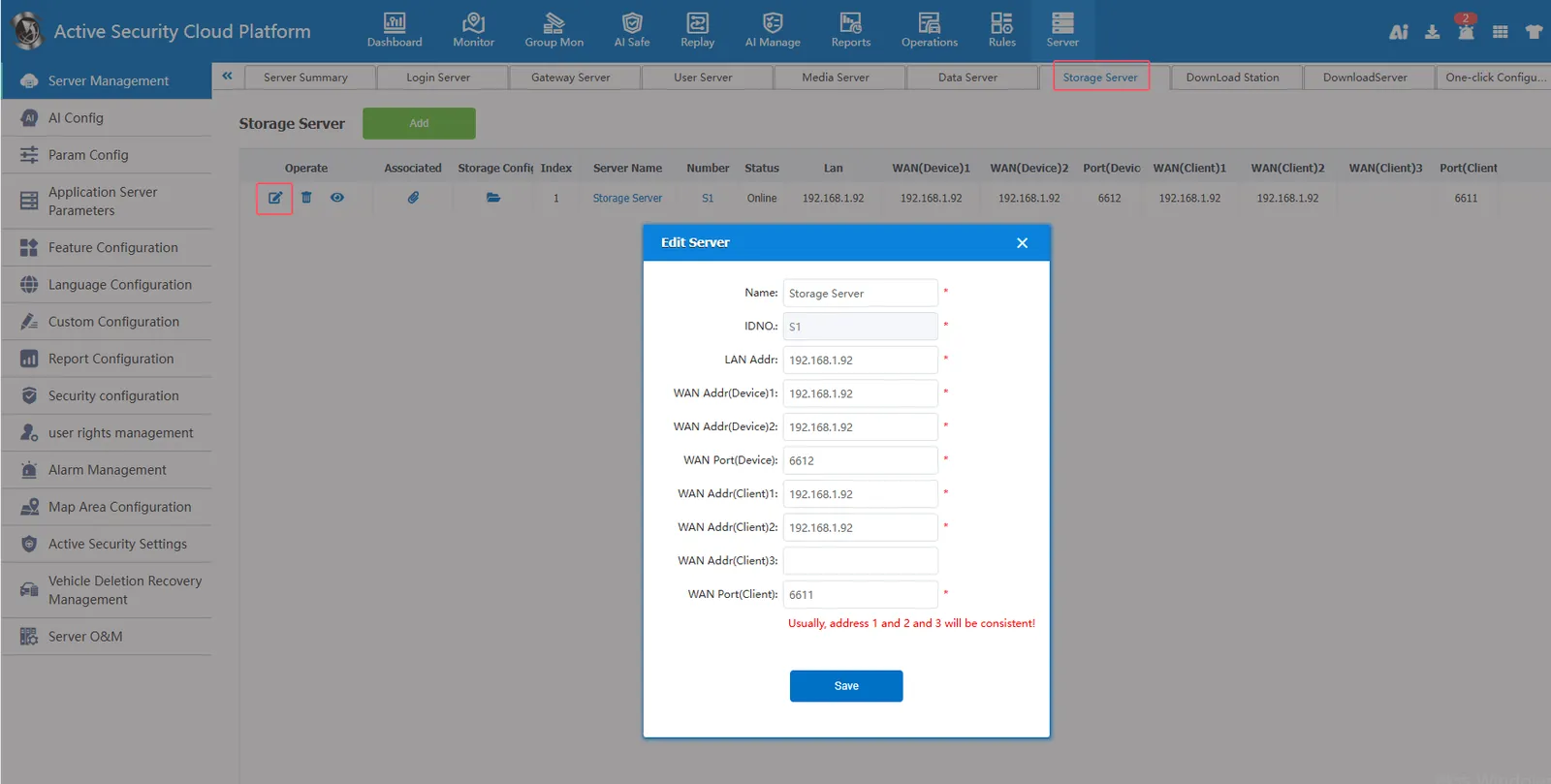
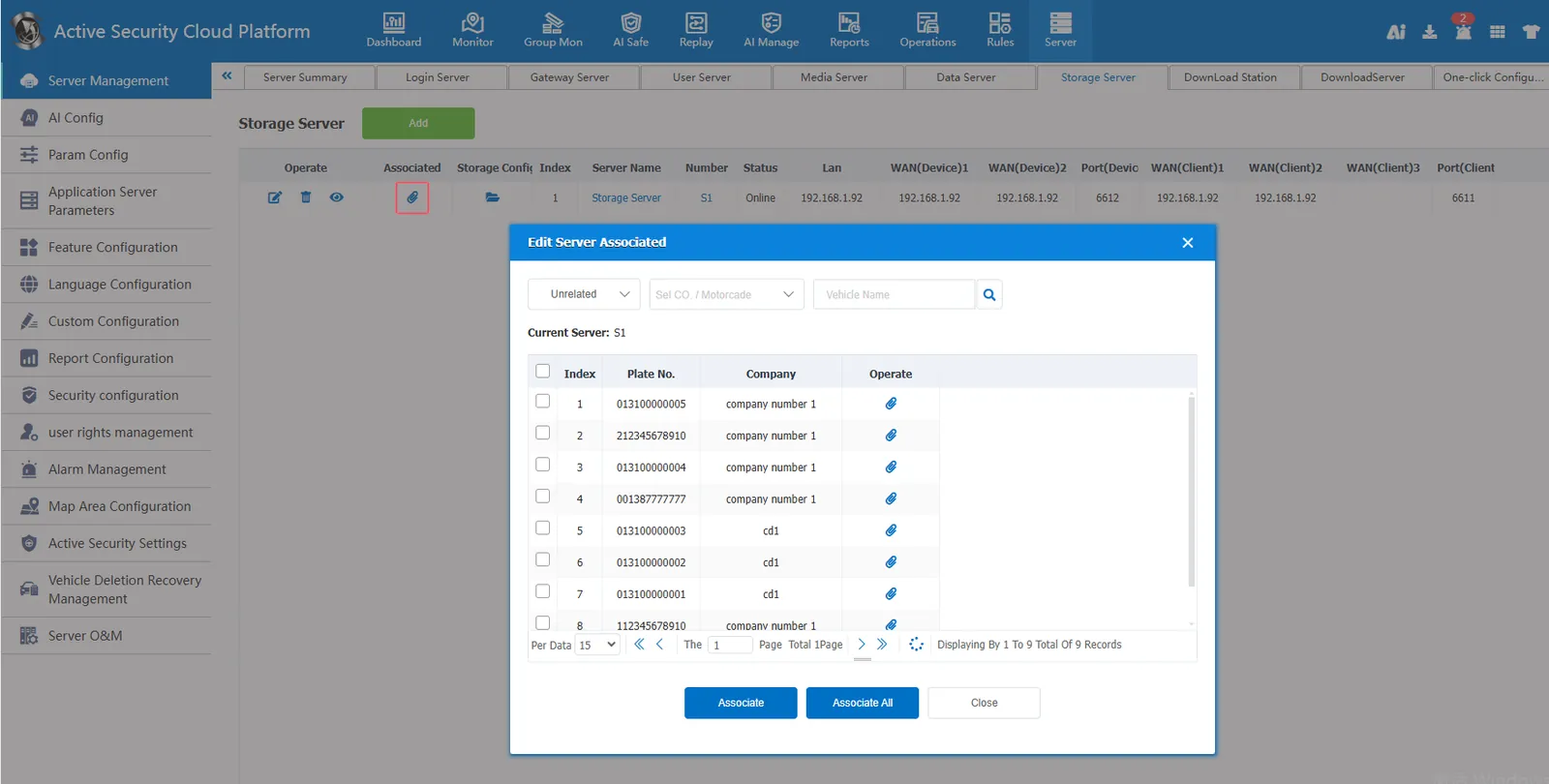
The device is associated with a storage server. When a server has multiple storage servers, you can specify which storage server the device stores files to. If the device does not specify a storage server, storage server 1 is used by default.
Special attention: when setting the platform rule management- timing recording rule, you must first associate the storage device before you can see the corresponding device when allocating the rule.
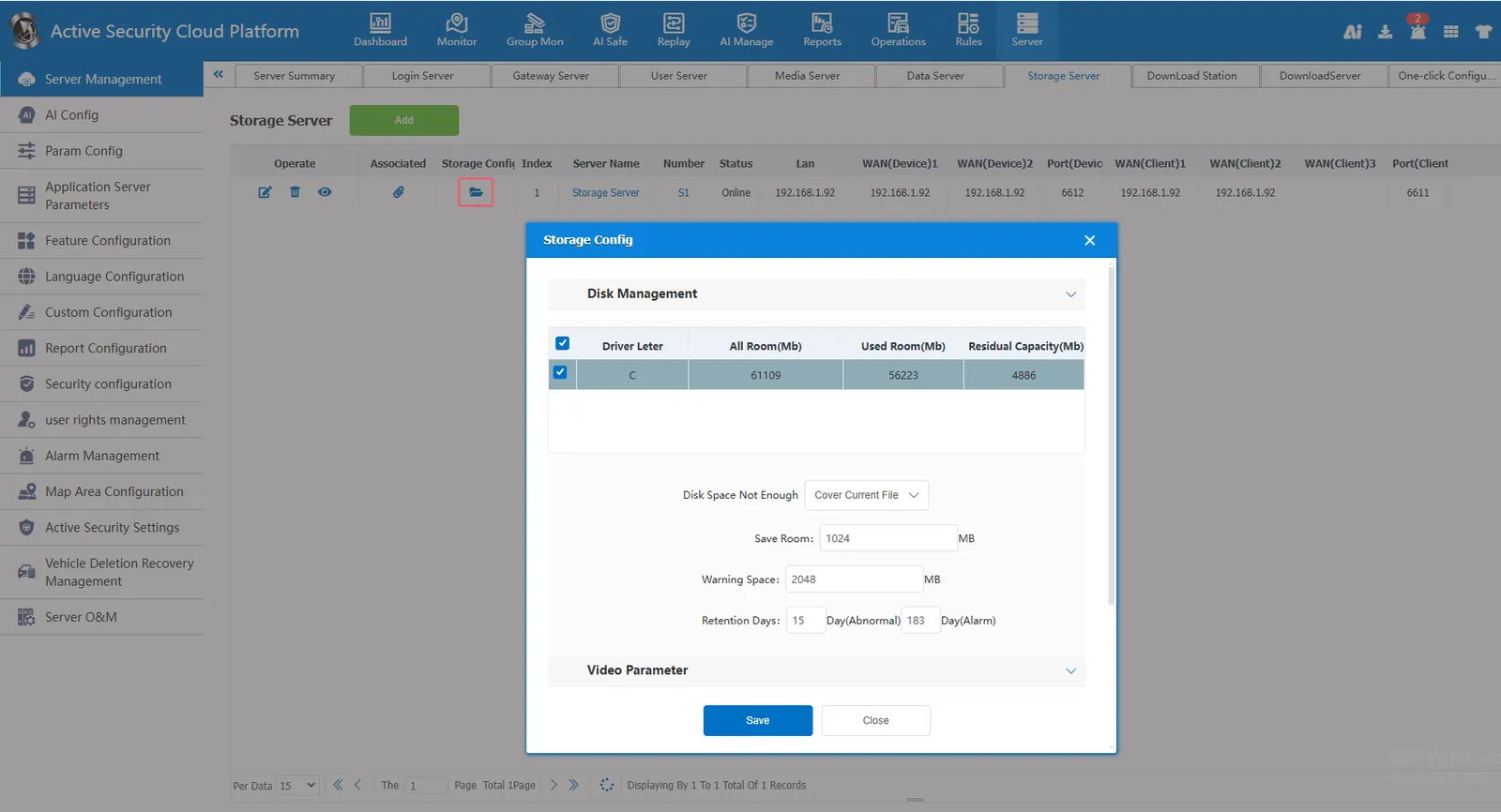
Storage configuration, set the parameters related to the storage of device files to the storage server.
2.8, download site
[Server] - [Server Management] - [Download Site]]
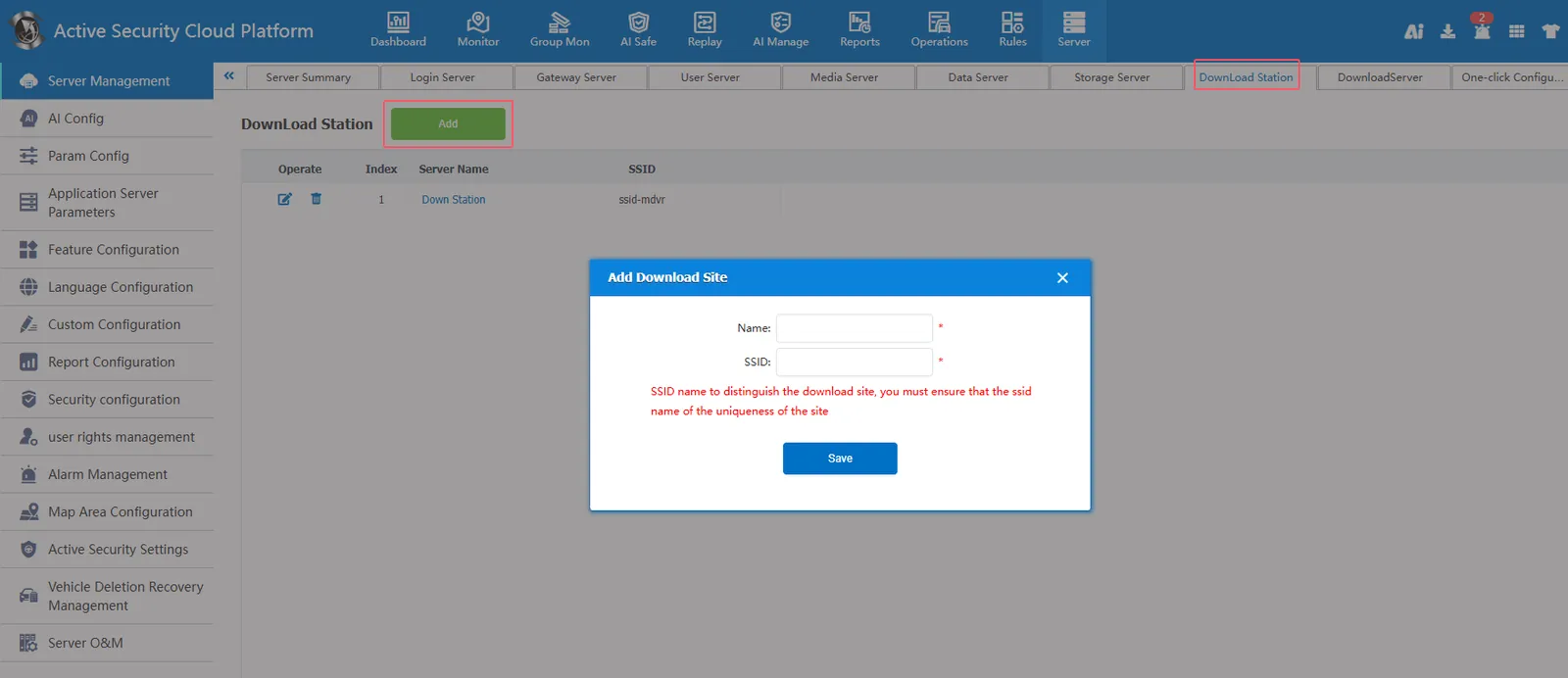
The SSID of the download site is configured as a wifi hotspot name, and the terminal video is uploaded to the server through WIFI signals in coordination with the download server and WiFi download rules.
ssid:wifi name
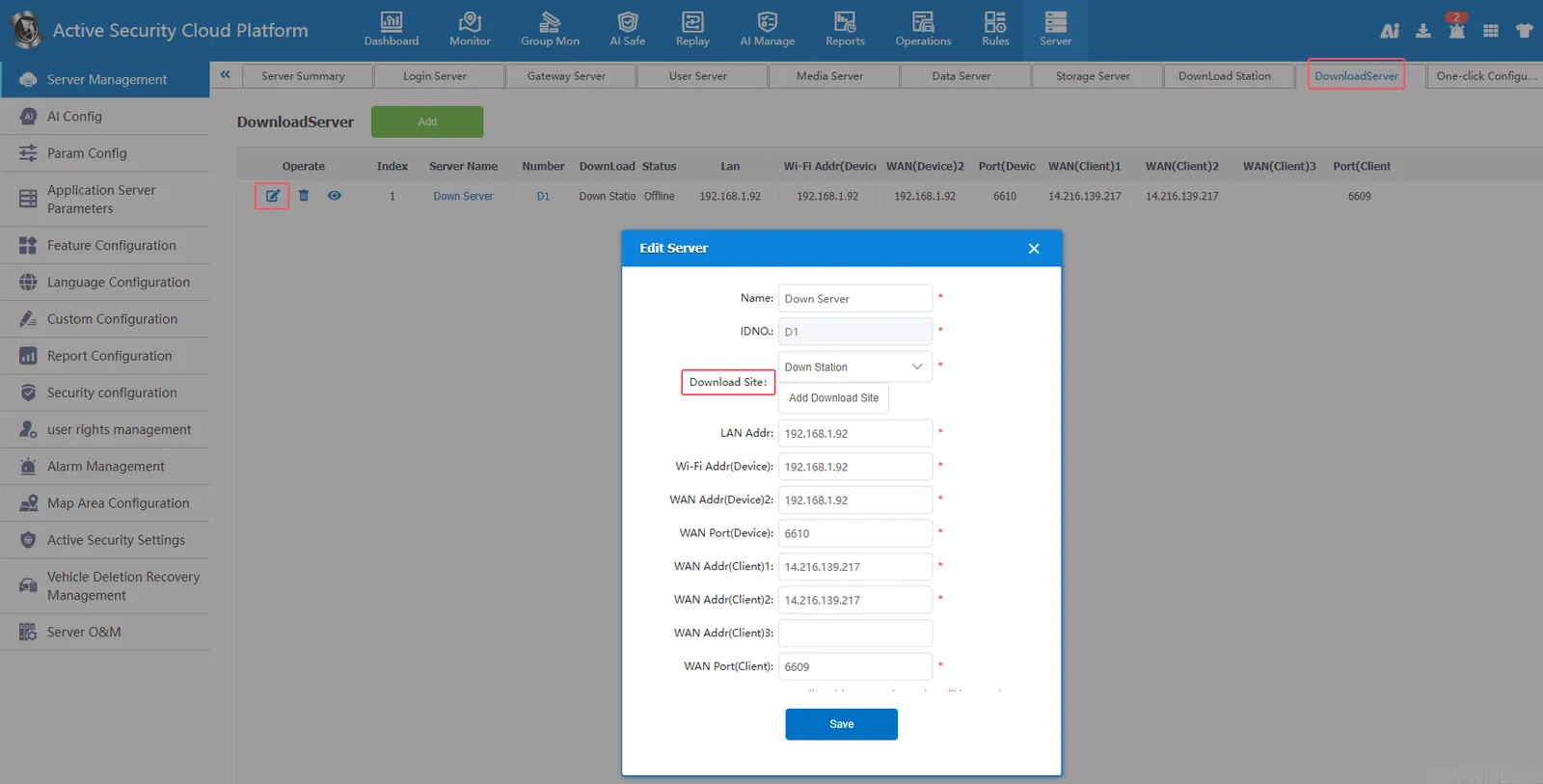
2.9, download server
[Server] - [Server Management] - [Download Server]]
Download server default port 6609 (customer service port),6610 (device service port)
The download site in the download server must first be added on the server management- download site.
Use with Wifi download rules managed by rules (related documents: https://help.cmsv8.com/helpCenter/doc/index.html?isStudy=1&pageType=1&docId=553&type=1)
2.10, one- click configuration server IP
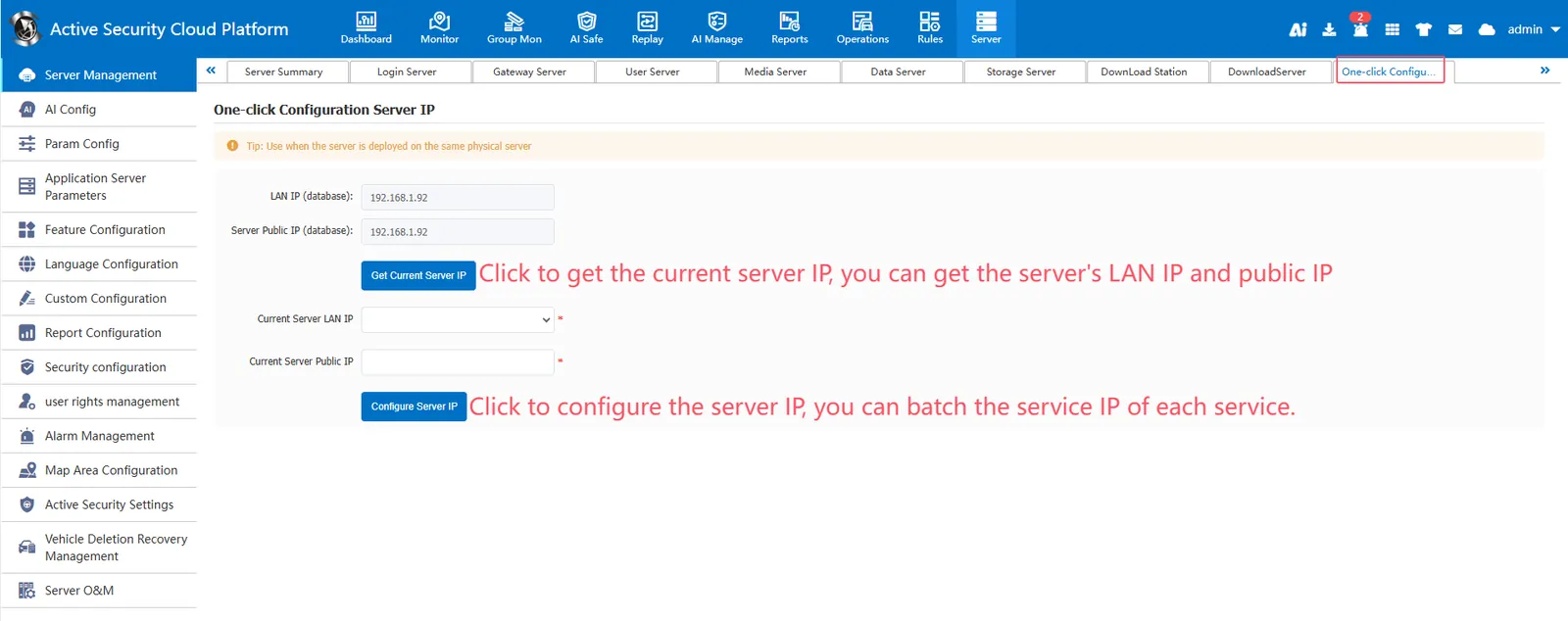
[Server] - [Server Management] - [One- click Configuration Server IP]]
One- click configuration of the server IP can obtain the LAN ip and public network ip of the current server, and quickly modify the service ip of each service in batches.