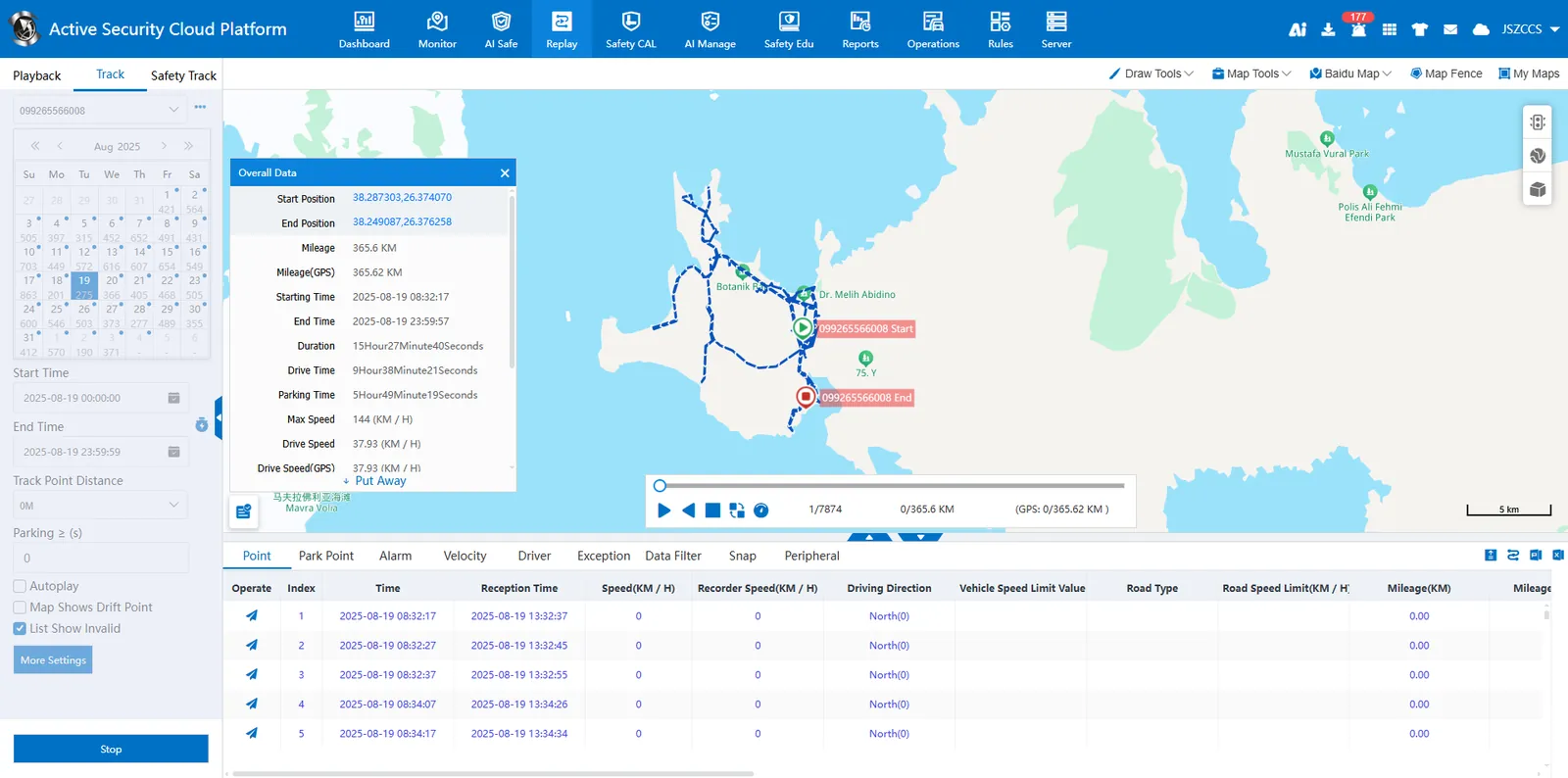
1. Function description
The historical driving track of the vehicle can be played back on the map, and the playback speed can be controlled or played in reverse order. It supports personalized configuration of track options and styles.
The track data such as GPS position, status, alarm, mileage, receiving time, and supplementary transmission status of each vehicle is displayed on the list, and summarized and displayed. PDF/EXCEL format is supported.
2. operating instructions
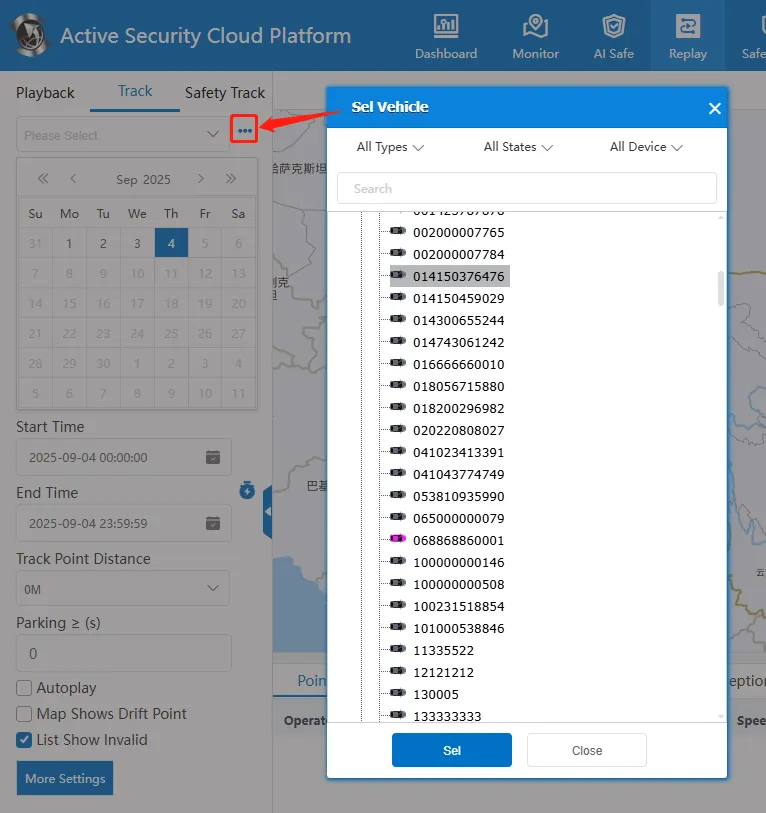
2.1 select vehicle
Enter the license plate number in the input box or click button to select a vehicle to be queried.
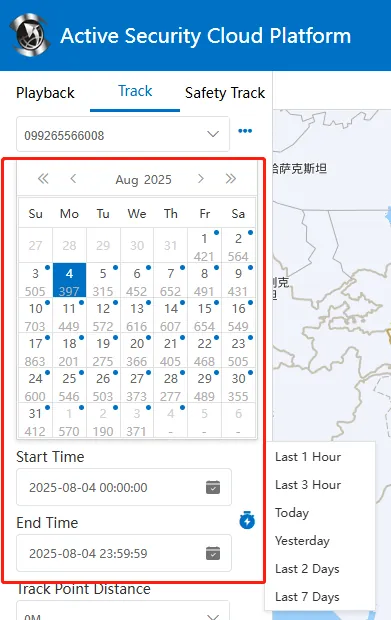
2.2 select date
Select the date on the calendar, or manually select the start time and end time, support multi- day query, click! The button can quickly select the most recent time.
2.3 search track
Click "Search" to display the track line on the map on the right, showing a blue arrow line. When playing the track, the vehicle icon will move with the map or focus on the vehicle.
The following section displays list data such as track points, parking points, alarm reports, speed curves, driver check- in, exception reports, data filtering, server images, and peripheral data.