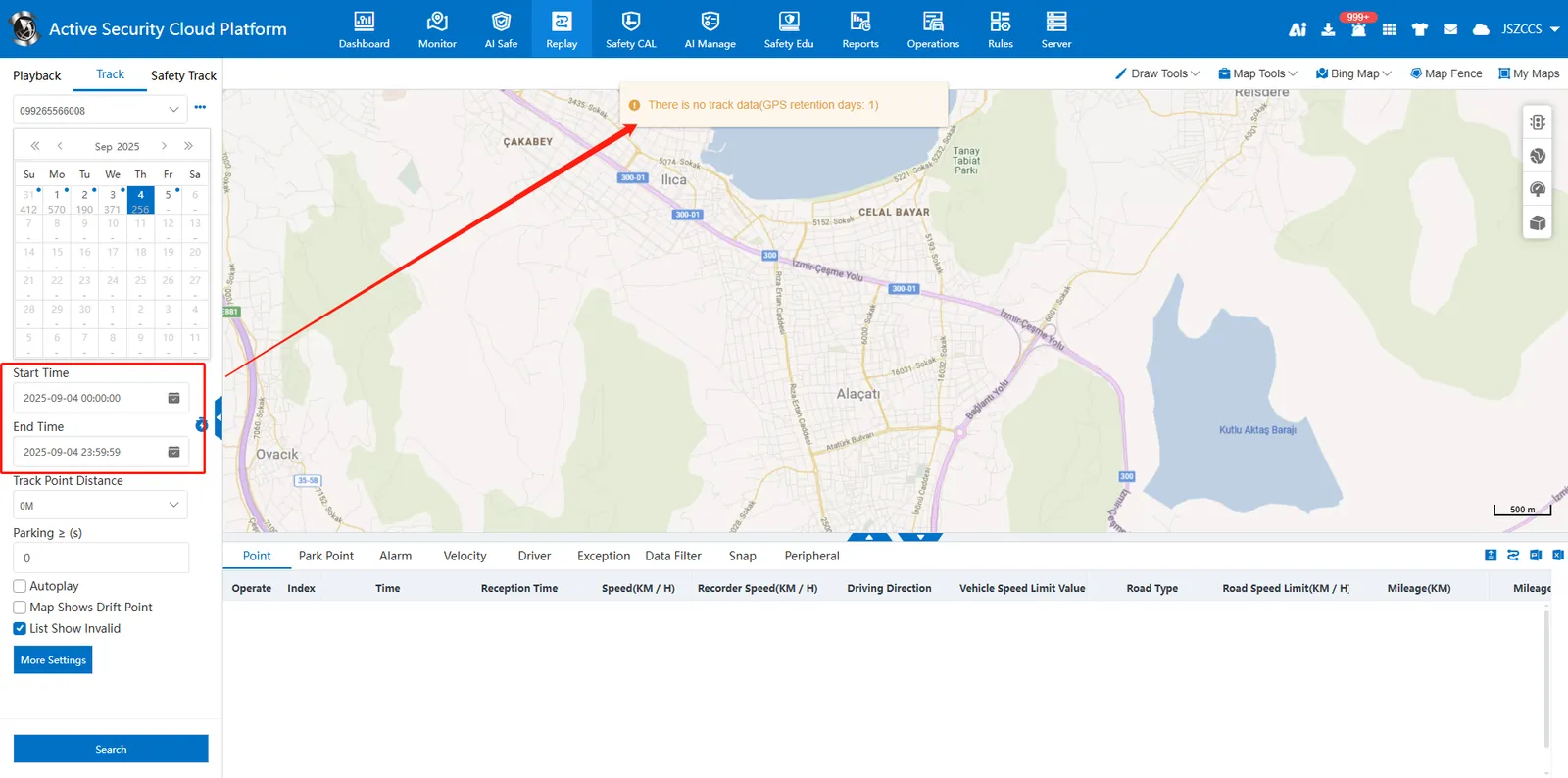
1. Function description
By setting the "GPS Retention Day" threshold in the vehicle information, the time that the user can query the vehicle trajectory is limited. **The background database still retains the GPS track data of the vehicle. **
2. operating instructions
2.1 set positioning retention days
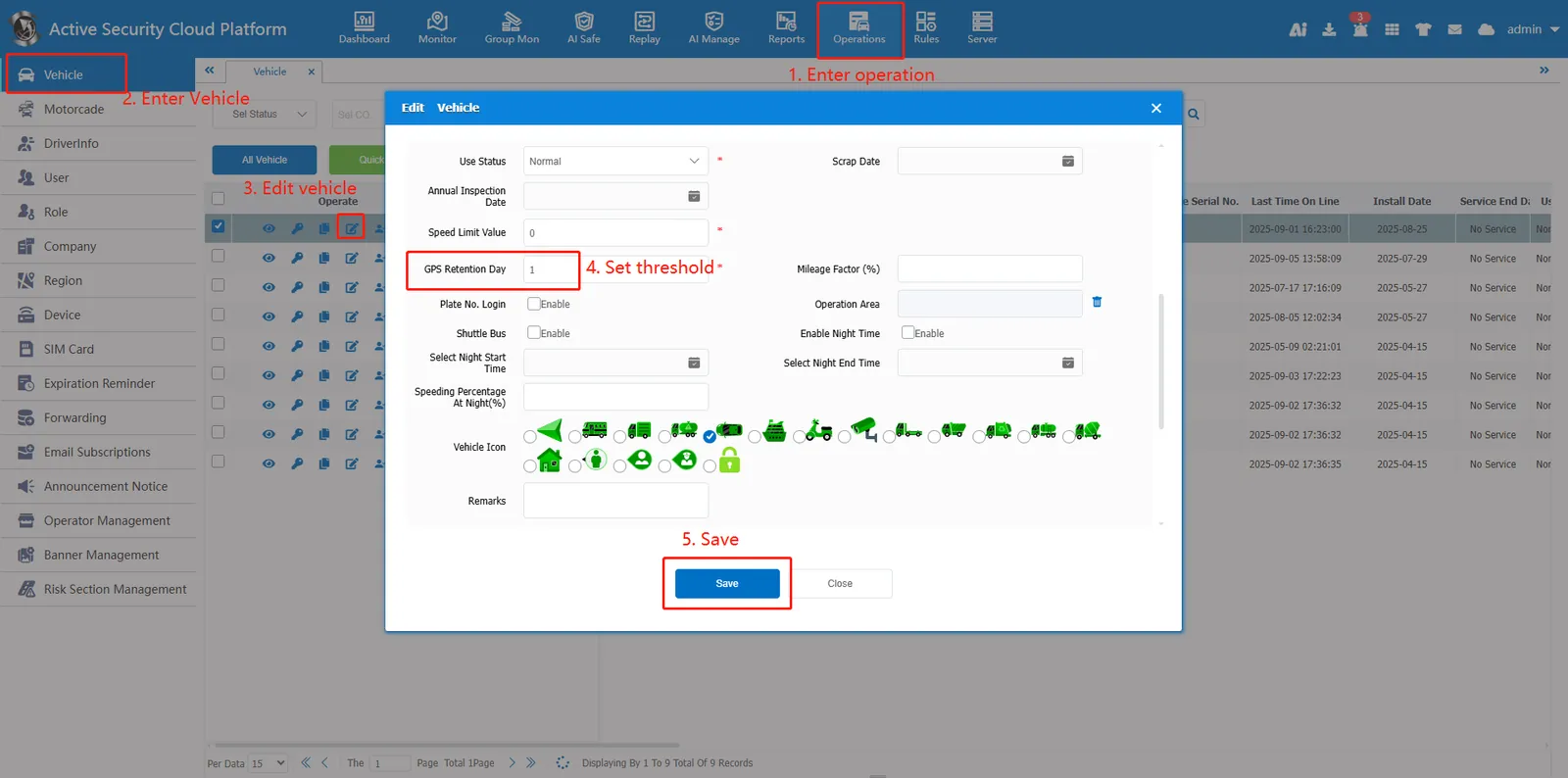
Open "Operations"> "Vehicle"> Click edit button to edit vehicle information and set the threshold of "GPS Retention Day", the threshold includes the date of the day.
For example, if the current date is August 19, 2025, and the retention days are set to 1, only the track data for that day can be queried. If other dates are queried, a prompt will be displayed: There is no track data (GPS retention days: 1)