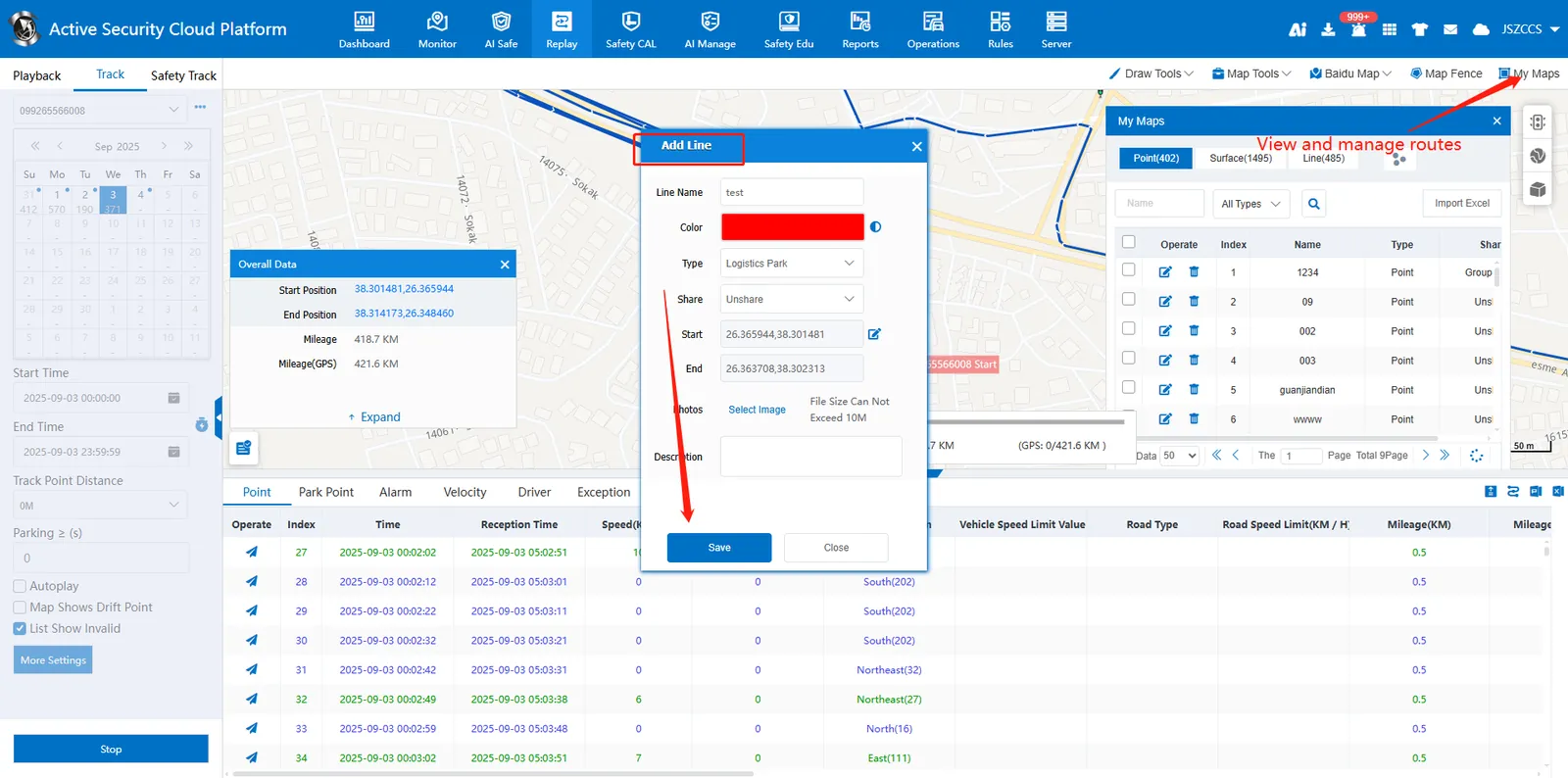
1. Function description
Add the route of track playback as a line for rules such as electronic fence and line offset.
2. operating instructions
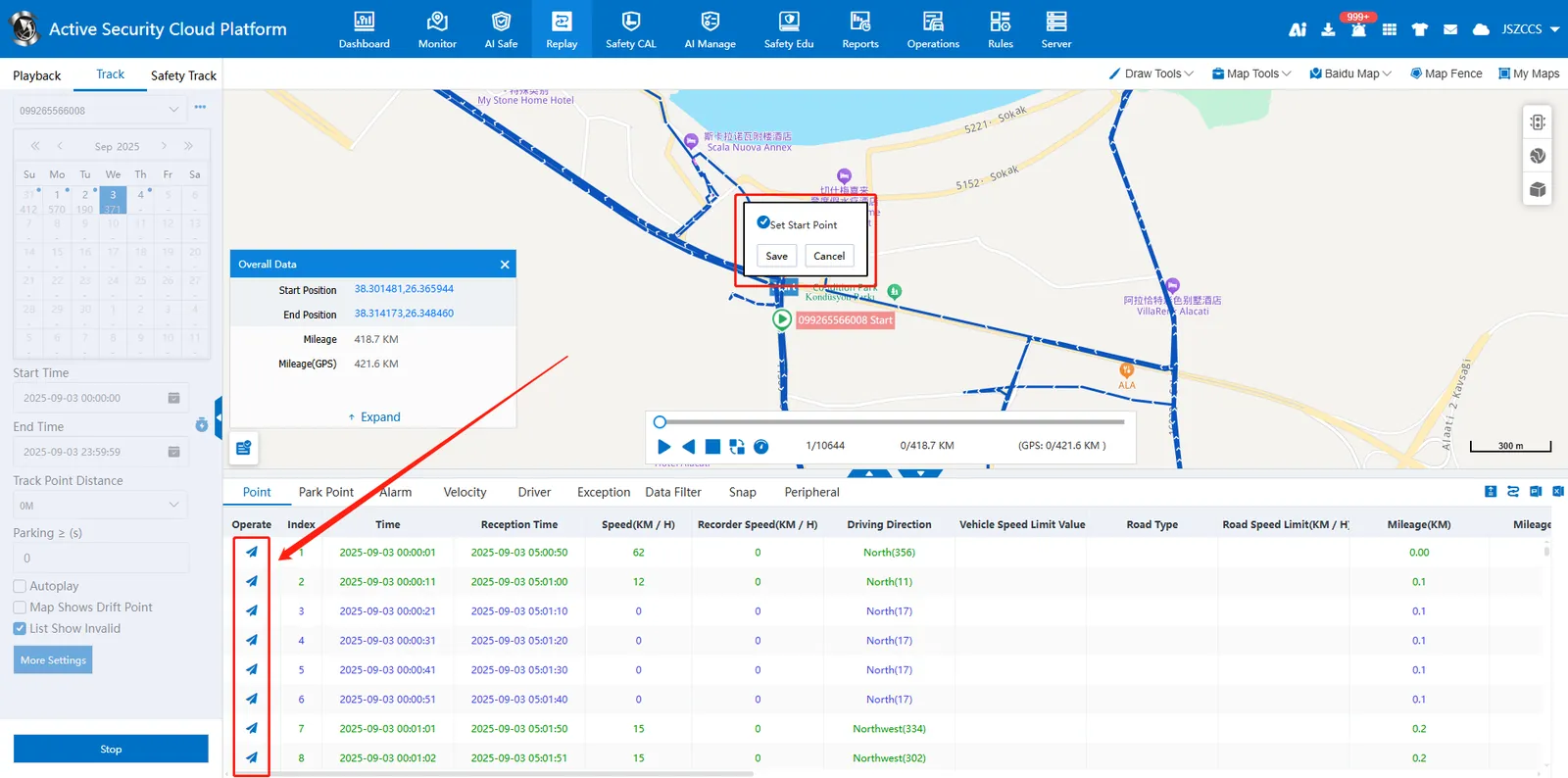
2.1 set starting point
After searching for the track, find the appropriate starting track point in the lower track point list, click the operation button to pop up the option, select "set as starting point", and then save.
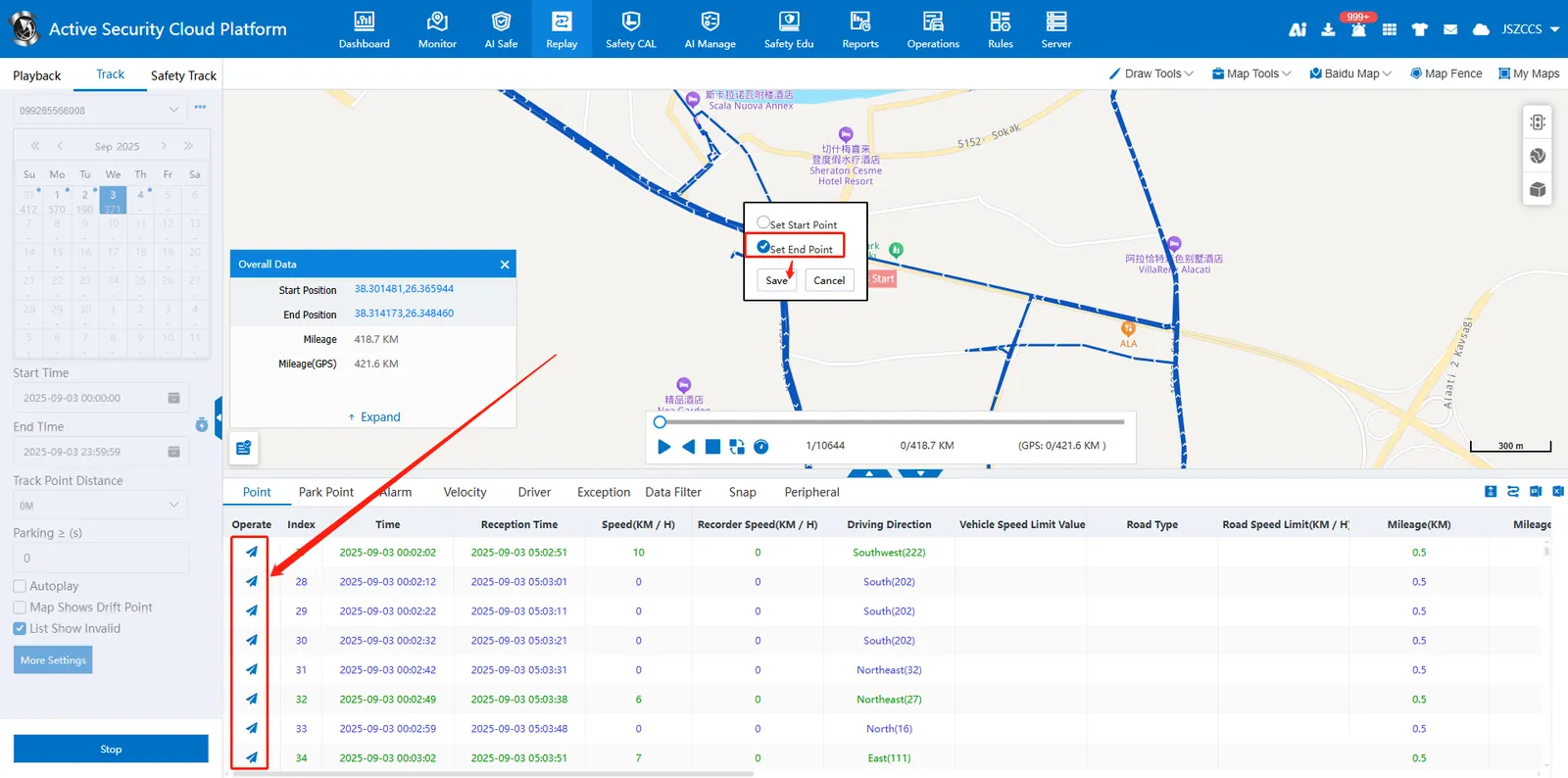
2.2 Set End Point
According to the previous operation, find the appropriate end track point, click the operation button to pop up the option, select "set as end point", and then save.
2.3 add line
After setting the starting and ending points, the "Add Line" window will pop up, fill in the line name and other information and save it. The saved line can be viewed and managed in "My Map" in the upper right corner of the page.