1. Function description
The data displayed in the track list can be filtered out according to the type and specific conditions to meet the requirements.
2. operating instructions
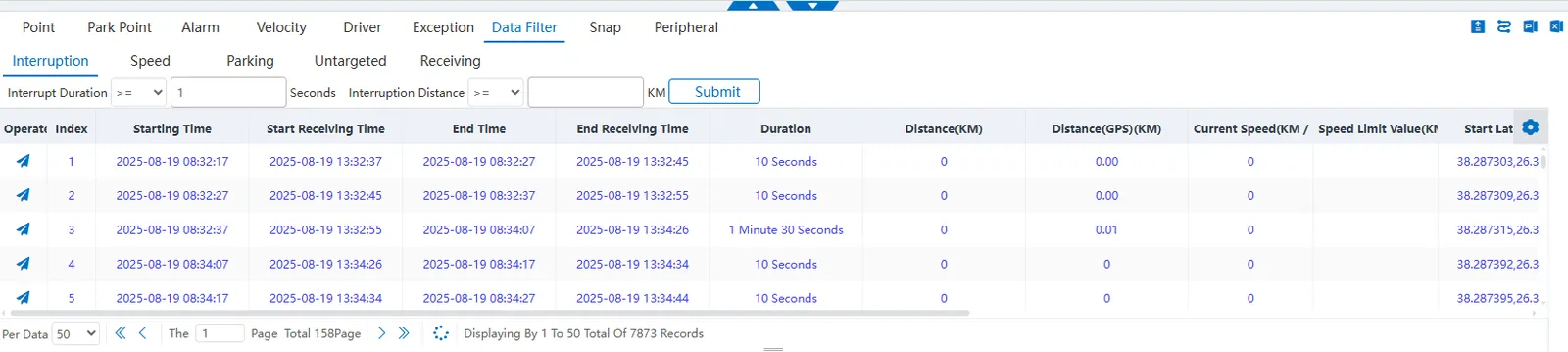
2.1 communication interruption screening
The data is filtered by the duration of two adjacent GPS positioning intervals.
Set threshold conditions and click Submit to list the data that meets the conditions.
Interrupt duration:“>=”,“<=”,“=”, "range", unit: seconds.
Interruption distance: “>=”,“<=”,“=”, "range", unit: km.
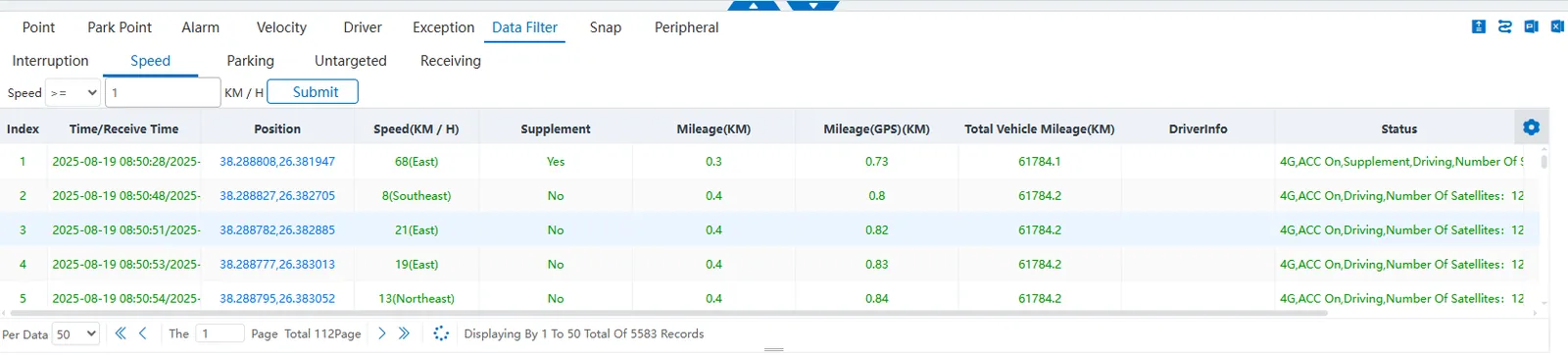
2.2 speed filtering
Filter data by GPS positioning speed.
Set threshold conditions and click Submit to list the data that meets the conditions.
Speed: "> =", "<=", "=", "Range" unit: km/h.
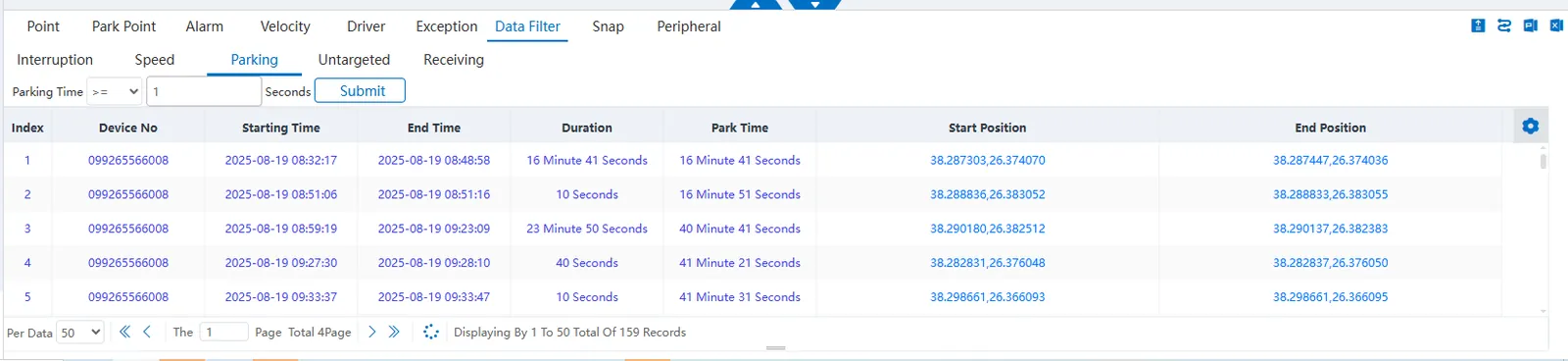
2.3 Parking Duration Screening
Filter data by vehicle stop or idle state.
Set threshold conditions and click Submit to list the data that meets the conditions.
Parking duration: "> =", "<=", "=", "range", unit: seconds.
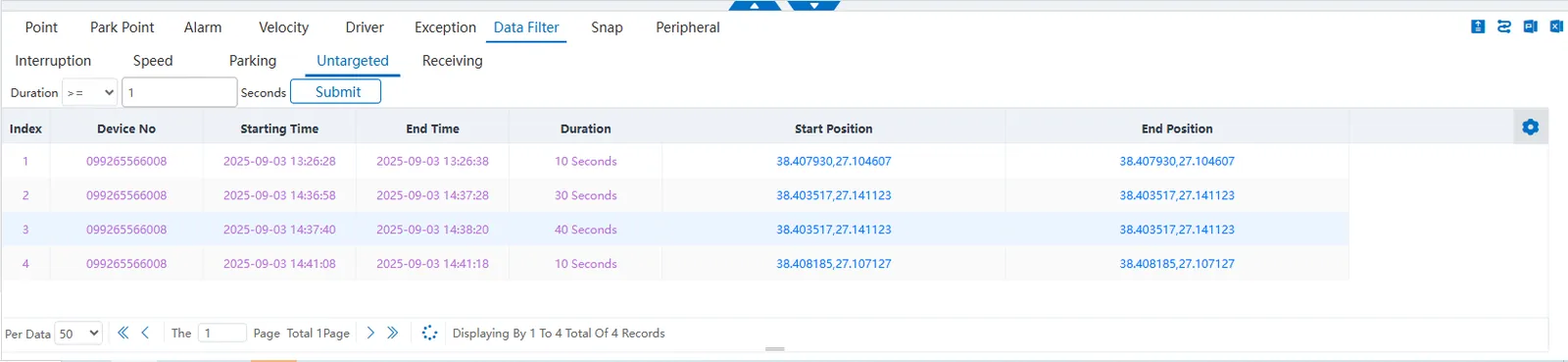
2.4 unpositioned filter
Filter data by vehicle unpositioned status.
Set threshold conditions and click Submit to list the data that meets the conditions.
Duration: "> =", "<=", "=", "Range", unit: seconds.
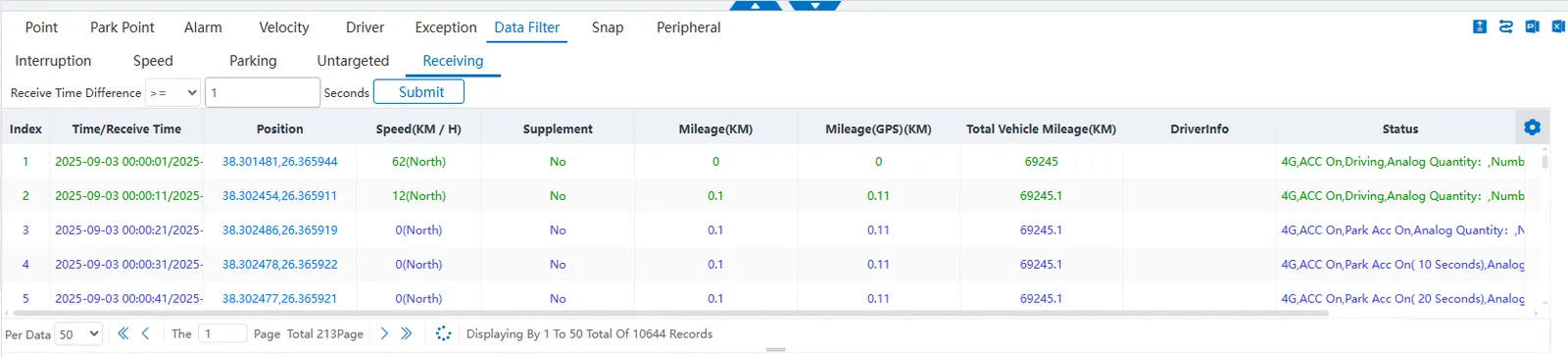
2.5 receiving time filtering
Filter data by the difference between device GPS time and server receive time.
Set threshold conditions and click Submit to list the data that meets the conditions.
Receiving time difference: "> =", "<=", "=", "Range", unit: seconds.