1 Function description
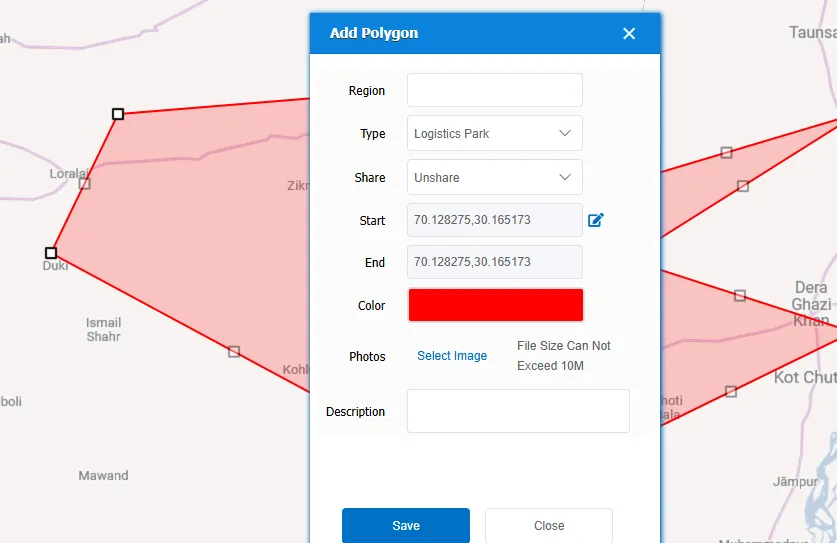
Add polygonal areas to the system as needed, which can be used as related electronic fences later.
2 operating instructions
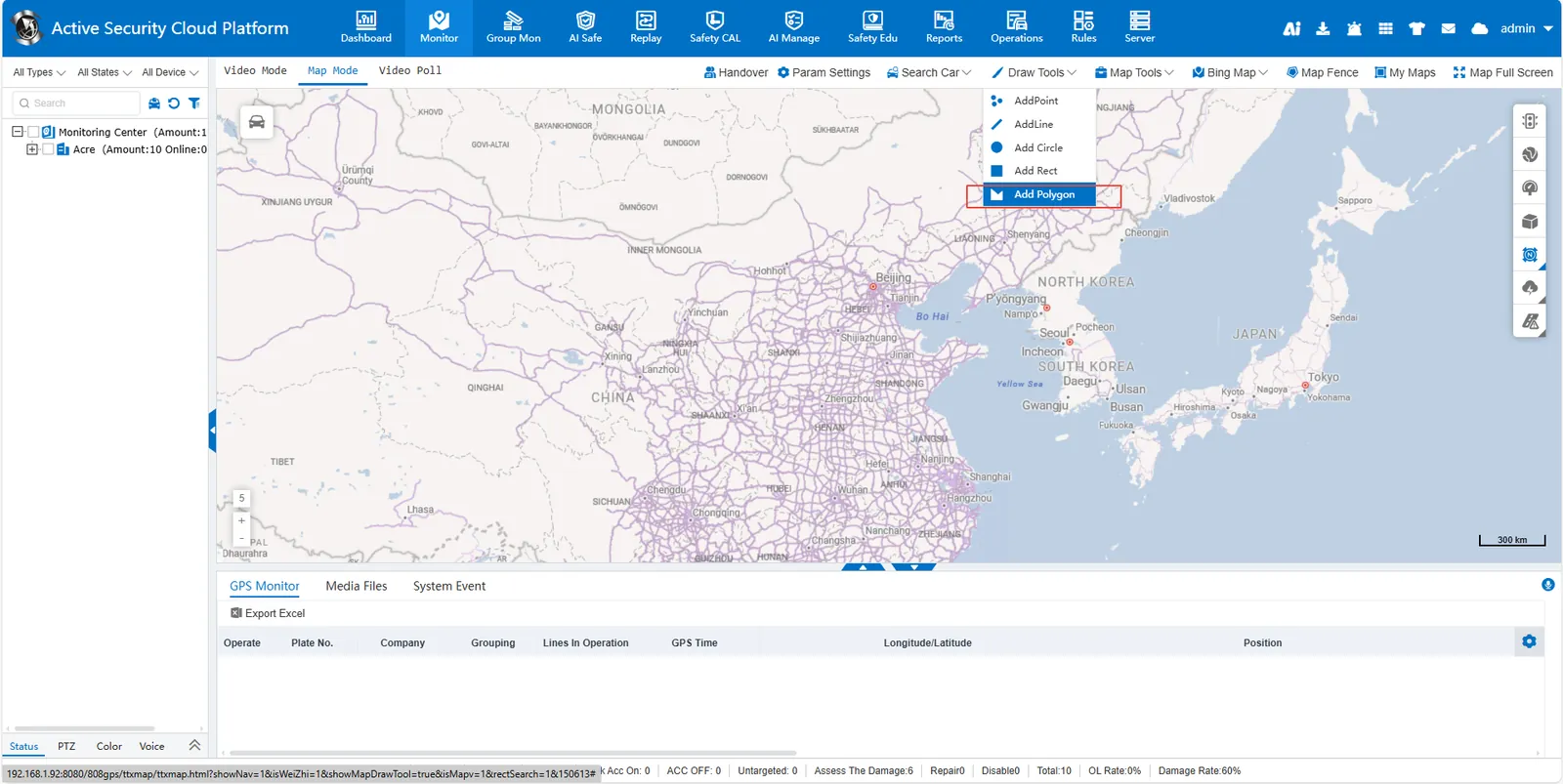
Click [Draw Tools]> [Add Polygon] above the map, and then click the first point on the map to determine the first vertex of the polygon. Drag the mouse and click multiple points in turn to form the boundary of the polygon. Each click adds a vertex. After completing the boundary of the polygon, double- click the last point to finish drawing the polygon. Finally, in the small pop- up window, press the prompt to complete the corresponding content. The saved polygon area can be viewed and edited in My Map.