1 Function description
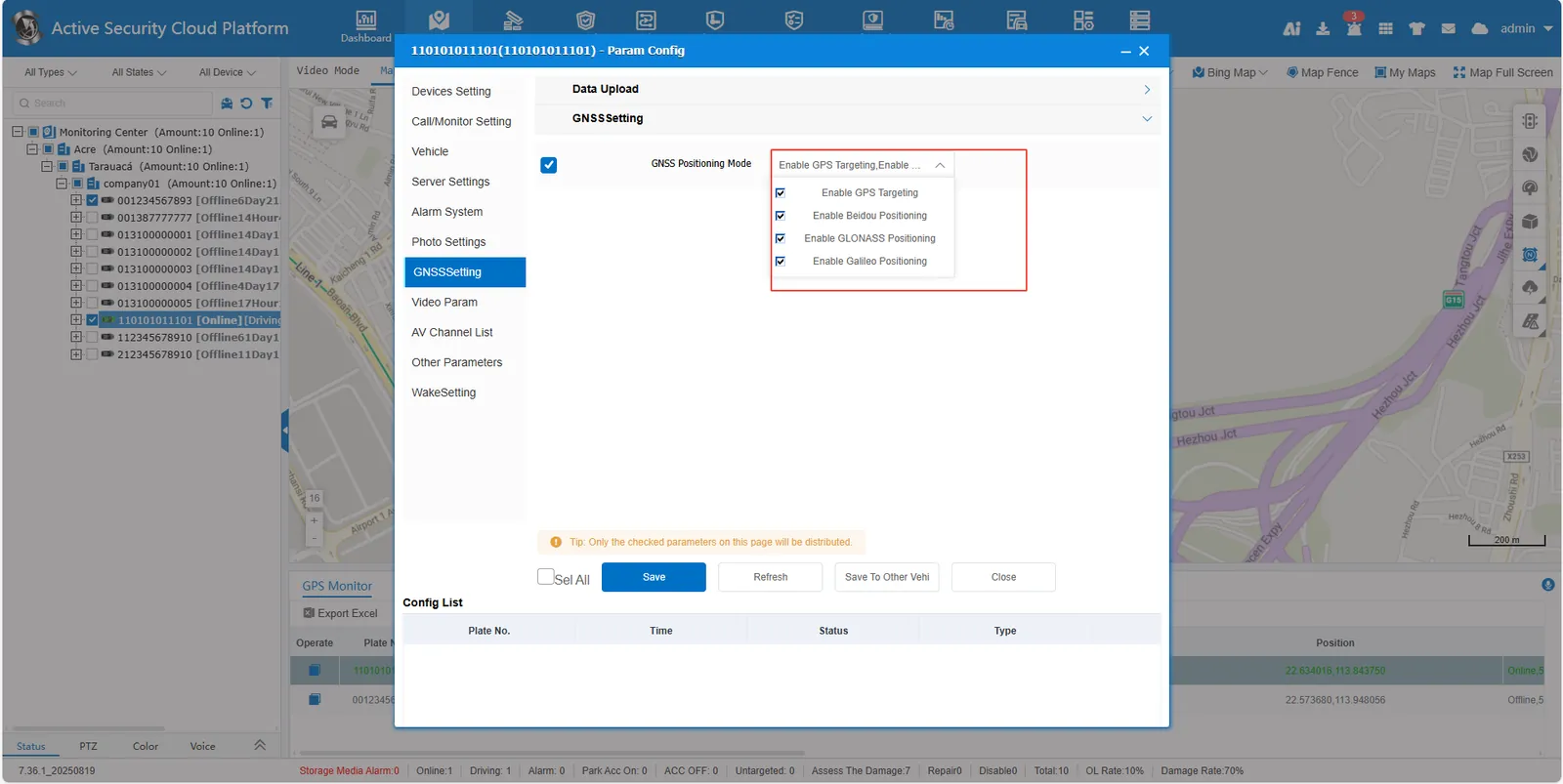
- The device supports multi- mode satellite positioning (satellite/Beidou/GLONASS/Galileo)
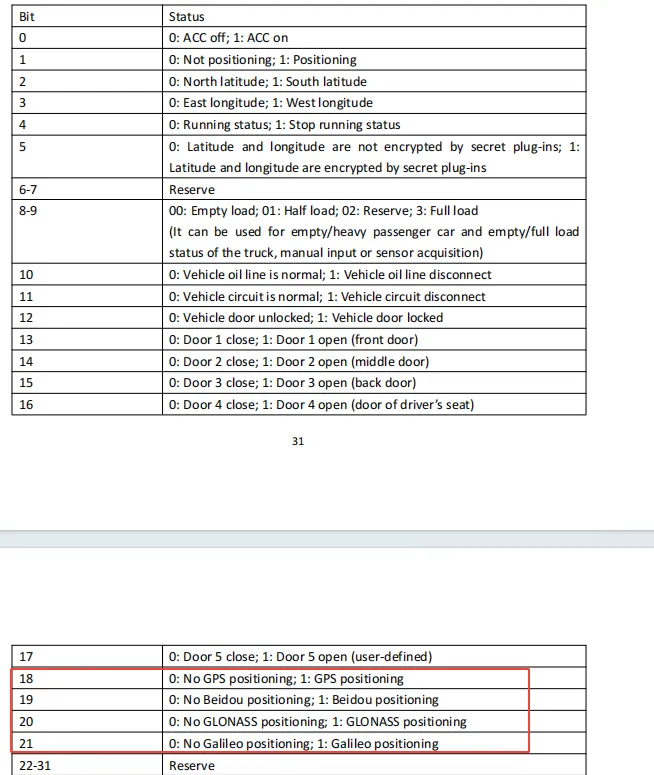
- The platform will automatically identify the currently used positioning type through the position information status bit reported by the device, so as to facilitate real- time control of the positioning status
2 operating instructions
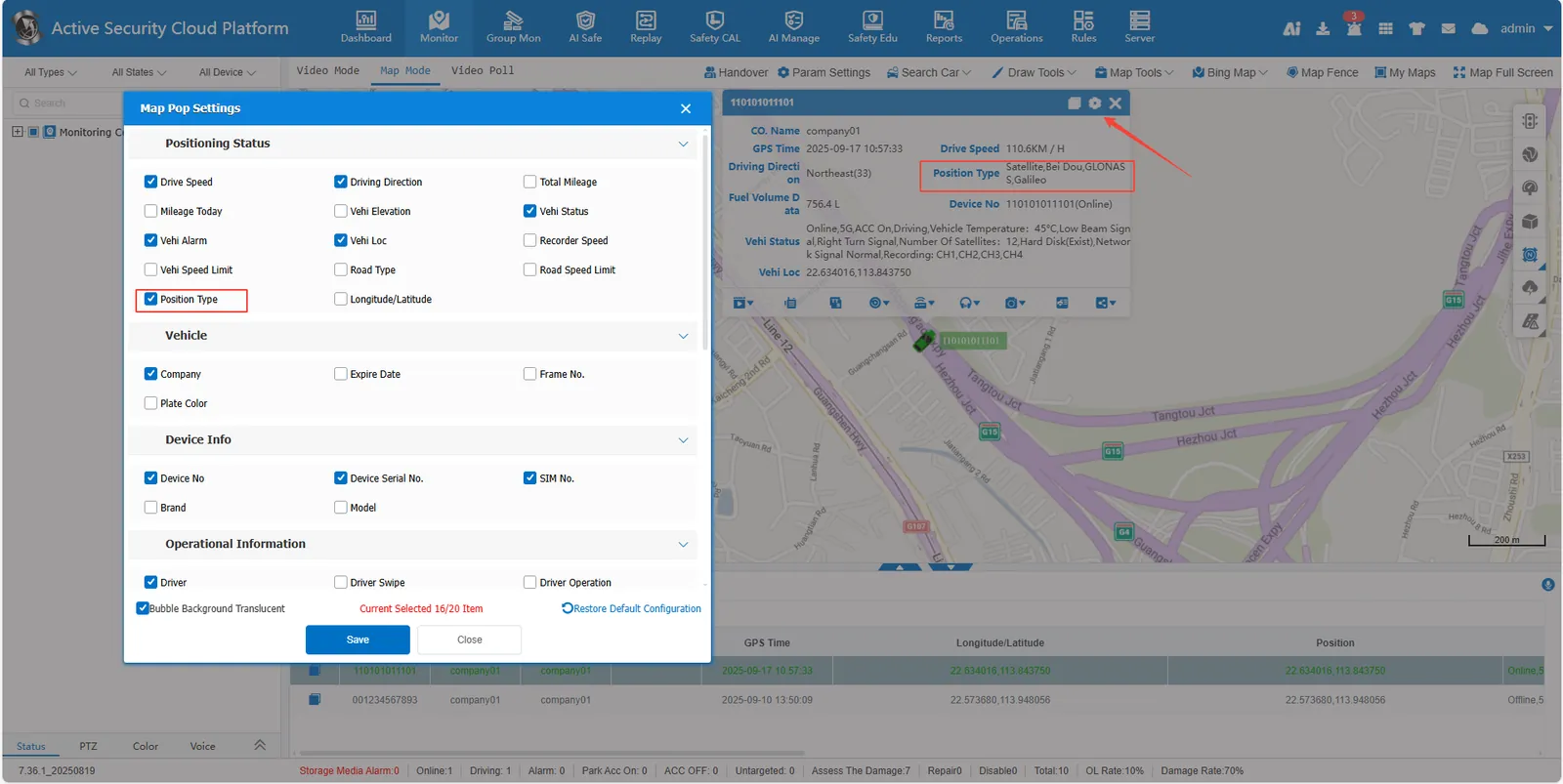
2.1 the map interface to view the positioning type
Real- time monitoring, map bubble setting, check the positioning type, the bubble box on the map will display the current positioning type in real time
2.2 parameter configuration View/modify positioning mode
Right- click the target license plate number in the monitoring center list, and select [Param Config]> [GNSSSetting] to view or modify the positioning mode (satellite positioning, Beidou positioning, GLONASS positioning, and Galileo positioning) enabled by the current device.