1 Function description
The platform AI module has a built- in intelligent assistant "Xiaotian", which can provide users with a variety of services and can be easily operated by inputting instructions.
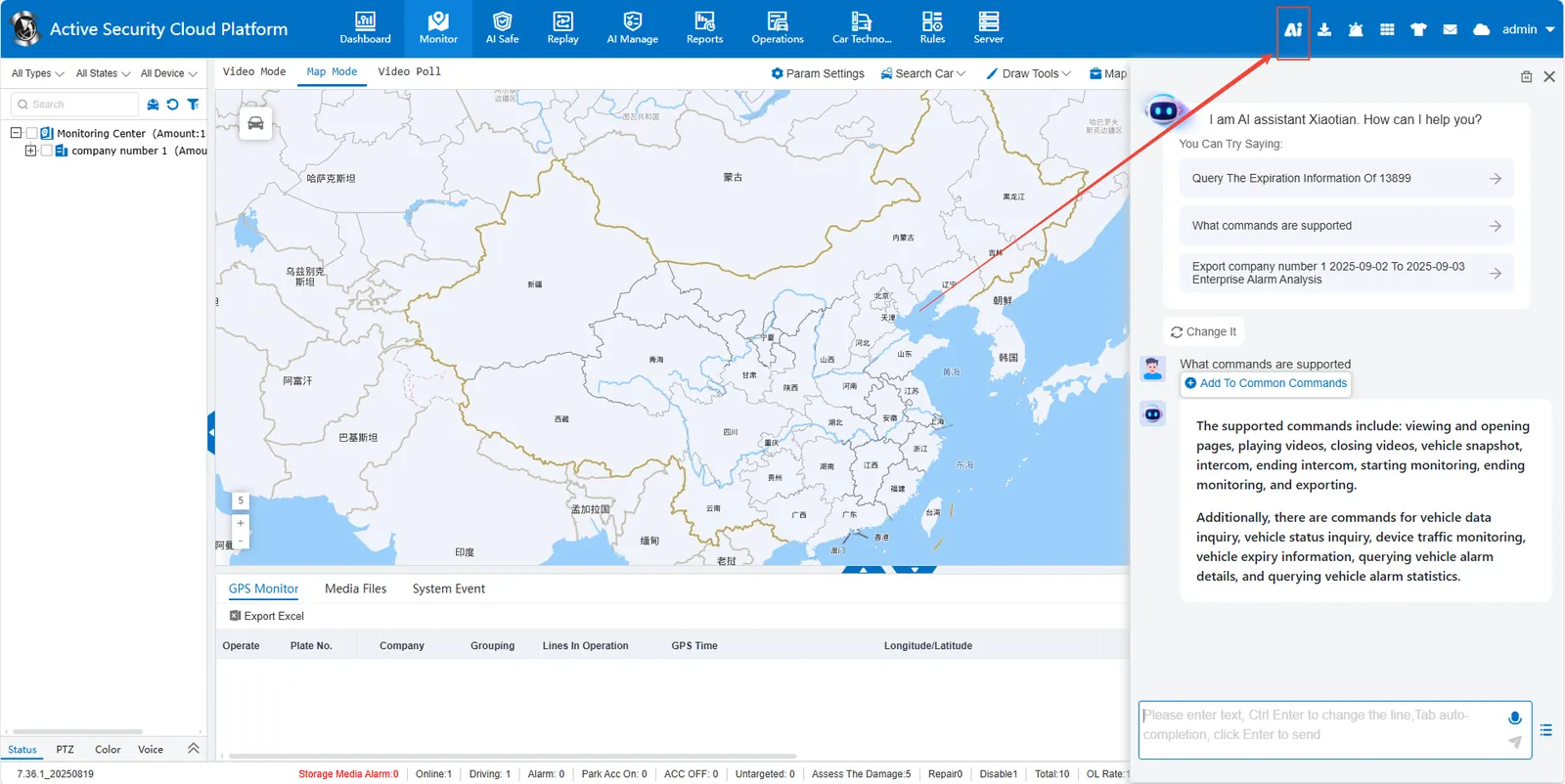
2 operating instructions
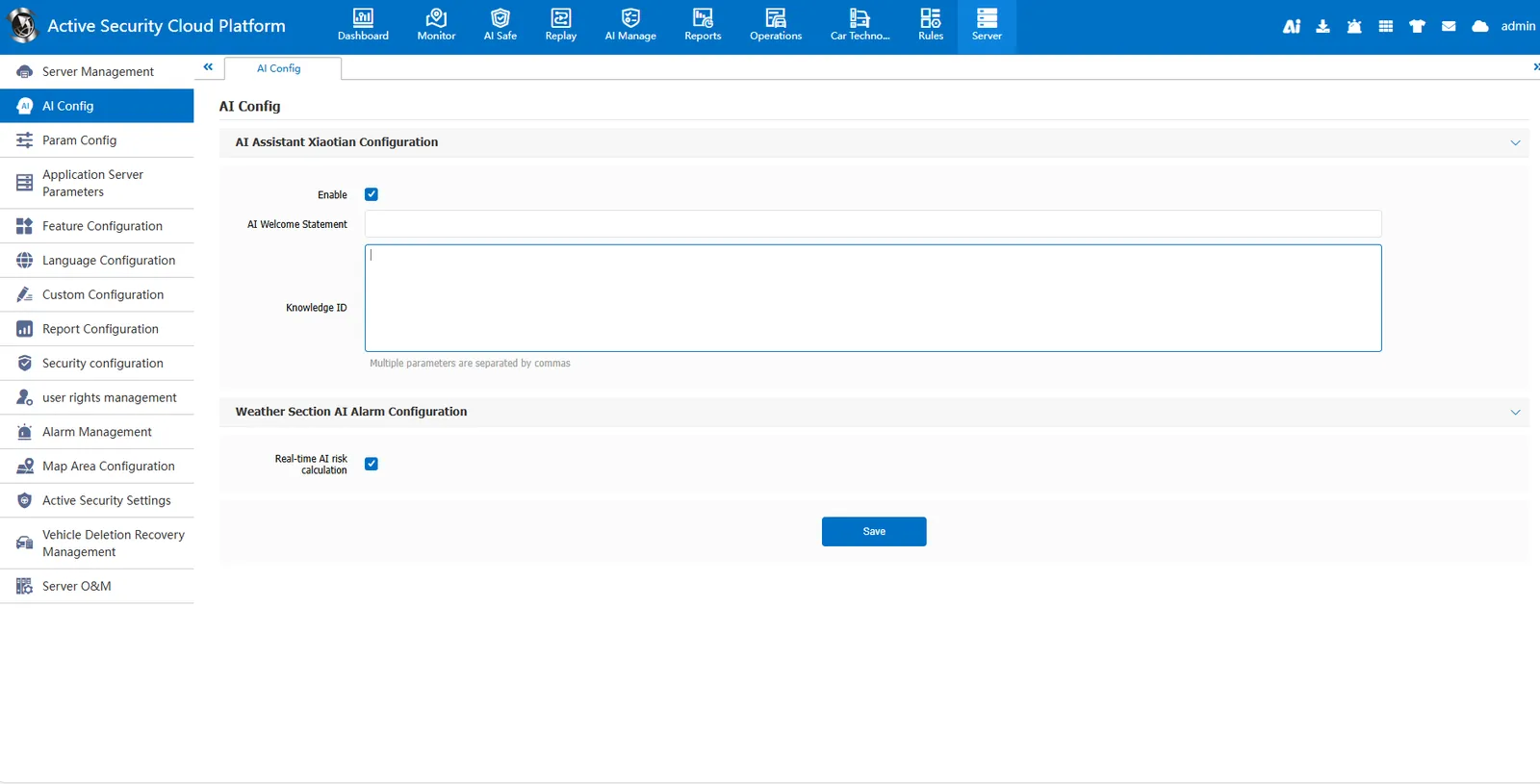
2.1 enable or disable the AI assistant
Configure in [Server]> [AI Config].
2.2 interaction with AI assistant
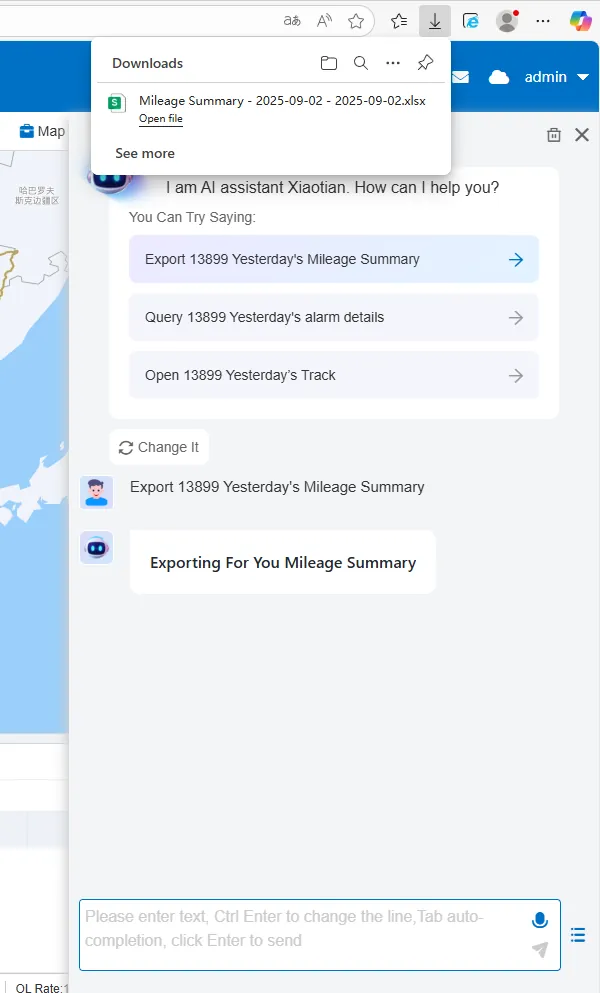
- Interact with the AI assistant via voice or text input.
- During voice input, click the microphone button to speak the command; when text input, type the command in the input box, and then press the "Enter" key to send.
- Click on the bottom right corner
 button, you can add and send common commands.
2.3 common instruction formats
Front- end Instruction Set
| Instruction type | Keywords | required parameters | Example |
|---|---|---|---|
| view | view, display, call up | page name | view real- time monitoring |
| Open | Open, enter, jump to | Page name | Open vehicle information |
| Play video | Play, open video | License plate | Play video with 10001 |
| Snap | Snap, Screenshot, Photo | License Plate Number | Snap 10001 |
| start intercom | start intercom | license plate number | use 10001 to start intercom |
| end intercom | end intercom, stop intercom | license plate number | end 10001 intercom |
| end listening | end listening, stop listening | license plate number | end listening 10001 |
| Close Video | Close Video, Stop Playback | License Plate | Close 10001 Video |
| Export | Export, download, generate report | Time range | Export yesterday's mileage detail report |
Back- end instruction set
| Instruction Type | Query Field | Required Parameters | Example |
|---|---|---|---|
| Vehicle data query | Company name, usage status, vehicle color, number of channels, vehicle type | License plate number | What is the company name of the vehicle 10001 |
| Vehicle real- time status query | Location, location, longitude and latitude, online status, speed, hard disk type, network type, parking time, total mileage, today's mileage, main fuel tank fuel level, auxiliary fuel tank fuel level, water depth, water level | License plate number | Where is the vehicle 10001 at 15 o'clock today |
| Equipment traffic monitoring | Traffic | License plate number or equipment number | Query the traffic usage of equipment 10001 |
| vehicle expiration information | expiration information, insurance expiration, service period | license plate number | query the expiration of vehicle 10001 |
| query vehicle alarm details | alarm, alarm details | license plate number | query vehicle 10001 alarm details |
| query vehicle alarm statistics | alarm statistics | license plate number | query vehicle 10001 alarm statistics |