1 Function description
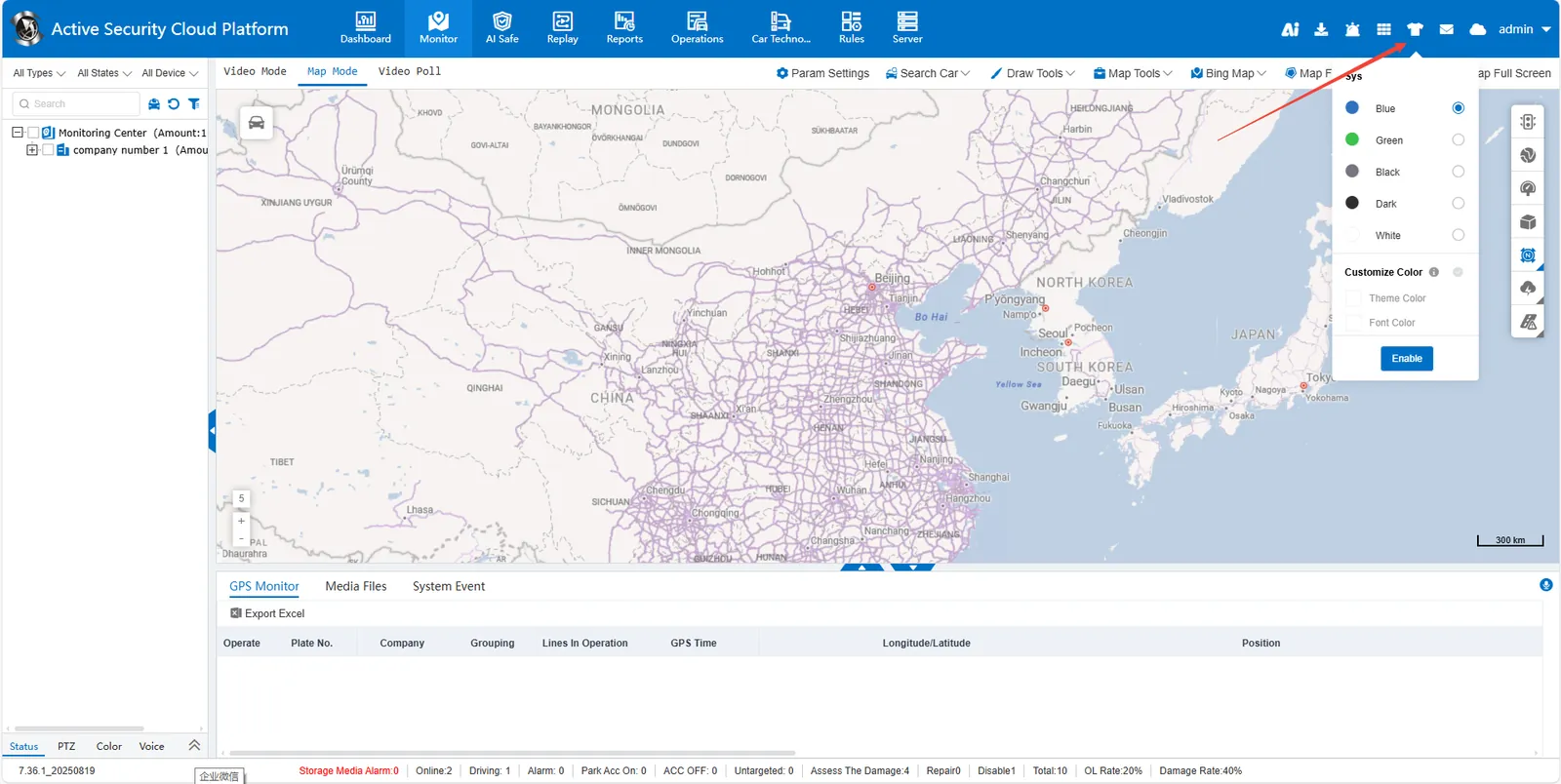
- Platform page style switching function allows users to freely choose different visual theme schemes according to personal preferences or usage scenarios, realizing instant switching of interface color matching, font and control style.
1.1 multi- theme presets
Provide blue, green, night black, dark and white a variety of theme color choice
User can choose top or left layout according to preference
1.2 personalized configuration
Adjustable theme and font colors
Custom focus color selector (supports HEX color code input)
2 operating instructions
Click on the top right button to switch the theme color, style and custom color settings of the system.