1 Function description
The system provides a bubble box display function for real- time display of vehicle fuel information, including the fuel status of the main fuel tank and auxiliary fuel tank.
2 operating instructions
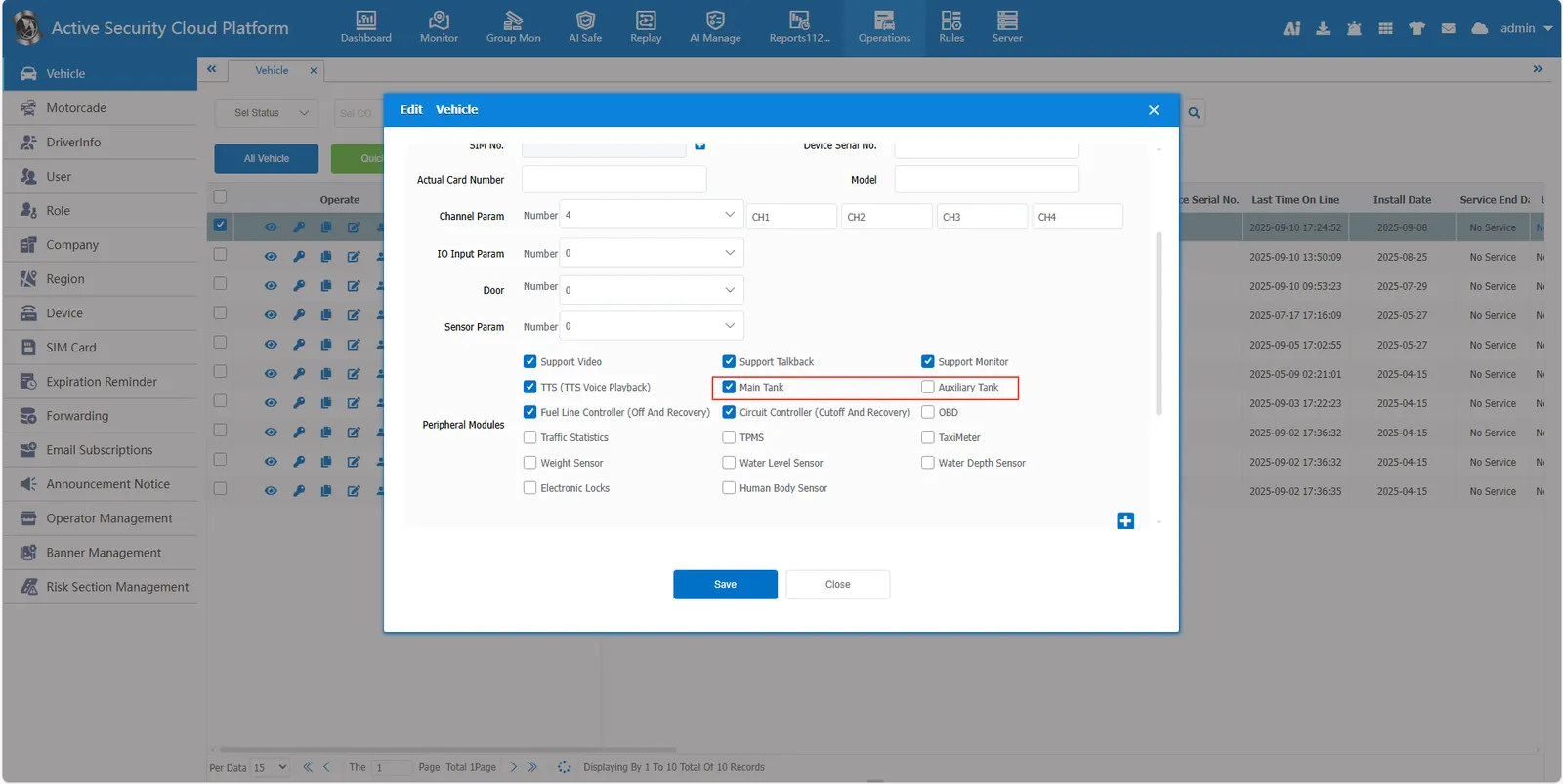
2.1 enable fuel tank
Enter [Operations]> [Vehicle], check the Main Tank/Auxiliary Tank
2.2 bubble display settings
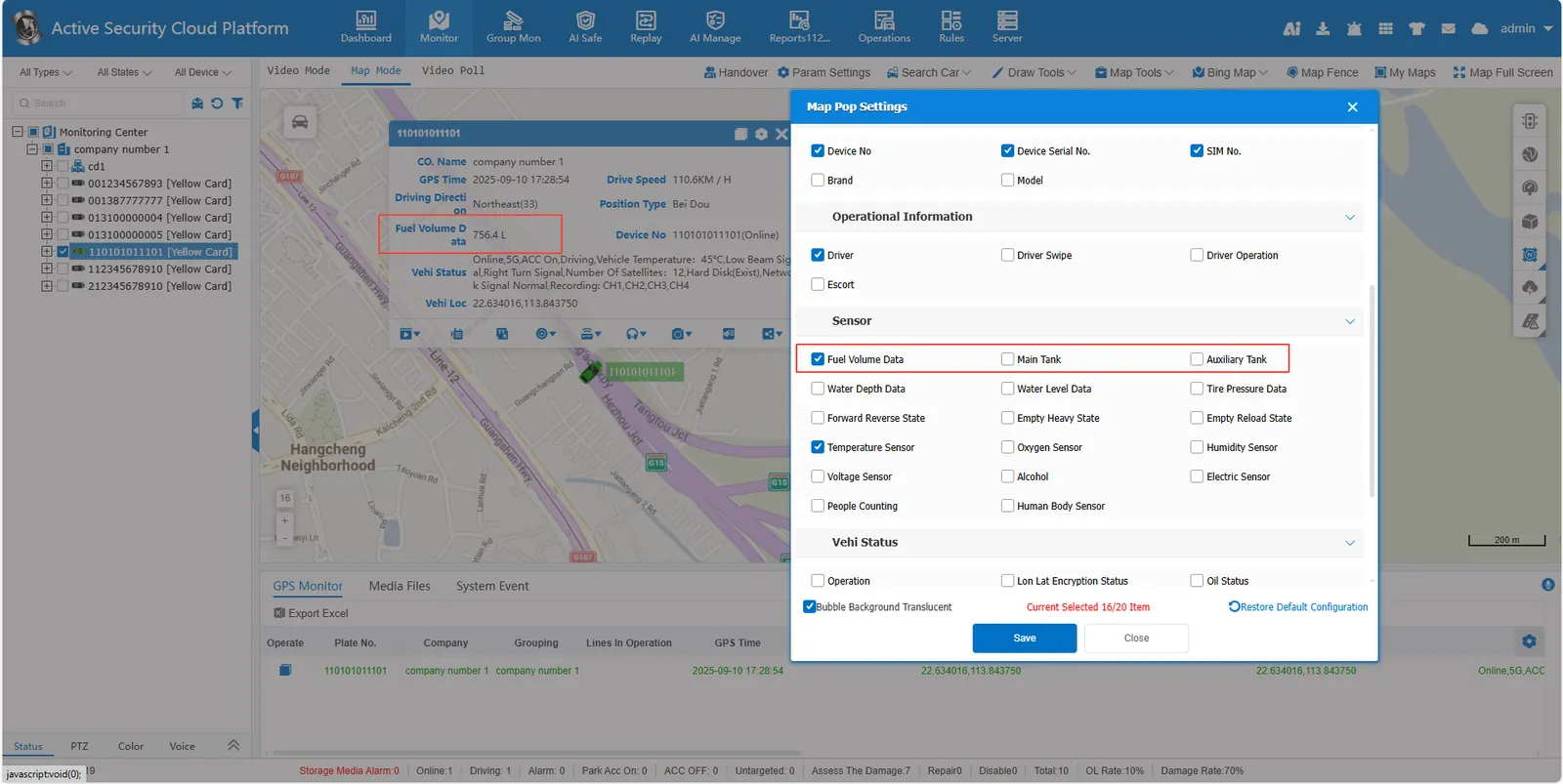
Fuel Volume Data Display Condition:
- "Main Tank" is checked in the vehicle information"
- "Auxiliary Tank" is not checked in the vehicle information"
- Fuel quantity value is not 0
- "Bubble Settings" option checked
Main Tank display conditions:
- Both "Main Tank" and "Auxiliary Tank" are checked in the vehicle information"
- Main tank fuel quantity value is not 0
- "Bubble Settings" option checked
Display conditions for Auxiliary Tank:
- Both "Main Tank" and "Auxiliary Tank" are checked in the vehicle information"
- The fuel quantity of the auxiliary tank is not 0
- "Bubble Settings" option checked