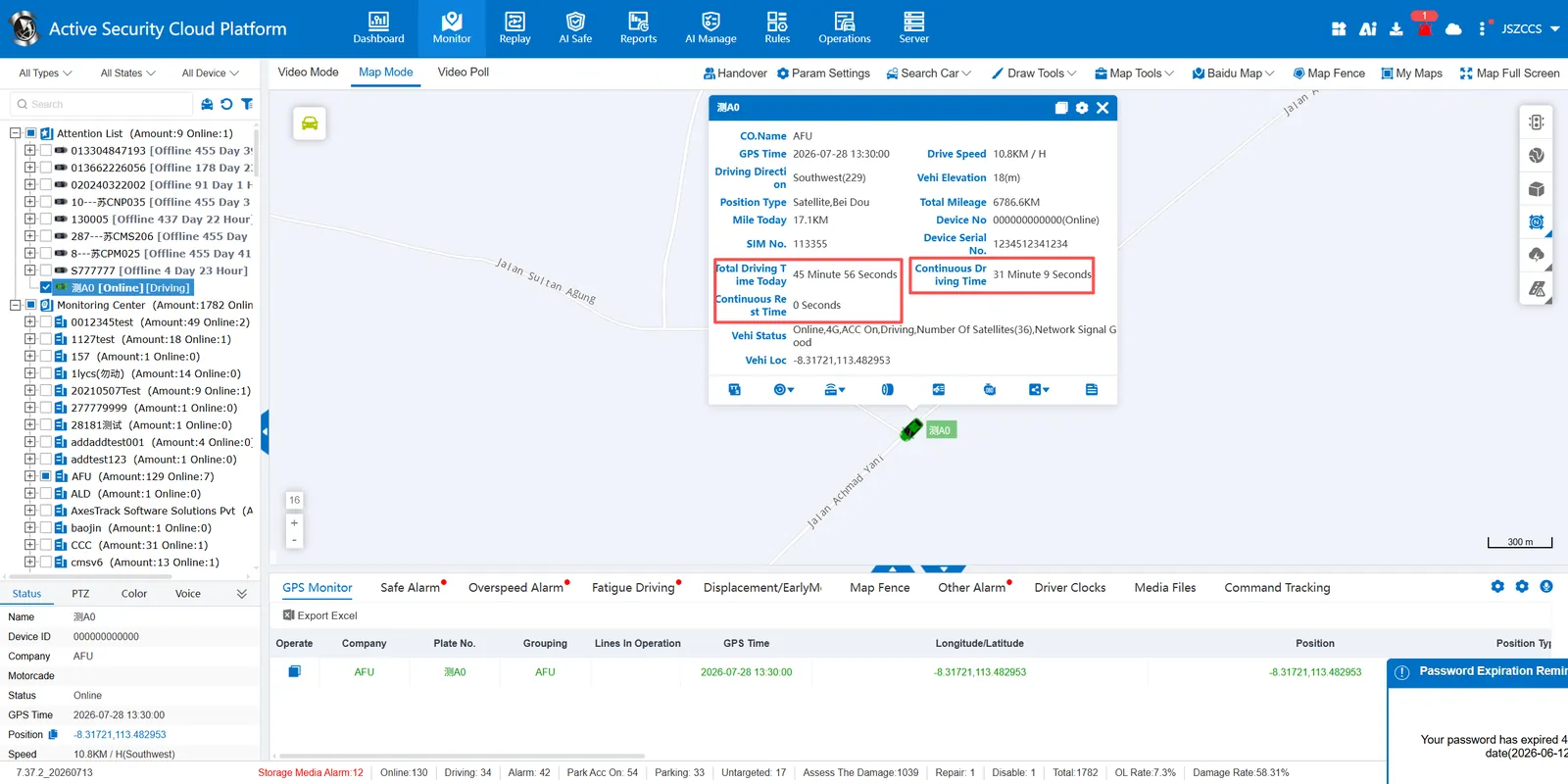
1, function description
The system provides bubble box display function, which is used to display the total driving time, continuous driving time and continuous rest time of the day in real time.
2, operating instructions
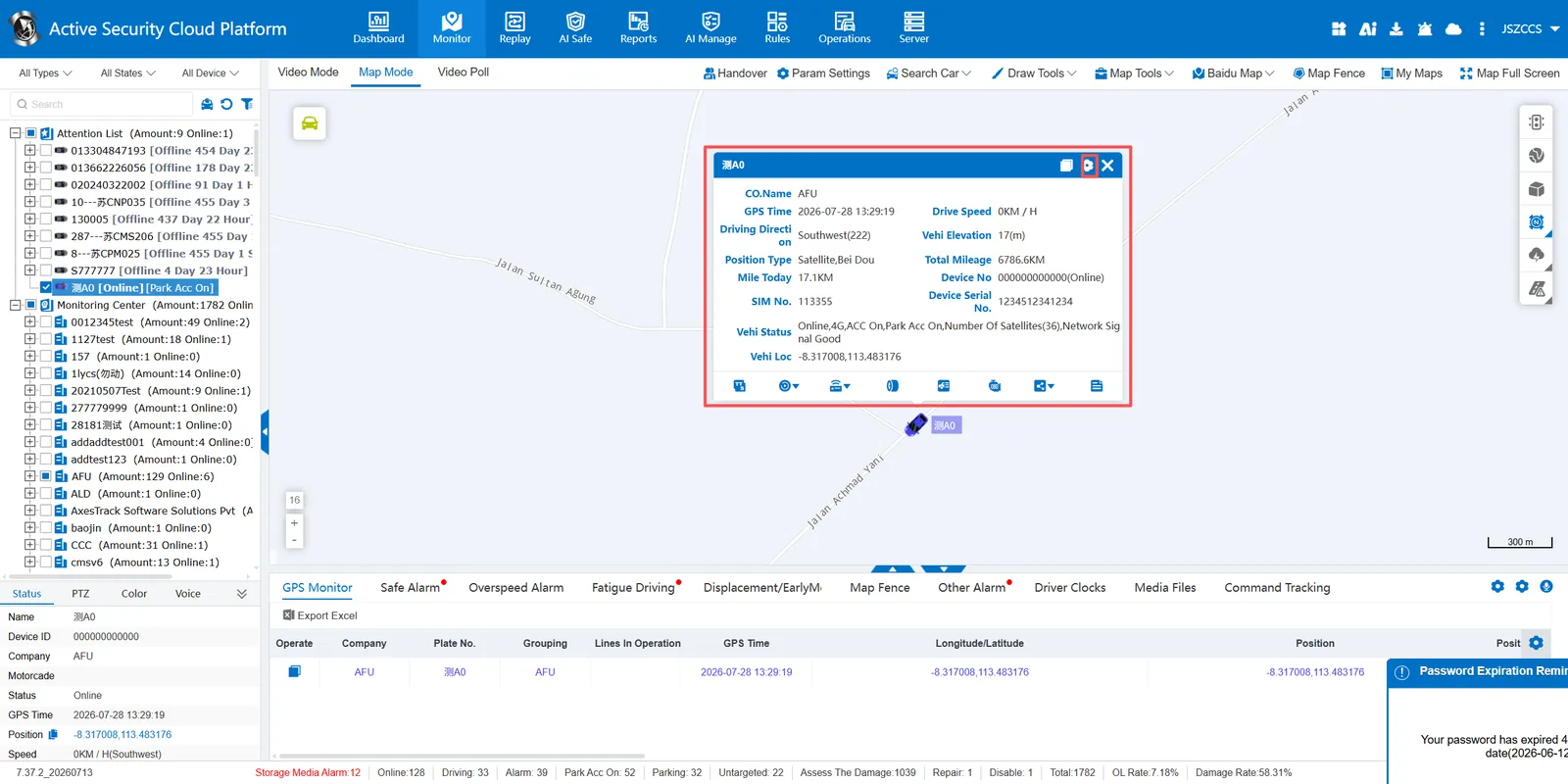
Click Bubble Display Settings
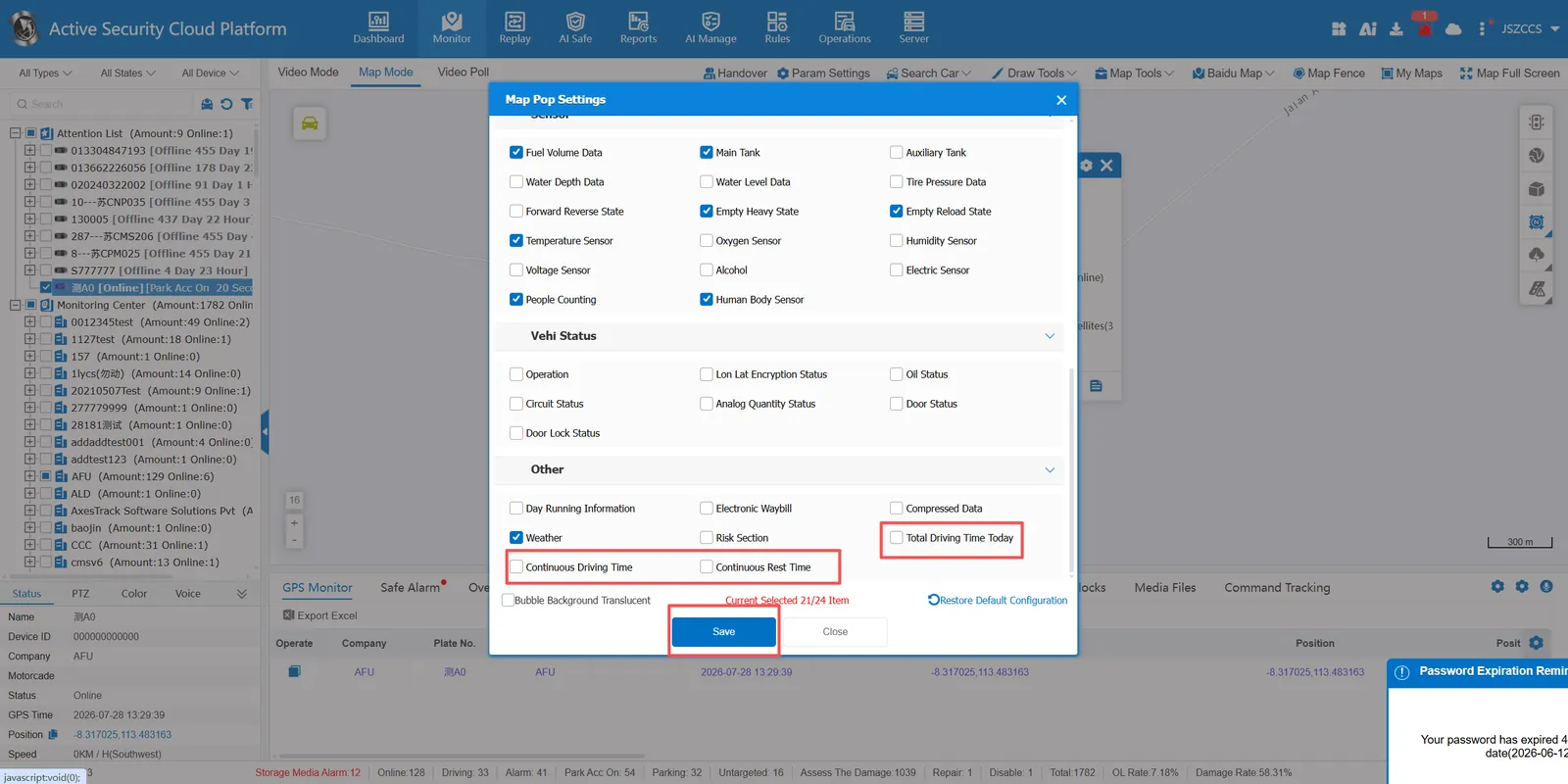
Check the total driving time of the day, continuous driving time and continuous rest time in the bubble setting interface of the map, and click the save button.
After refreshing, you can see the total driving time, continuous driving time and continuous rest time in the bubble box.