1. Function description
Update WEB upgrade package to update features or fix issues
2, operating instructions
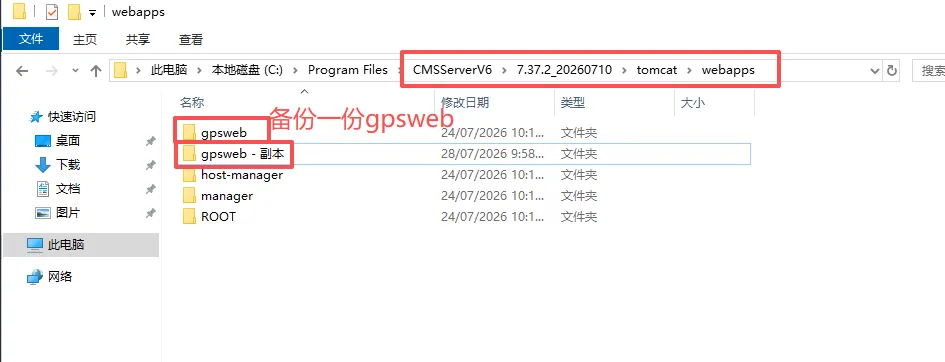
2.1 backup gpsweb folder
To the software installation directory: CMSServerV6\7.37.2_20260710\tomcat\webapps, back up gpsweb
2.2 replace the web upgrade package file
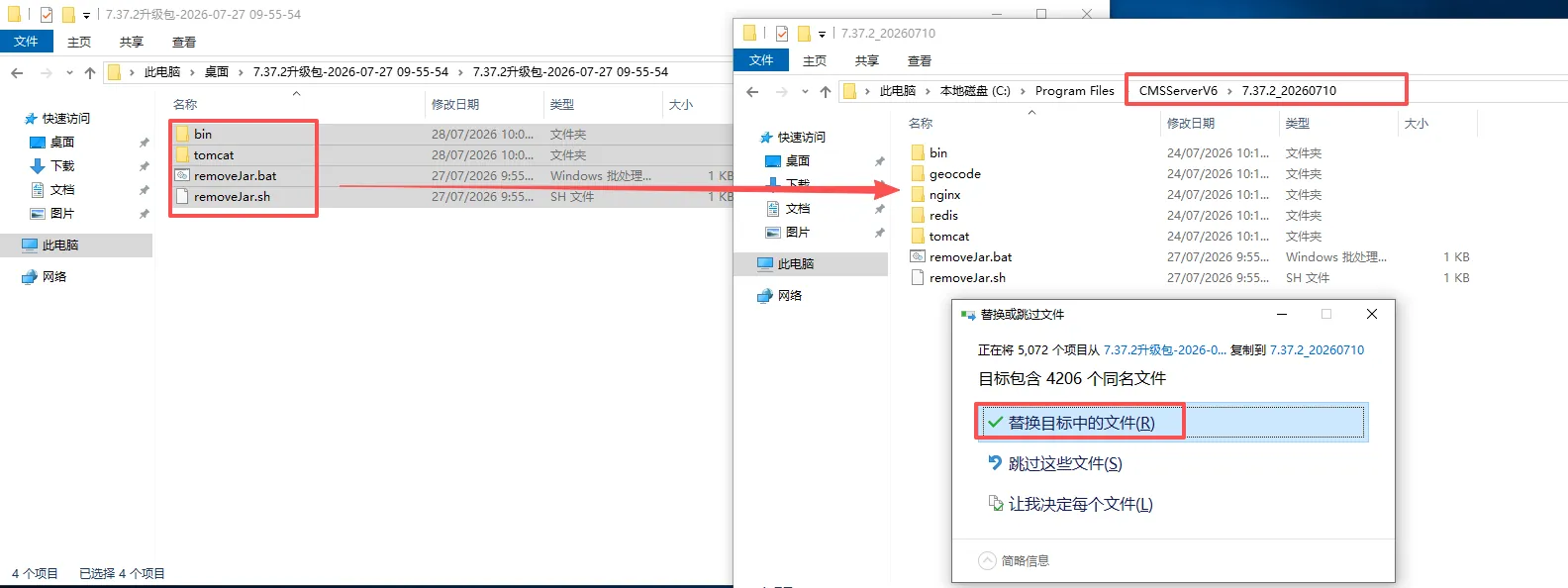
Decompress and open the web upgrade package sent by technical support, then go to the software installation directory CMSServerV6\7.37.2_20260710 and replace the upgrade package file
2.3 remove jar package
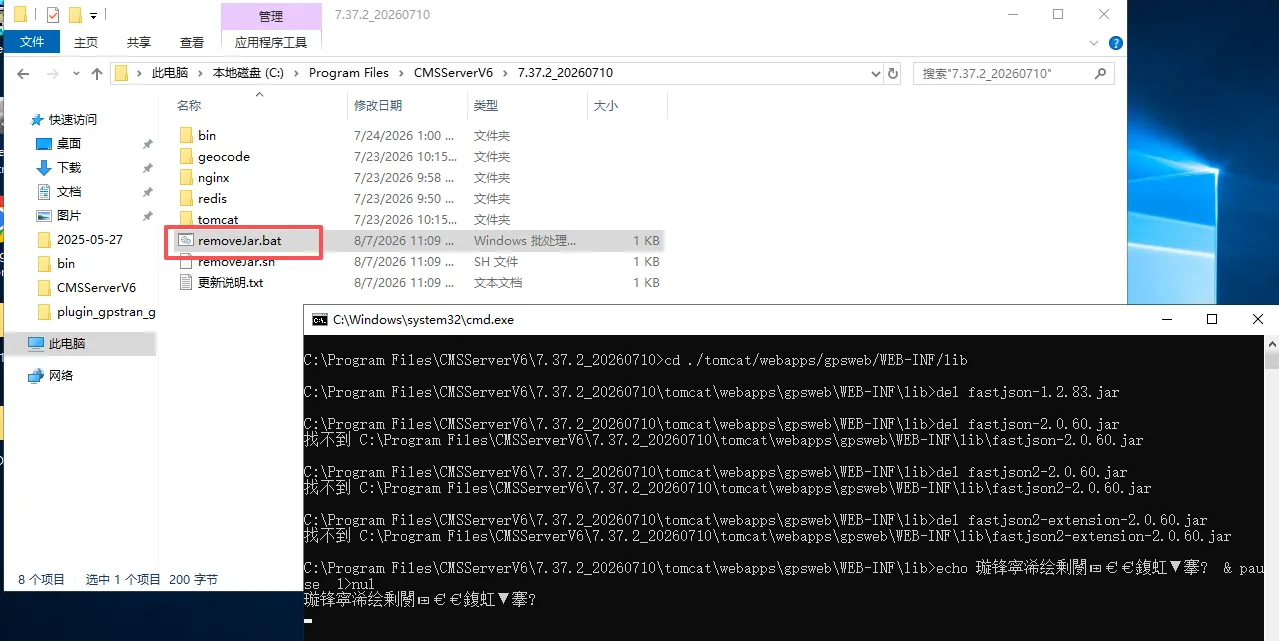
After overwriting the file, Windows execute removeJar.bat,Linux execute removeJar.sh, press any key to close the window.
2.4 restart service effective update
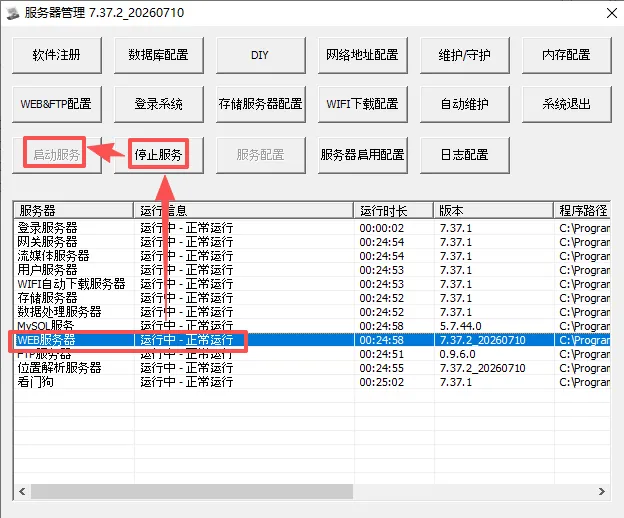
Select Log on to Server, click Stop Service, and then click Start Service
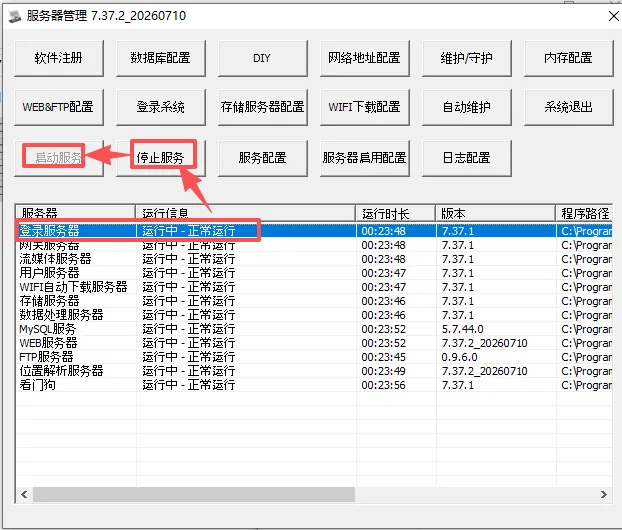
Select WEB Server, click Stop Service, and then click Start Service