1. Functional Description
Manually modify tomcat memory
2. Operating Instructions
- Open the gpstomcat6w.exe file in the installation directory
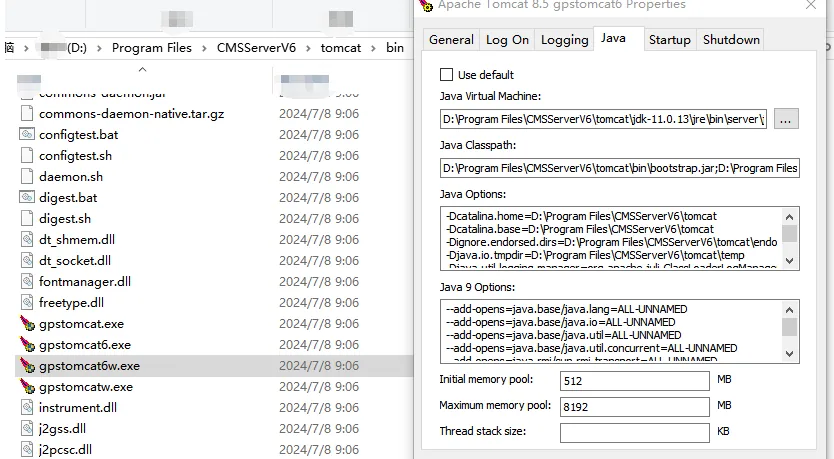
Find the java page and modify the value of the Maximun memory pool.
8192 to 8G - After saving, restart the web server
3. Notes
When the server is reinstalled, the default maximum 1.5G memory configuration is overwritten.
