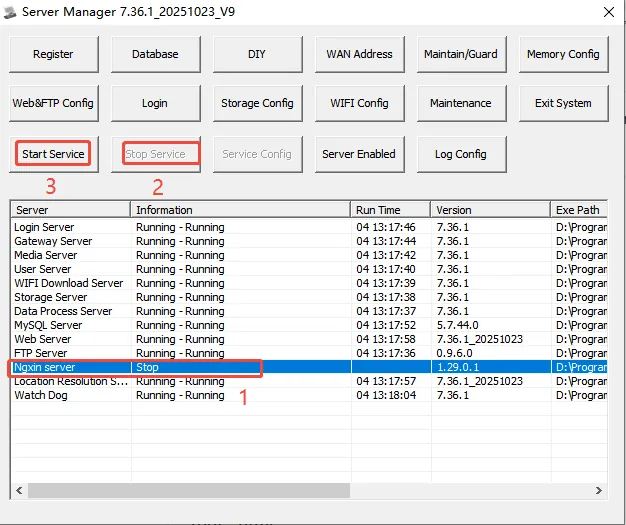
1. fault phenomenon
After the server software is upgraded or restarted, the nginx service cannot start normally. The error message is as follows:
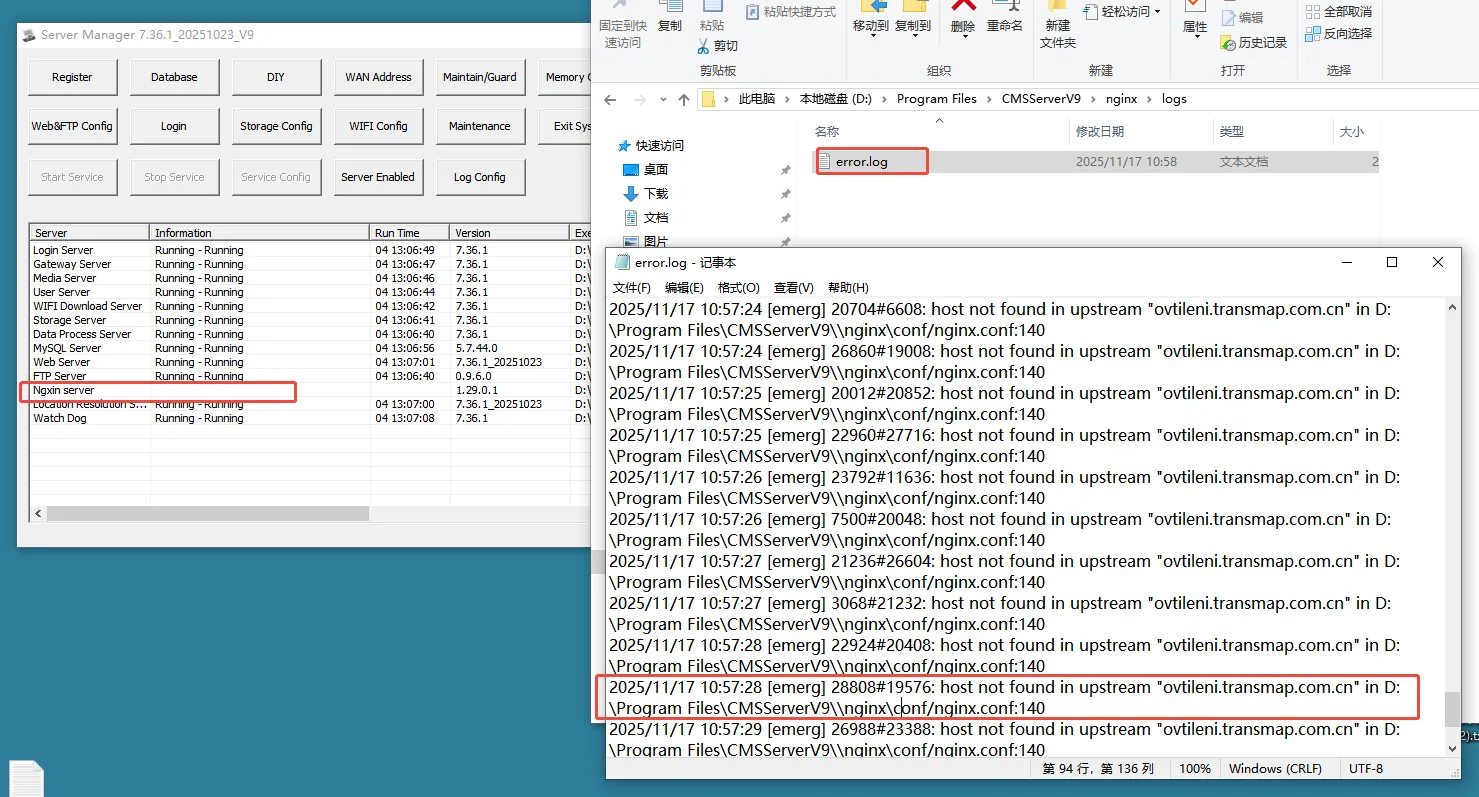
2. The Solution
2.1 server software version =>7.36
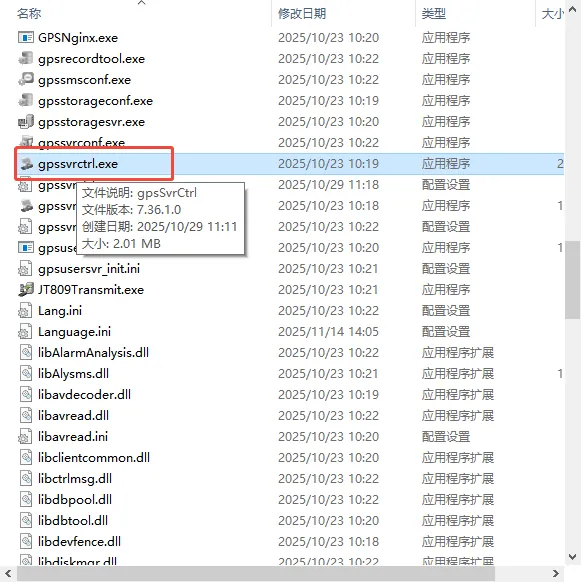
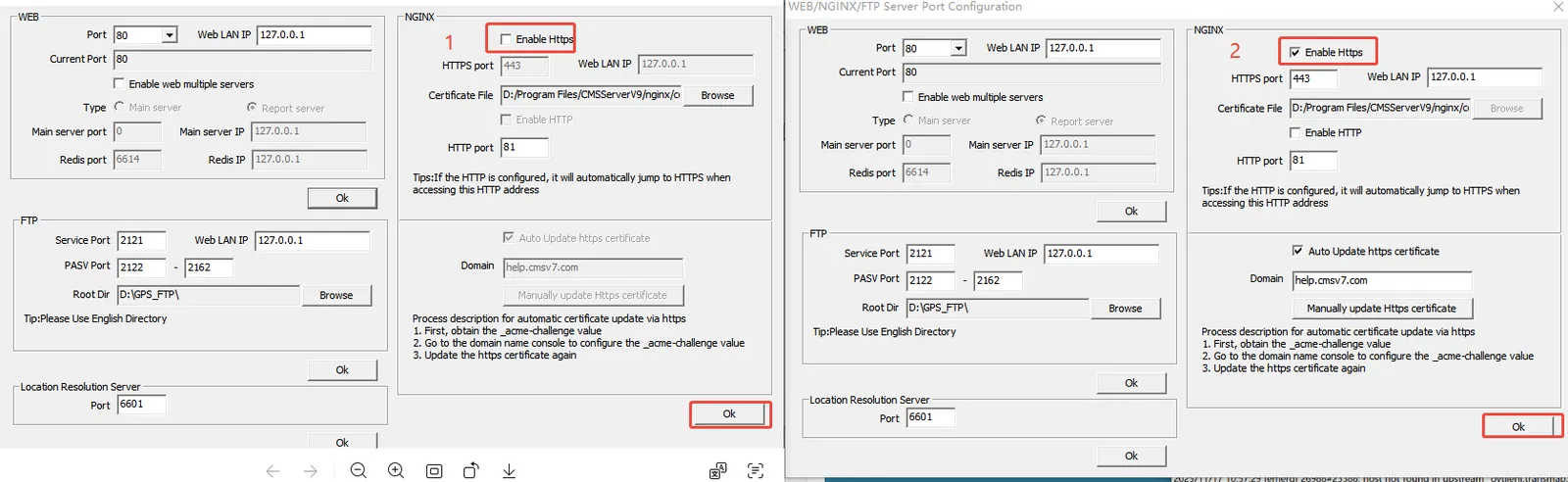
Replace the plug- in in the attachment with the path: Program Files\CMSServerV7\bin, then turn off https and turn on https again. (It is recommended to back up the nginx.conf file before operation)
2.2 server software version <7.36
First enable https, then enter the directory: Program Files\CMSServerV6\nginx\conf, edit the nginx.conf file, delete the shaded part of the figure below, and then save it.
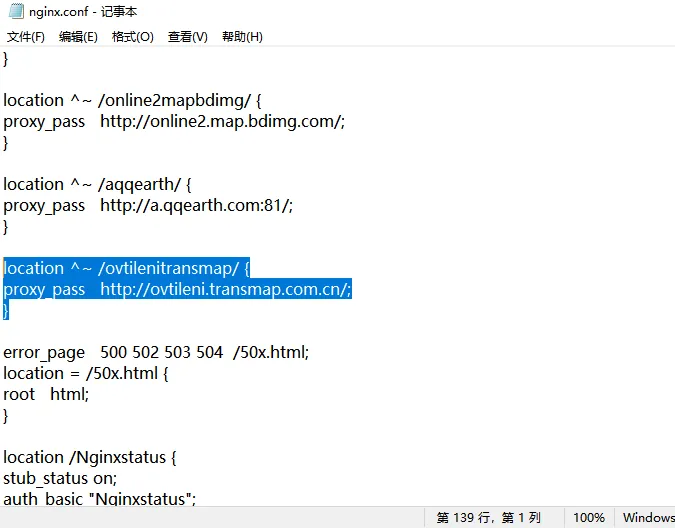
Restart the nginx service