Server Data Cleansing
1 Function Description
1.1 running the database configuration tool, the system disk and storage disk are required, and sufficient space must be reserved, otherwise the cleaning may fail.
2 Operating Instructions
2.1 database the. ini file in the root directory of the server software installation to view the storage path of the server software backup database.
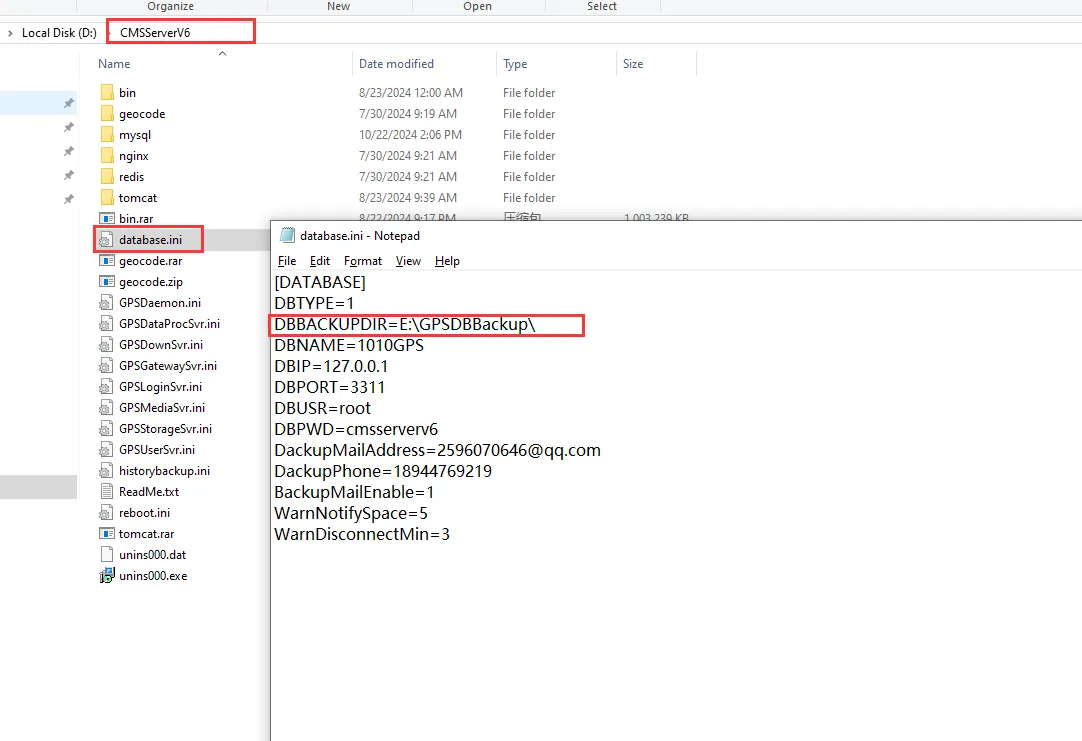
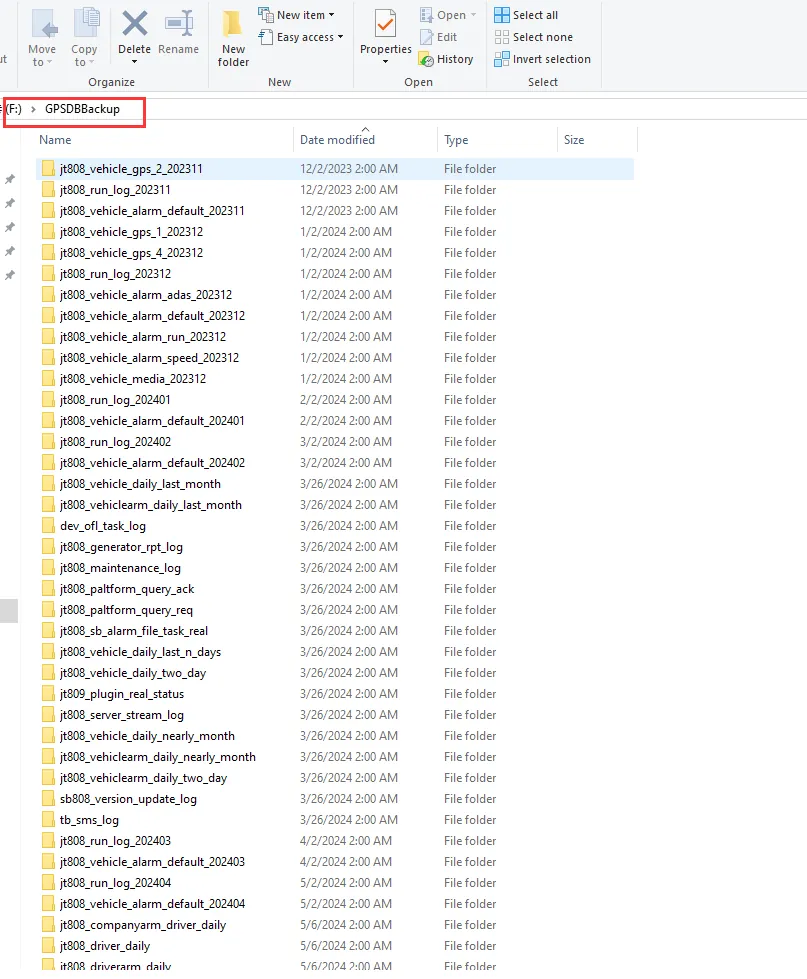
2.2 According to the path shown in the above figure, the database backup file can be found. To clean up the backup data is to clean up the data in the GPSDBBackup folder.
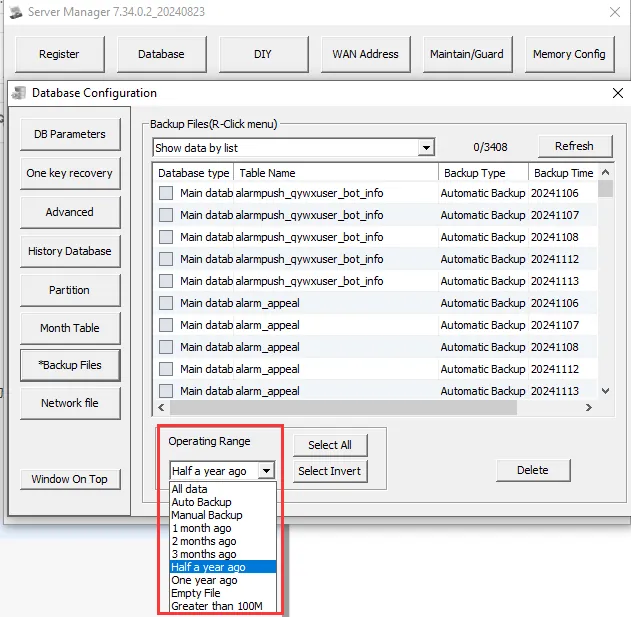
2.3 check the backup database table that needs to be cleaned up (generally, these two types of database tables are cleaned up: gps and Alarm)
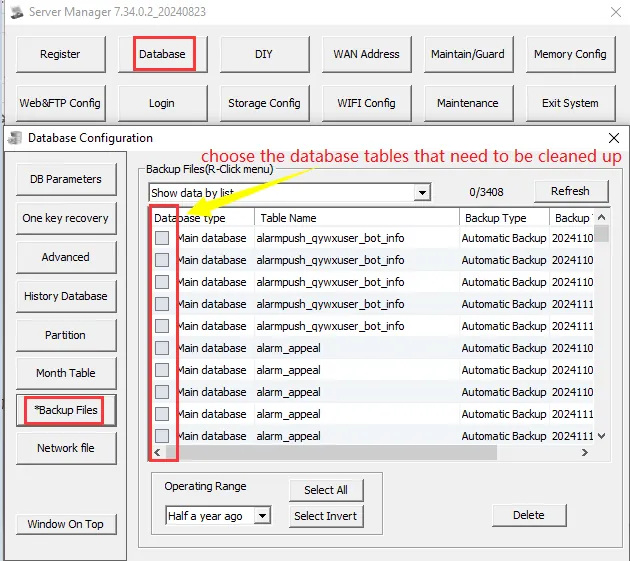
2.4 can filter and clean according to time, file size, backup type (automatic backup or manual backup)
3 Notes
3.1 There are two ways to backup database data: automatic backup and manual backup.
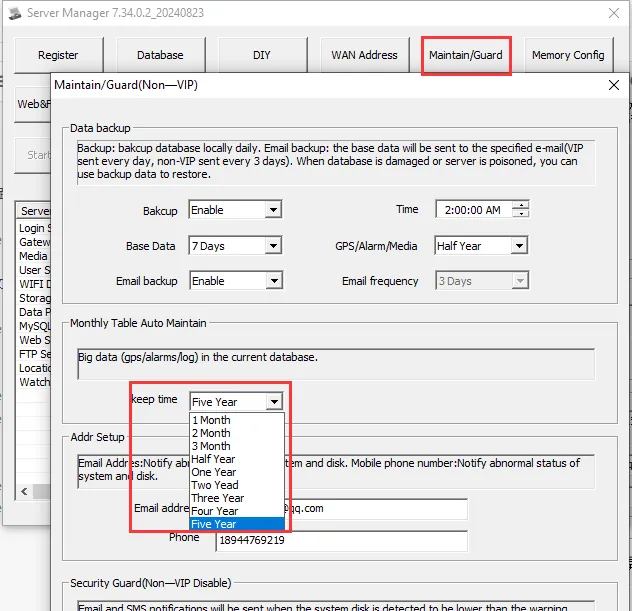
3.2 The backup duration can be set the data automatically backed up by the server software.
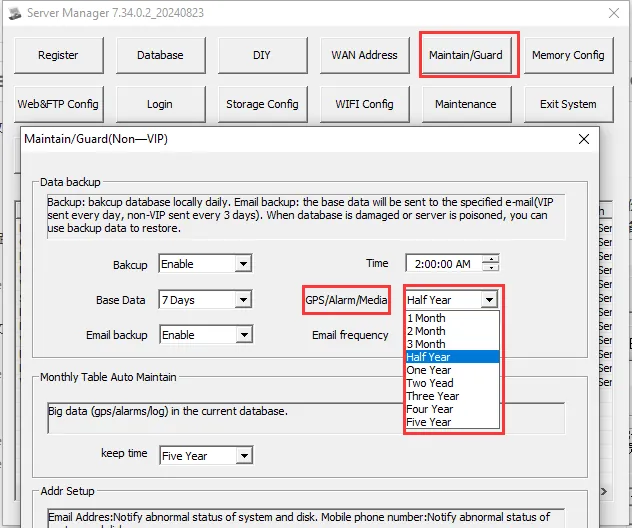
3.3 the server software real- time database, you can also set the data retention time, but here must be cautious, it is recommended to set the time as long as possible.