1. Function description
-
- The following ports can be customized, but the front and back ends of the port corresponding to each service must be consistent and cannot be reused.
-
- When modifying the "login server" port, pay attention to synchronously modifying the "server port" in the "registration parameters" for other servers.
-
- If the server software is deployed in a non- LAN environment, port mapping needs to be performed on the modified ports.
2. Operating instructions
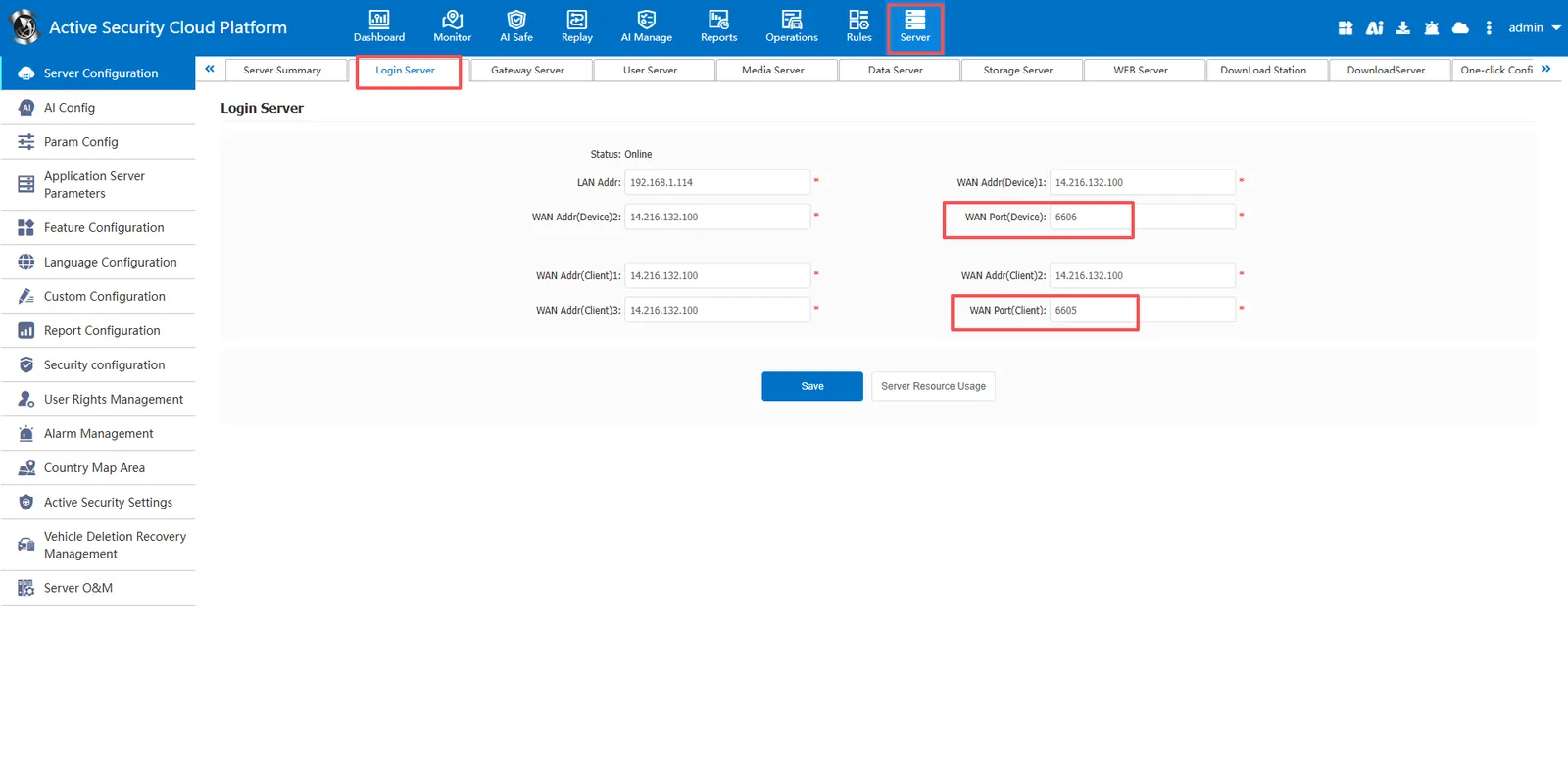
2.1 modify the "Login Server" port
a) Port: 6605(TCP+UDP)
b) Background configuration interface
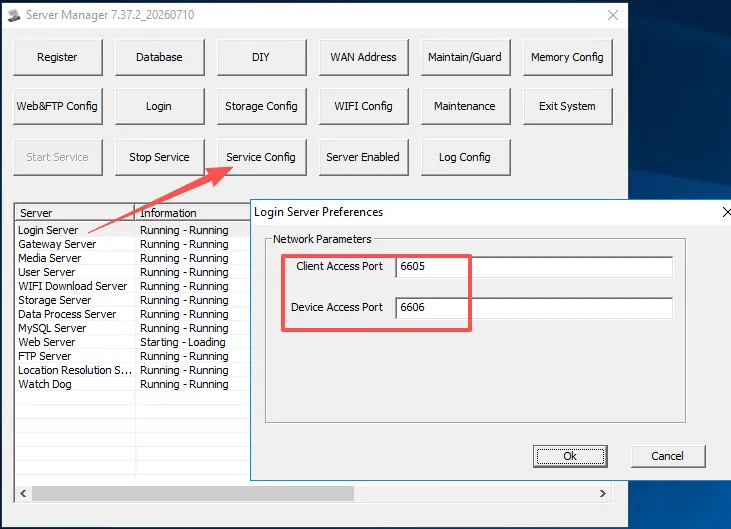
c) Front desk configuration interface
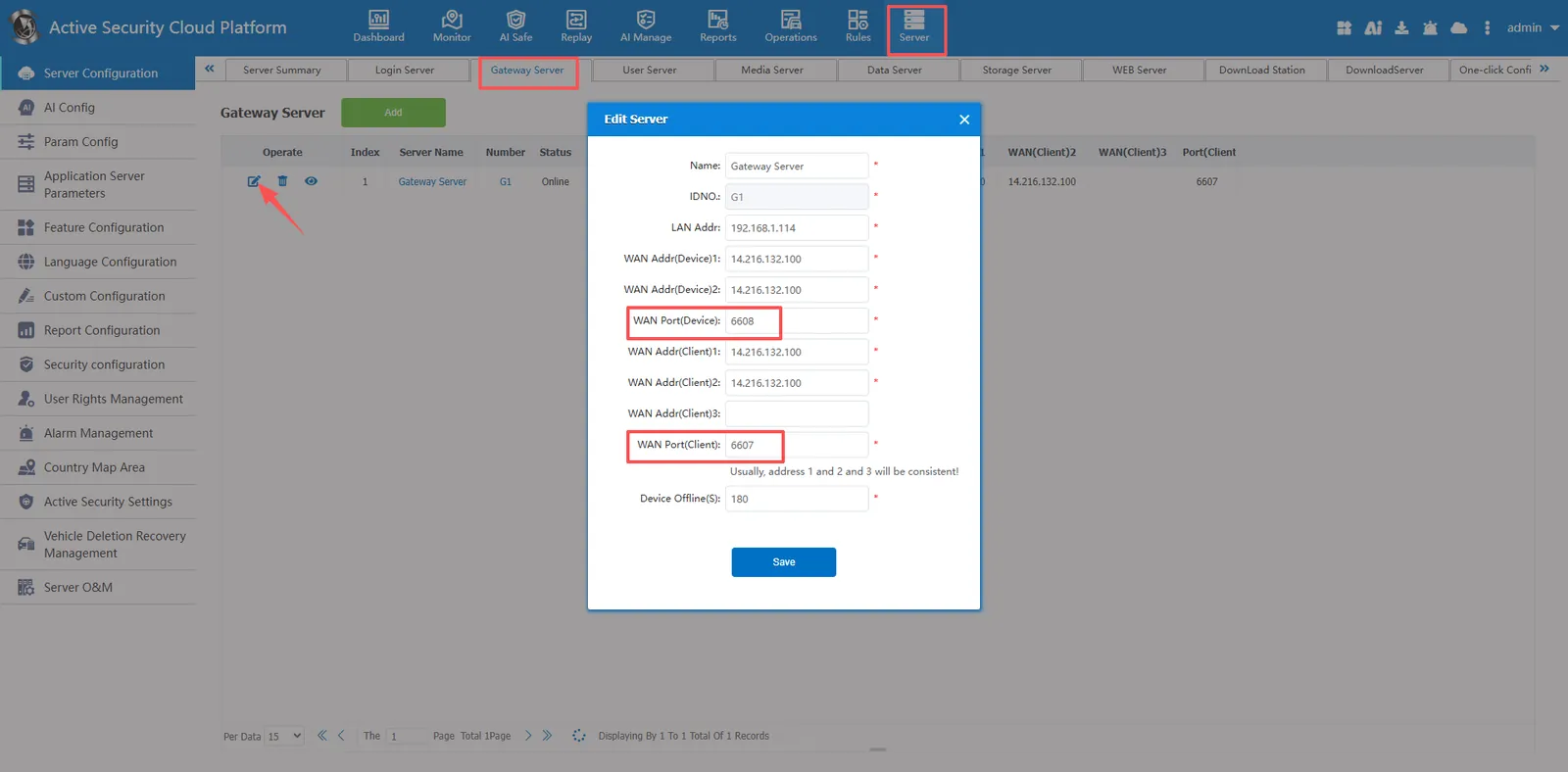
2.2 modify the "Gateway Server" port
a) Port: 6607, 6608(TCP+UDP)
b) Background configuration interface
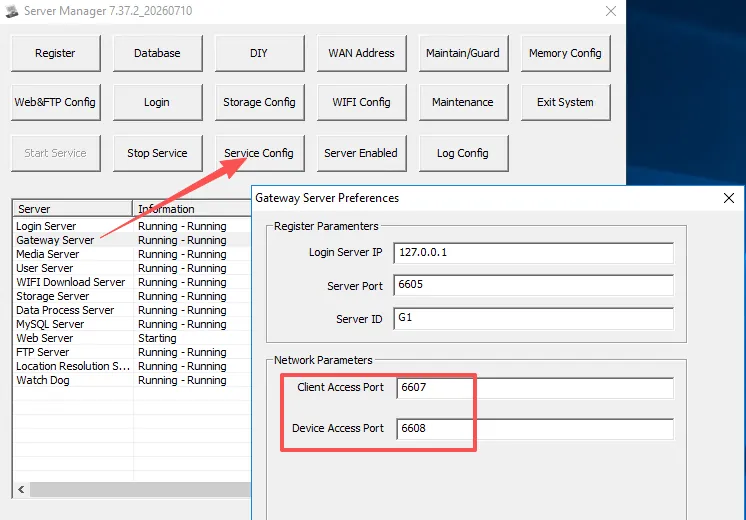
c) Front desk configuration interface
2.3 modify the "Media Server" port
a) ports: 6602, 6604(TCP+UDP), 6617(TCP), 6631-6635(TCP)
b) Background configuration interface
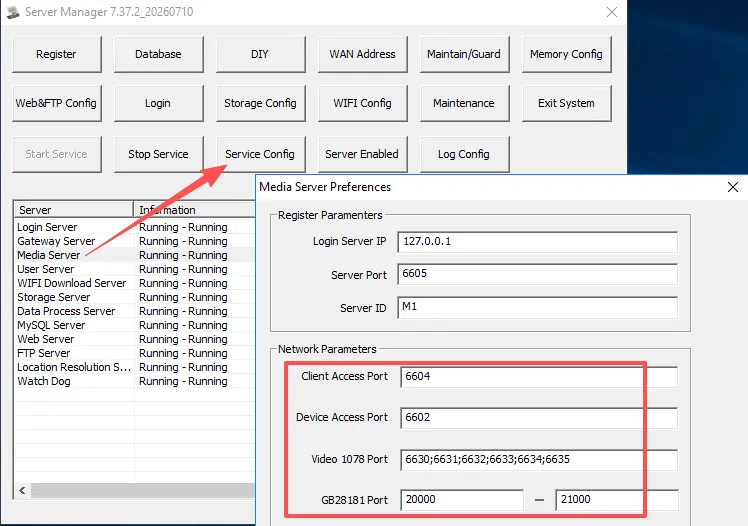
c) Front desk configuration interface
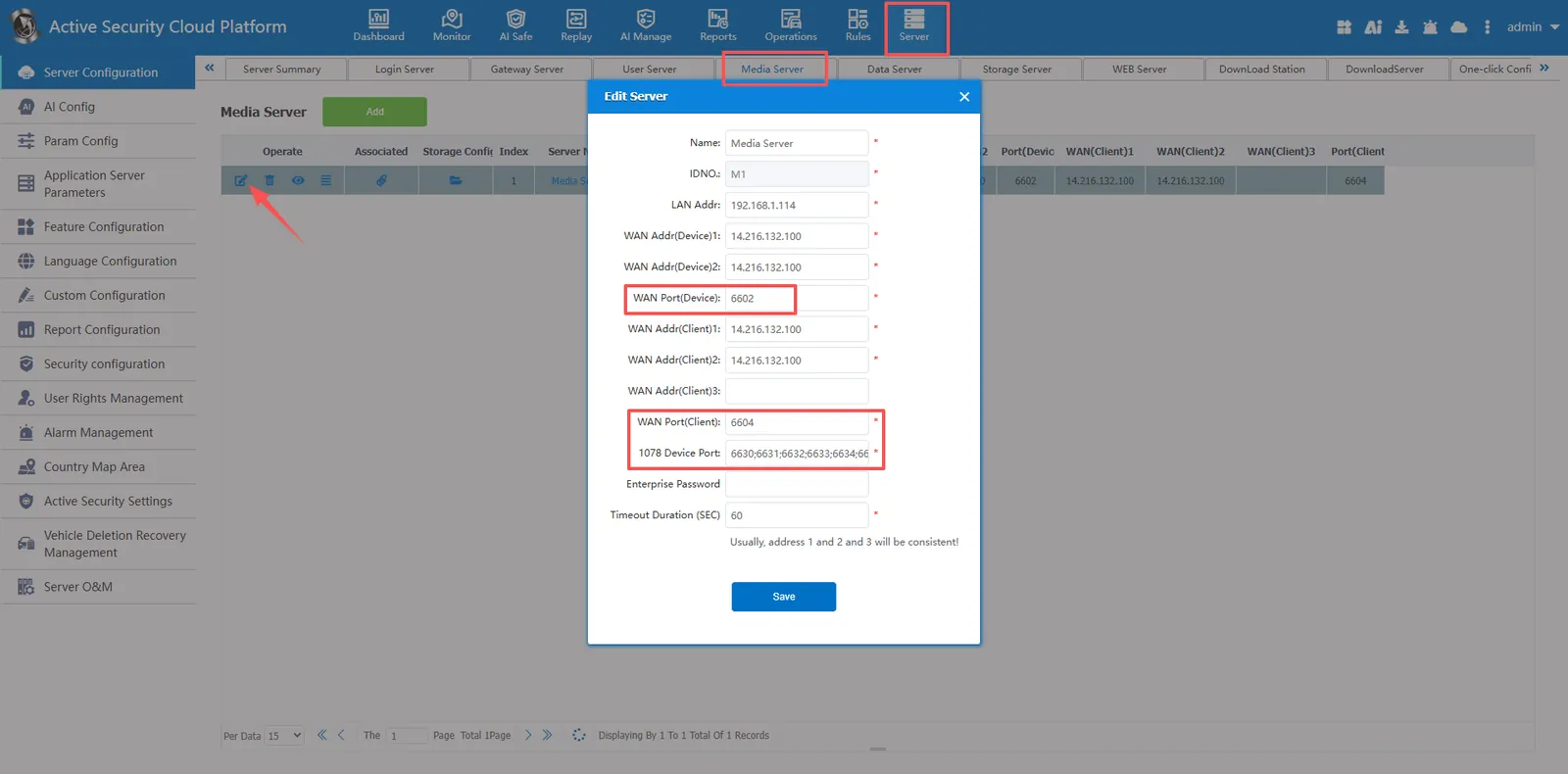
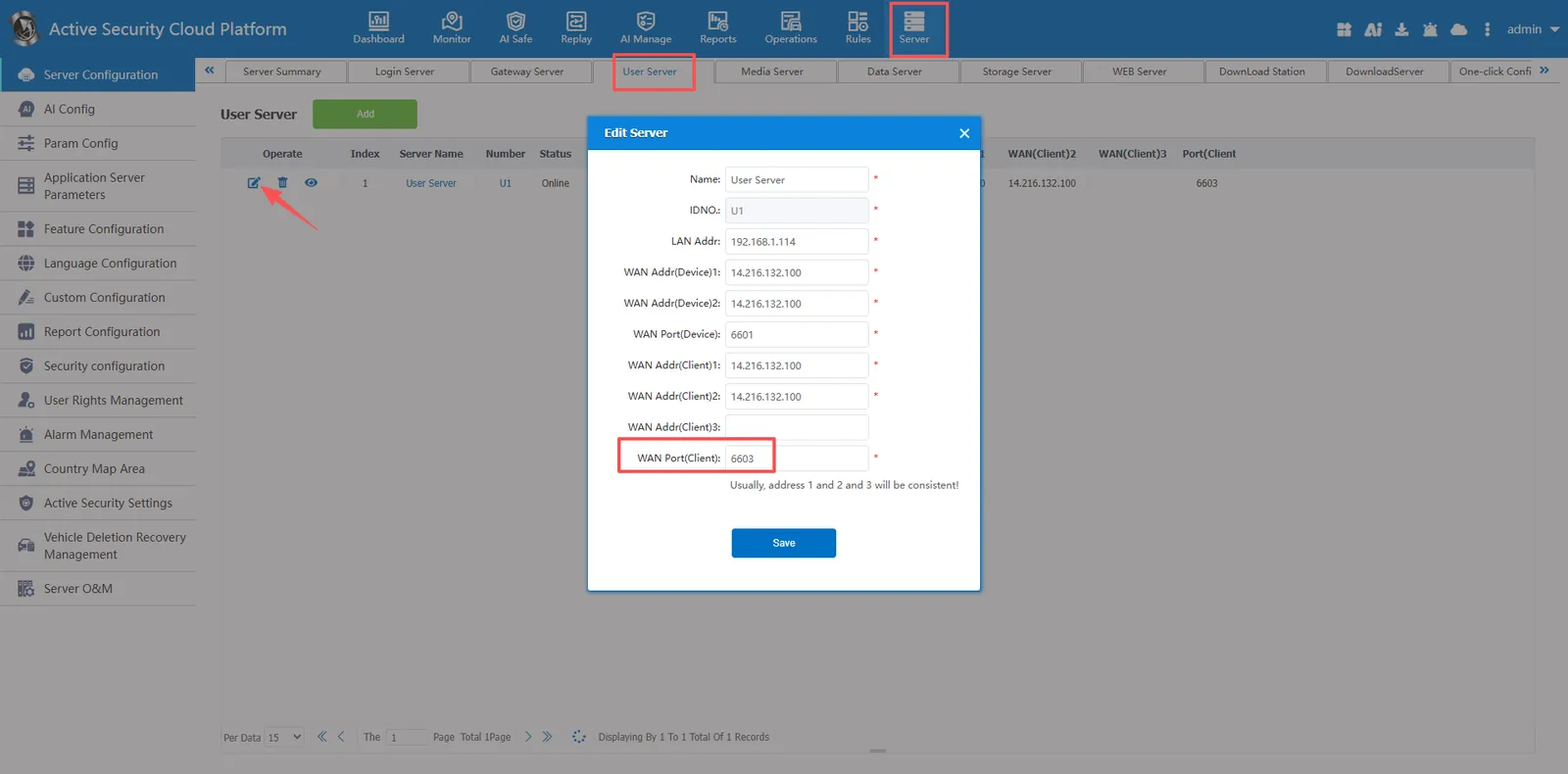
2.4 modify the "User Server" port
a) Port: 6603(TCP+UDP)
b) Background configuration interface
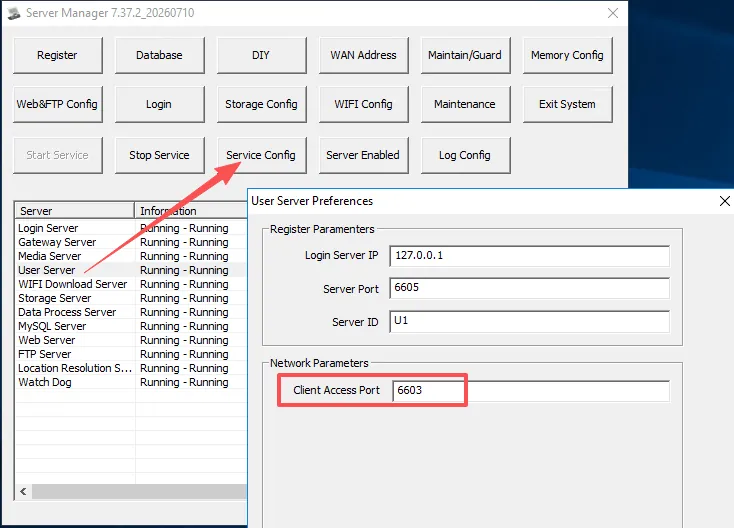
c) Front desk configuration interface
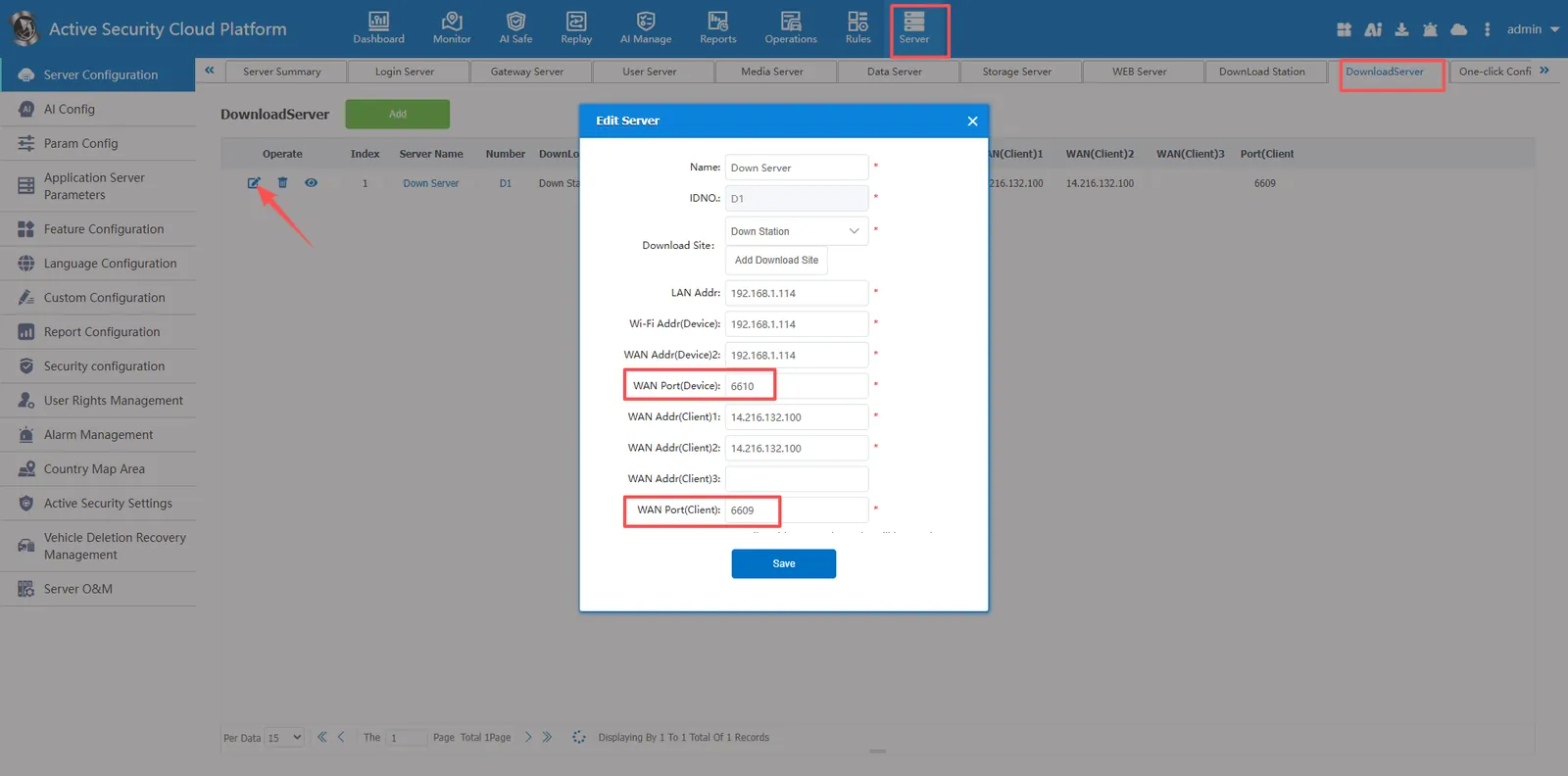
2.5 modify the port of "WIFI Download Server"
a) Port: 6609, 6610(TCP+UDP)
b) Background configuration interface
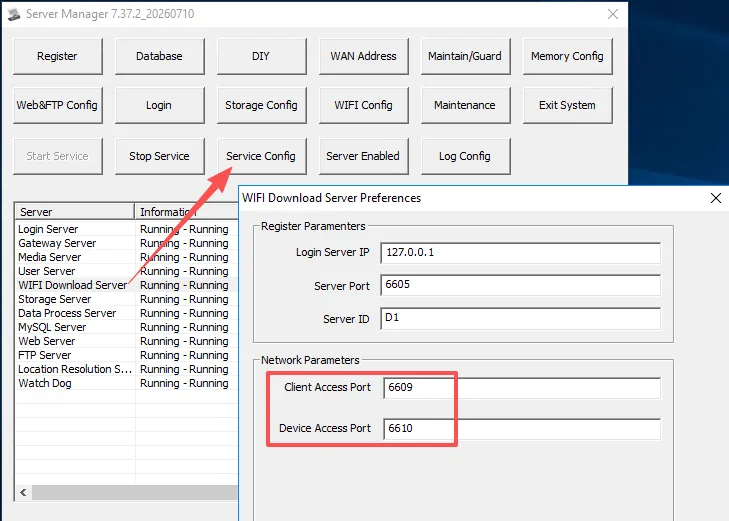
c) Front desk configuration interface
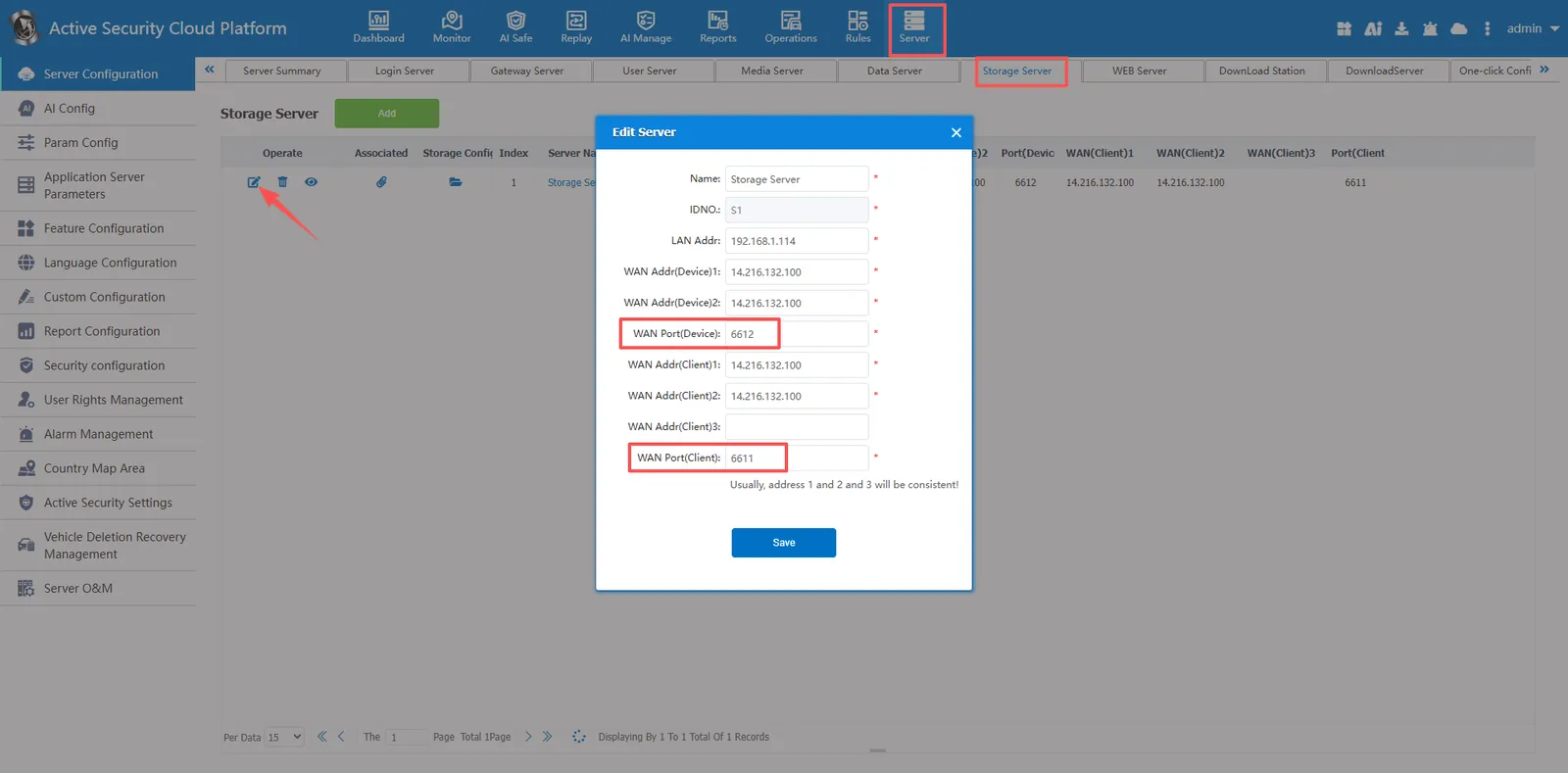
2.6 modify the "Storage Server" port
a) Port: 6611, 6612(TCP+UDP)
b) Background configuration interface
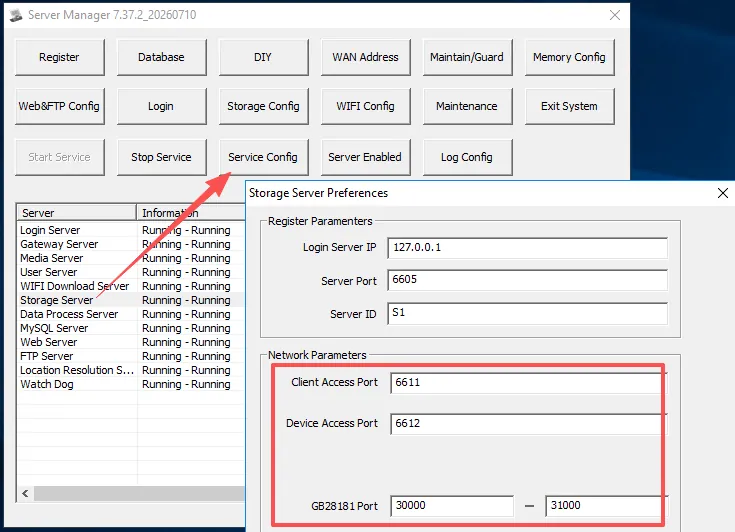
c) Front desk configuration interface
2.7 modify the "Data Process Server" port
a) Port: 6613
b) Background configuration interface
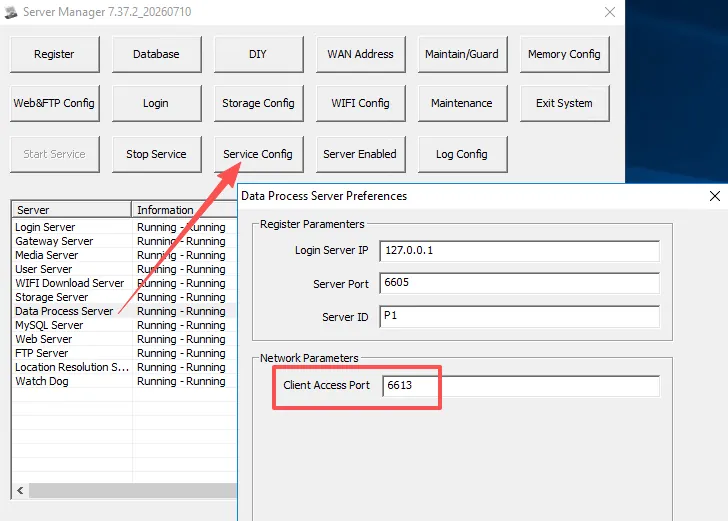
c) Front desk configuration interface
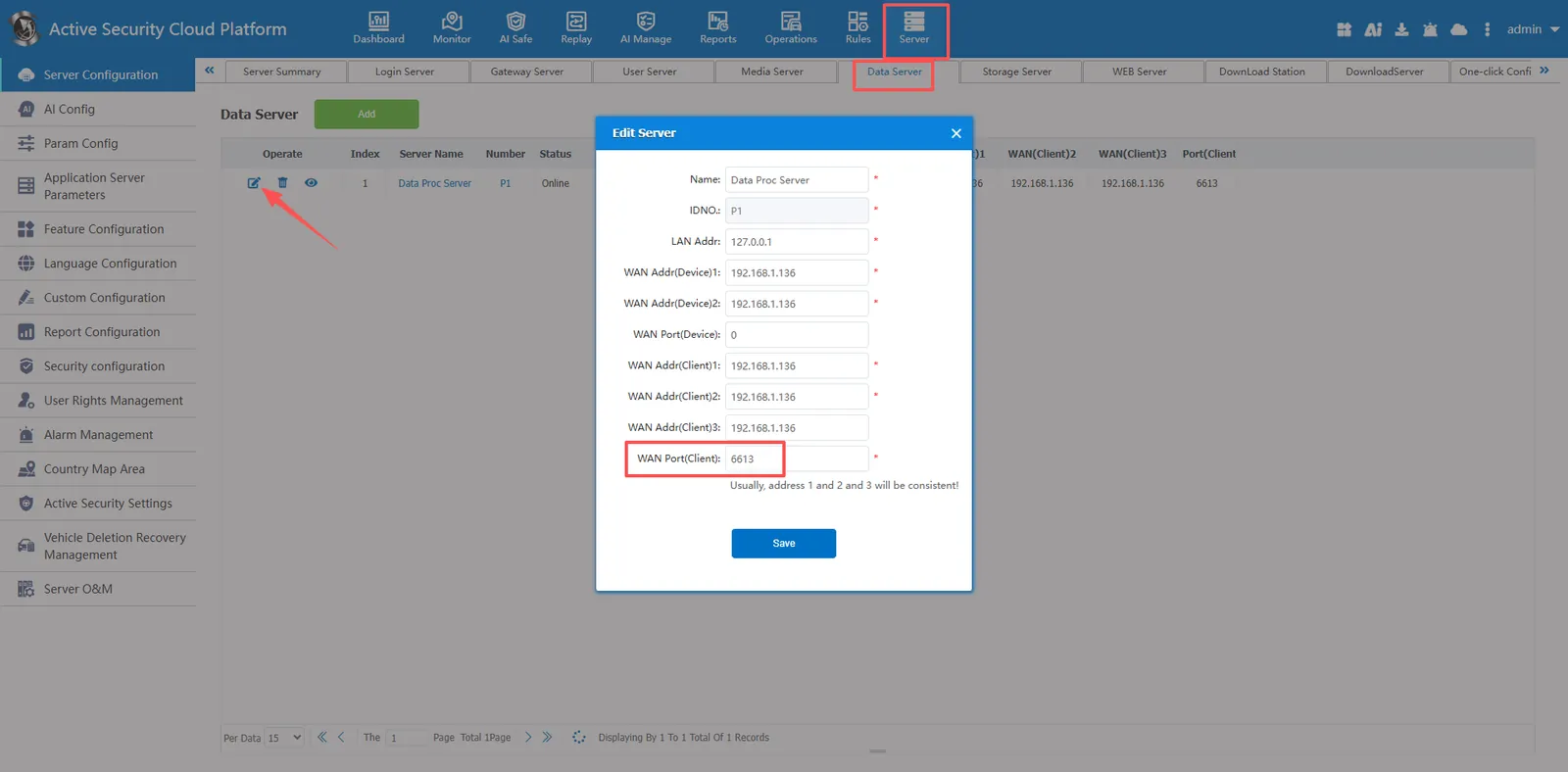
2.8 modify the MySQL database port
a) Port: 3311, refer to document: Custom Modify Mysql Database Port
b) Background configuration interface
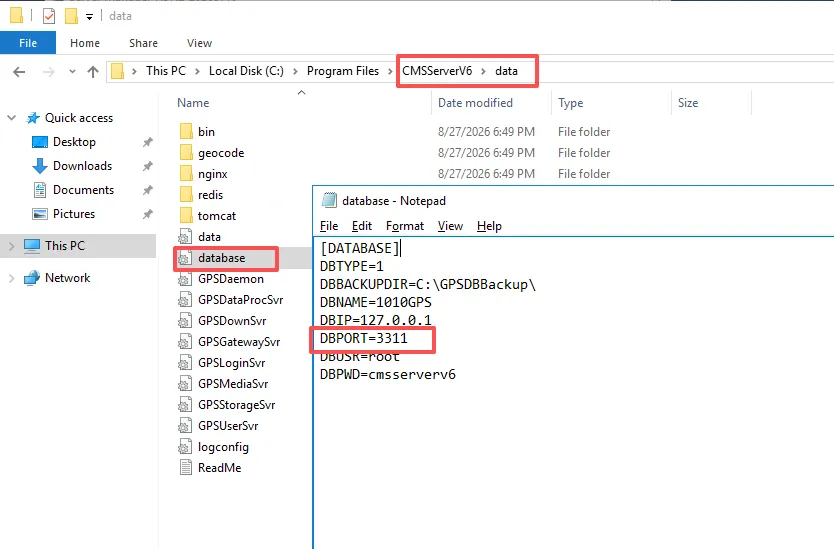
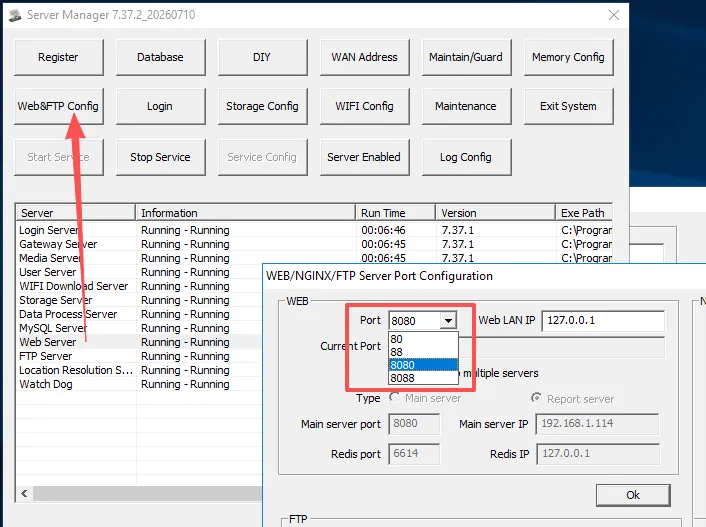
2.9 modify the "WEB Server" port
a) ports: Currently providing 4 default ports 80/8080/88/8088(TCP). refer to document: customize and modify WEB port
b) Background configuration interface
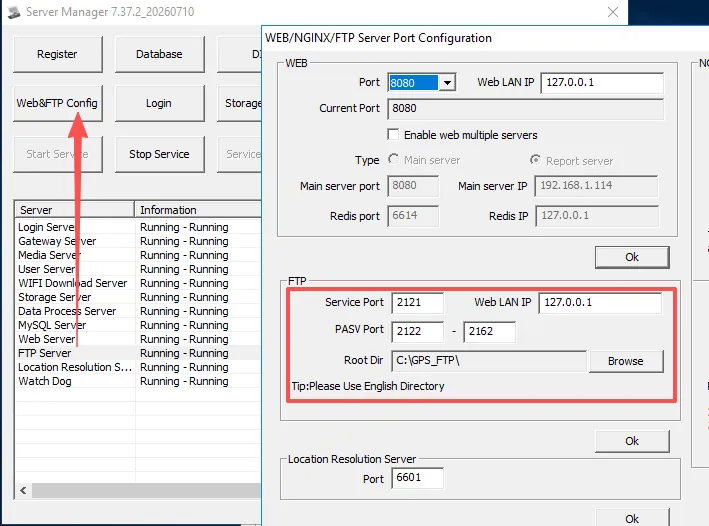
2.10 modify the "FTP Server" port
a) Port: 2121- 2162(TCP)
b) Background configuration interface
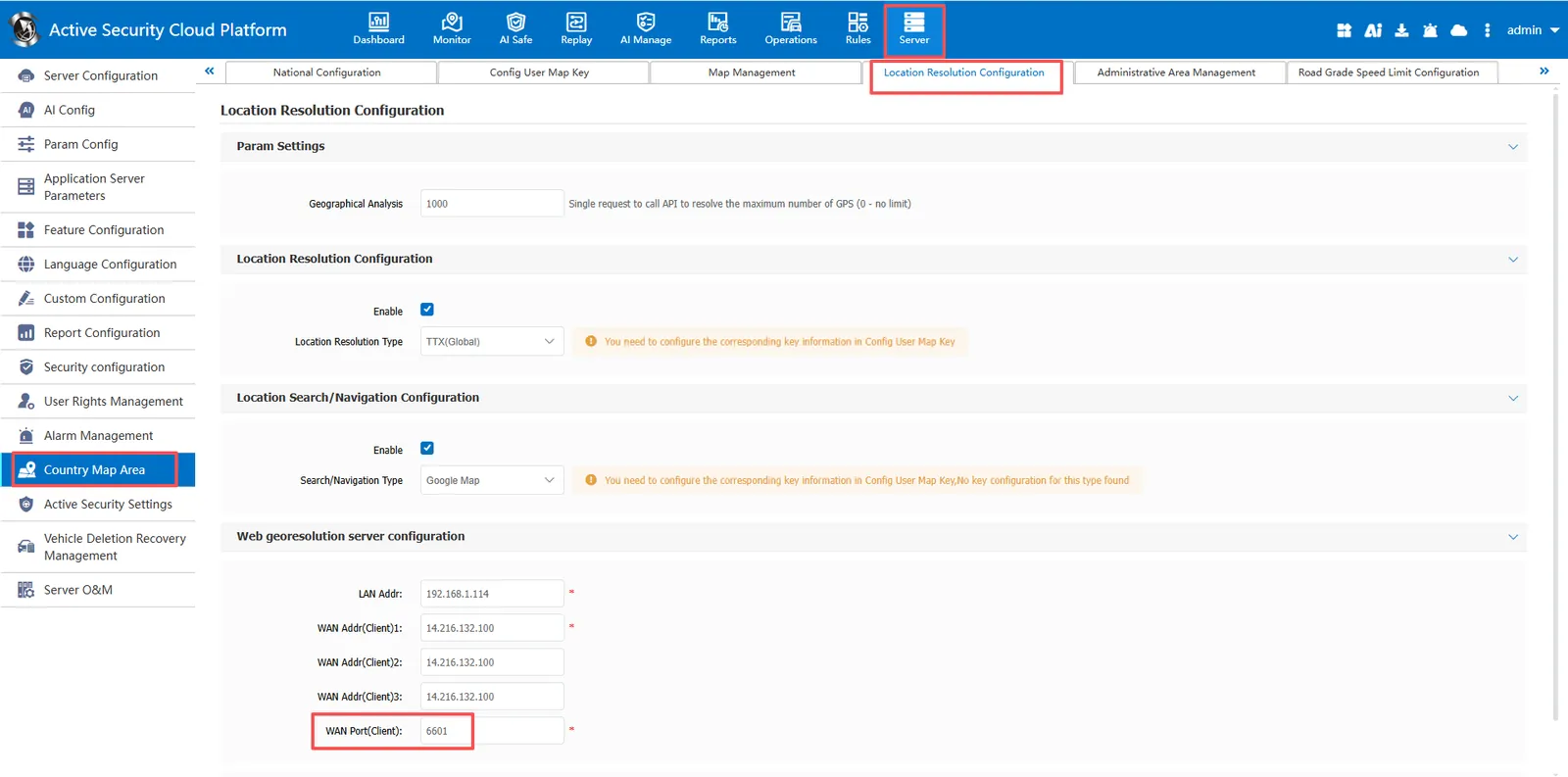
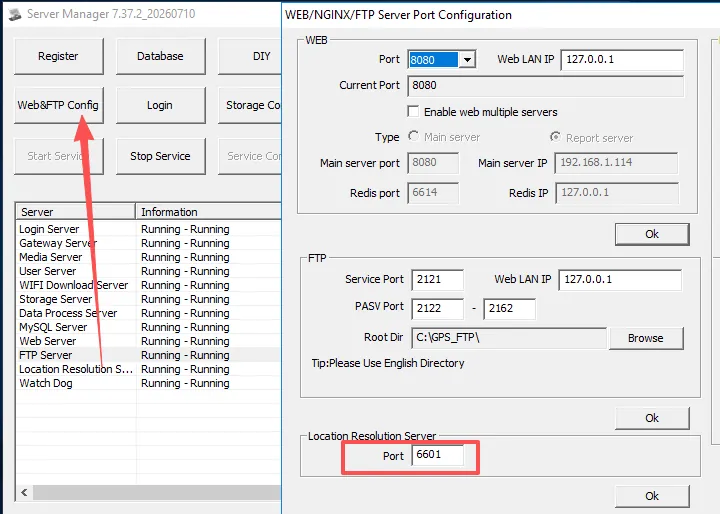
2.11 modify the "Location Resolution Server" port
a) Port: 6601(TCP)
b) Background configuration interface
c) Front desk configuration interface