1. Functional Description
Troubleshooting the server port is occupied
2. Operating Instructions
The streaming server port is occupied, as shown in the following figure:
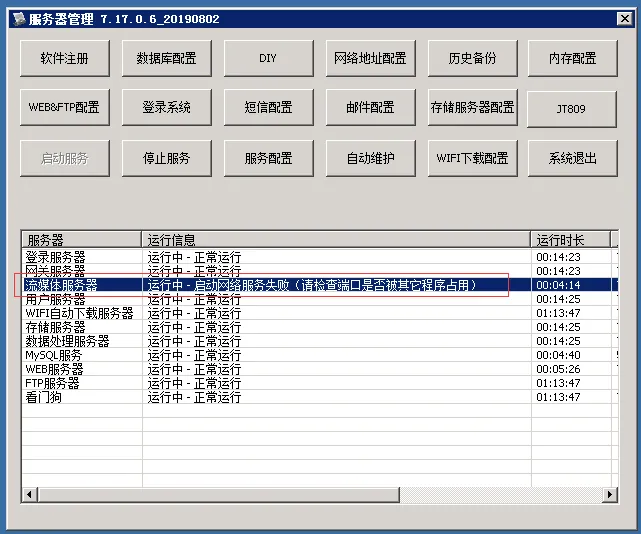
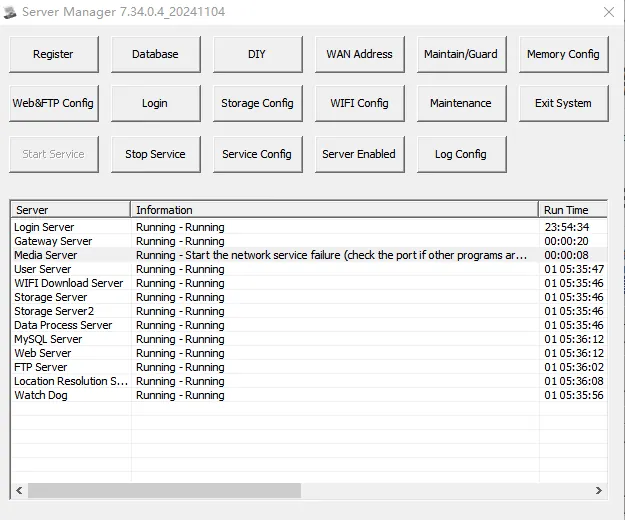
2.1 Check the server port and click Streaming Media Server- Service Configuration;
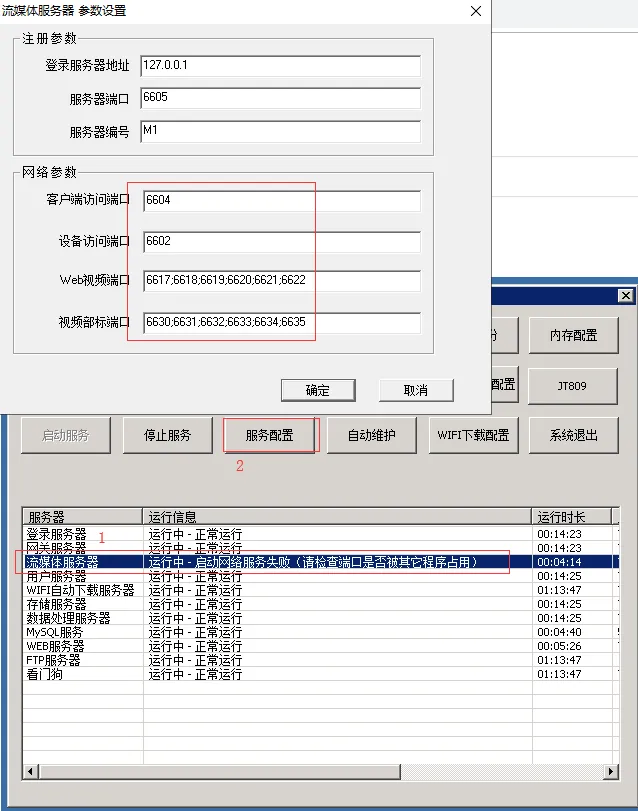
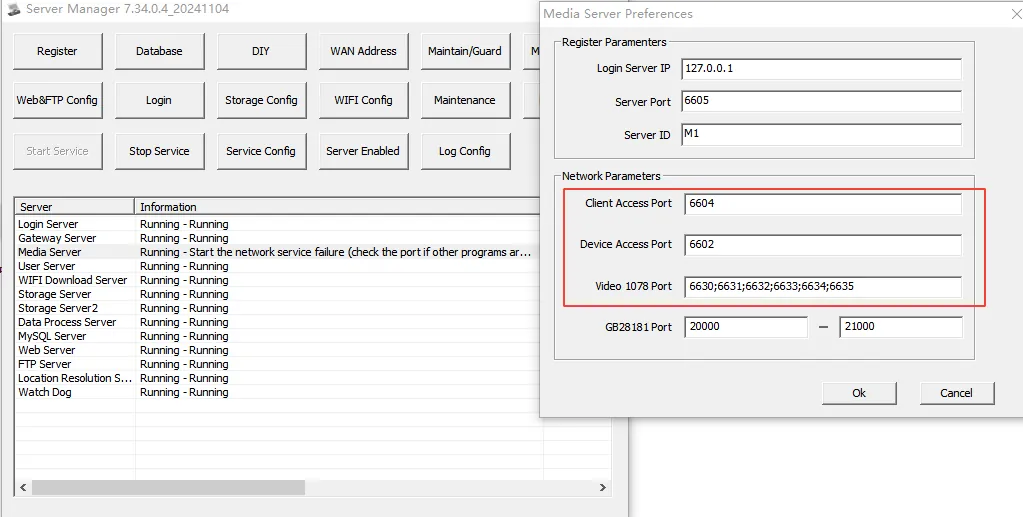
2.2 Query the PID number of the process occupied by the port, cmd run command netstat - ano | findstr the port number;
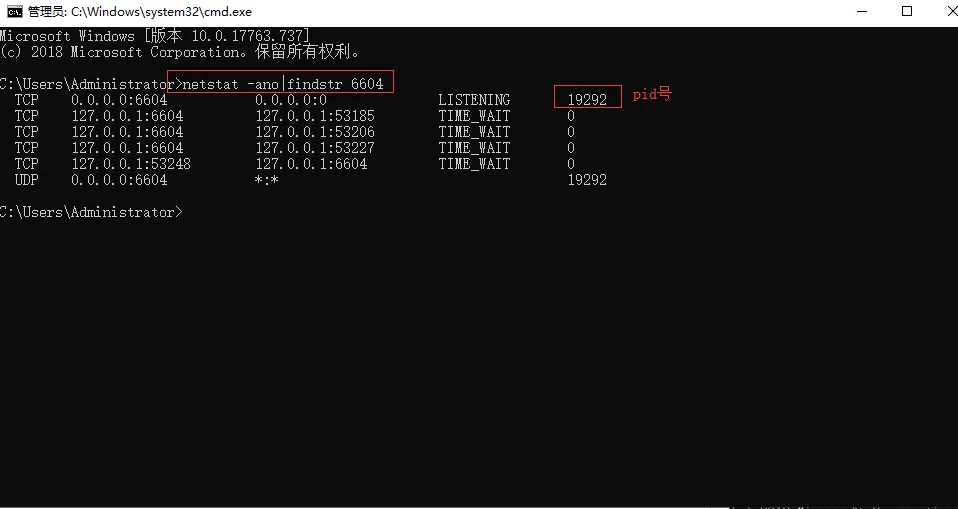
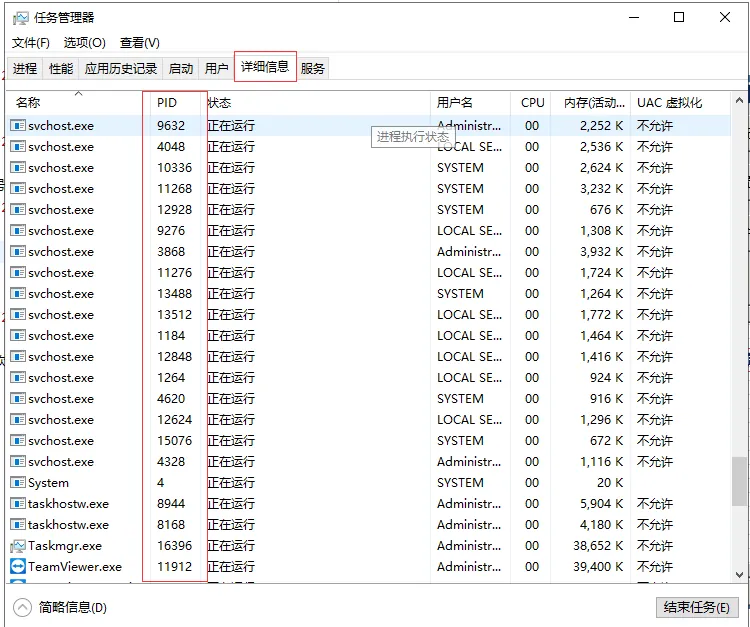
2.3 Query the PID number of the process, open the task manager- detailed information, find the occupied program according to the PID number of the occupied process, and determine whether to end the process;
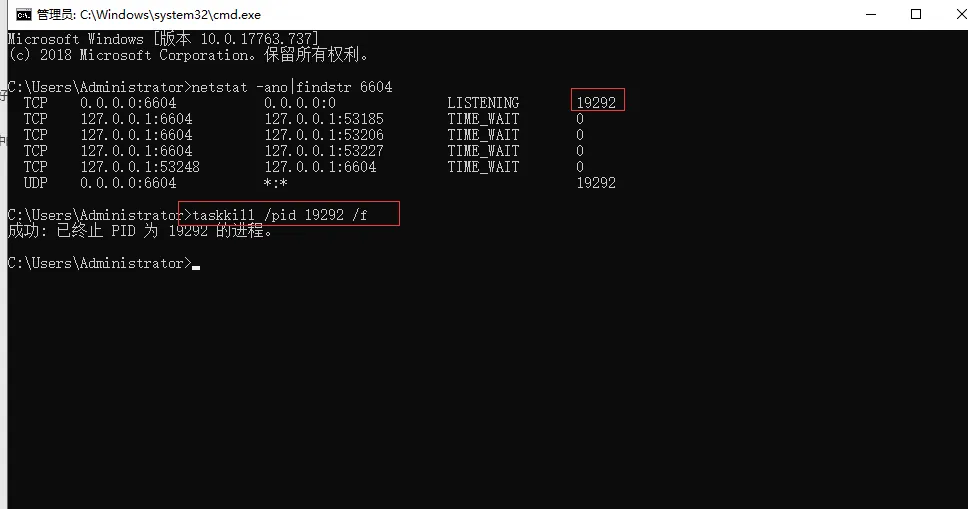
2.4 End the process, cmd run command taskkill /pid (pid number of the process)/f;
3. Notes
The above method kills the process and fails to prompt that the program is not running. Restart the entire server.
