1. Functional Description
Server Port Mapping Connectivity Detection
2. Operating Instructions
2.1 The port that the server needs to open by default
6601 tcp (Location Resolution Server Port)
6617 tcp
6602- 6612 tcp 、udp
6631- 6635 tcp
2121- 2162 tcp
WEB Port TCP:Choose one from 80、88、8080、8088
Step 1:
After installing the server, run the server software to ensure that each port is monitored; (It needs to be done on the server)
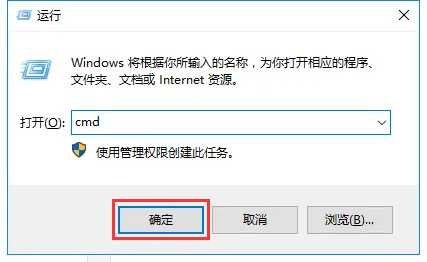
Enter cmd in the running window of the server and click OK.
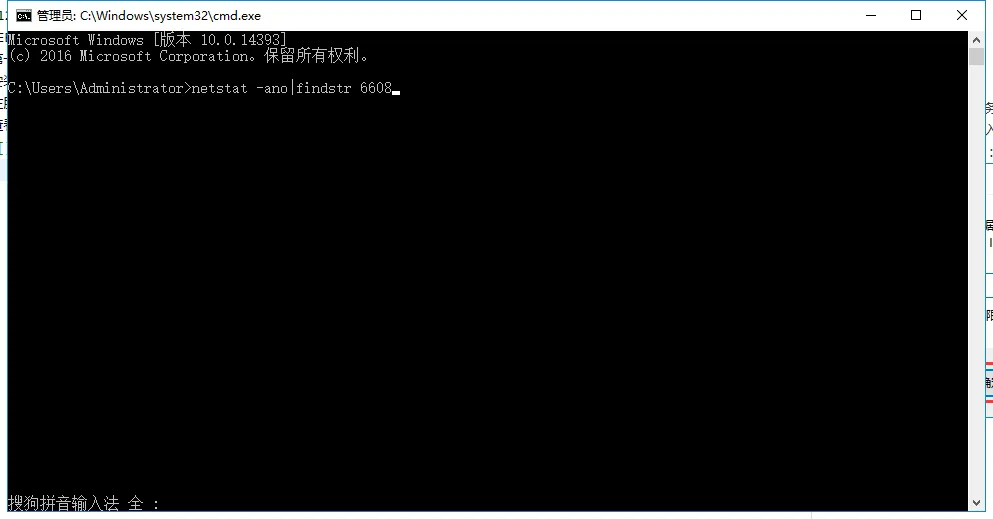
Method to check whether the port is monitored: netstat - ano | findstr port
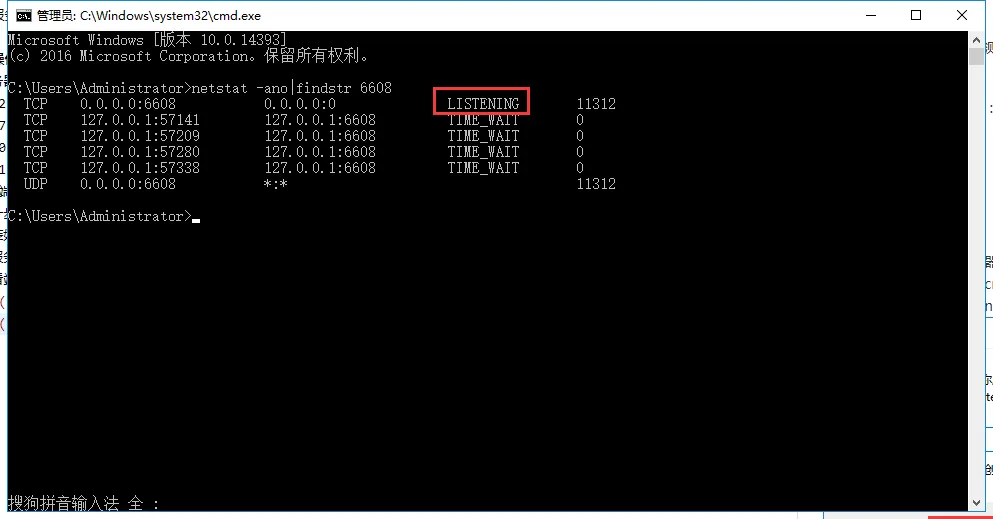
Click the Enter key. If a listening appears as shown in the figure below, it indicates that this port has monitoring.
Step 2:
Port mapping detection (needs to be performed in the external network)
Detection of TCP and UDP ports
1.tcp port mapping detection
Enter cmd in the running window of the server and click OK.
Method: telnet ip port
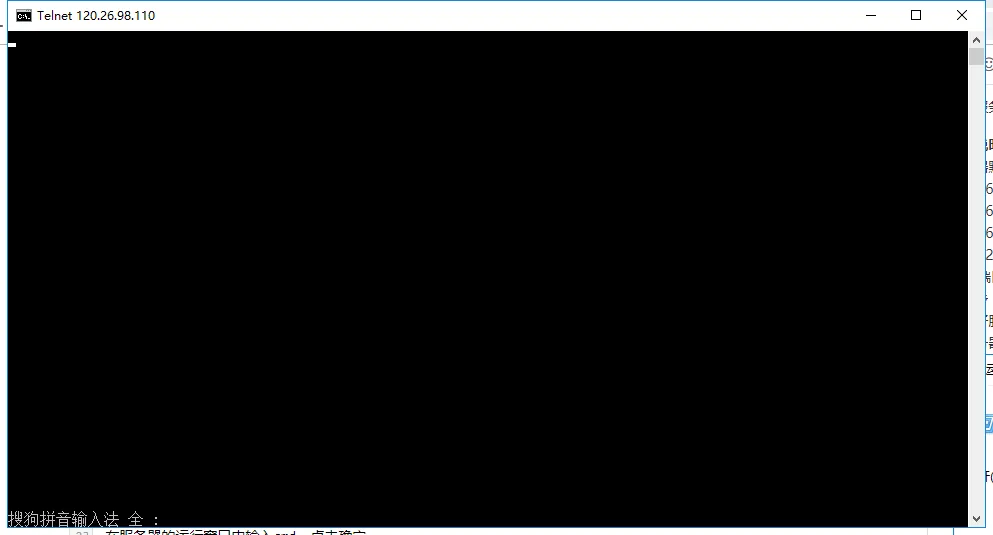
Example of conduction:
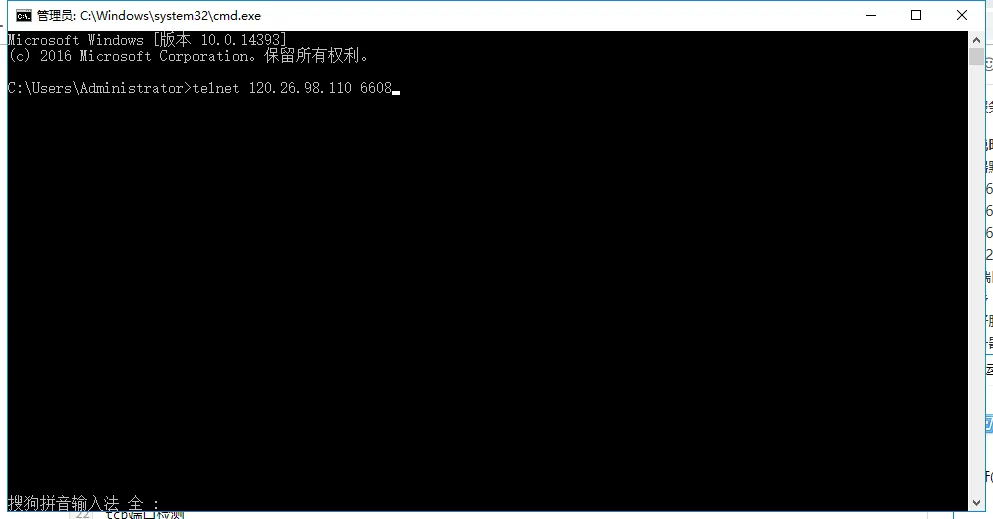
Click the Enter key, as shown in the following figure, which indicates that the tcp mapping of this port is on.
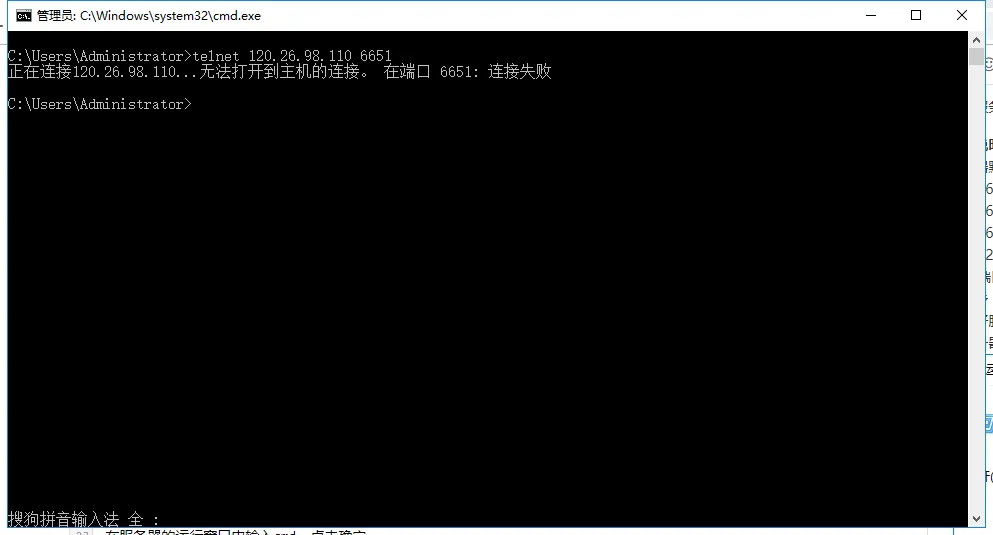
Example of non- conduction:
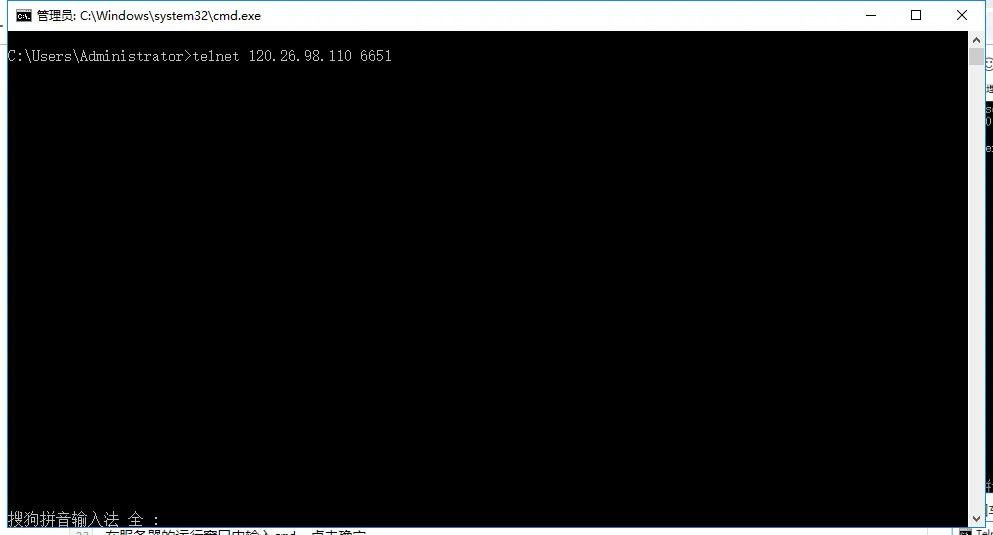
Click the enter key, as shown in the figure below, which indicates that the tcp mapping of this port is not conductive.
Sometimes the following prompt will appear after entering telnet- related instructions:
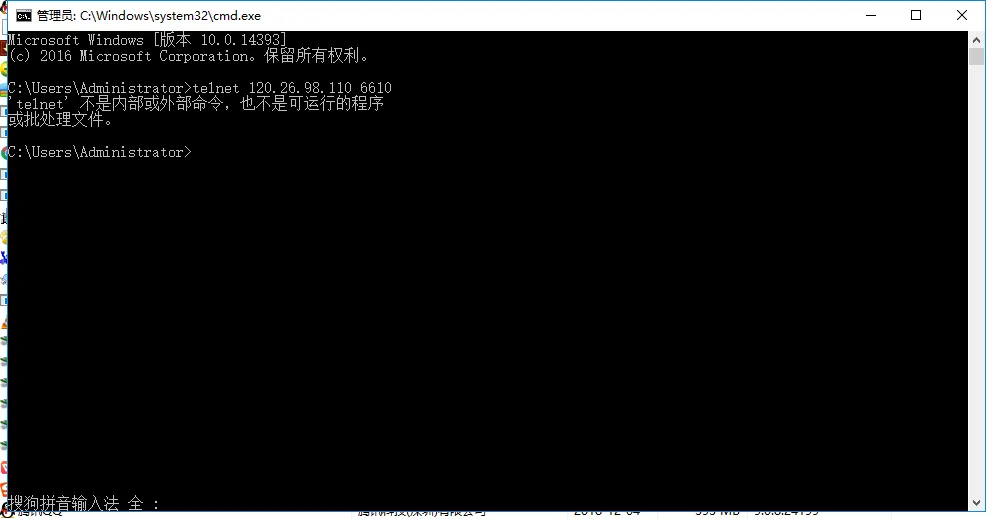
At this time, you need to install or enable the telnet client.
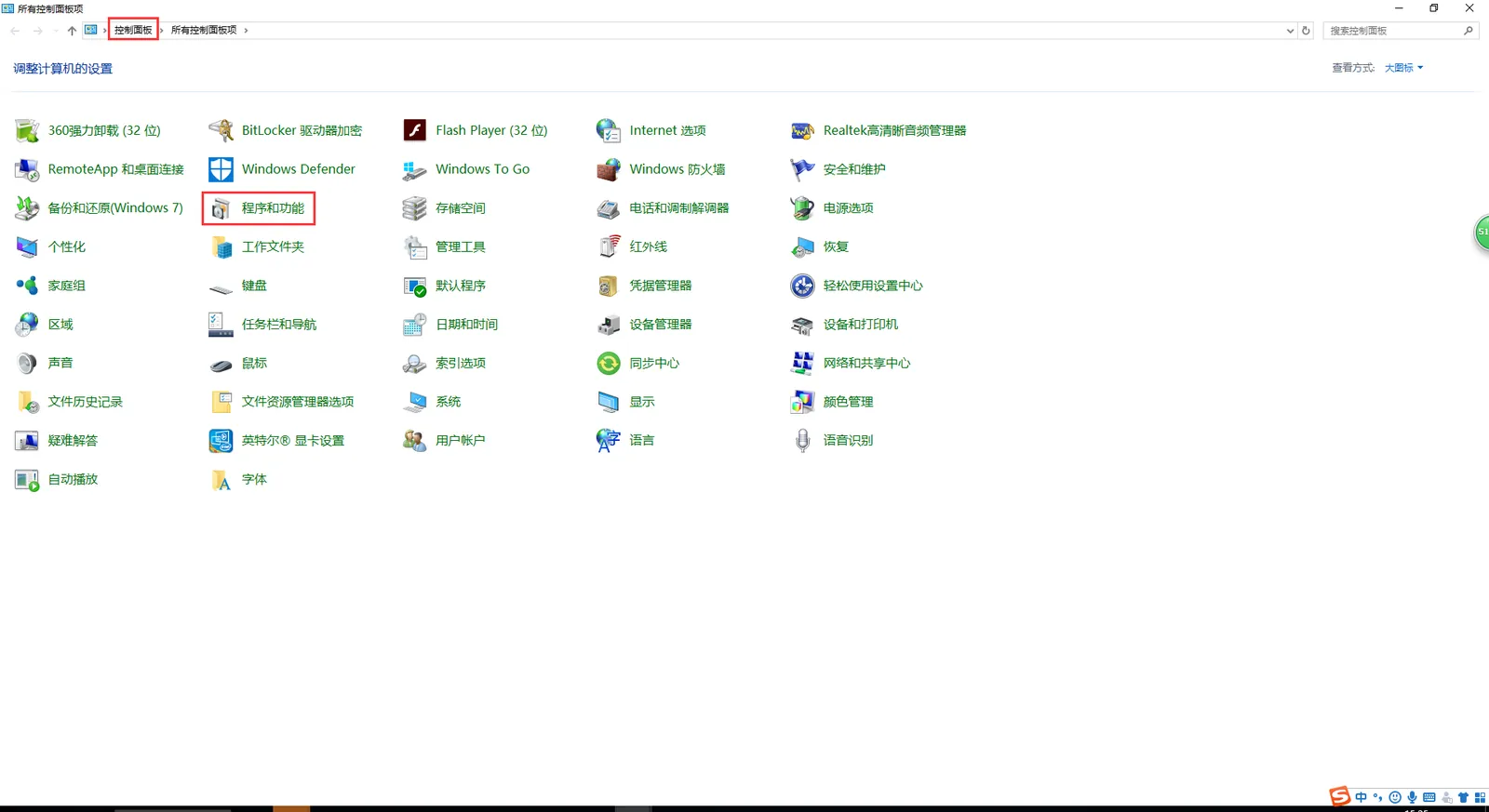
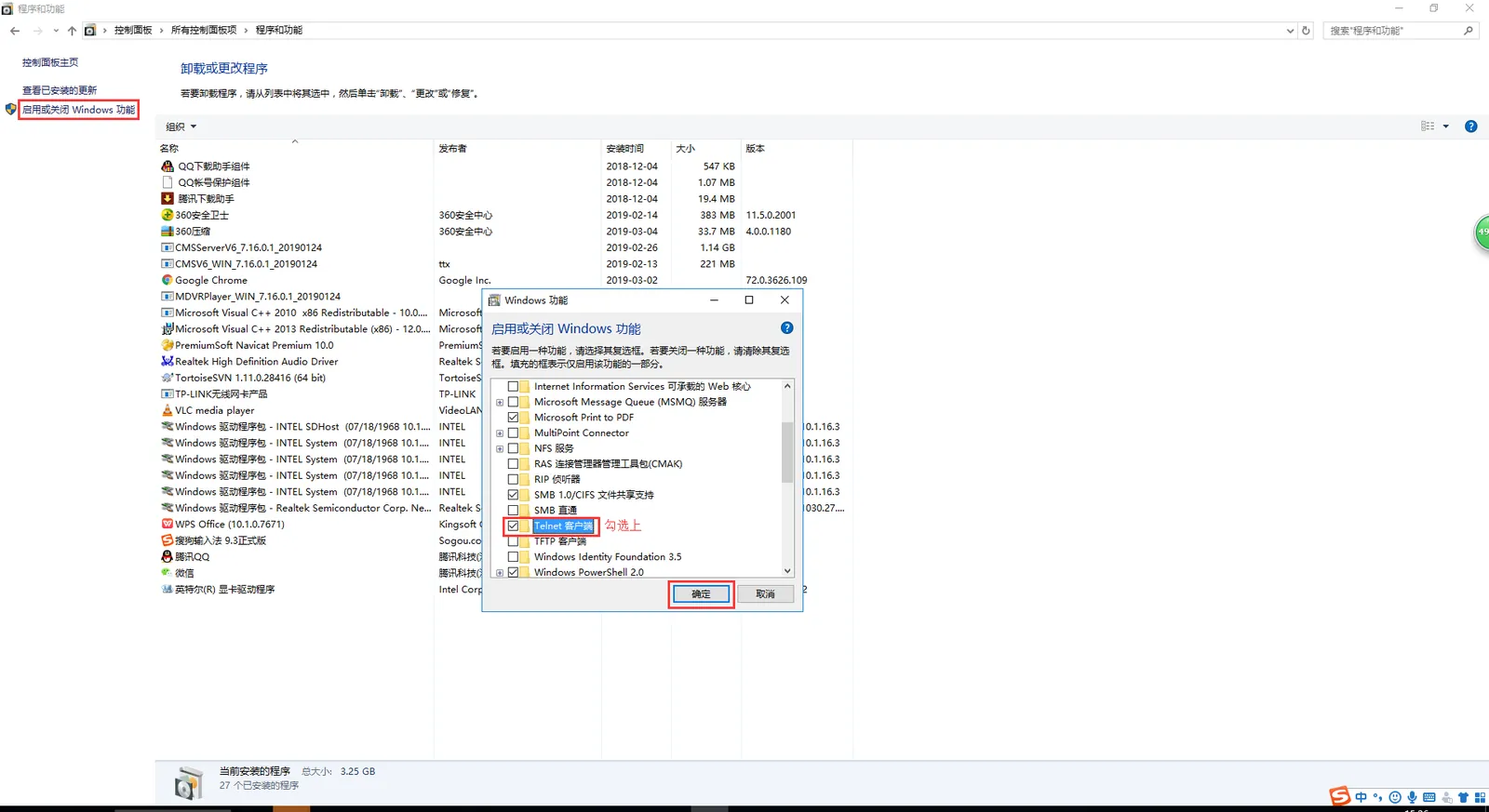
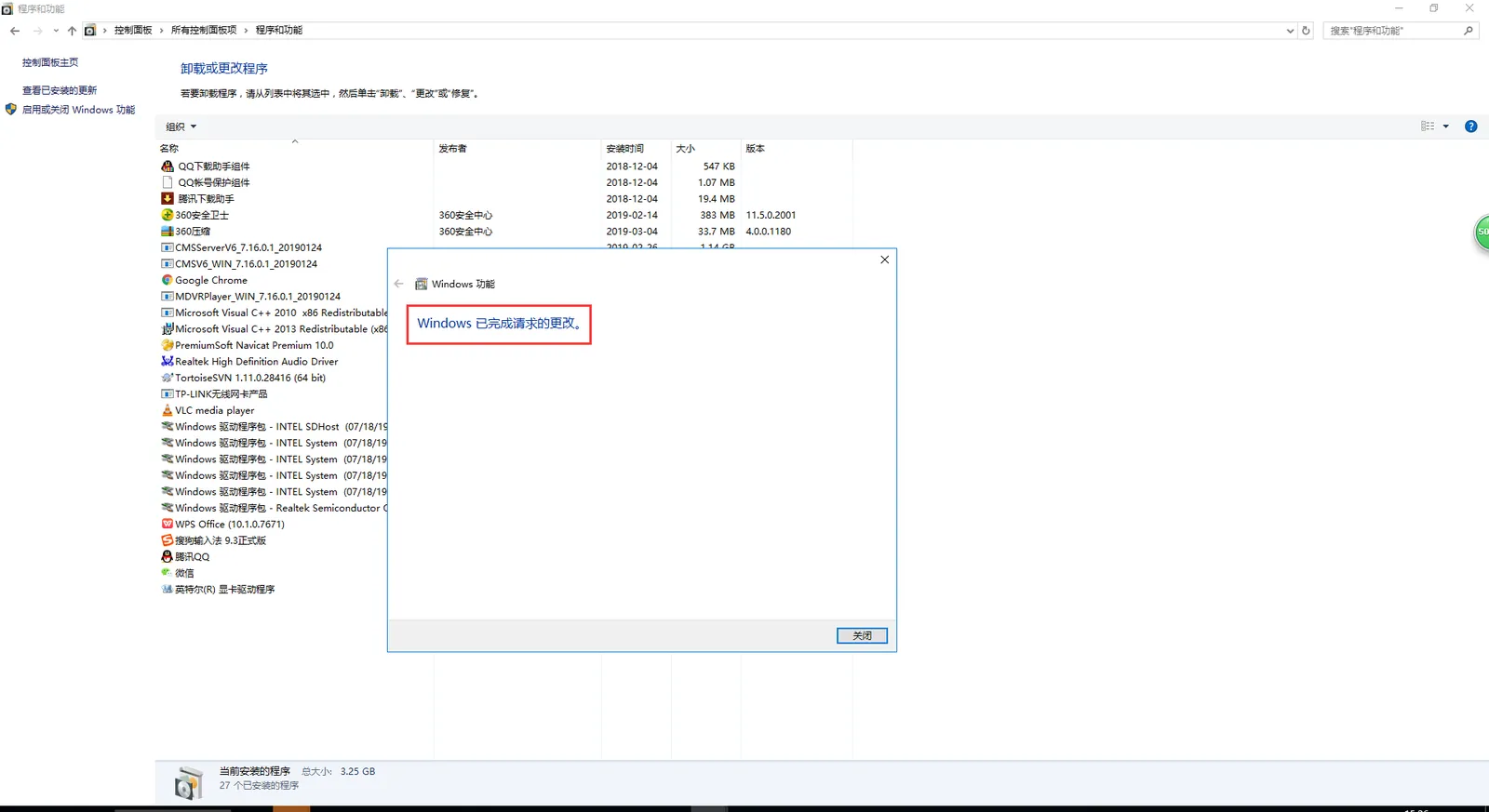
2.2 udp port mapping detection
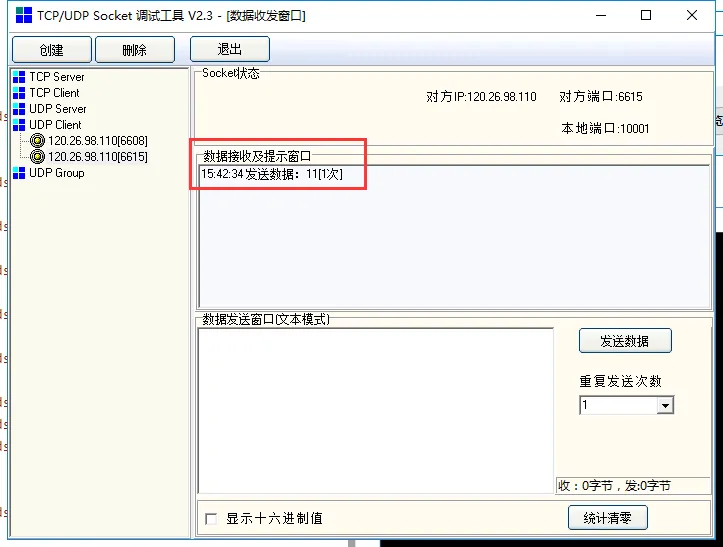
udp port mapping detection requires SocketTool tools

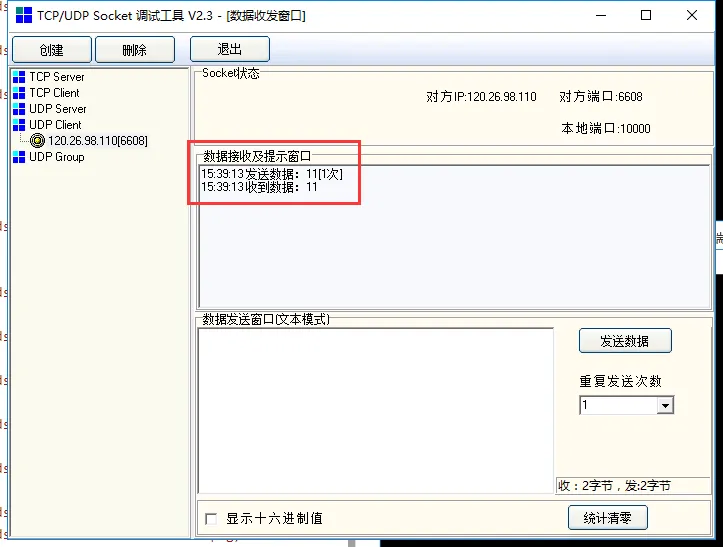
Example of conduction:
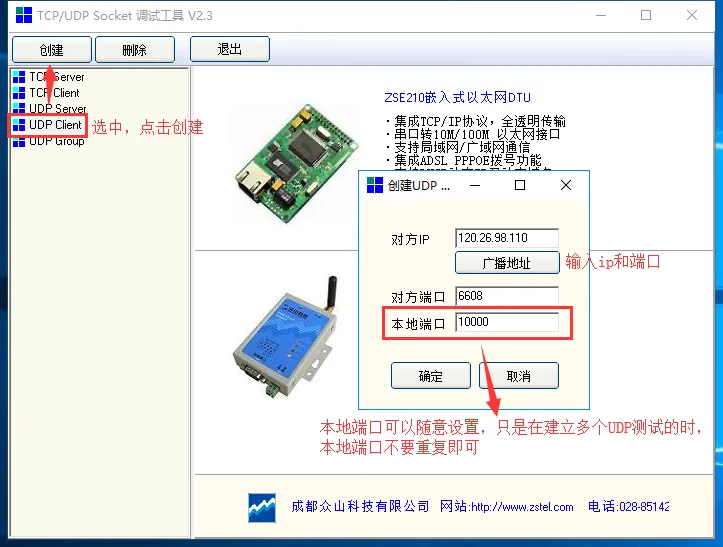
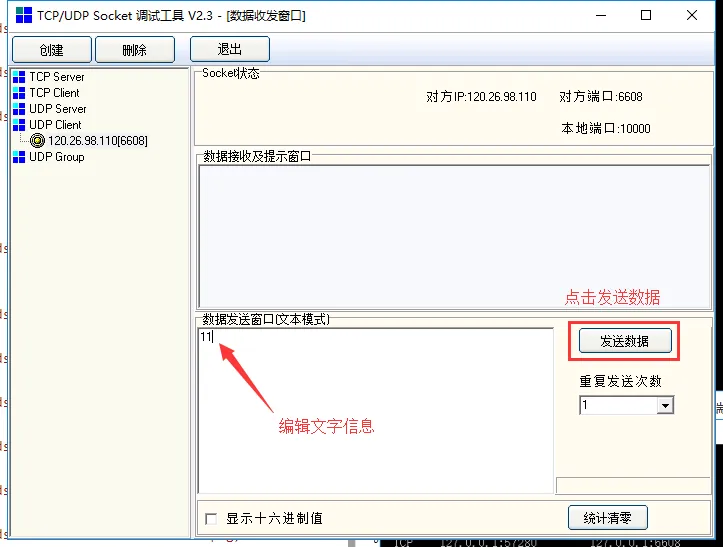
the result shown in the following figure (with sending and receiving) indicates that the udp mapping of this port is on.
Example of non- conduction:
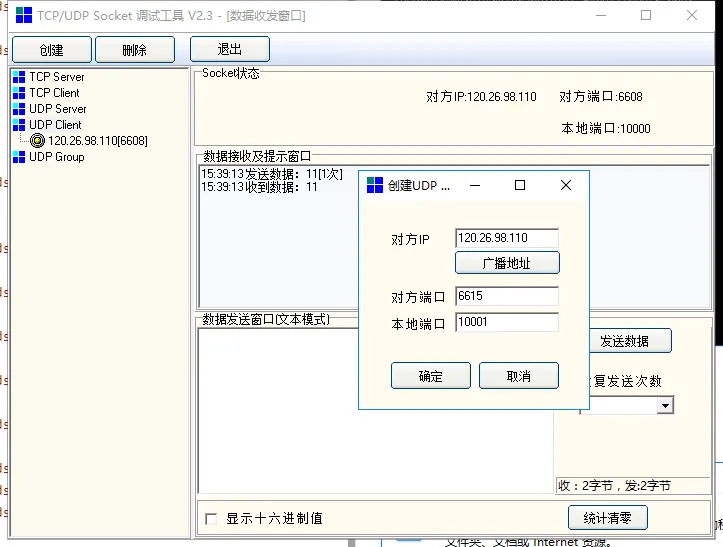
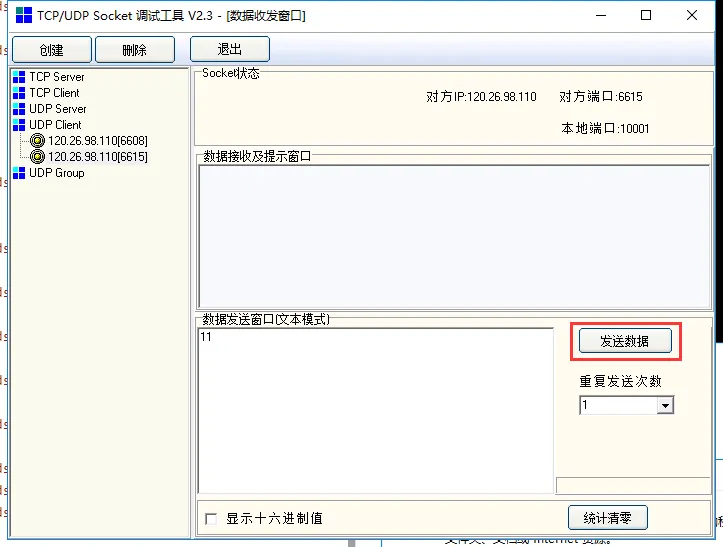
The result shown in the figure below (only send) indicates that the udp mapping of this port is not conductive.