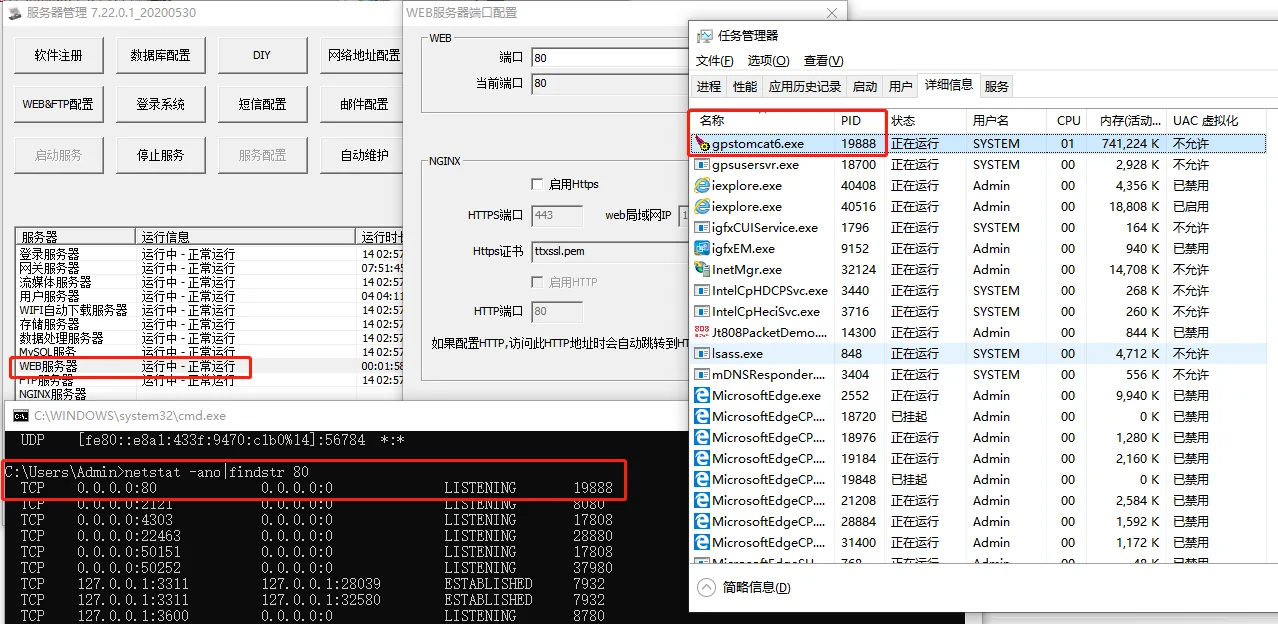
1. problem description
- The web server uses port 80, the running web server has been "initializing" and "connection failed". This is common when you deploy software on a completely new physical server.
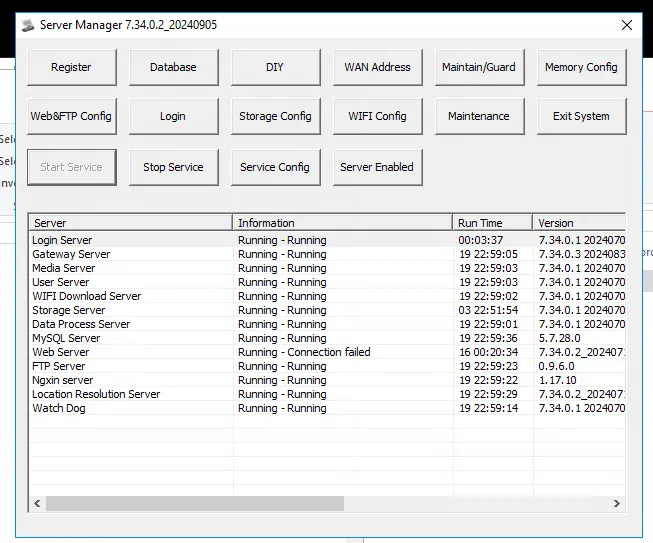
2. operating instructions
-
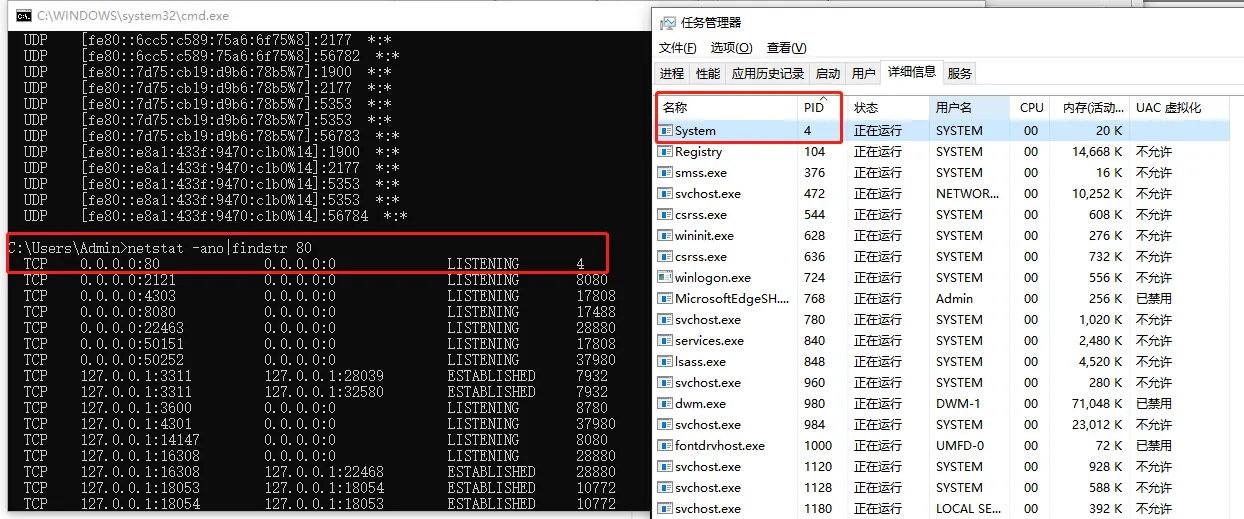
1 . Monitor the occupancy of port 80, which is occupied by the System service with PID 4.
-
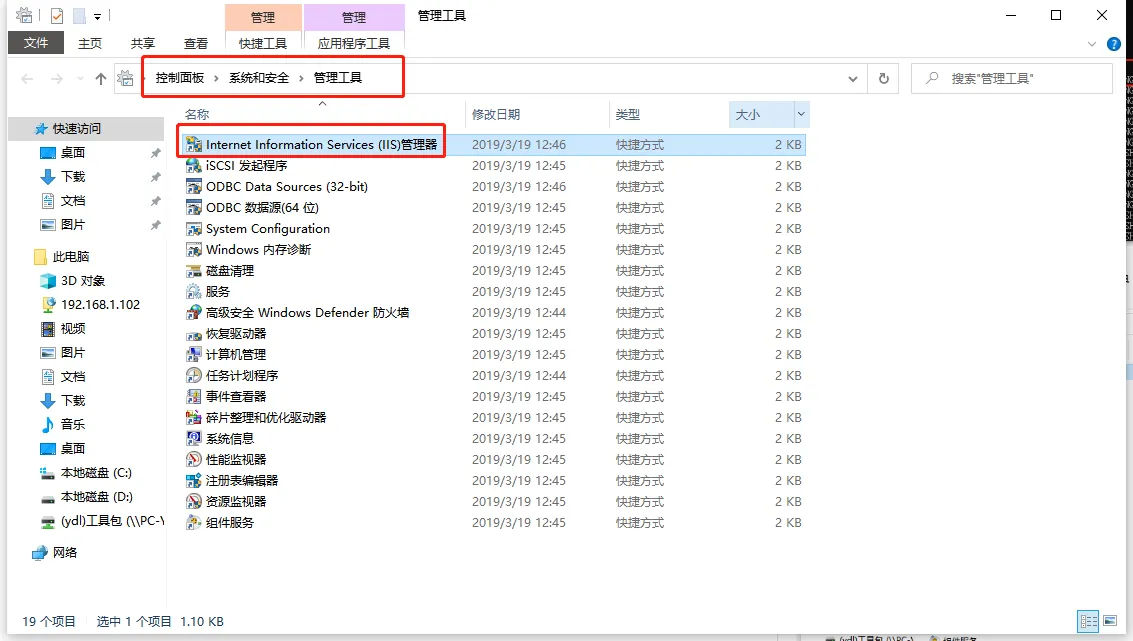
2 . Open IIS Manager, Control Panel- System Security- Management Tools
-
3 . stop the default web service on IIS.
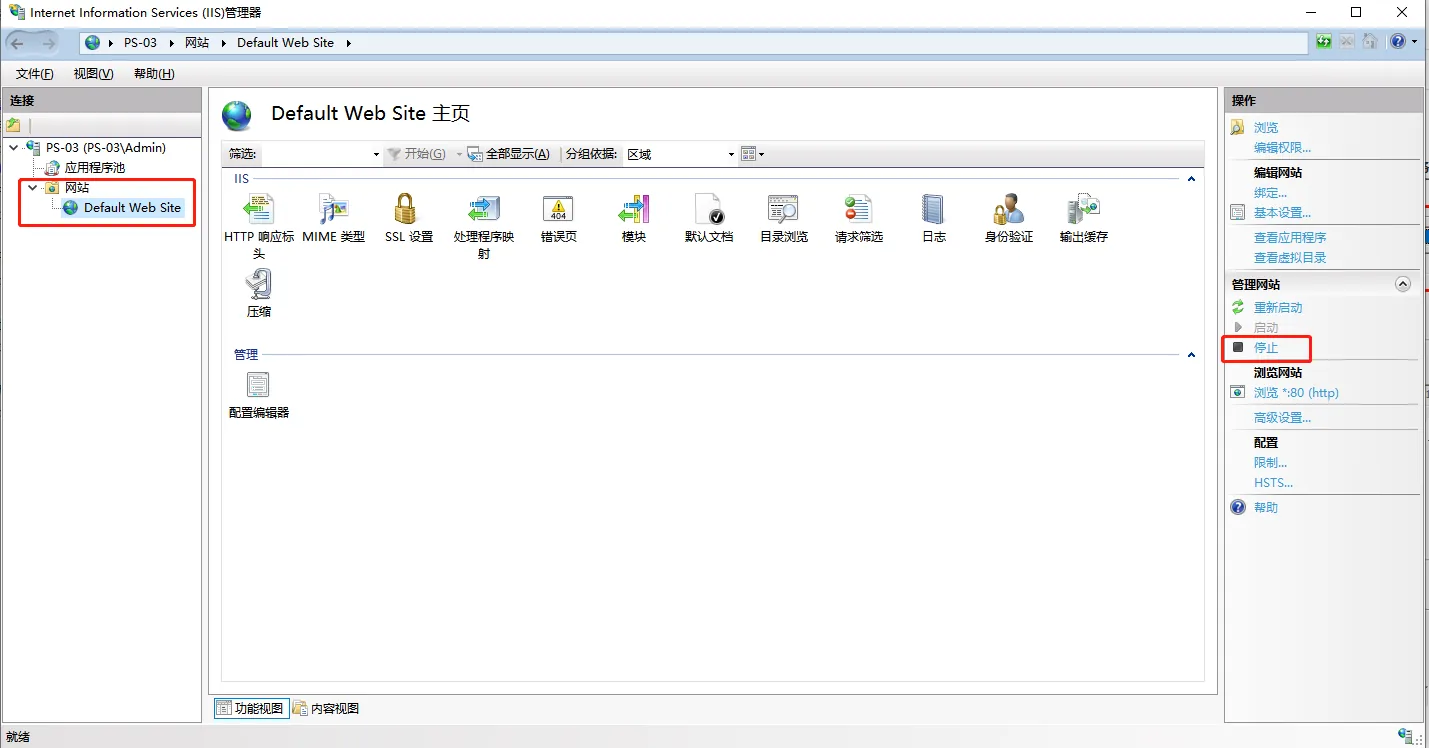
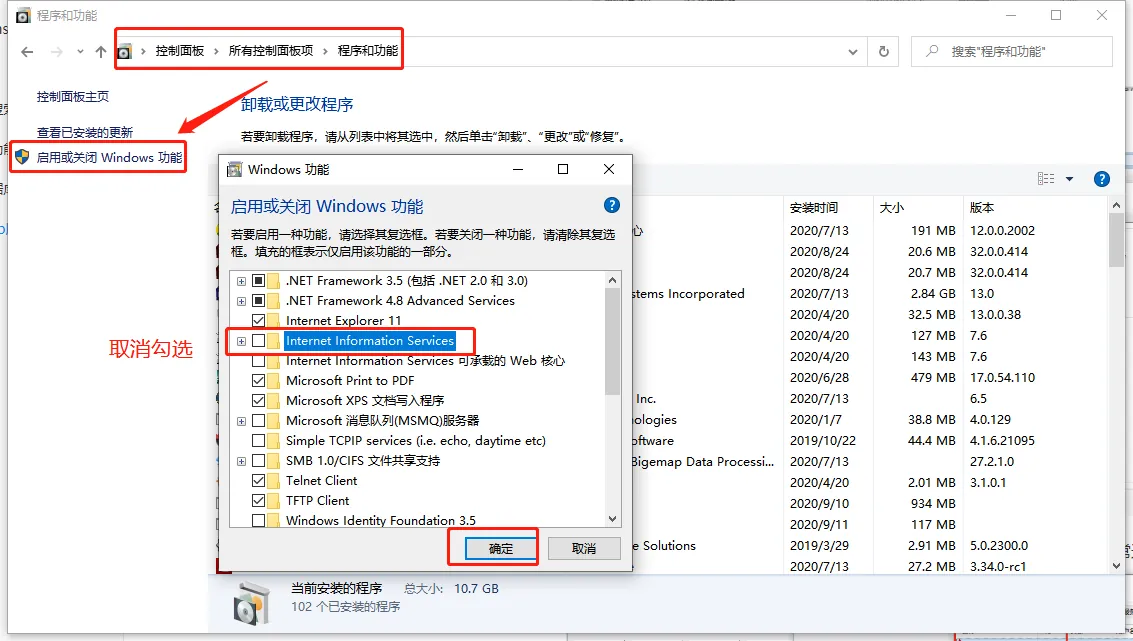
Or close the system IIS Manager.
-
4 . Re- monitor port 80. At this time, the port is occupied by gpstomcat6.exe, and the web server can run normally.