1. Function description
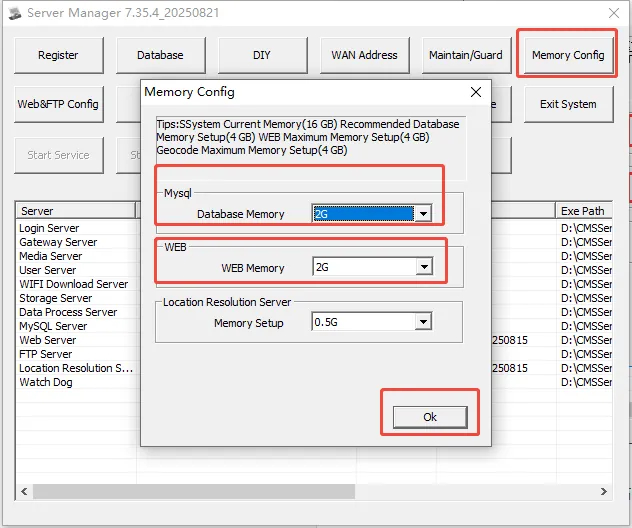
Server software memory configuration defaults to database 1G and web2G. Below this configuration, normal operation may not be possible, but the number of devices increases and more memory is required.
2. operating instructions
** Open [Server Management Console]> [Memory Configuration]. The system will recommend the memory configuration size of the database and web server according to the current server memory situation,
According to the recommend configuration to modify the memory capacity of both, click "OK", the database and web server will restart to take effect. **
Note:
A. the memory configuration of the database and web server is not higher and higher, and it is not recommended to exceed 16G;
B. position resolution can keep the configuration of 1G or 2G;
