1. Get the installation package
Installation package download address:
https://help.cmsv8.com/downloadCenter/index.html?isStudy=1&pageNow=1&pageSize=12
Note 1: CMSserverV6 is the vehicle platform
Note 2: The software installation packages for the two platforms are different, but the deployment method is the same.
2. Run the installation package
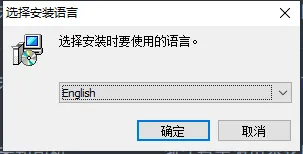
2.1 select the language type and click OK"
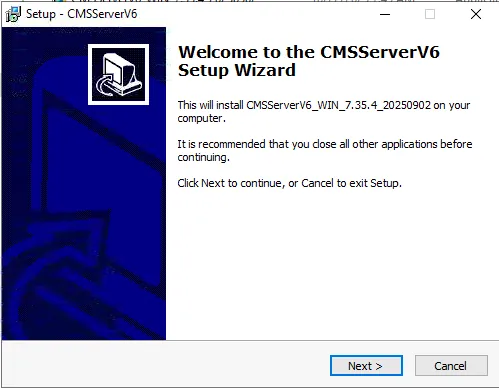
2.2 jump to the installation wizard page and click "Next"
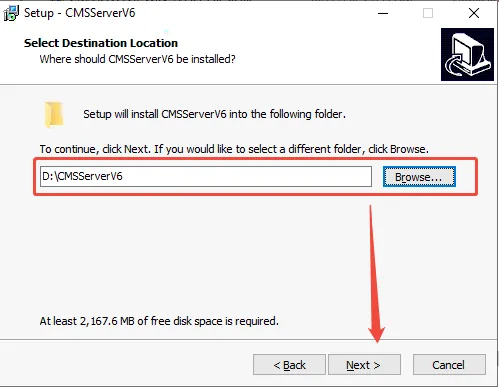
2.3 select the installation path (cannot be installed to the Chinese path, an error will be reported after running), and click "Next"
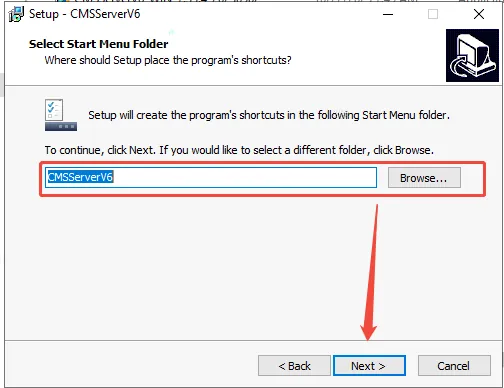
2.4 to use the default or set file name, click Next"
2.5 choose whether to create a desktop shortcut and click Next"
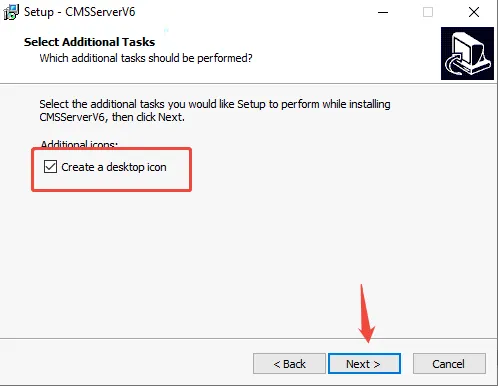
2.6 click "Install"
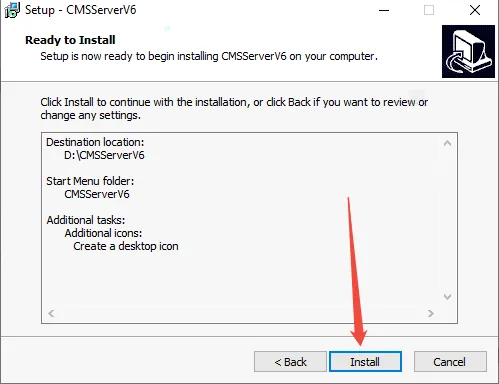
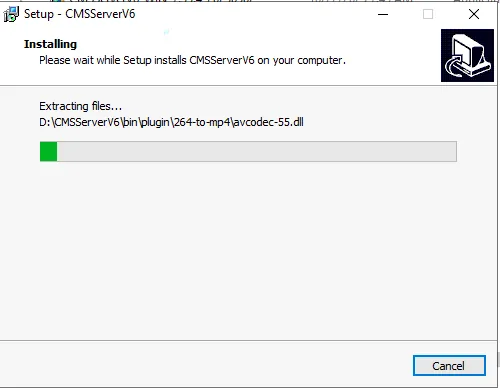
2.7 waiting for installation progress bar
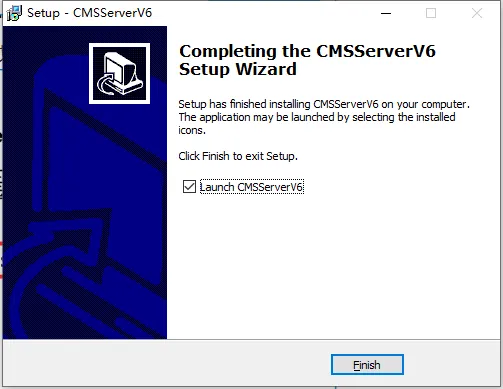
2.8 Check the running CMSServerV6 and click "Finish"
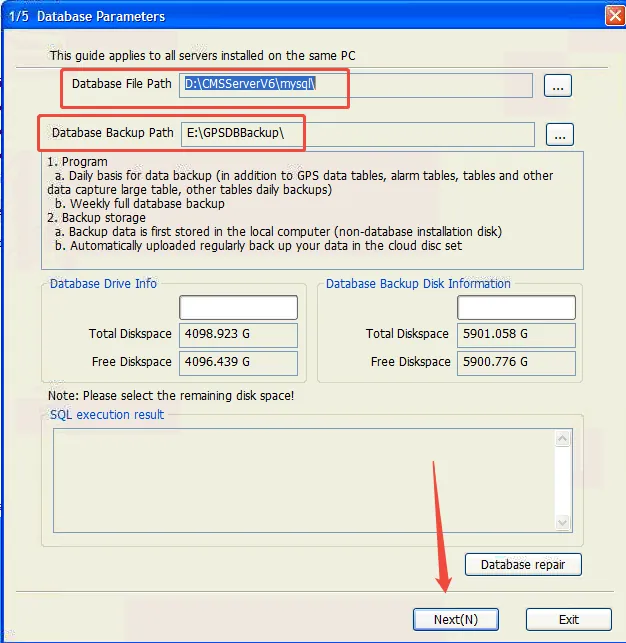
2.9 to create a database, select the database and backup path, and click "Next". It may take a little longer and wait patiently for the database to be created.
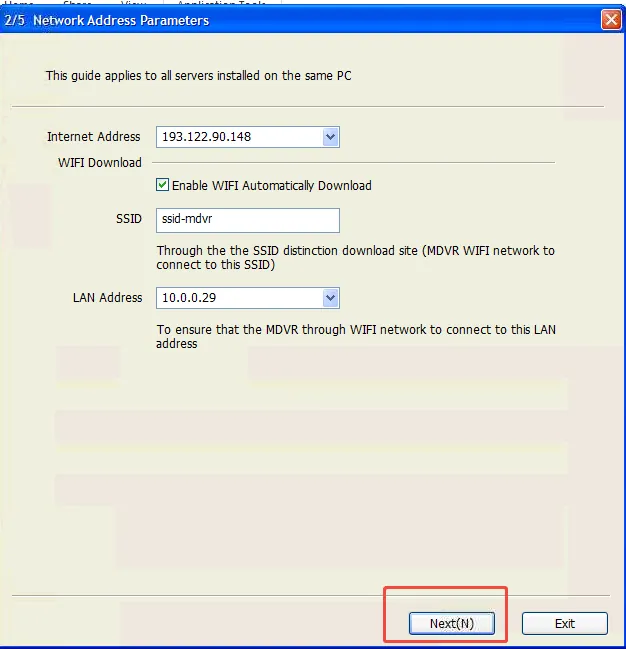
2.10 network address configuration, the software automatically identifies the server IP address, click "Next"
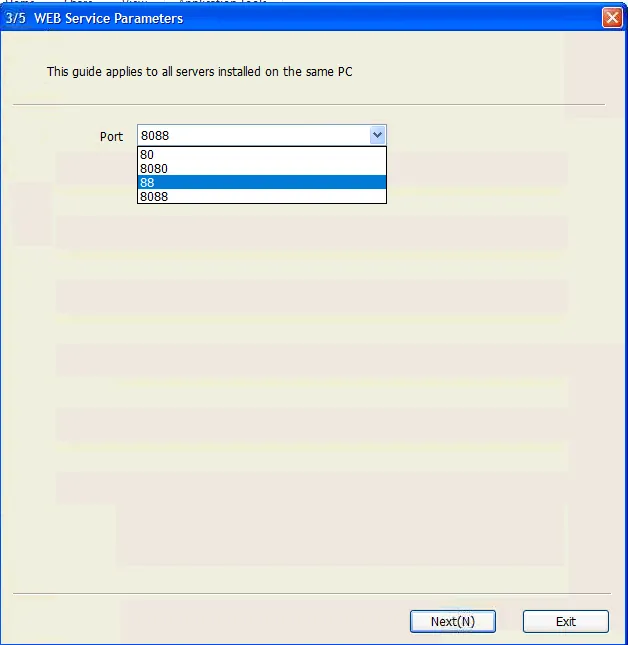
2.11 the WEB server parameter configuration, select the web port, and click "Next"
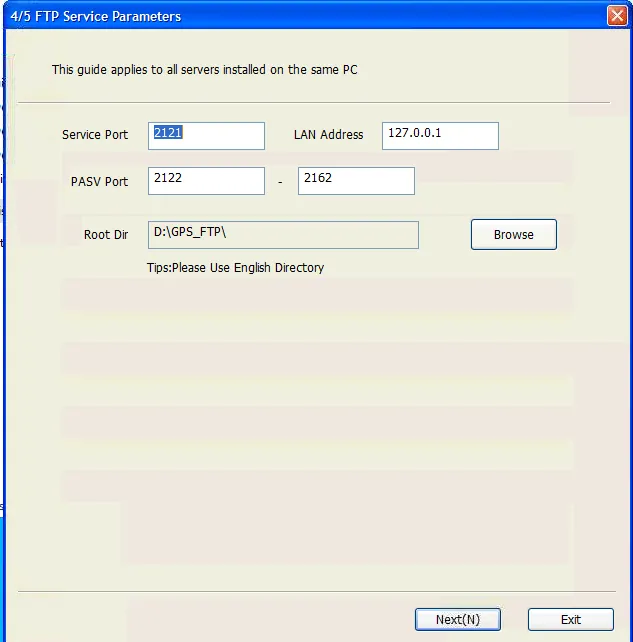
2.12 FTP server parameter configuration, select FTP save path and set FTP port, and click "Next"
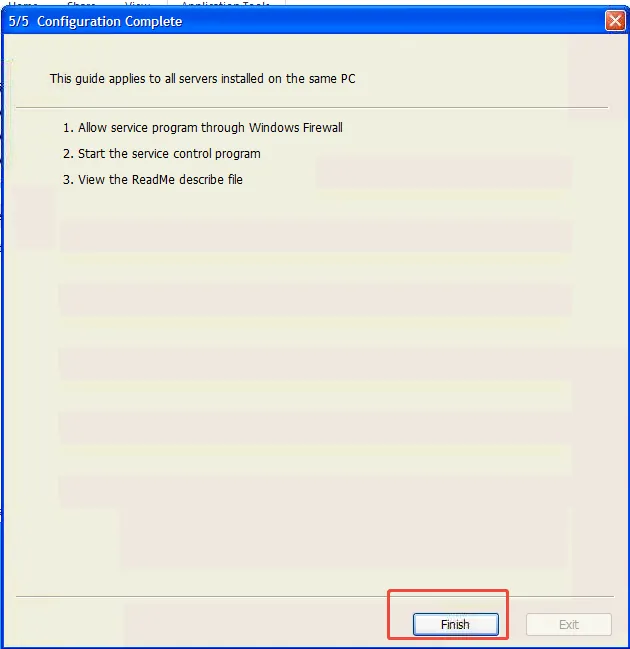
2.13 the last step, complete
3. Observe whether the server software is running normally
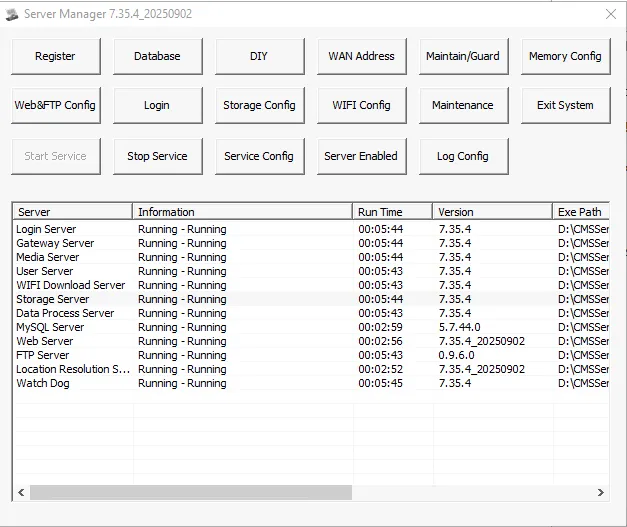
Log in to the platform to check the working status of various functions and observe whether there is any abnormality. If everything is normal, it indicates that the server software is installed successfully.
4. Notes
A. it is not recommended to install the server software on disk c;
B. the process of creating a database, due to different server performance, waiting time is also different, need to wait patiently;
C. it is not recommended to select 80 and 8080 for the WEB port of the physical server, which usually need to be opened by the network operator;
