1. Functional Description
The web server cannot start normally. Problems that can be encountered
2. Operating Instructions
2.1 is not installed in the English directory path
If it is installed in a Chinese directory, tomcat cannot start normally. Solution, installed in the English directory.
2.2 Other versions of the jdk are also installed on the system
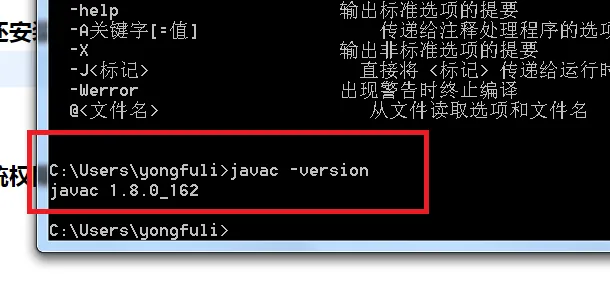
Run the windows command line to execute the javac - version function
If there is a print as shown in the above figure, jdk is installed. If it is not the 1.8 version, tomcat may not start normally.
Solution:
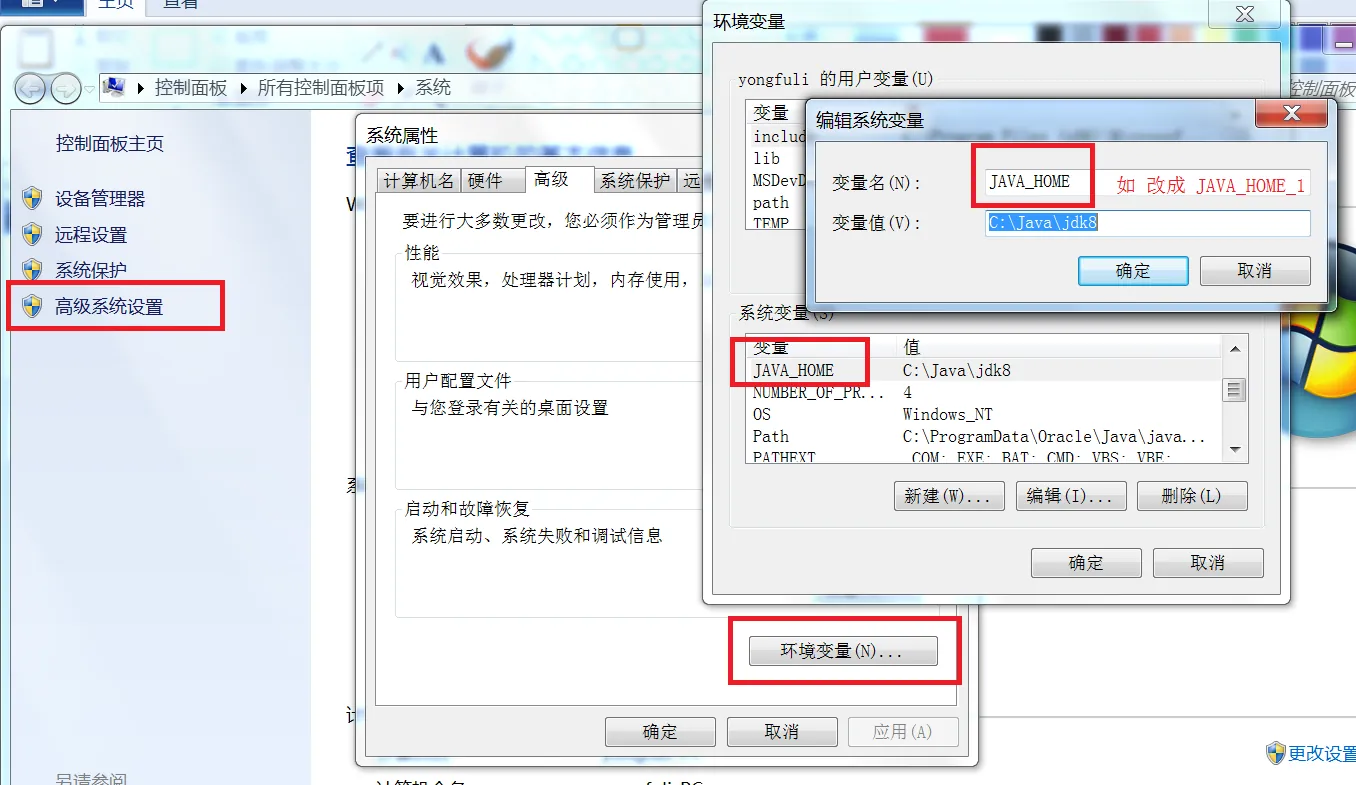
Delete the definition of the environment variable about the JAVA_HOME, and then restart the operating system
2.3 operating system permission issue
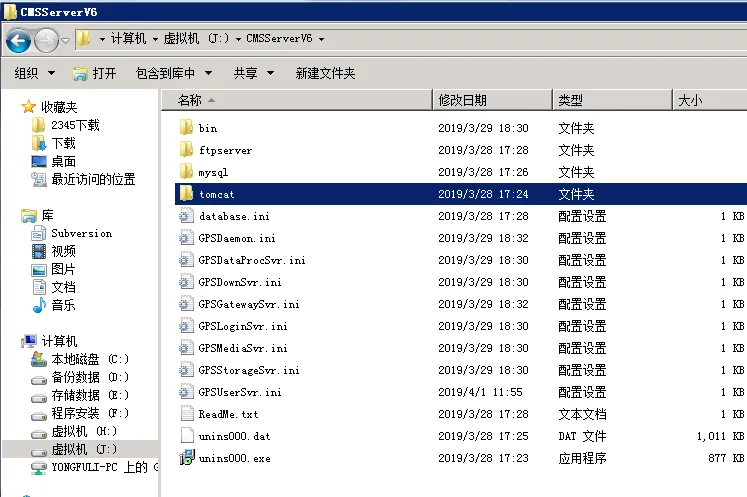
- Do not install the installation directory under the default Program files directory
If installed in the J disk CMSServerV6 directory
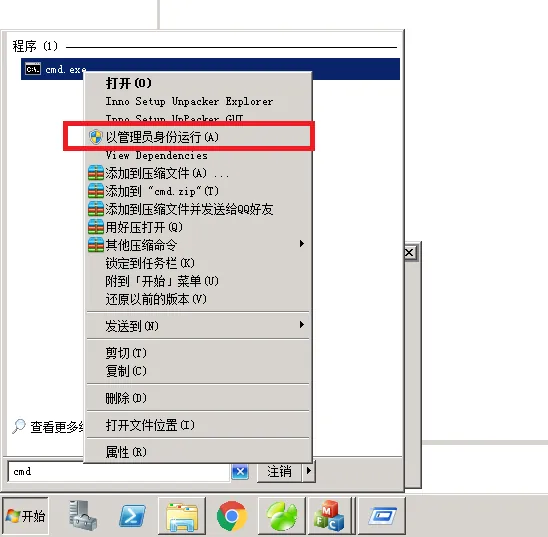
- Start the command line with administrator rights.
- Install the tomcat service
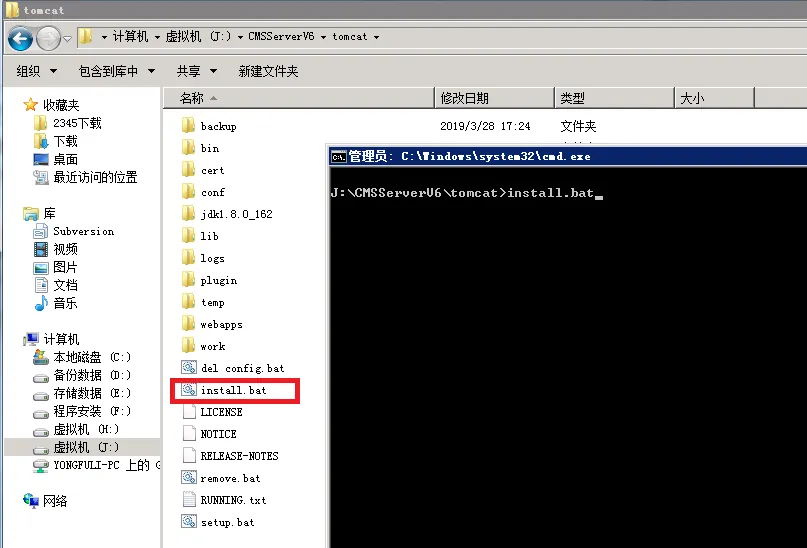
1: The command line goes to the tomcat folder in the installation directory.
Run the install.bat command to install the tomcat server
2: Command line to ftpserver folder, execute install.bat command, install ftp server
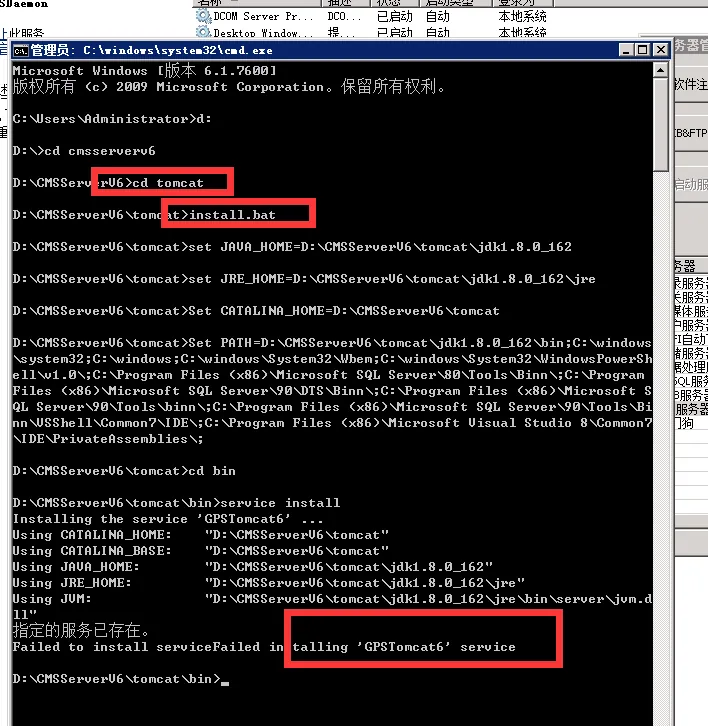
(install.bat for the installation service, remove.bat for the uninstall service, setup.bat for the command line to start the web service) - Start the Web server within the service controller.
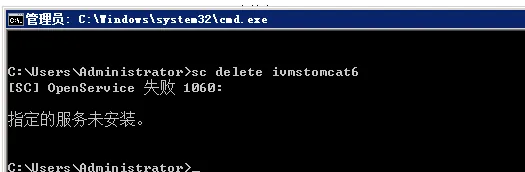
2.4 Server has ivmstomcat6 services installed
Start the command line using administrator mode, execute the SC delete ivmstomcat6, and then reinstall the service
If you follow the above 4 steps, the problem has not been resolved. Please provide the server to the developer remotely
