1. Functional Description
Handling of Software Installation Prompt File Occupancy
2. Operating Instructions
When the software is installed, the server software is exited. When overwriting the installation, if the prompt file is occupied, the task manager can be opened to see if there is any server in normal operation. If it is necessary to force the process to end, the new software can be installed normally.
- Operation steps
-
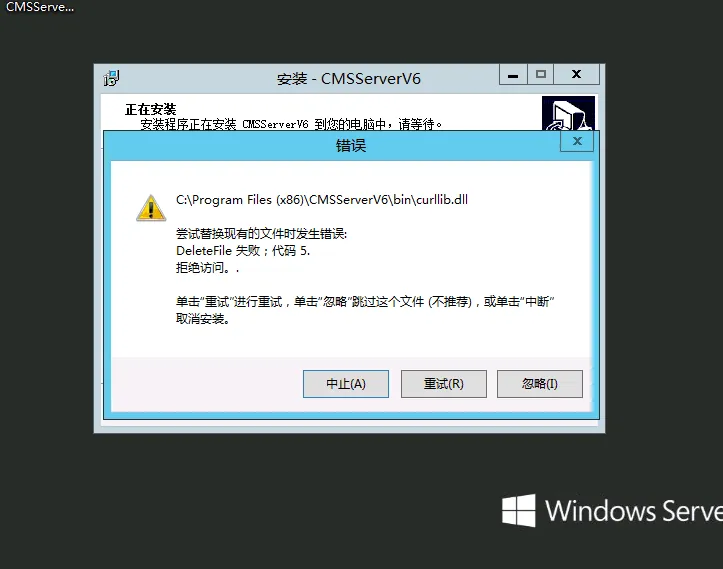
When installing the software, the prompt file is occupied, as shown in the following figure:
-
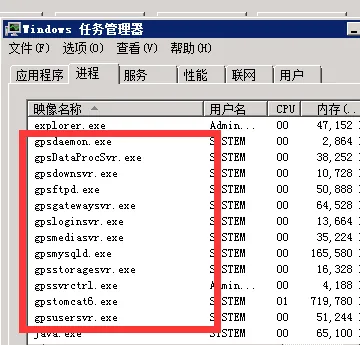
After the server software is completely exited, in this case, you can open the task manager to see if any components are still running, as shown in the following figure:
-
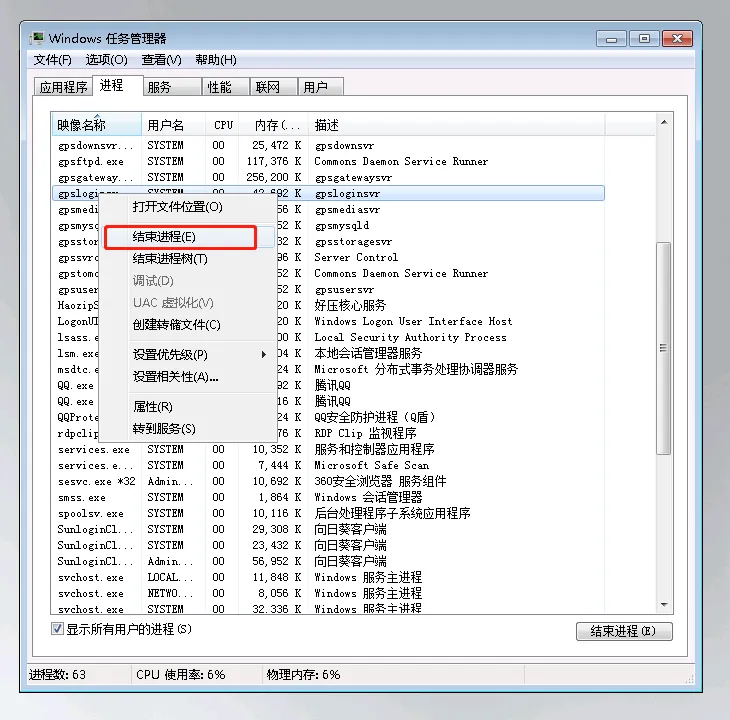
Select the server component that is still running and end the process, as shown in the following figure:
-
After all the corresponding processes are stopped, the server software can be installed normally (normal installation, no screenshots are added here)
