1. Functional Description
Add multiple streaming servers/storage servers
2. Operating Instructions
Add multiple servers and add configurations to the GPSDaemon.ini configuration file under the CMSServerV6 file.
[COUNT]
gpsgatewaysvr = 2 (start 2 gateway servers)
gpsusersvr = 2 (start 2 user servers)
gpsmediasvr = 2 (start 2 streaming servers)
gpsStorageSvr = 2 (start 2 storage servers)
gpsdownsvr = 2 (start 2 download servers)
Start 2 storage servers as an example
2.1 configuration parameters
[COUNT]
gpsStorageSvr=2
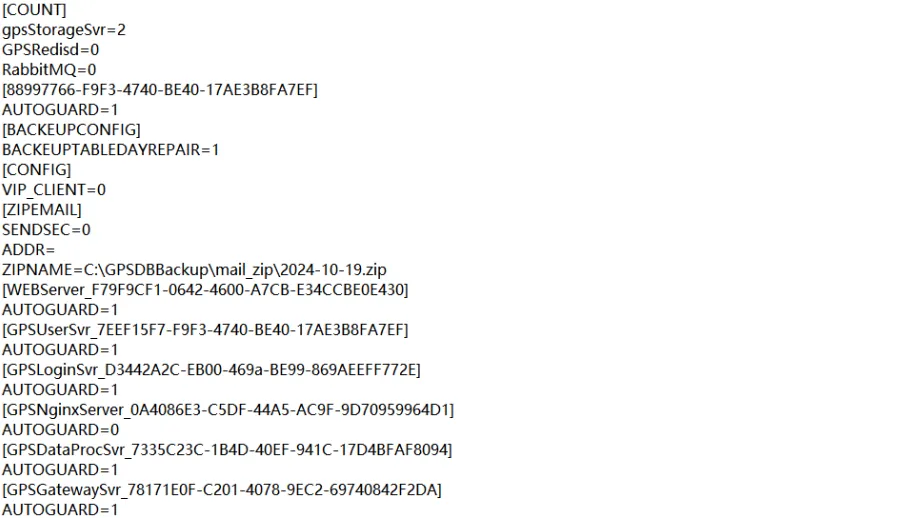
After adding the above configuration to the GPSDaemon.ini configuration file, restart the server software.
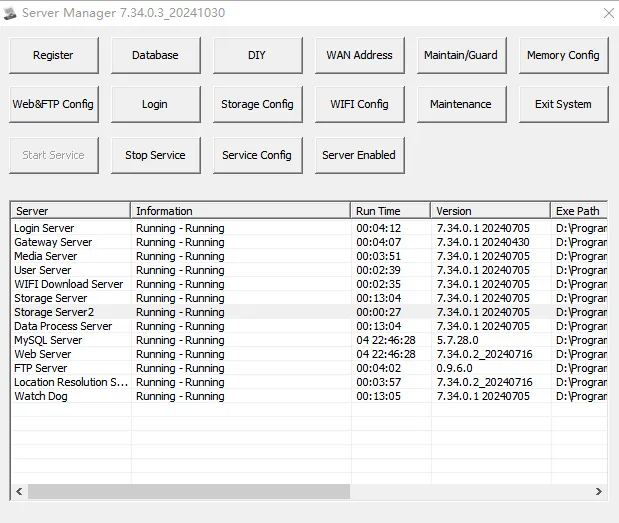
After restarting the server software, you can see 2 storage servers on the server software console.
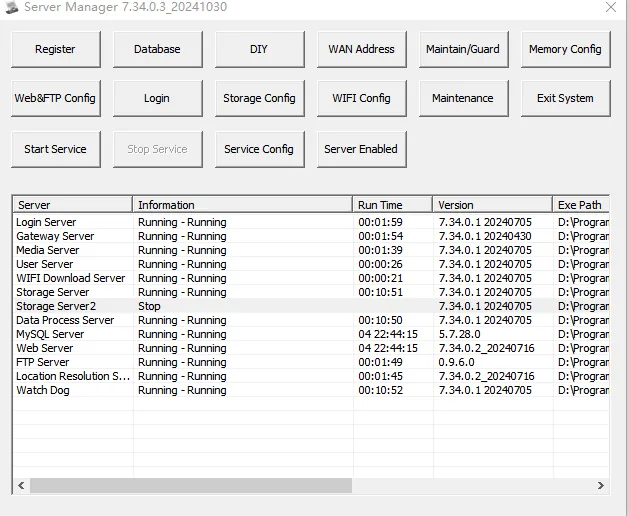
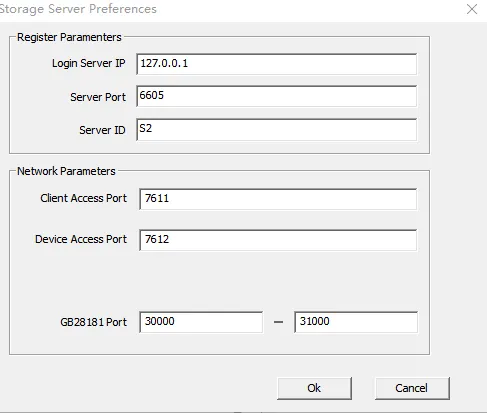
2.2 configuration server parameters
The following is an example of a storage server for related configuration.
Configure parameters for storage server 2 on the server console. (Number, port cannot be duplicated)
Then add one more storage server to the storage server managed by the server in the server background, and configure the following:
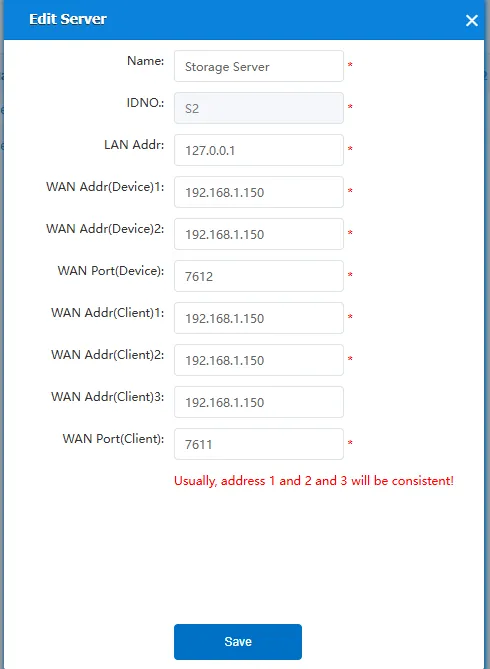
After the successful addition is as follows:

2.3. Start the service after configuration is complete
Restart storage server 2 separately. After completion
The server software console interface is displayed as follows: Normal operation
The Web server management interface is displayed as follows: online

