1. Functional Description
Configure offline maps
2. Operating Instructions
2.1 Download Offline Map File
Download address: http://www.bigemap.com/reader/personalizedmap/pmd/, open the web page, click "map downloader" and "download now", download "BIGEMAP map downloader- all- round version" and install it. downloading maps is a fee- based item, and you must purchase authorization from the map provider to download normal tile data.
Get offline map download tool and install this tool (for downloading offline map tile data);
Note: The tile format can only be jpg
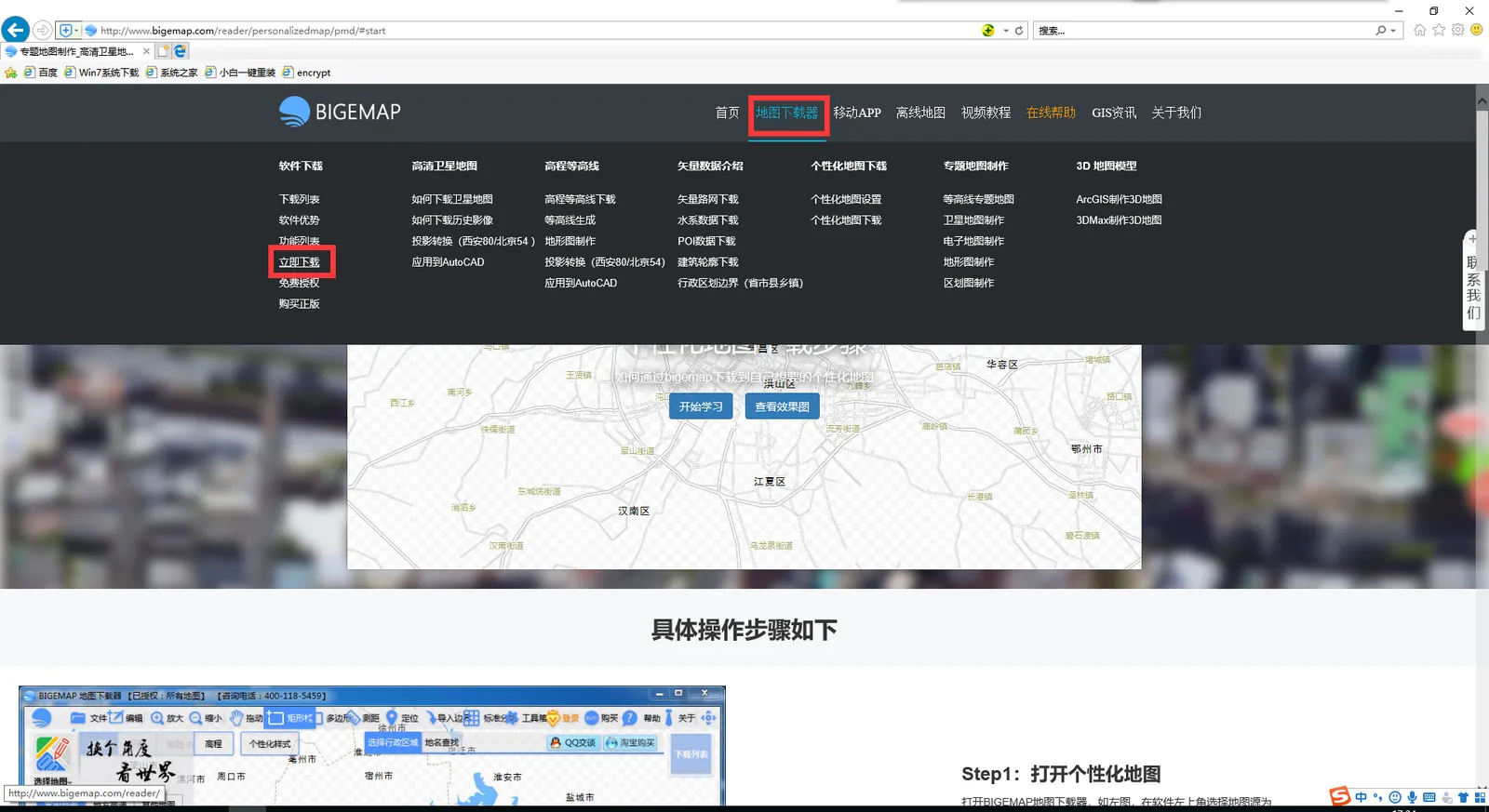
Browser Open: http://www.bigemap.com/helps/doc20190104122.html
Refer to step 1 in the linked tutorial to download the offline map;
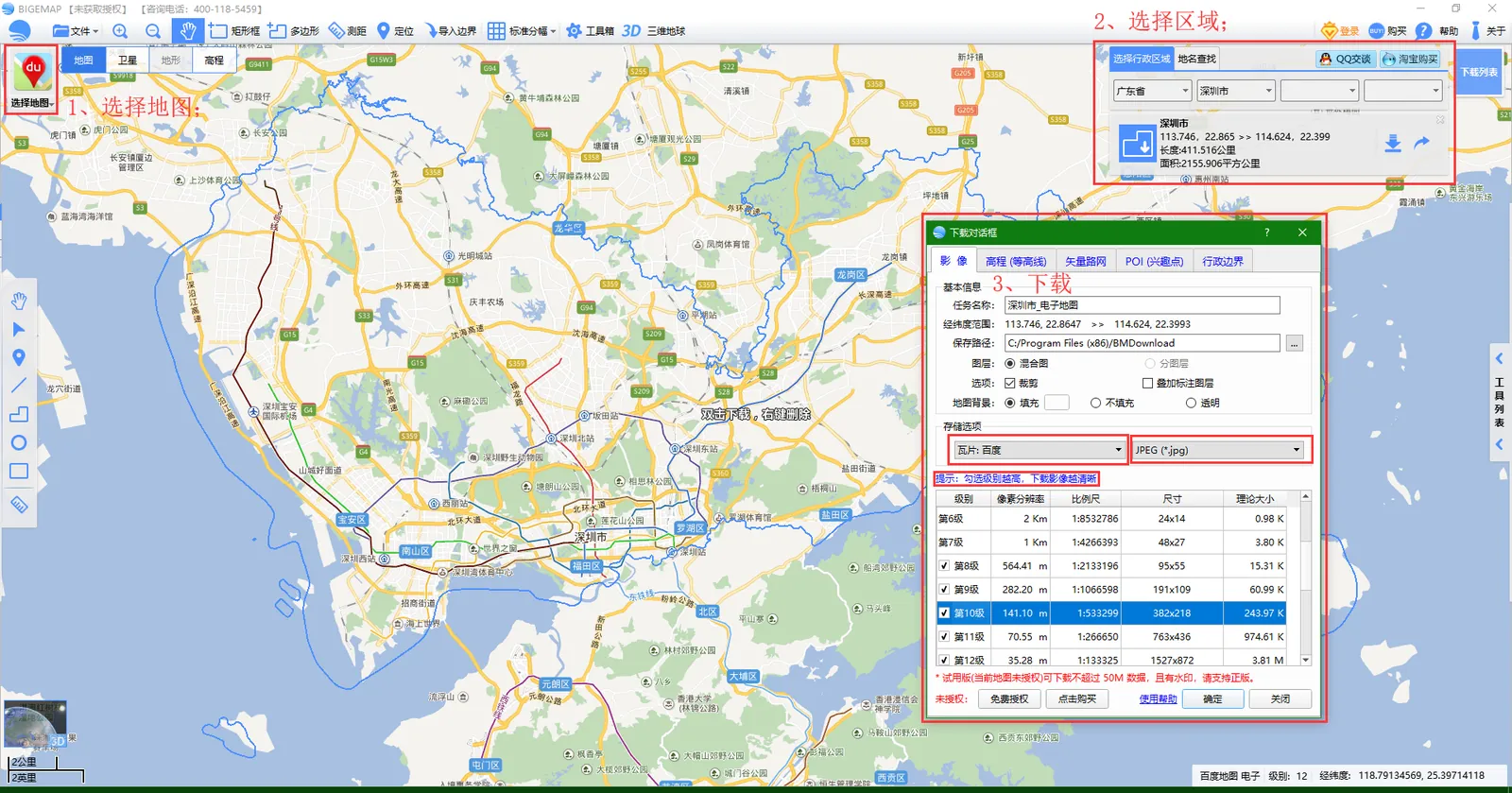
For example, download "Shenzhen" Baidu offline map tile data as an example;
Open the installed "BIGEMAP Map Downloader";

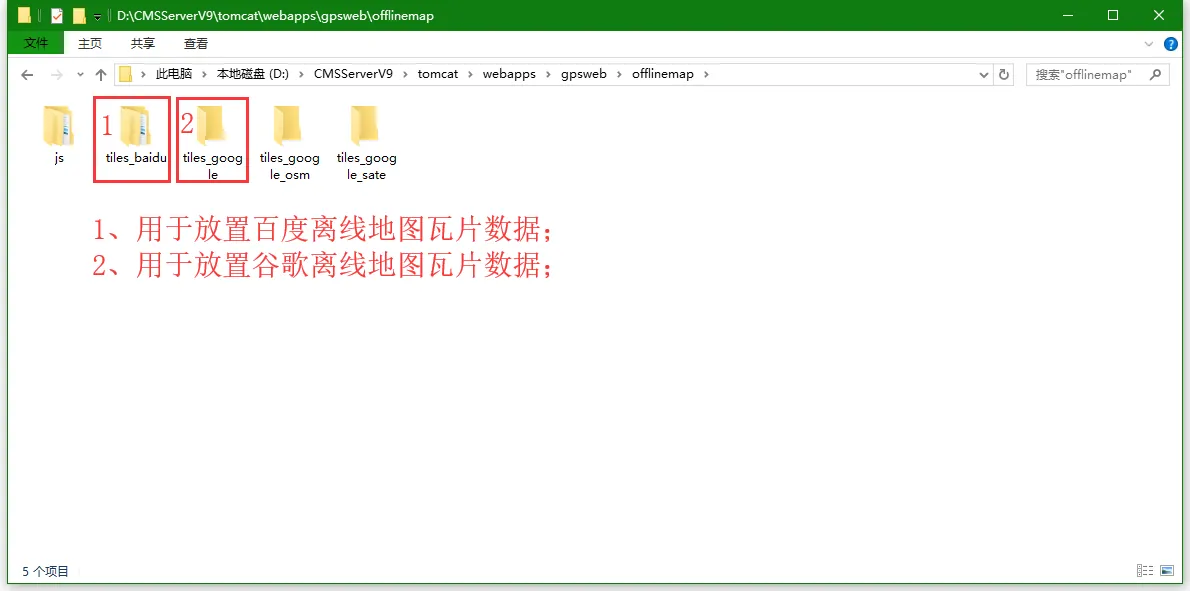
2.2 Put the offline map file in the CMSServerV6/tomcat/webapps/gpsweb/offlinemap path of the server software
The vehicle version server is V6;
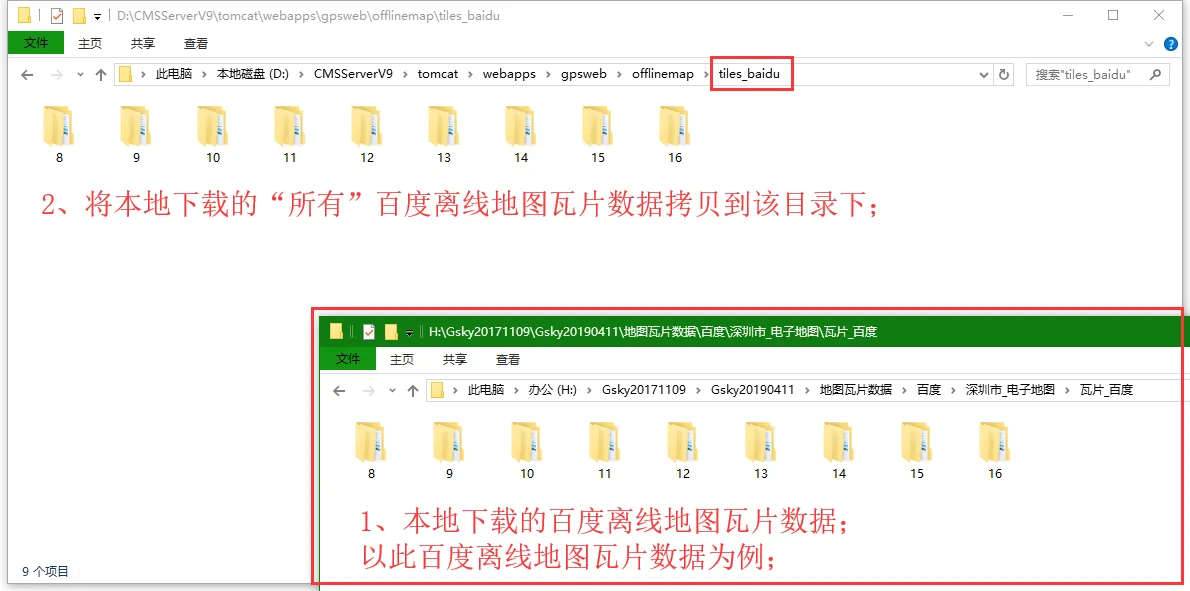
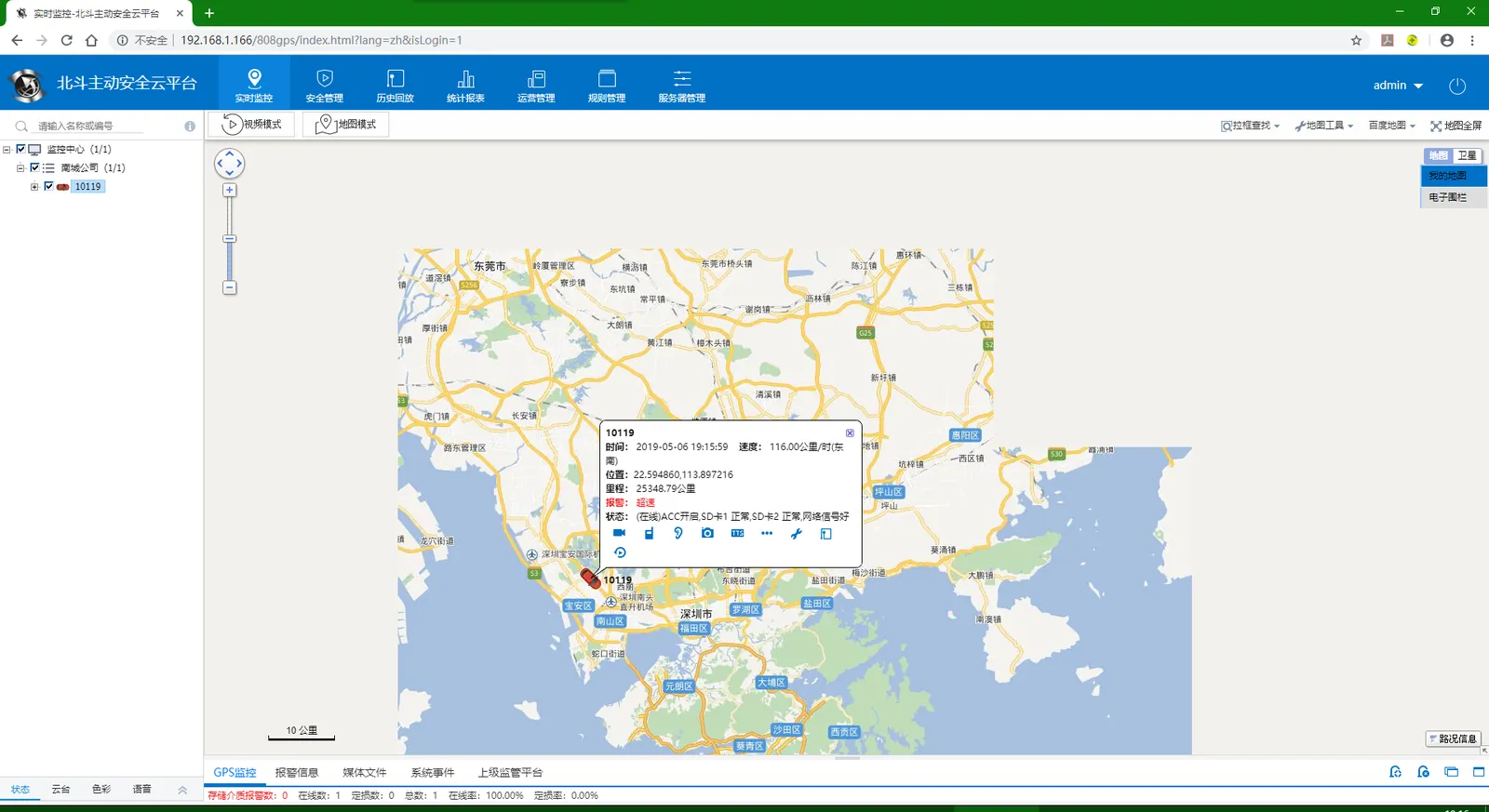
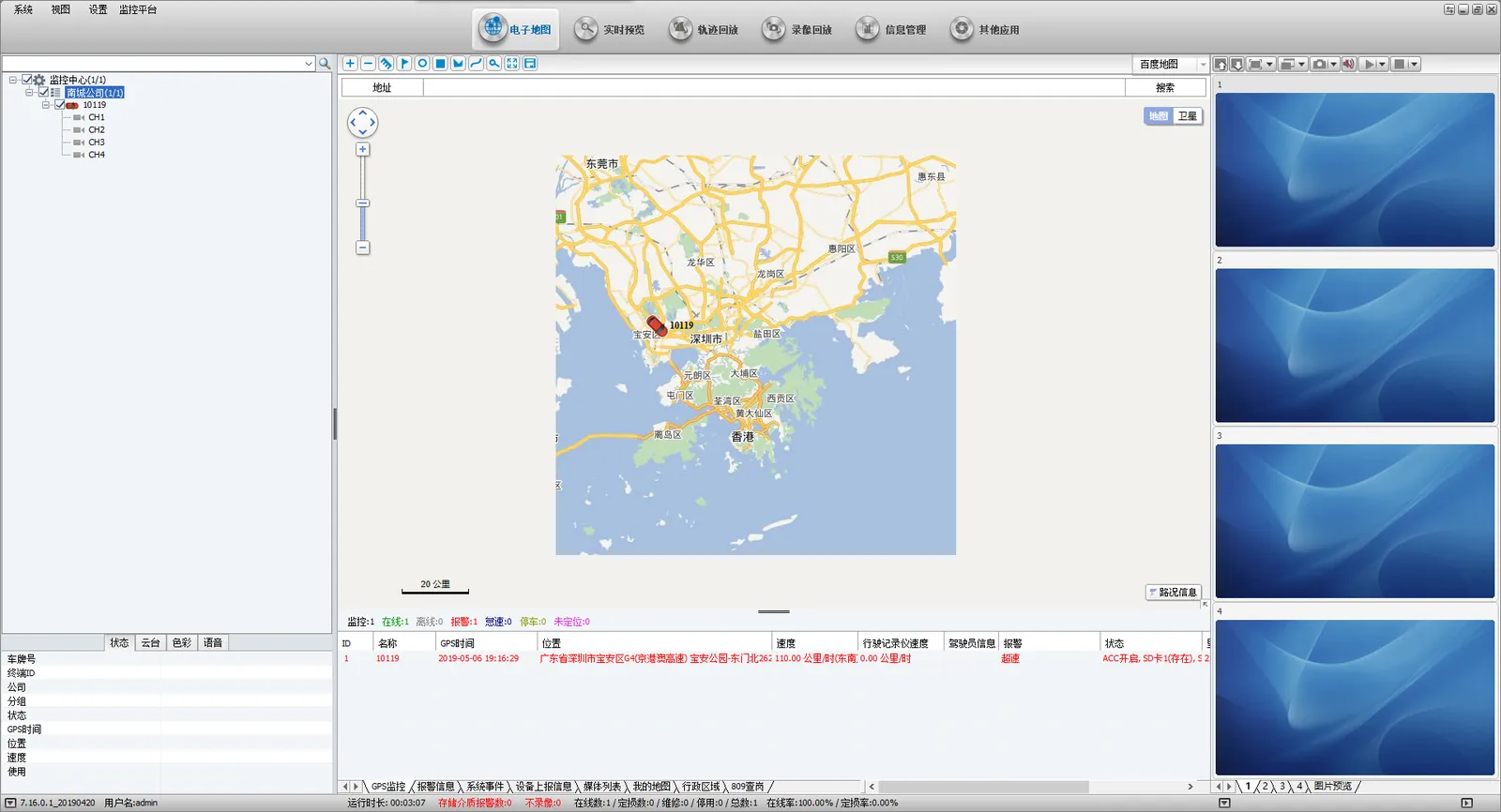
After the above steps are completed, restart the web server, clean up the cache of the login browser, and log on to the platform again to see the corresponding offline map.
