1、 function description
After the firewall is enabled on the Aliyun server, the remote cannot be
2、 operating instructions
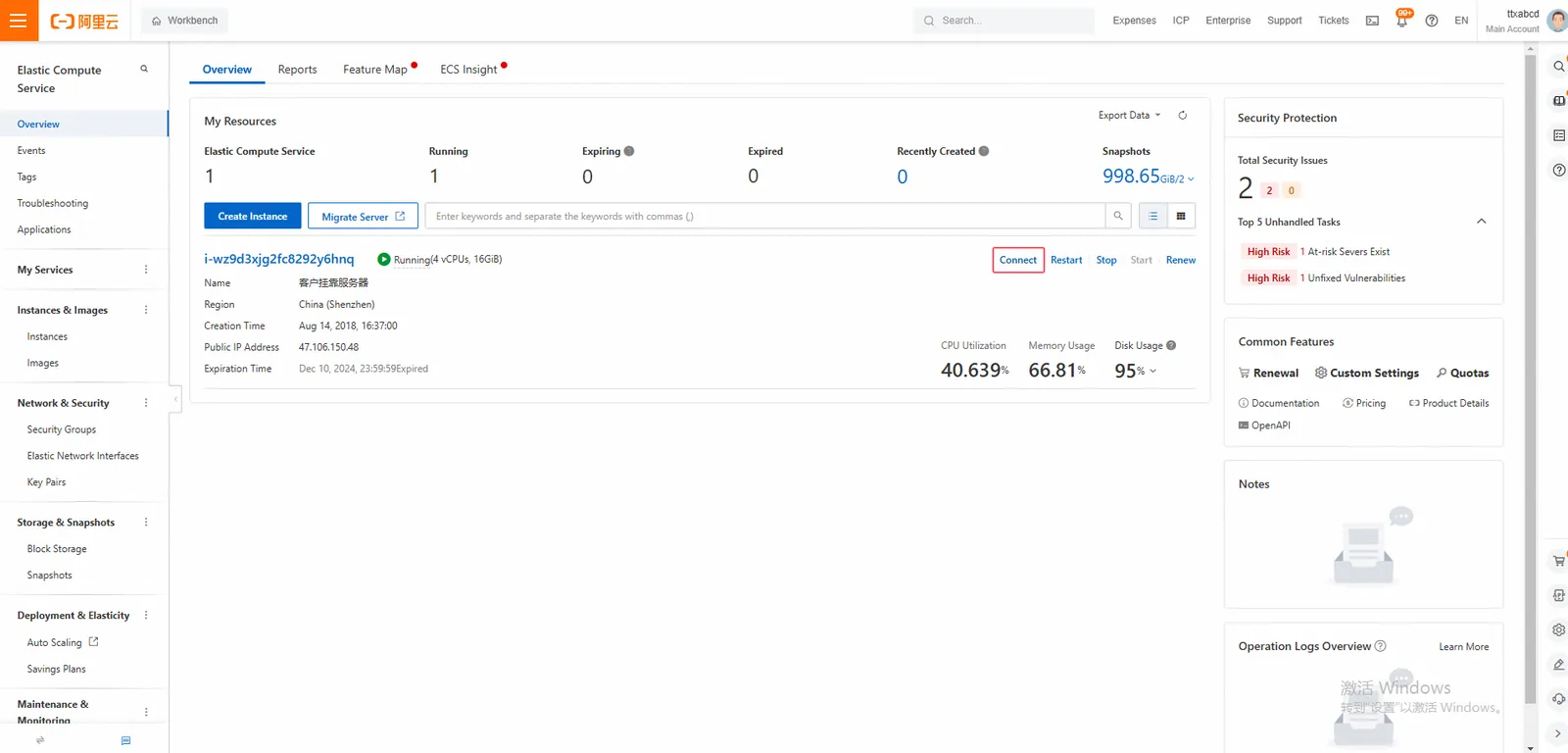
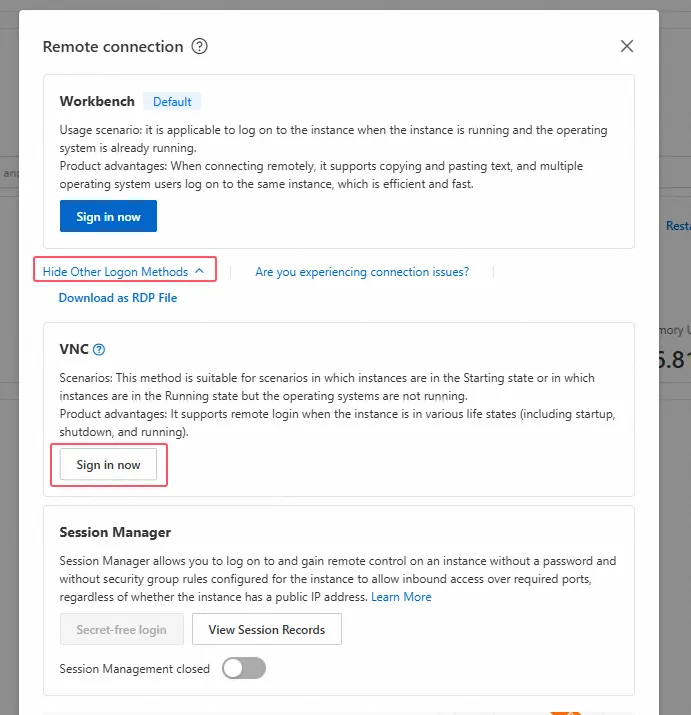
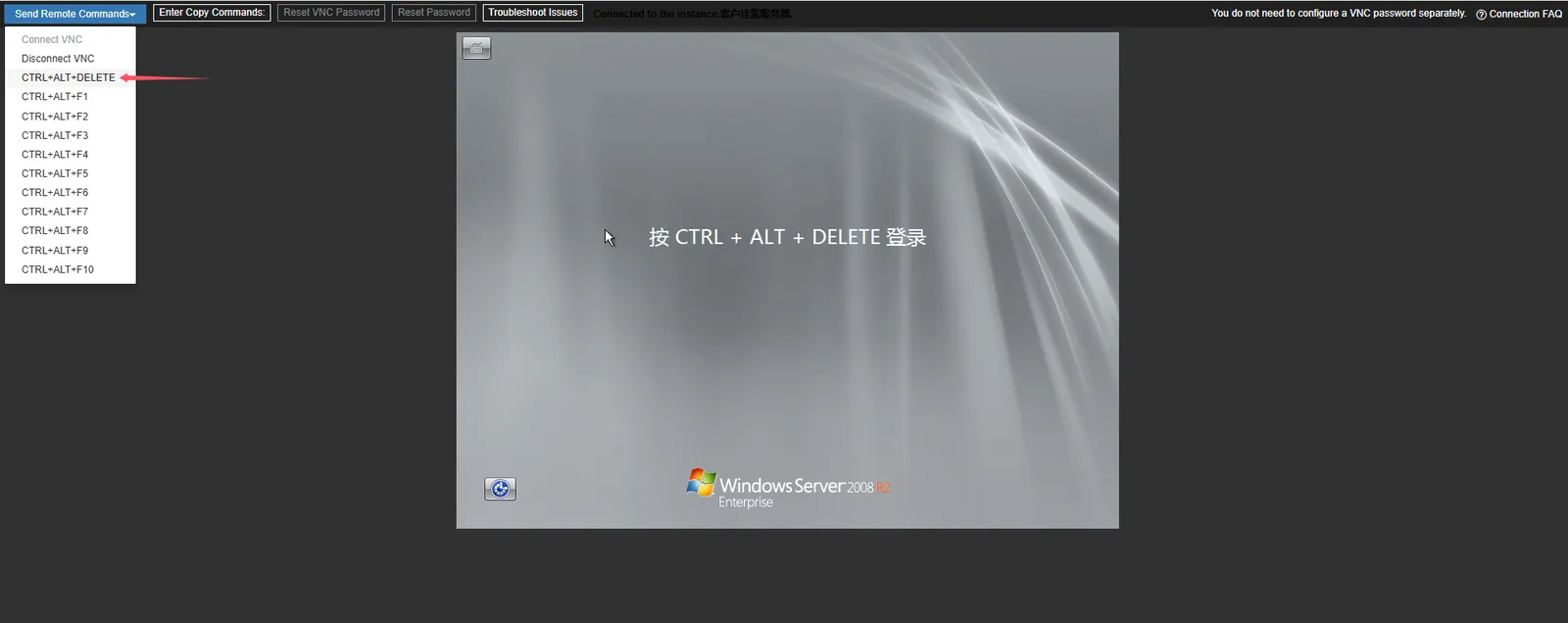
2.1 log in to ariyun remote server for relevant configuration, and use vnc remote
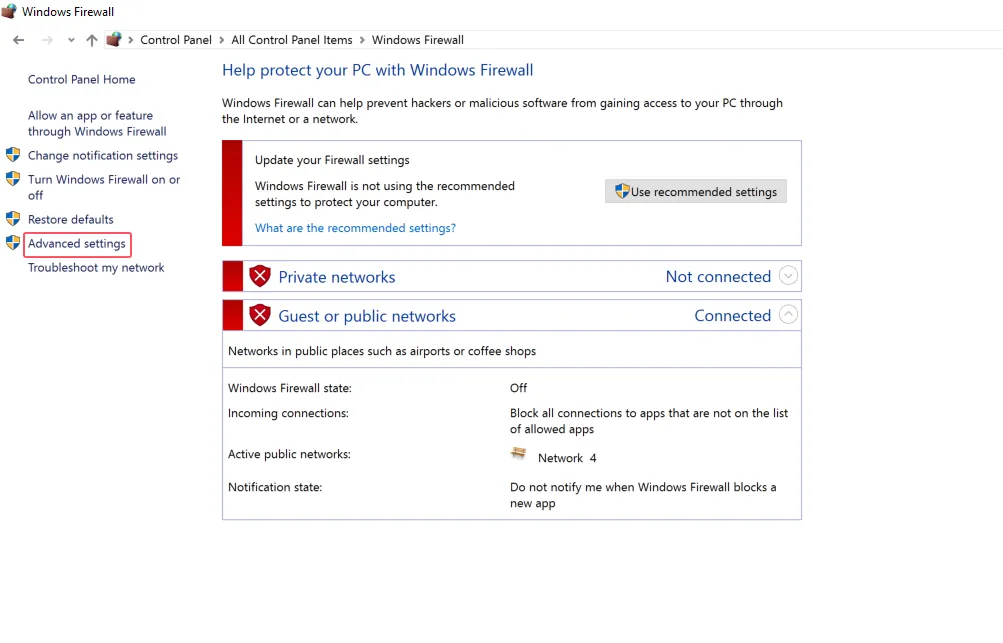
2.2 the control panel to find the firewall and click Advanced Settings
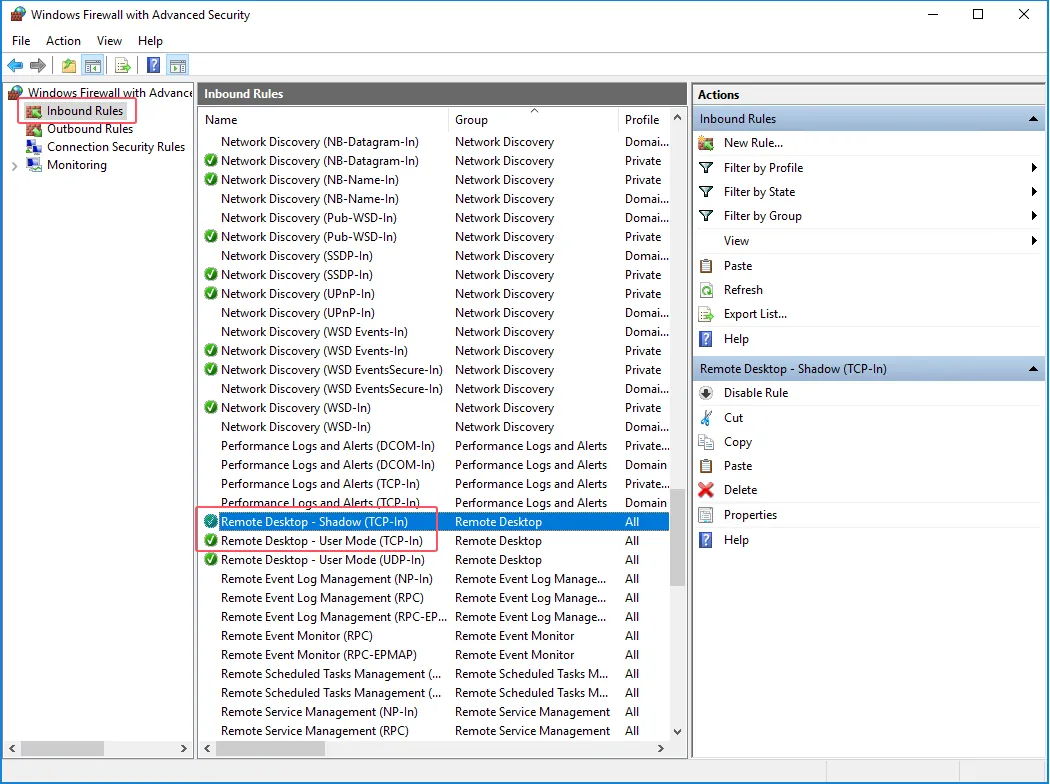
2.3 In the pop- up window, click Inbound Rules, pull to the bottom on the right, right- click Remote Desktop- User Mode (TCP- In), and right- click to select Start Rules
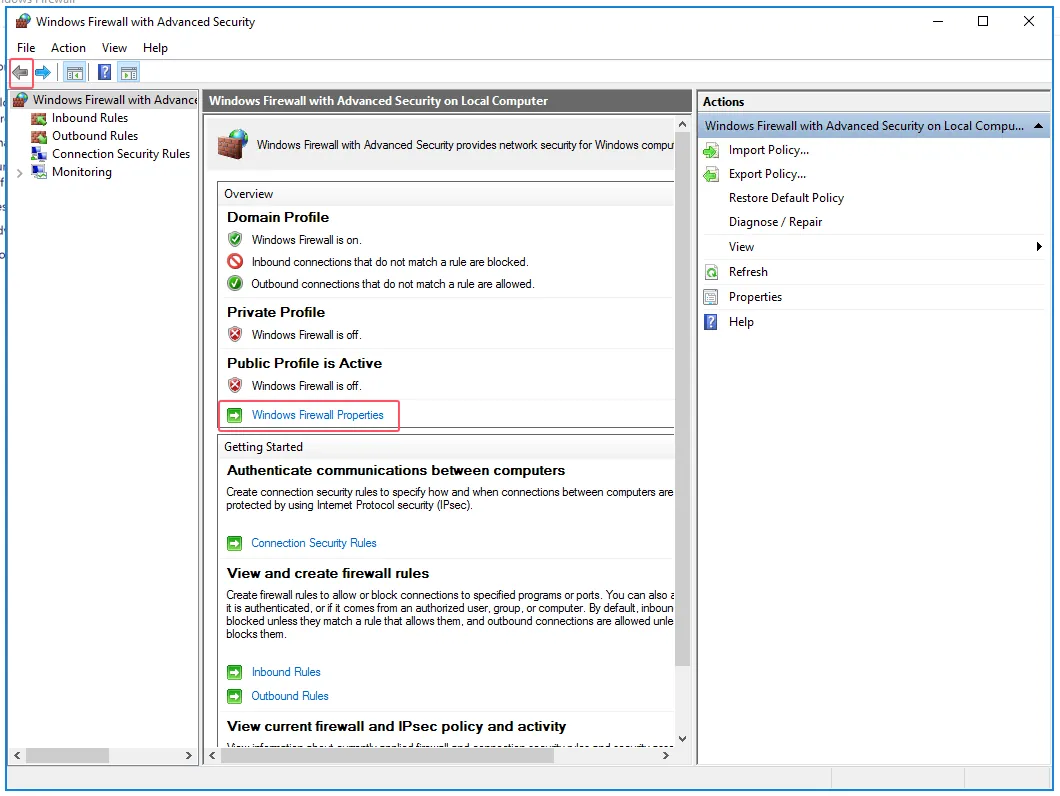
2.4 Return to the previous page and click Windows Firewall Properties
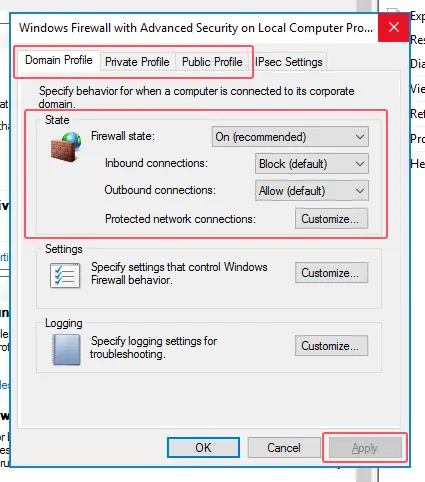
2.5 Select Enable (recommend), Inbound and Outbound Connections Allowed, Click Apply
Note: Firewalls under Domain Profile, Private Profile, Public Profile tab are all enabled