1. Functional Description
Setting MSTSC Remote and Modifying MSTSC Remote Port
2. Operating Instructions
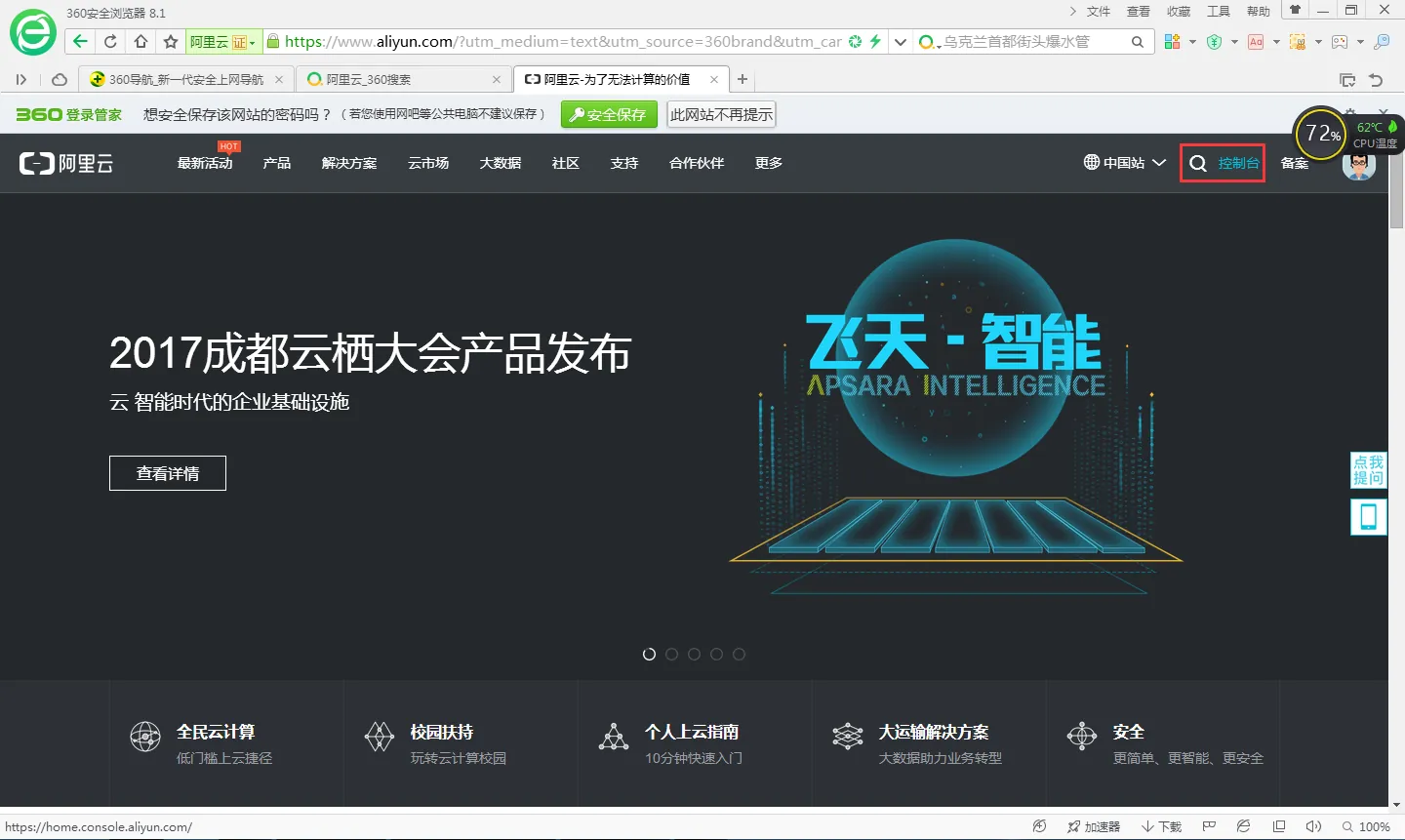
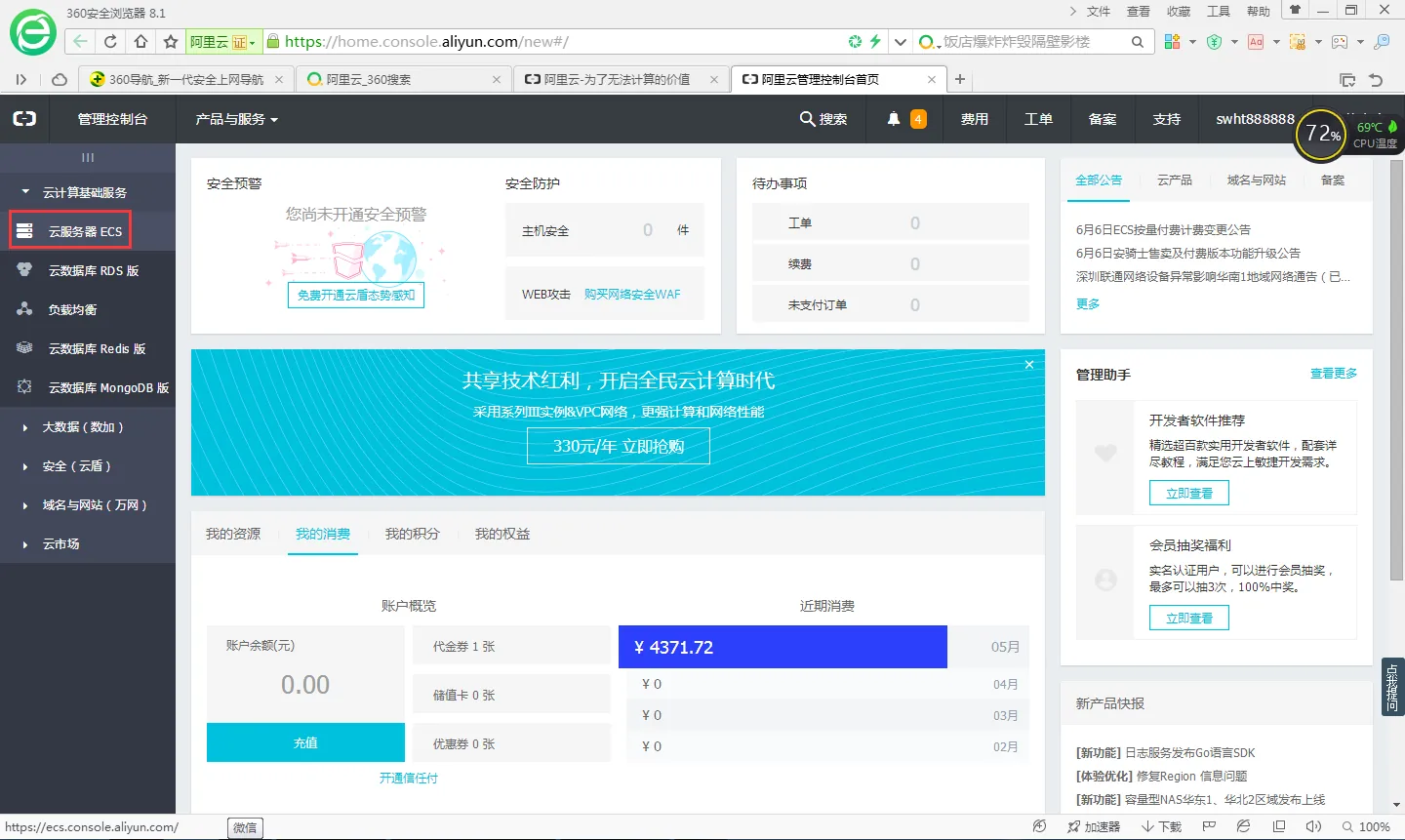
First log on to Alibaba Cloud
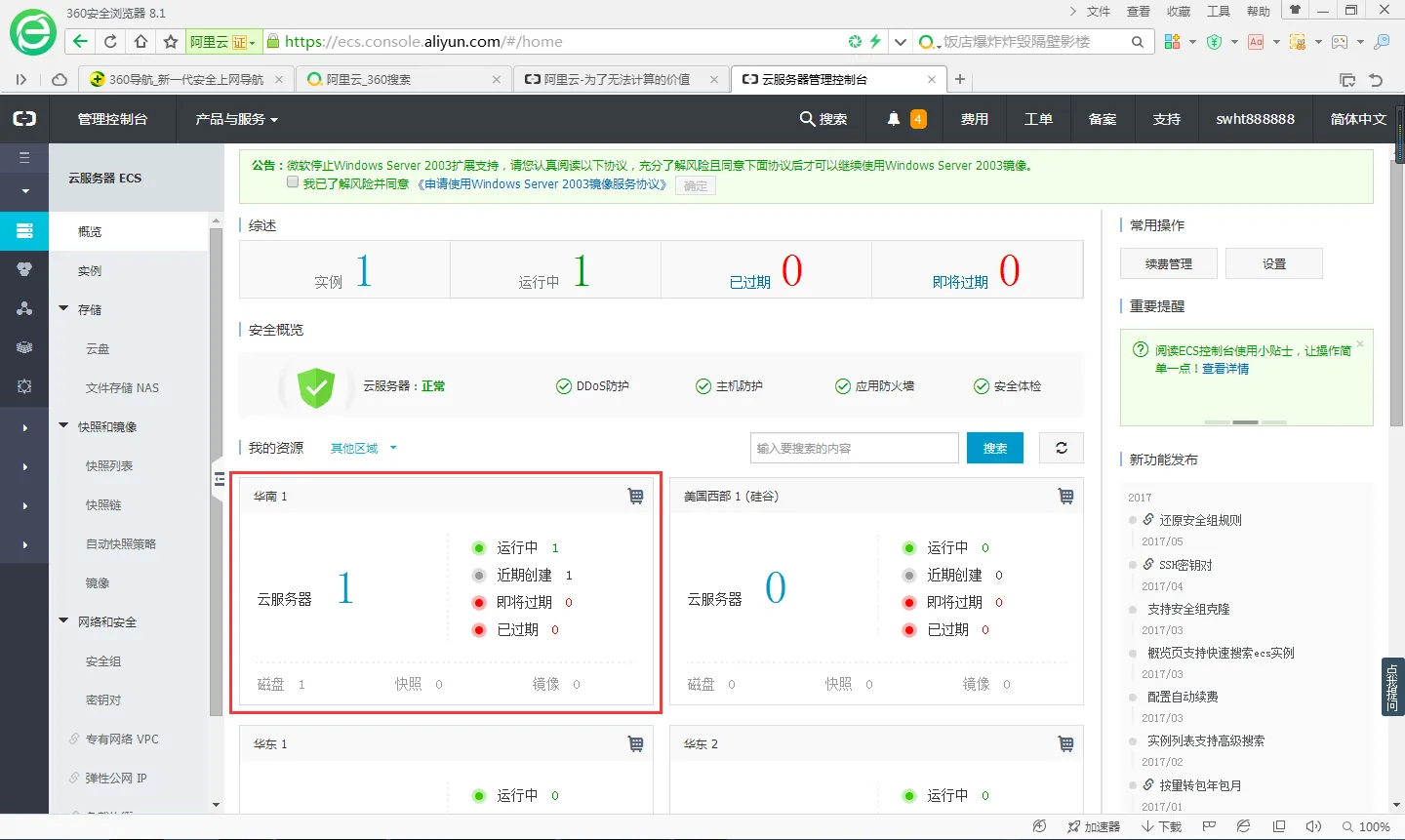
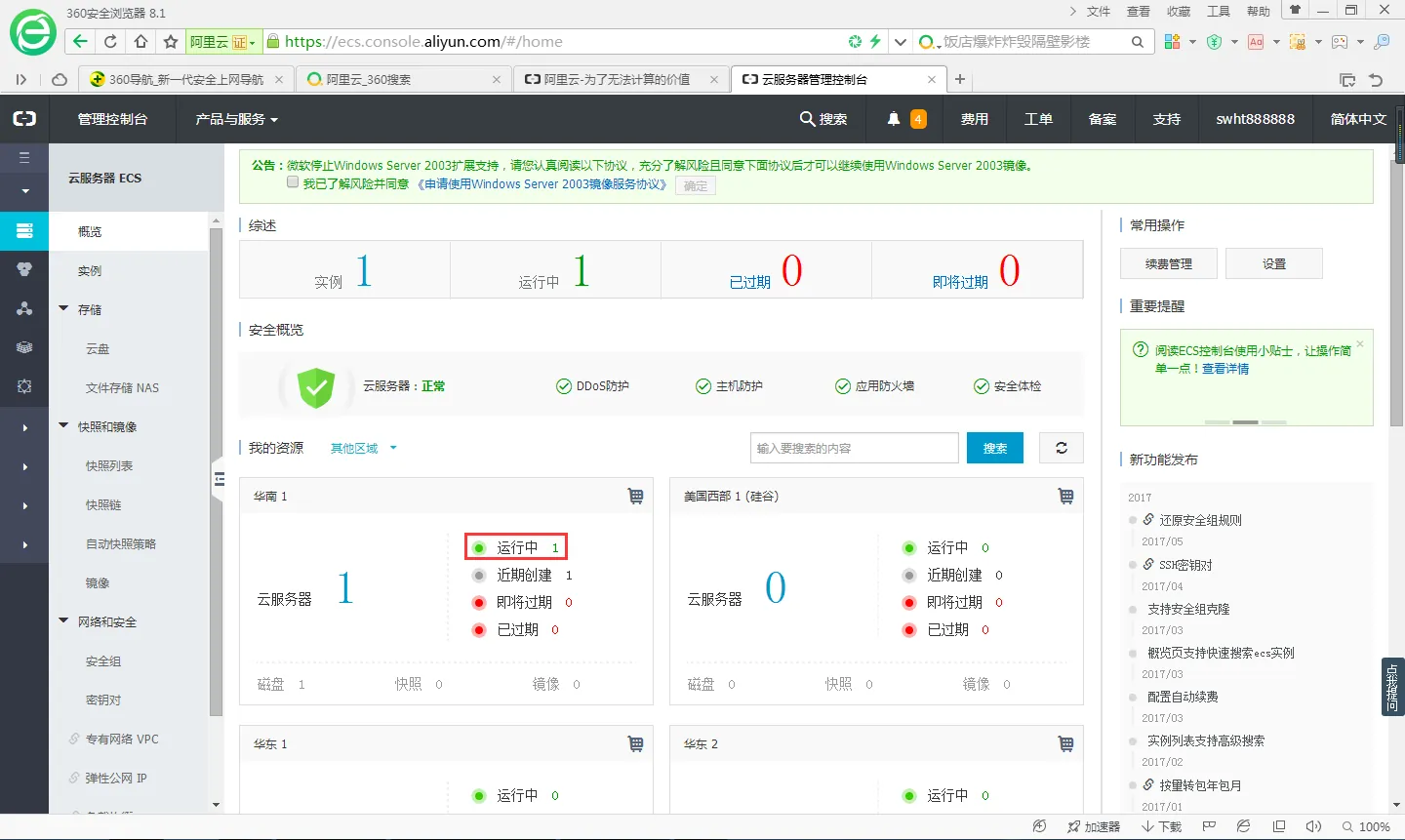
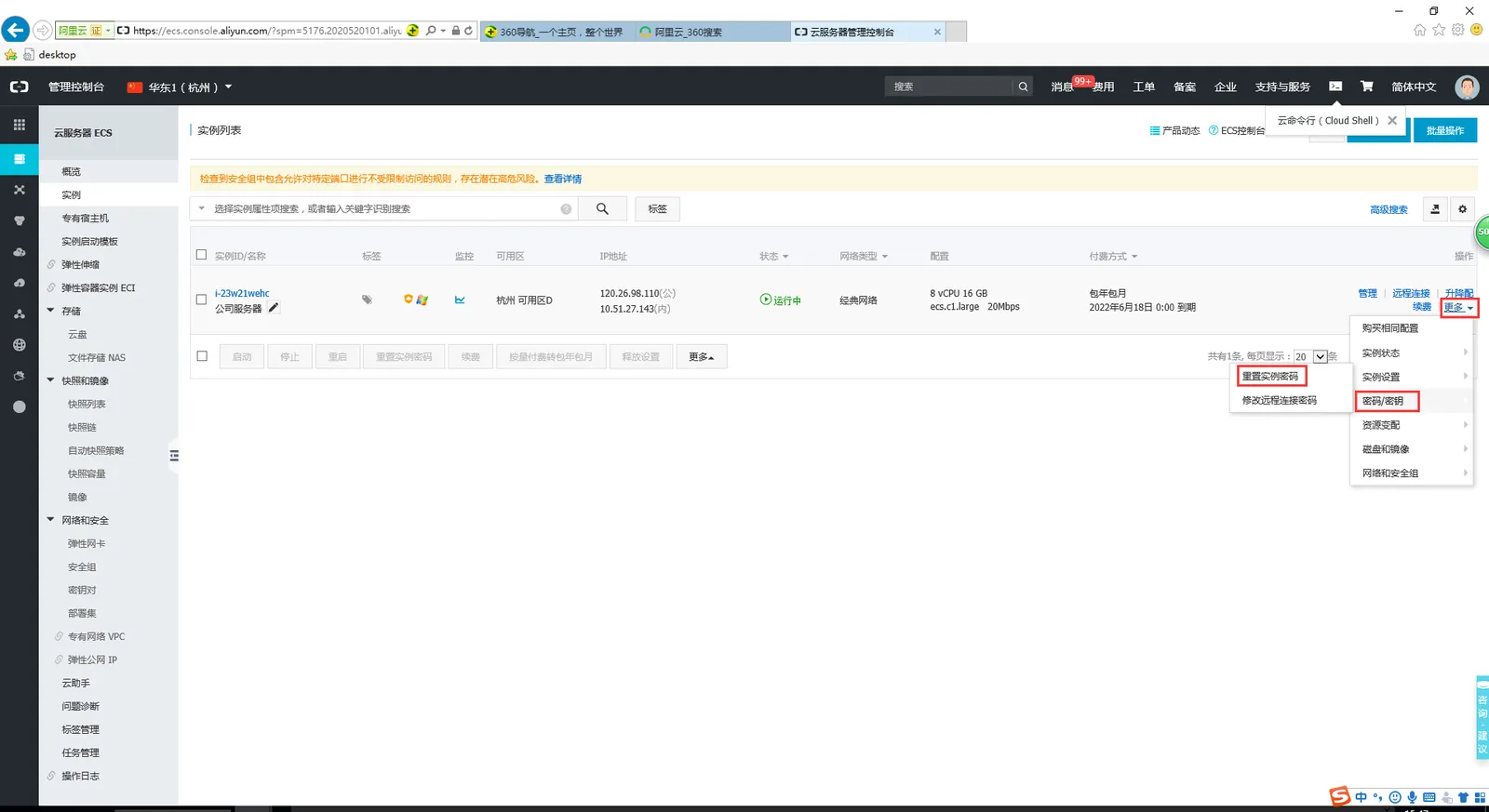
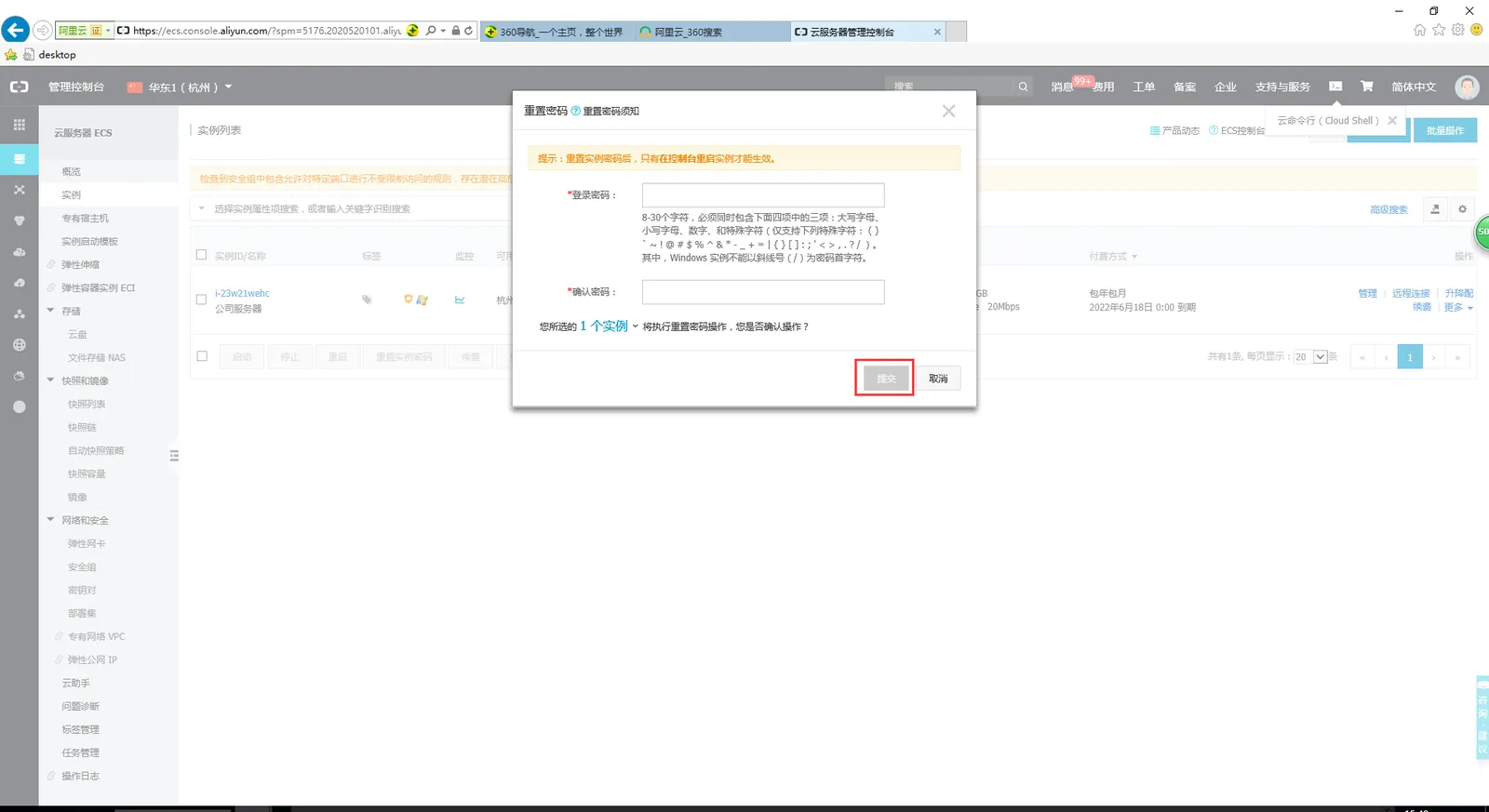
Set the instance password (I. e. remote password) according to the format requirements, and click Submit. (The default account number is administrator)
After setting up, you need to restart the server.
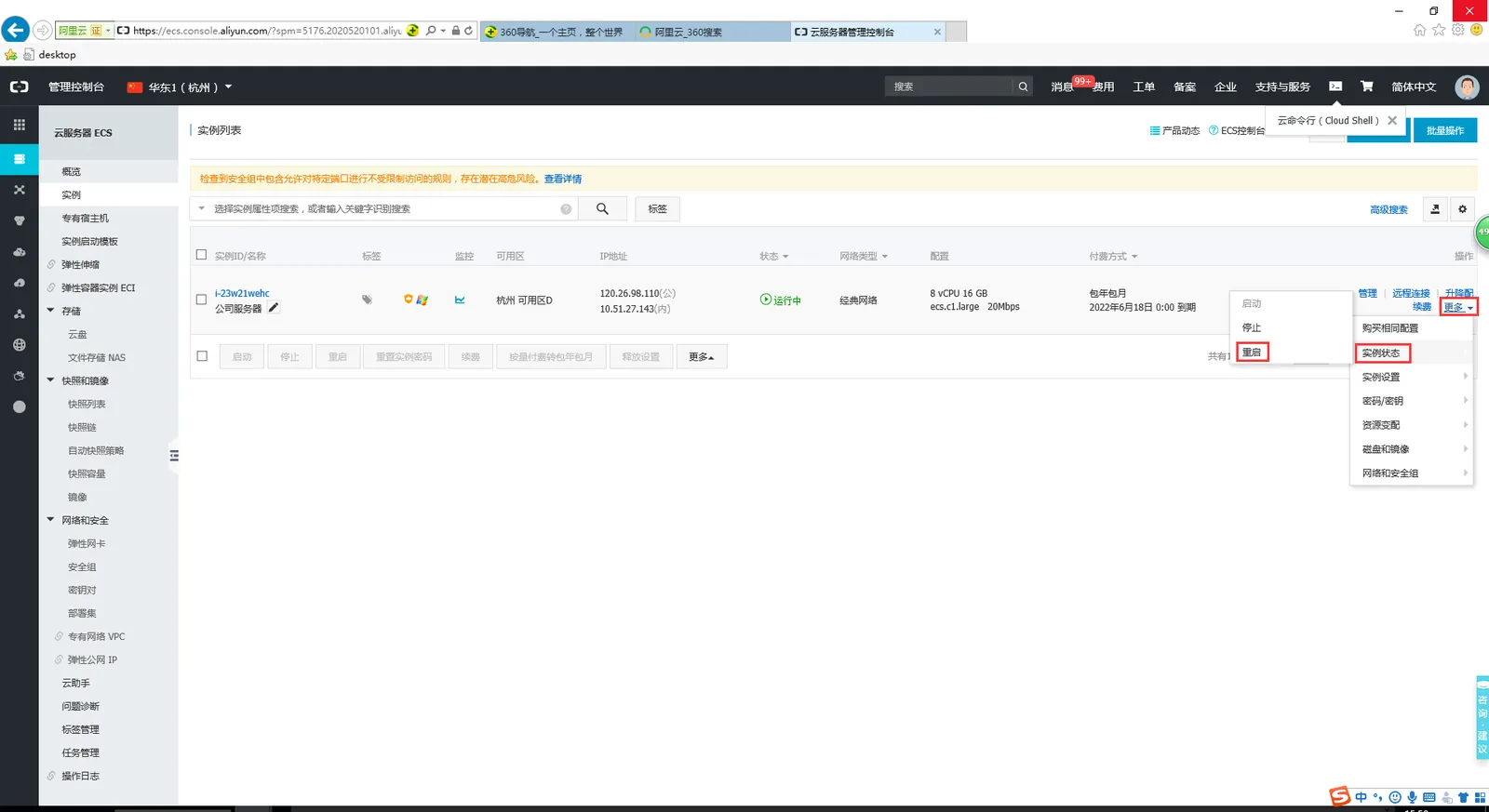
After the server is restarted, mstsc can be used for remote control.
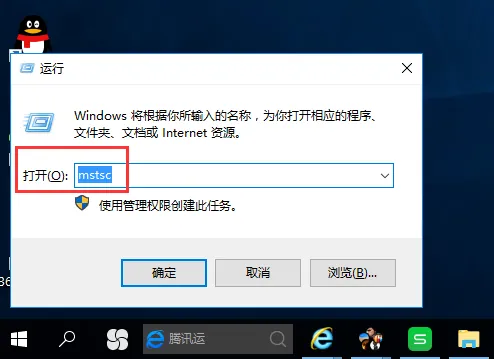
Enter mstsc on the computer and click OK.
Enter the server remote ip and user name (the general default is administrator), click connect.
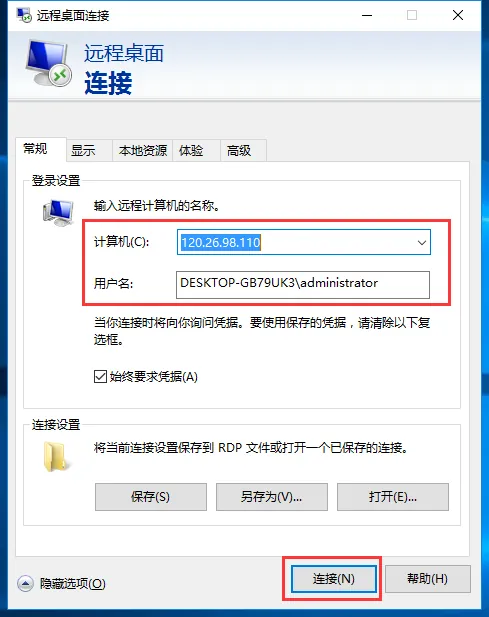
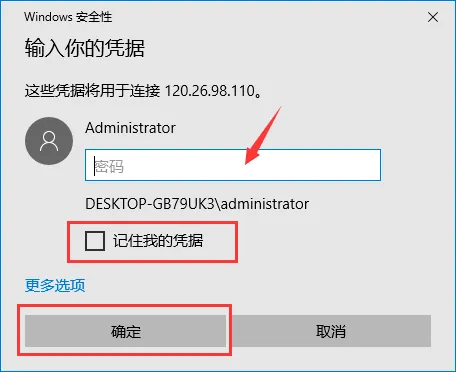
Enter the remote password, check Remember my credentials, and click OK. can be remotely to the server.
How to modify the mstsc port:
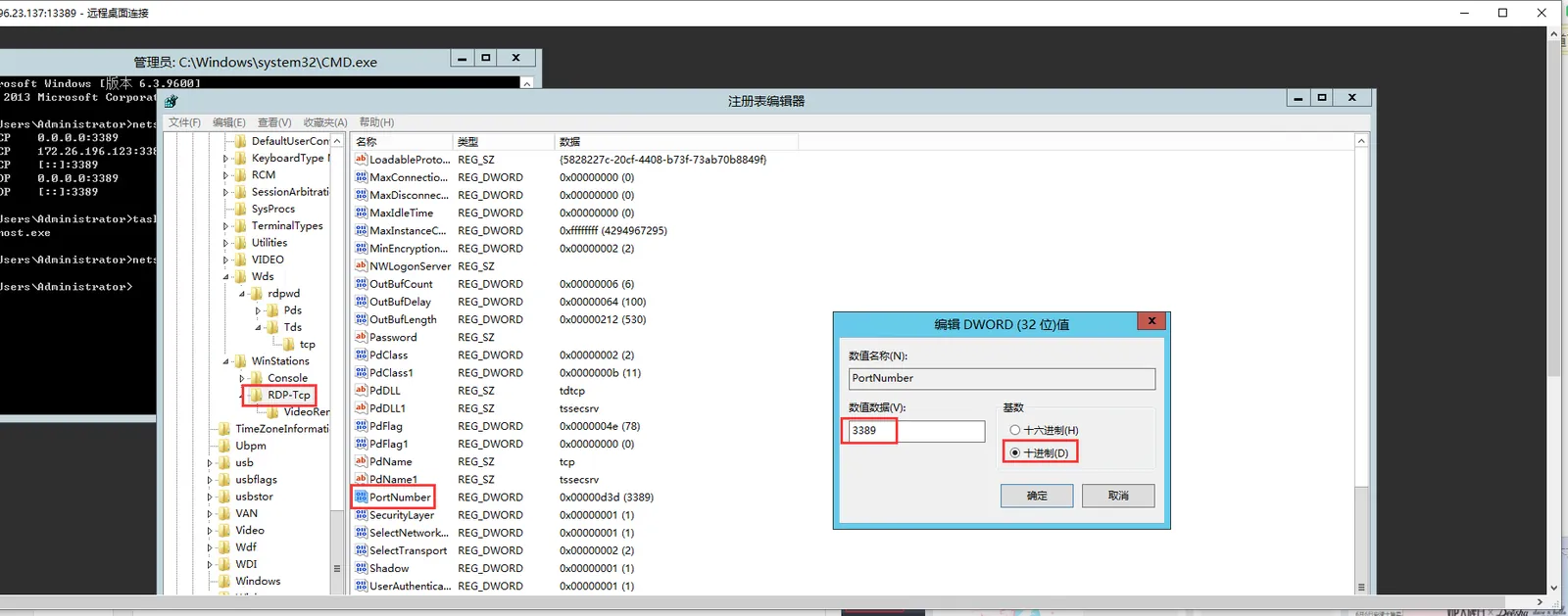
Open "Start → Run", enter "regedit" and open the registry. win7 can run regedit with administrator rights (this file is in the system directory of the system disk)
Find the "PortNumber" under the HKEY_LOCAL_MACHINE\System\CurrentControlSet\Control\Terminal Server\WinStations\RDP-Tcp path to display in decimal mode, the default is 3389, and change it to any available port.
3. Notes
After the modification is completed, remember to make firewall settings and port mapping for the corresponding ports, and restart the server after completion.
The next time a desktop remote is performed, its remote port becomes the modified port.
