1. Function description
For routine server maintenance or updates, a service needs to be restarted separately to make new files or configurations take effect.
2. operating instructions
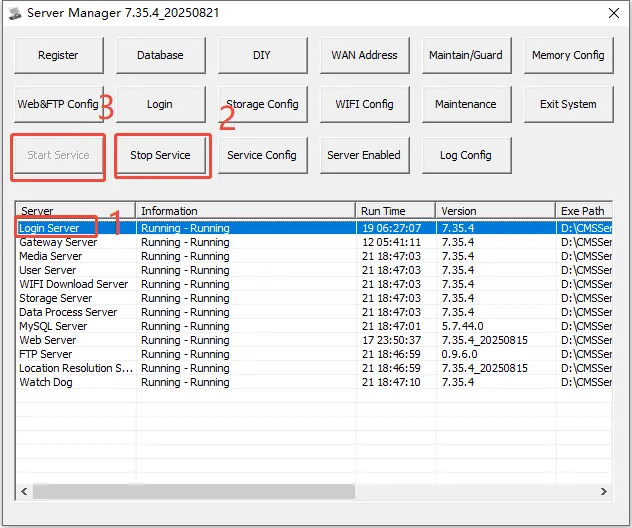
In the Server Software console, click to select the server to be restarted, and then click Stop Service. After the service is stopped, click Start Service to restart the server.
3. Precautions
- After the stop service is clicked, it may take a while for the service to stop. Please wait patiently and do not click many times, which will easily cause the console to become unresponsive.
