1. Function description
The storage of active security alarm attachments requires a large space and has a recurring task mechanism. Therefore, it is recommended to store them on an independent storage disk.
2. operating instructions
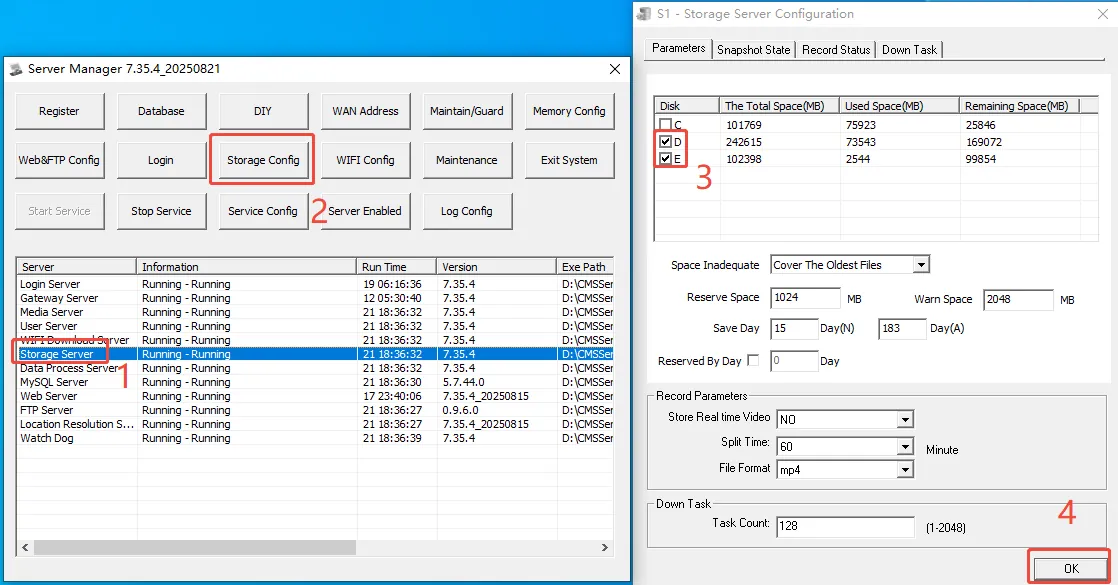
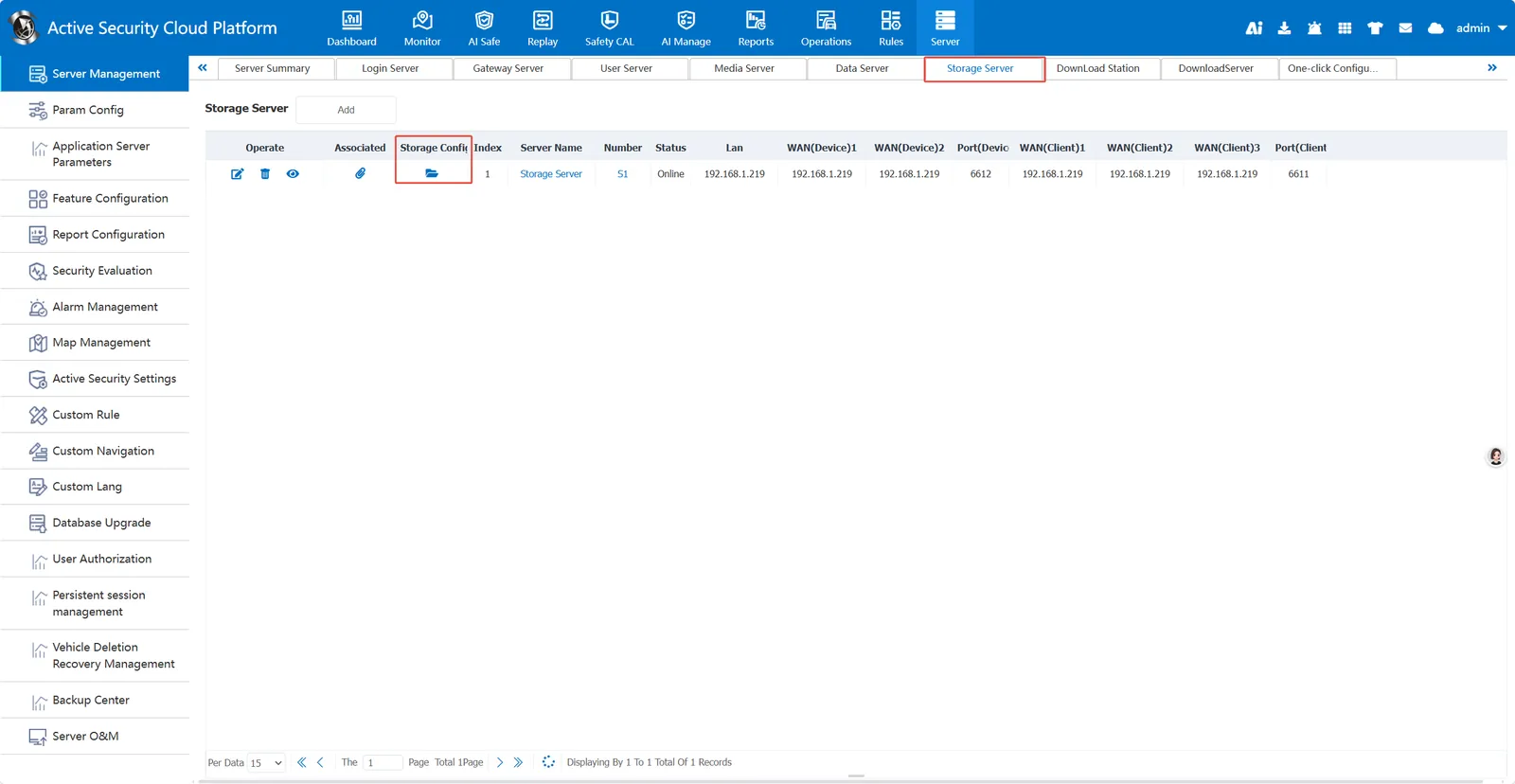
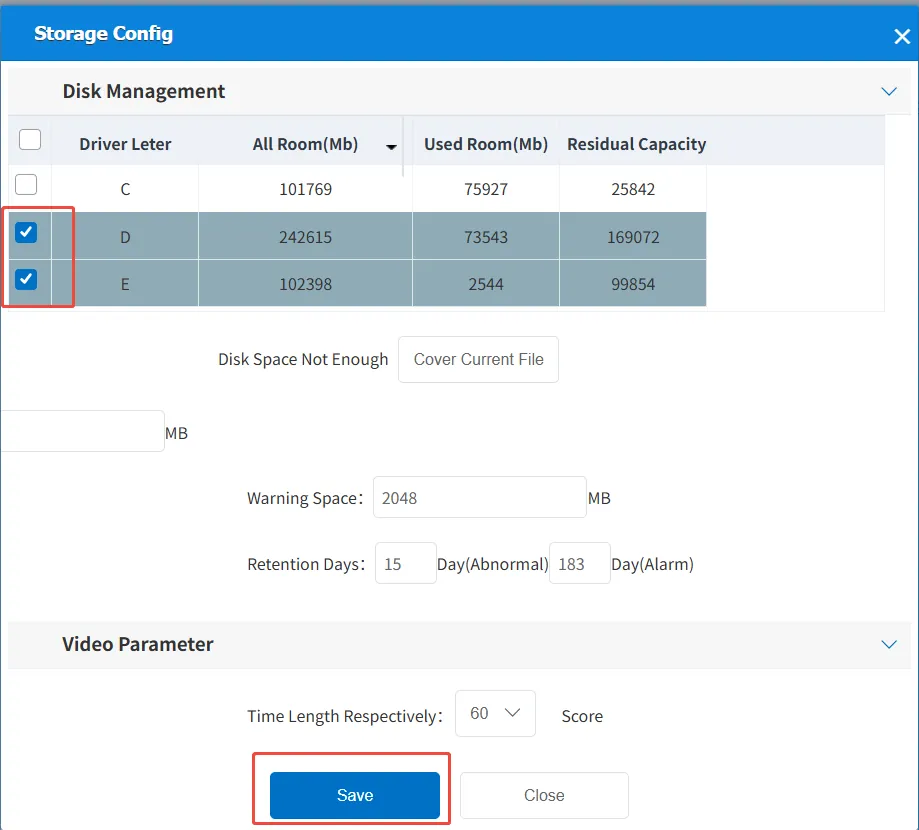
You can set the attachment storage letter in two ways: Server Console Configuration and Platform Server Management Configuration.
2.1 server console configuration
Go to the server console, click Storage Server, and then click Storage Server Configuration. In the displayed disk status box, select the drive letter that needs to store alarm attachments, and then 'Save'.
2.2 platform server management configuration
Admin login platform, enter the server management- > server management summary- > storage server, click Enter the disk status box.
Select the corresponding drive letter and then 'Save'.
3. disk space early warning processing method
https://help.cmsv8.com/helpCenter/doc/index.html?isStudy=1&pageType=2&docId=2077&type=1&lang=zh&docType=9
