1. Function description
- The data stored in the real- time database includes basic data (vehicle information, equipment information, user information, etc.) and big data (trajectory, alarm, log, etc.)
- When the server disk space is not enough to save enough data, you need to clean up the real- time database to avoid affecting the normal operation of the software
2. operating instructions
2.1 operation steps:
- Install navicat database management tools (please ignore those already installed);
2, use navicat to connect to the real- time database; - Delete unnecessary database tables
2.2 operation method
-
Install navicat database management tools, download and install online and connect to the database. Connection method:
Database access information and access operations
https://help.cmsv8.com/helpCenter/doc/index.html?isStudy=1&pageType=2&docType=9&docId=1866&type=1 -
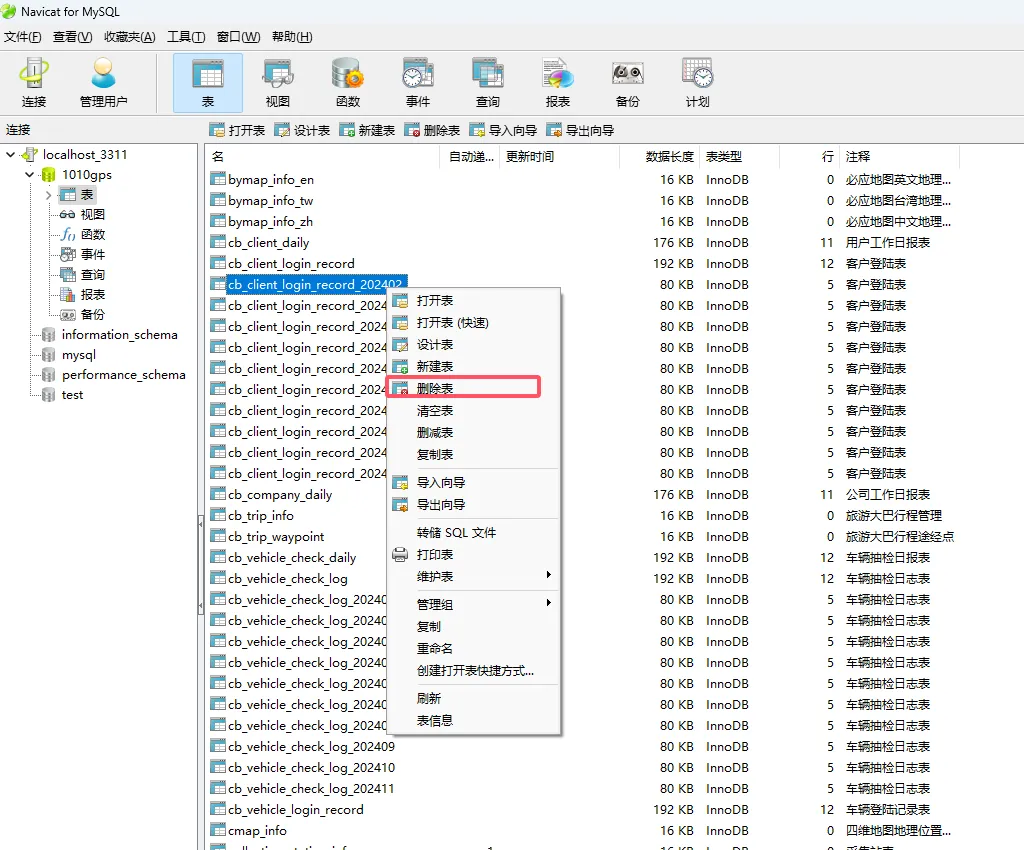
Delete the real- time database data. Only the tables with the suffix of year and month in the following figure can be deleted, and the data table of this month cannot be deleted. Otherwise, the database will be damaged and the data will be lost. This deletion is a complete deletion. Please make sure that the data is not needed before doing the operation.
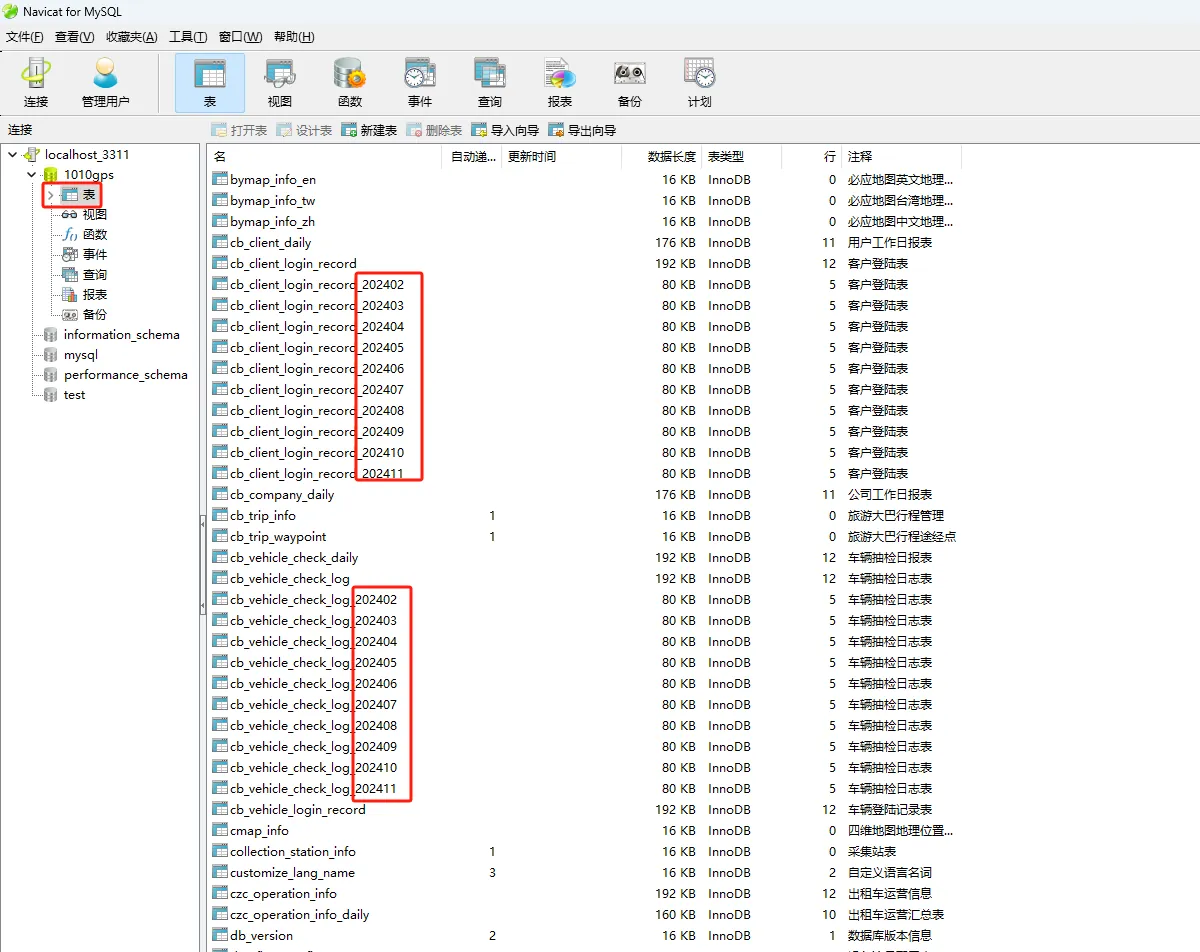
-
Right- click the data table to be deleted and click 'Delete Table'.