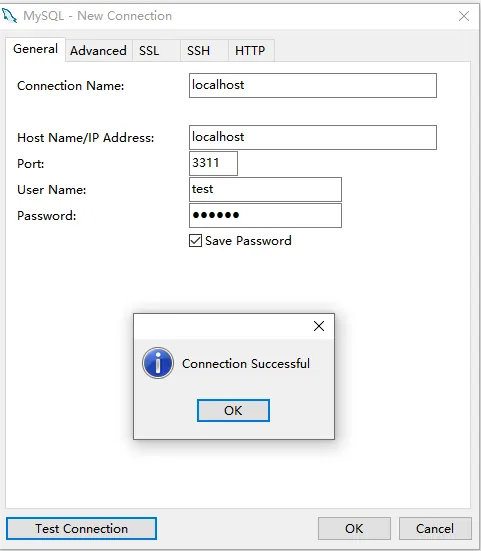
1 Function description
New Database User
2 operating instructions
2.1 New User
Use the navicat to connect to the database and create a new user.
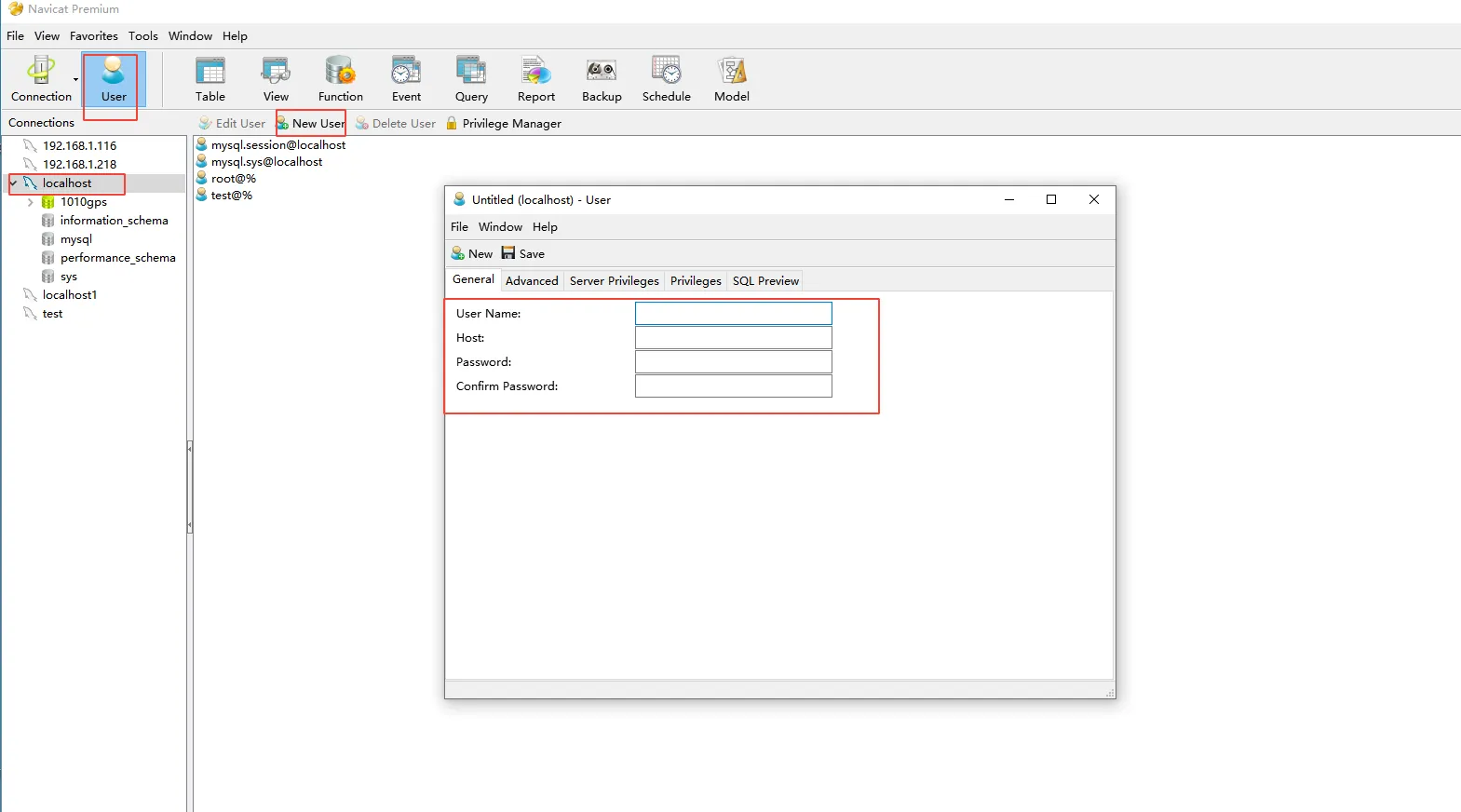
Username: Login user name
Host: indicates the access source of the user. Usually it can be localhost (allowing local access only),%(allowing connections from any host), or a specific IP address.
Password: The password of the user
2.2 Setting Server Privileges and Database Privileges
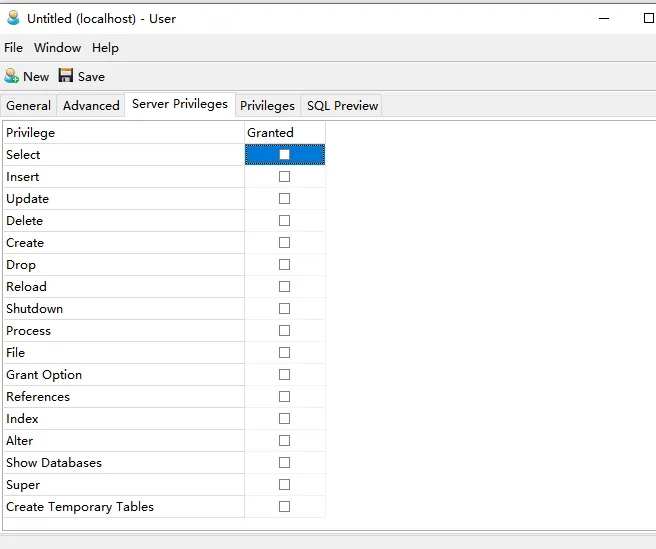
2.2.1 Server Privileges
is a global permission. Server Privileges (global permissions) override database Privileges. If you grant the user SELECT permission in the server permission, then this user can query all tables in all databases, even if you do not grant him any permission in the database permission.
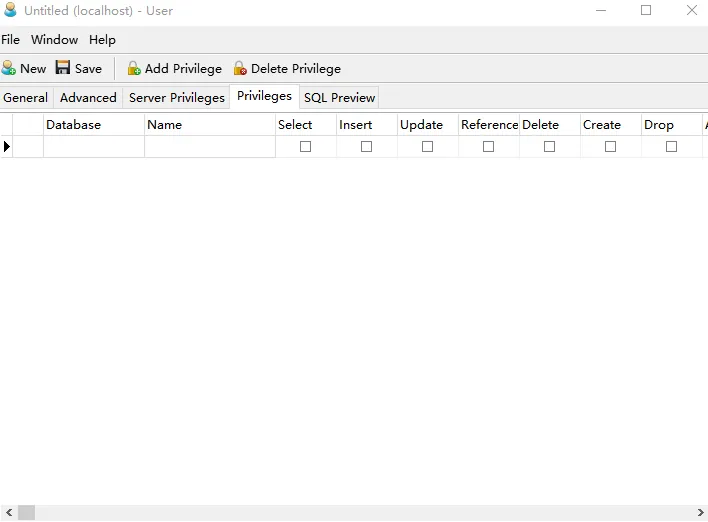
2.2.2 Database Privileges
Privileges that are specific to a database.
2.2.3 Privileges description
| Privileges | Description |
|---|---|
| SELECT | Allows querying (reading) data from tables in the database. |
| INSERT | Allows inserting new data into tables in the database. |
| UPDATE | Allows modifying (updating) existing data in tables in the database. |
| DELETE | Allows deleting data from tables in the database. |
| CREATE | Allows creating new tables and schemas in the database. |
| DROP | Allows dropping (deleting) tables and views from the database. |
| RELOAD | Allows executing FLUSH operations (e.g., FLUSH TABLES, FLUSH LOGS, FLUSH HOSTS, FLUSH STATUS). |
| SHUTDOWN | Allows shutting down the MySQL server using the mysqladmin shutdown command. |
| PROCESS | Allows using the SHOW PROCESSLIST command to view all currently running threads (connections). Can see SQL statements executed by other users. |
| FILE | Allows reading and writing files on the server using SELECT ... INTO OUTFILE and LOAD DATA INFILE statements. Warning: User can write to any path where MySQL has write access. |
| GRANT OPTION | Allows a user to grant or revoke from other users any privileges that they themselves possess. |
| REFERENCES | Allows creating foreign key constraints (requires the REFERENCES privilege on the parent table). |
| INDEX | Allows creating or dropping indexes on tables in the database. |
| ALTER | Allows modifying the structure of tables in the database. |
| SHOW DATABASES | Allows the user to use the SHOW DATABASES command to see a list of all databases. Users without this privilege only see databases they have permissions for. |
| SUPER | Allows executing a series of administrative commands (e.g., KILL [threads], SET GLOBAL [modify global variables], CHANGE MASTER TO [replication], PURGE BINARY LOGS). |
| CREATE TEMPORARY TABLES | Allows using the CREATE TEMPORARY TABLE statement to create temporary tables. |
| LOCK TABLES | Allows explicitly locking tables in the database using the LOCK TABLES statement. |
| EXECUTE | Allows executing stored procedures and functions in the database. |
| REPLICATION SLAVE | Allows replication slave threads to connect to the current server as a replication source (read binary logs from the master). Should be granted only to replica server accounts. |
| REPLICATION CLIENT | Allows the user to use commands like SHOW MASTER STATUS and SHOW SLAVE STATUS to query the configuration and status of replication. |
| CREATE VIEW | Allows creating views in the database. |
| SHOW VIEW | Allows using the SHOW CREATE VIEW statement to view the definition of a view. |
| CREATE ROUTINE | Allows the user to create new stored procedures and stored functions. |
| ALTER ROUTINE | Allows the user to modify or drop (delete) existing stored procedures and stored functions. |
| CREATE USER | Allows creating, dropping, renaming users, and revoking their privileges. |
| EVENT | Allows creating, altering, or dropping Event Scheduler events for the database. |
| TRIGGER | Allows creating or dropping triggers on tables in the database. |
2.3 Authentication Login