1 Function Description
1.1 GPS, alarm, media, log, monthly storage.
1.2, when the running time is long, it will occupy more database space.
1.3 deleting these tables, you can free disk space for the database.
2 Operating Instructions
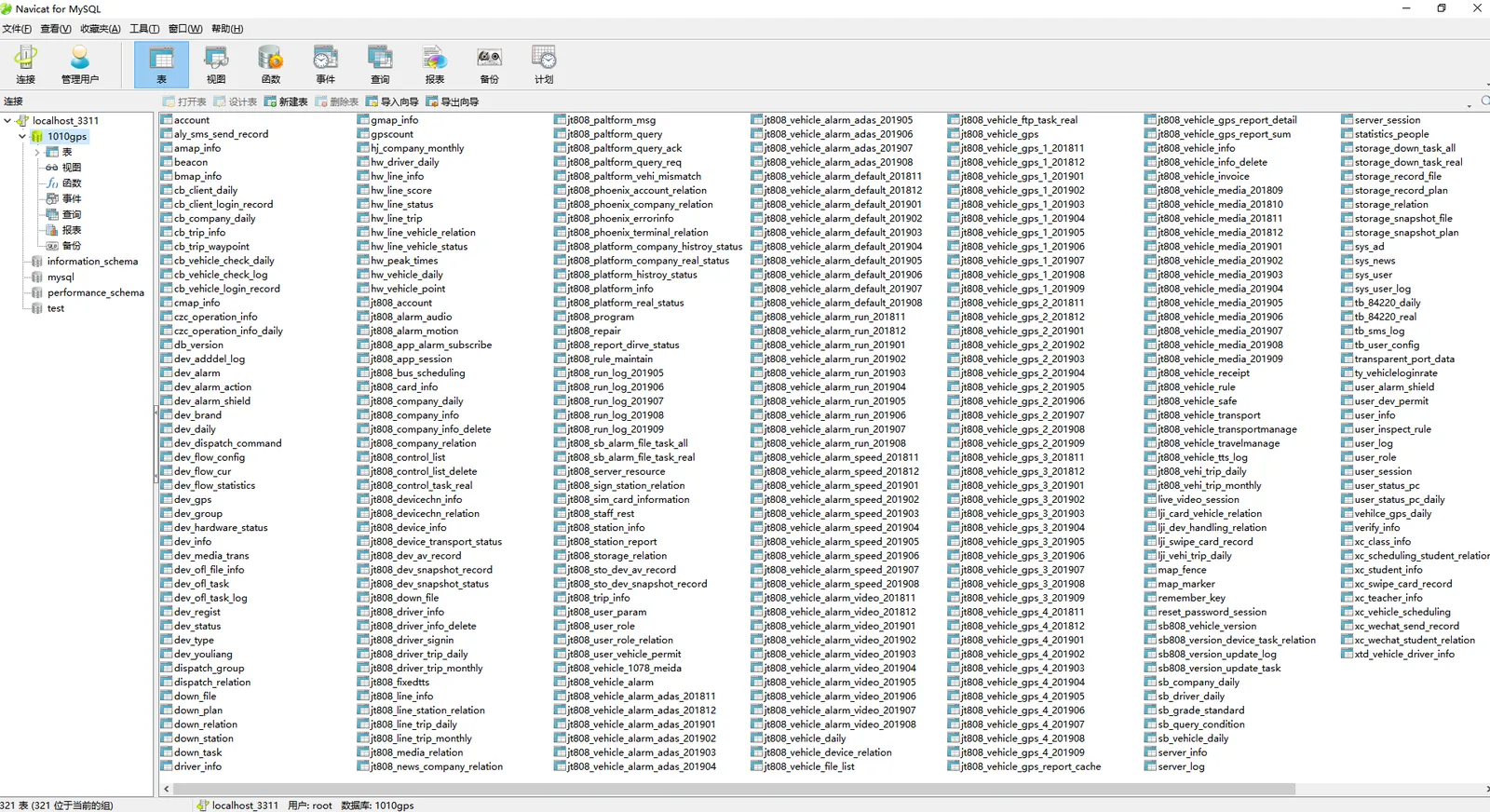
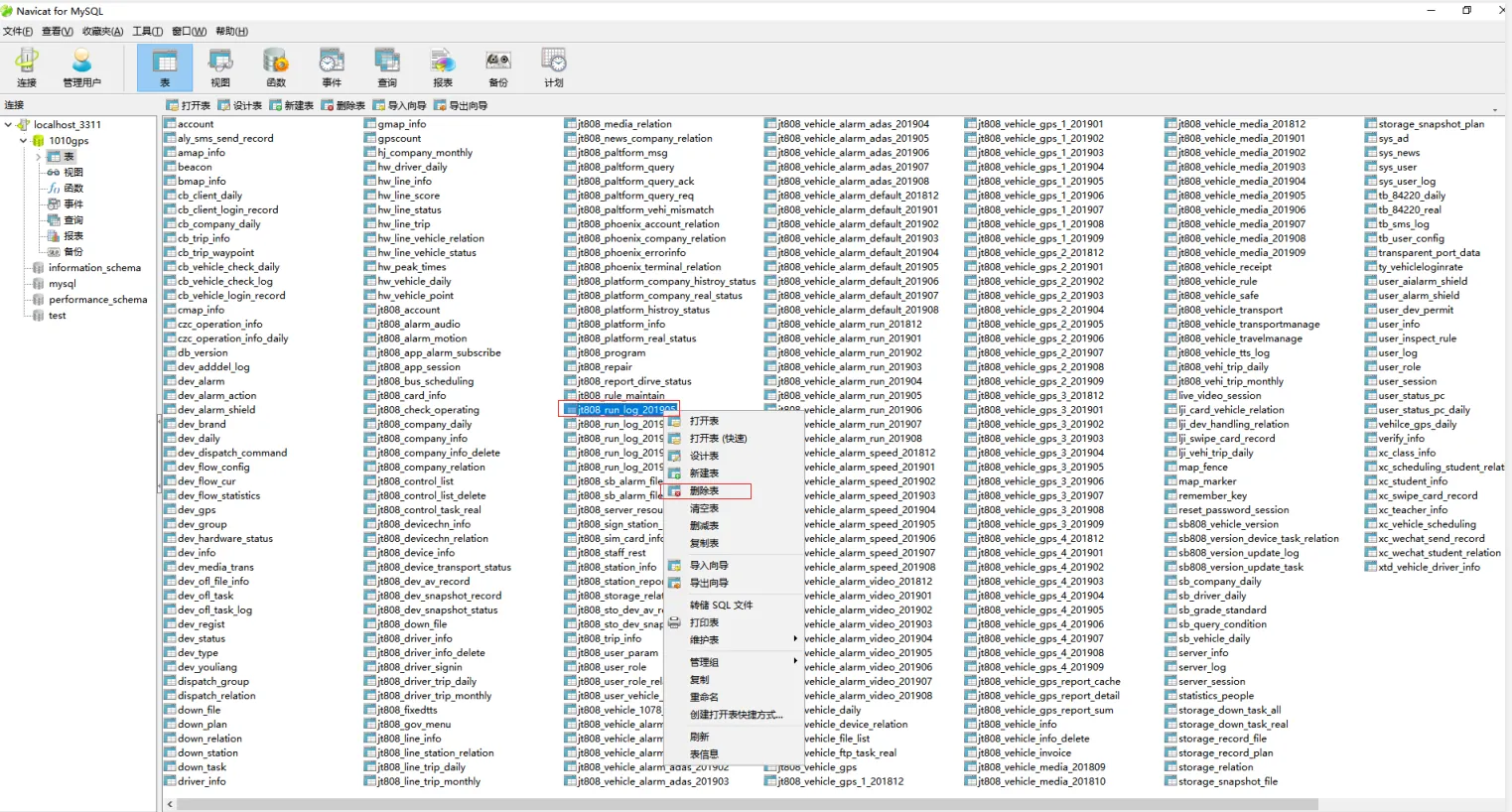
2.1 With the help of Navicat for MySQL tool [see: Database Access Information and Access Operations], connect and manage mysql database. After successful connection, the information in the corresponding mysql database can be viewed locally, as shown in the following figure:
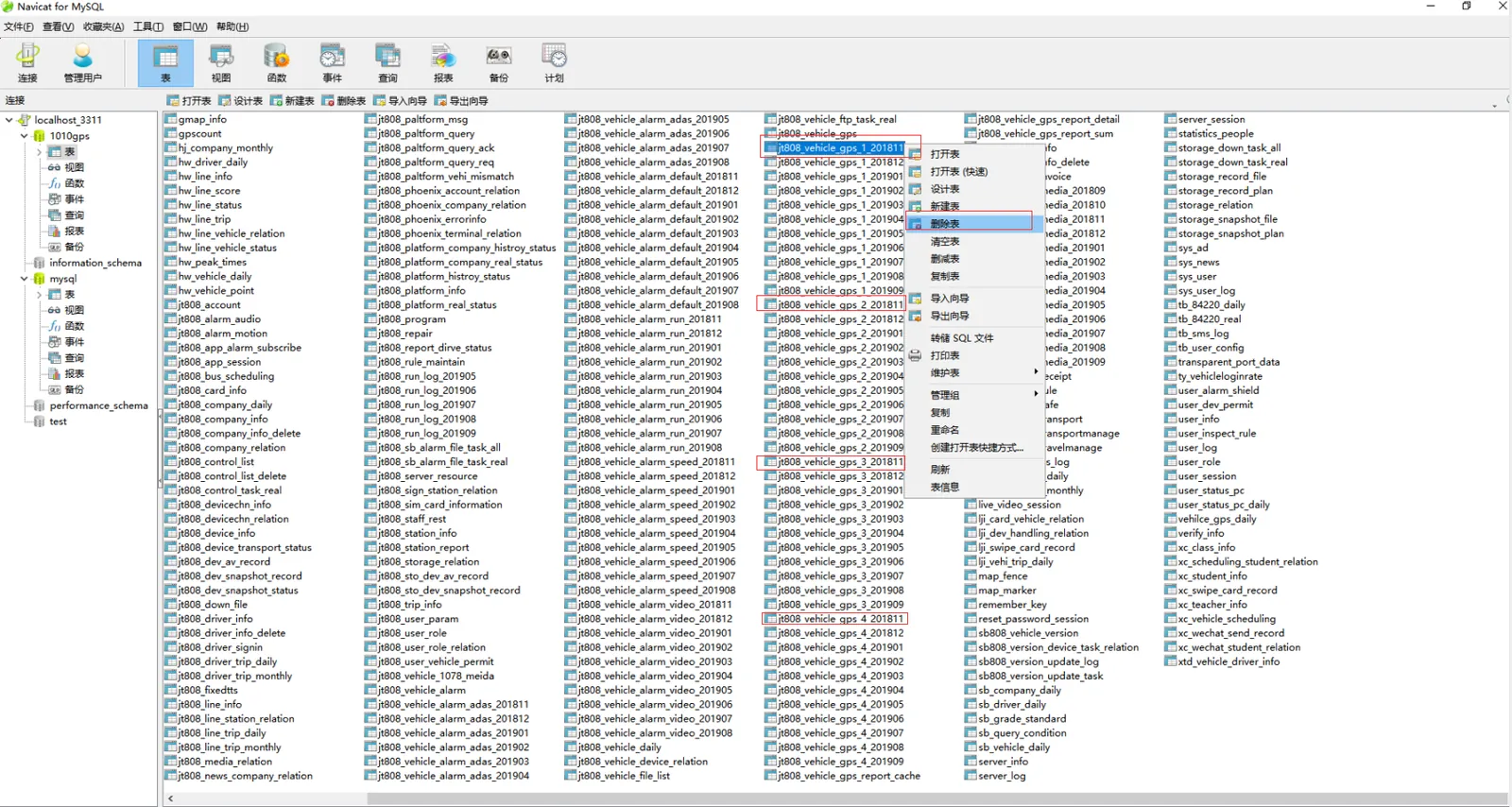
2.2 to delete the gps table of database history by month
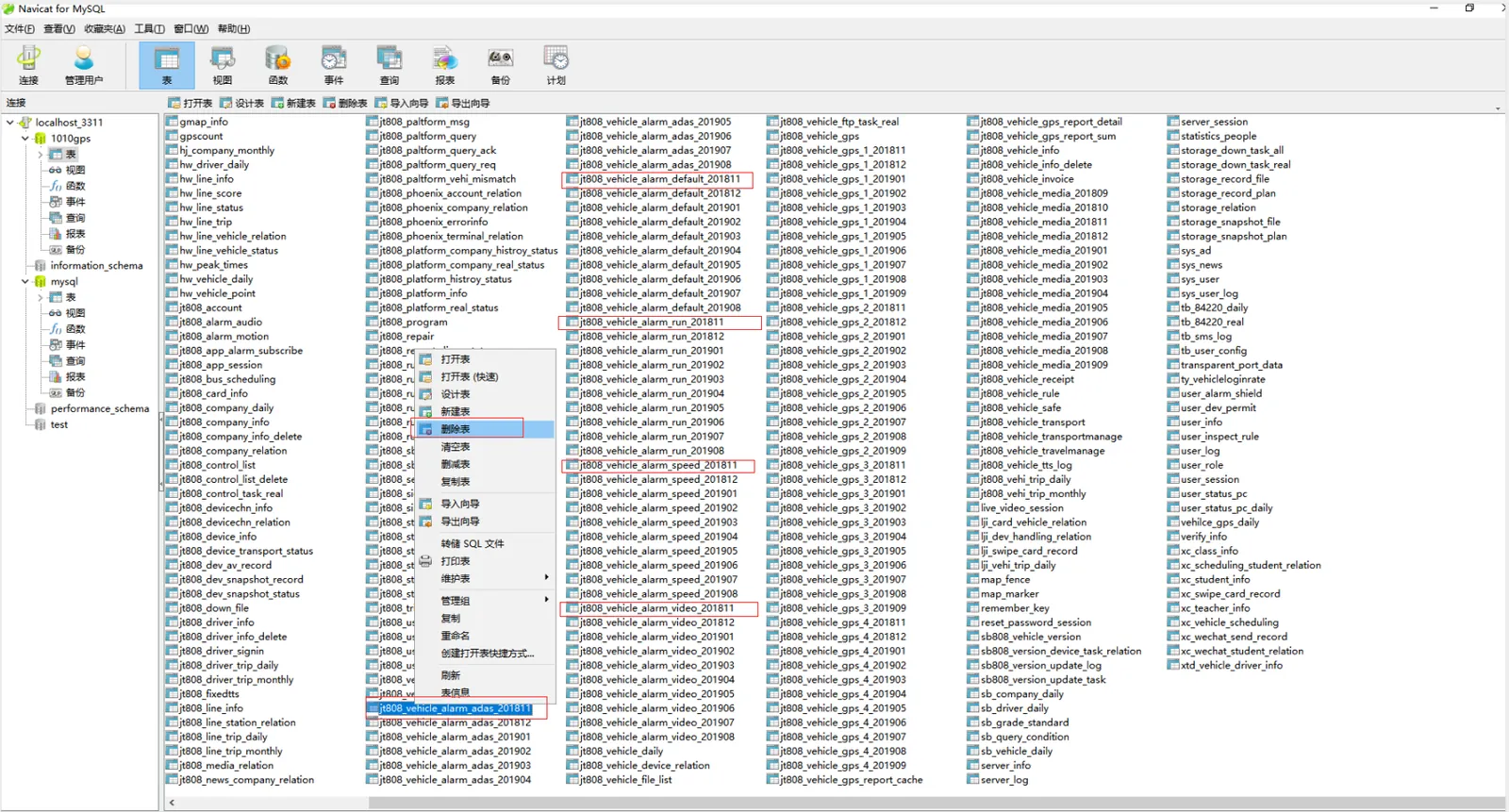
2.3 delete the alarm table of database history by month
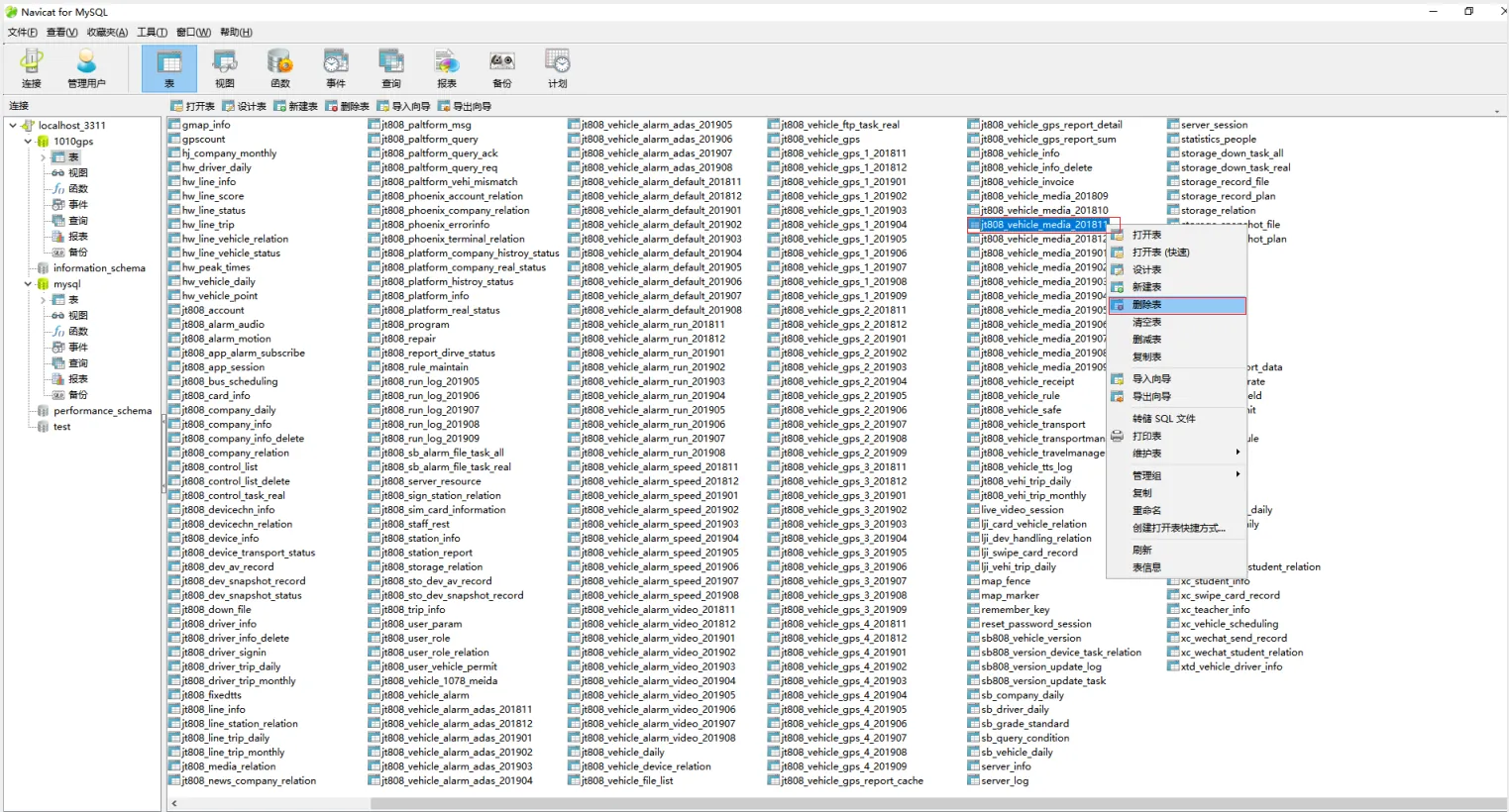
2.4 delete media table of database history by month
2.5 to delete user log tables by month
3 Notes
The 3.1 is linked to the database and operates on the real- time database.
After the 3.2 is deleted, the system will not find the data corresponding to the time, please operate carefully.
Before 3.3 deletion, make sure that the corresponding data has been properly backed up
Once the 3.4 is deleted, if you want to restore it, you can use the backup data to restore it directly.
