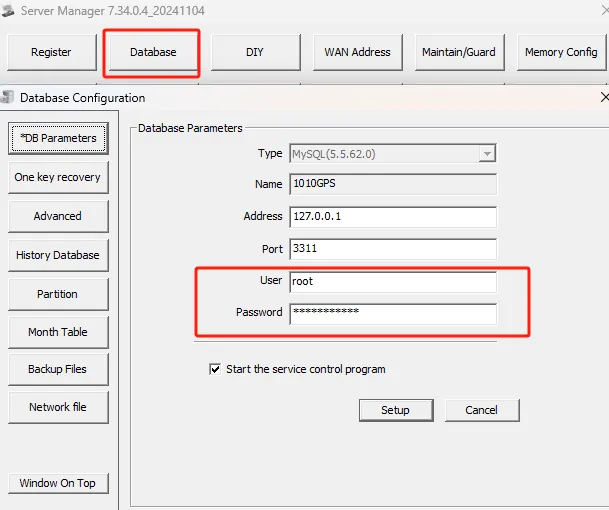
1、 function description
mysql database password change (not recommended under normal circumstances)
2、 operating instructions
Use navicat database tools to change mysql database password SQL statement: (the changed password cannot be too simple)
Example: 'update user set password = password('cms123456') where user = 'root' and host = 'localhost ''
user: table name
cms123456: New Password
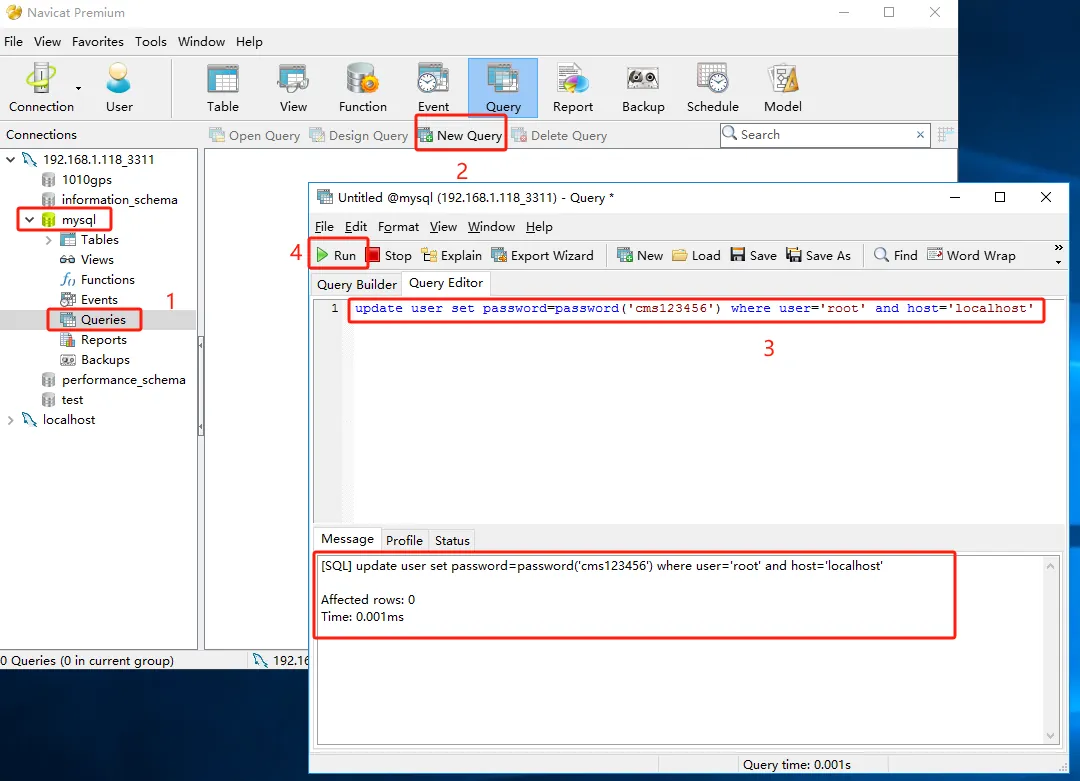
After the execution is completed, restart the mysql service.
2.1
After changing the database- related information, ensure that the web server is linked to the database, and also change the relevant configuration items in the configuration file in the path below. (Need to synchronize database data)
- CMSServerV6\tomcat\webapps\gpsweb\WEB- INF\classes\config
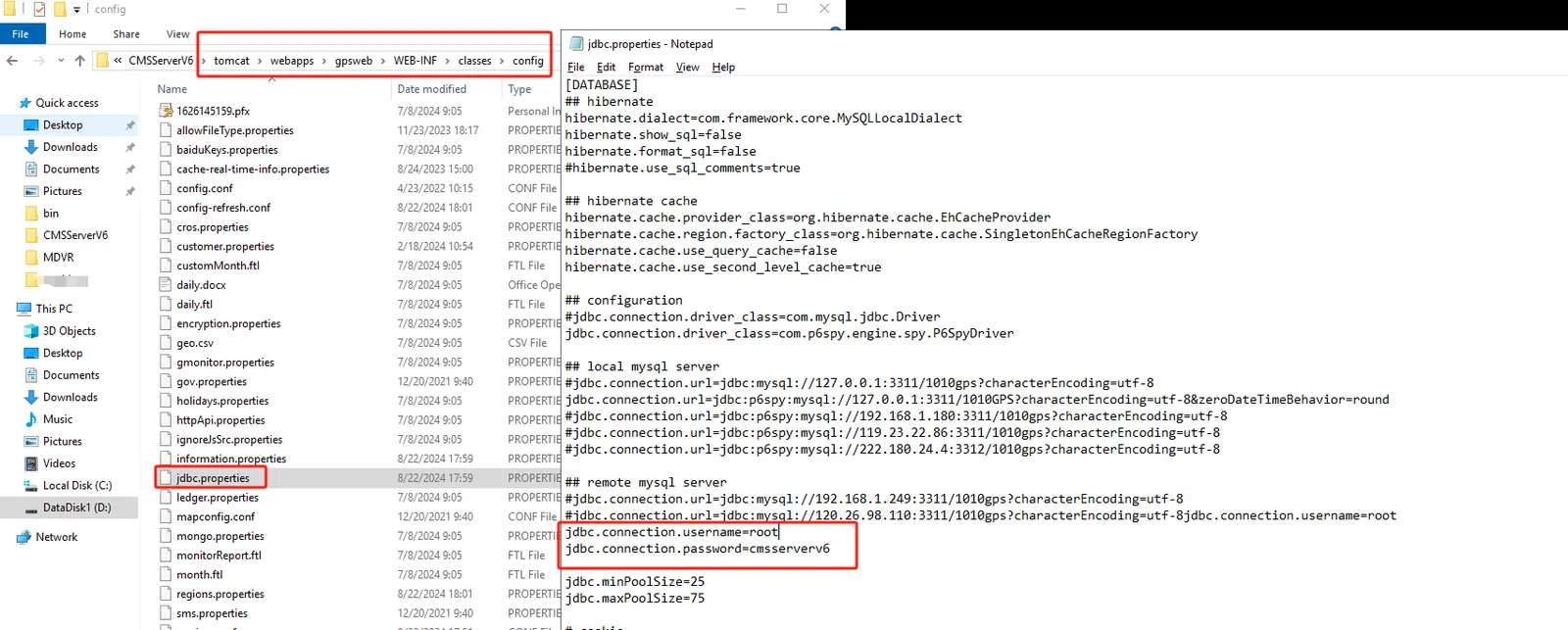
2.2
The configuration file in the path shown in the following figure requires manual changes to the database- related data.
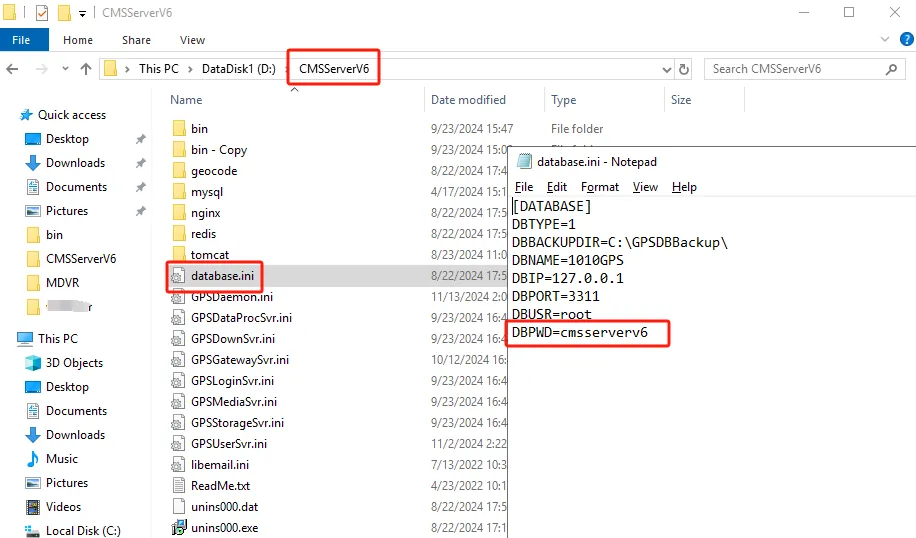
3、 Precautions
The database configuration data of the following path will be automatically synchronized