1、功能说明
mysql数据库密码更改(正常情况下不建议更改)
2、操作说明
使用navicat数据库工具更改mysql数据库密码的sql语句:(修改的密码不能太简单)
示例:update user set password=password('cms123456') where user='root' and host='localhost'(MySQL5.7以下版本)
示例:update user set authentication_string=password('cms123456') where user='root' and host='localhost'(MySQL5.7及以上版本)
user:表名称
cms123456:新密码
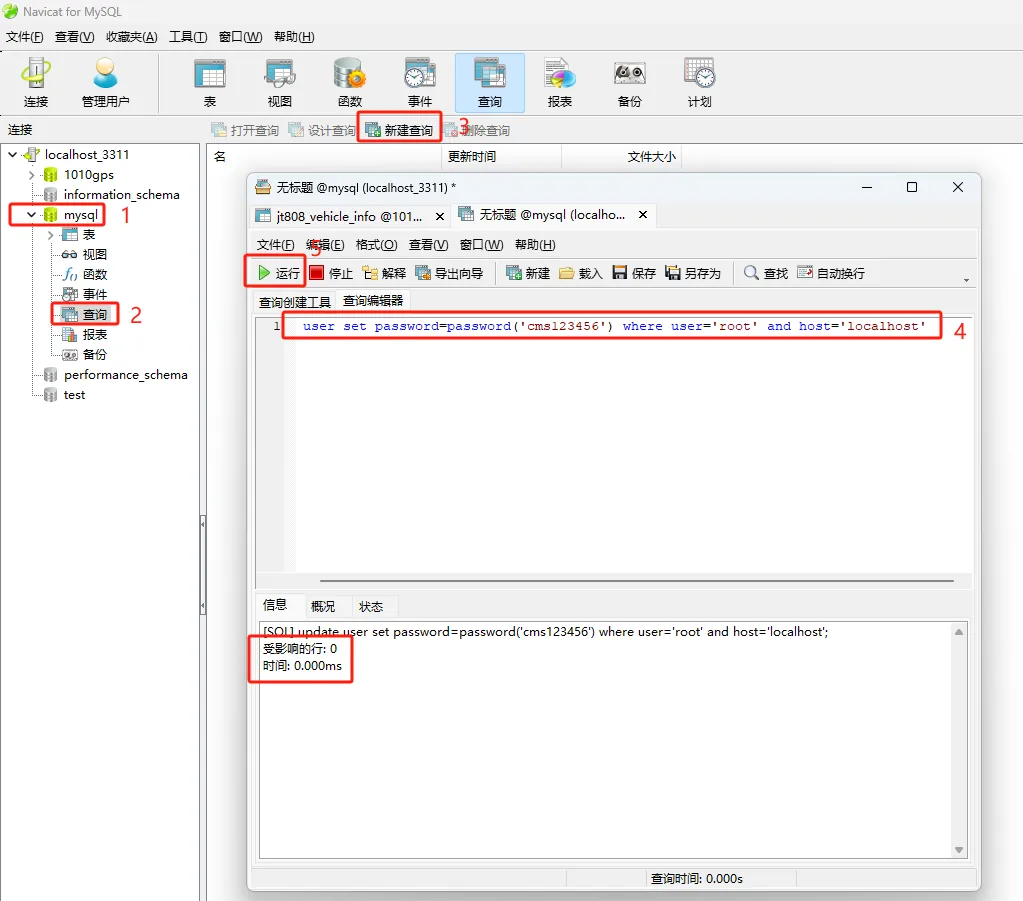
执行完毕之后,重启一下mysql服务。
2.1
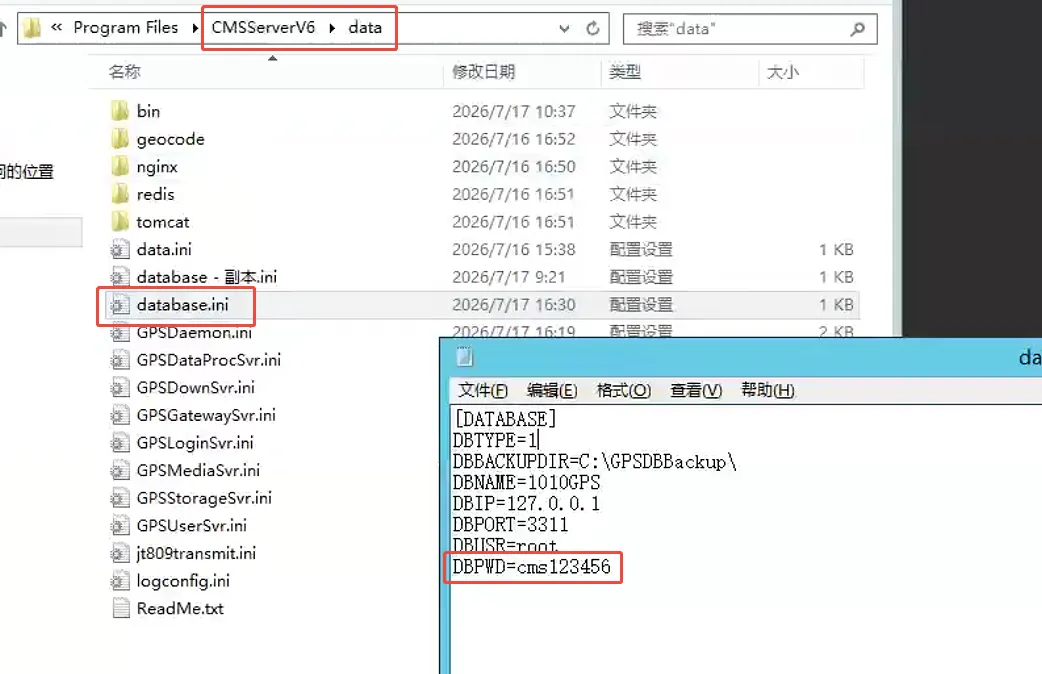
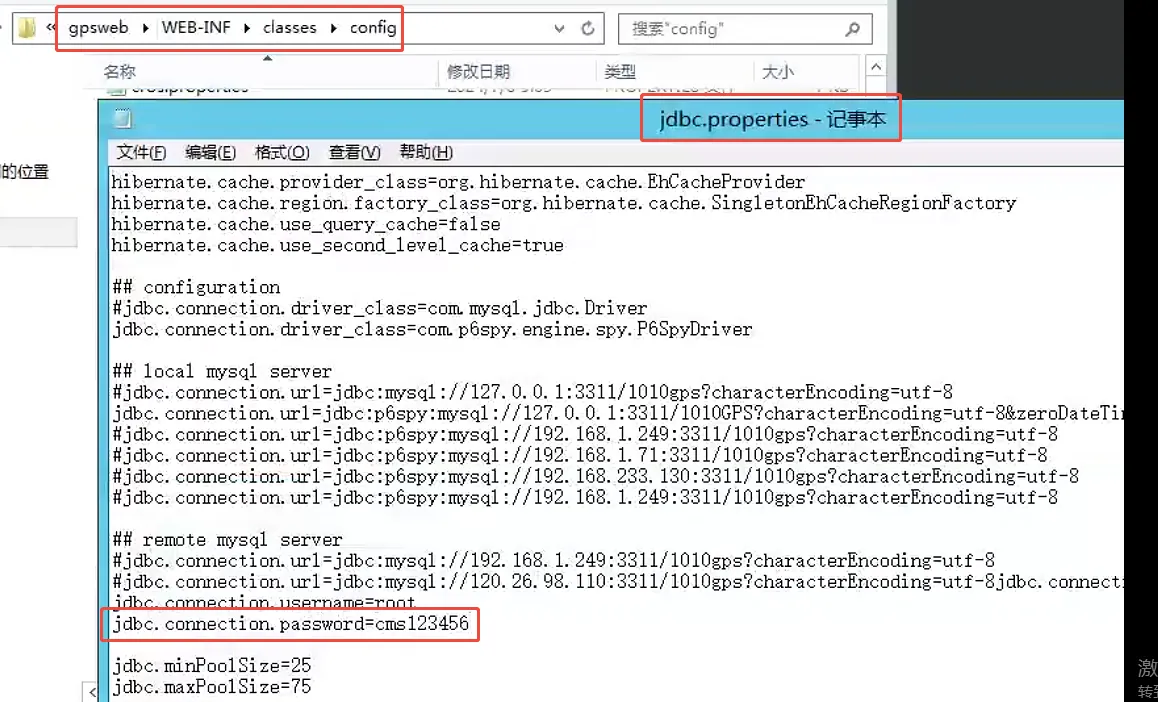
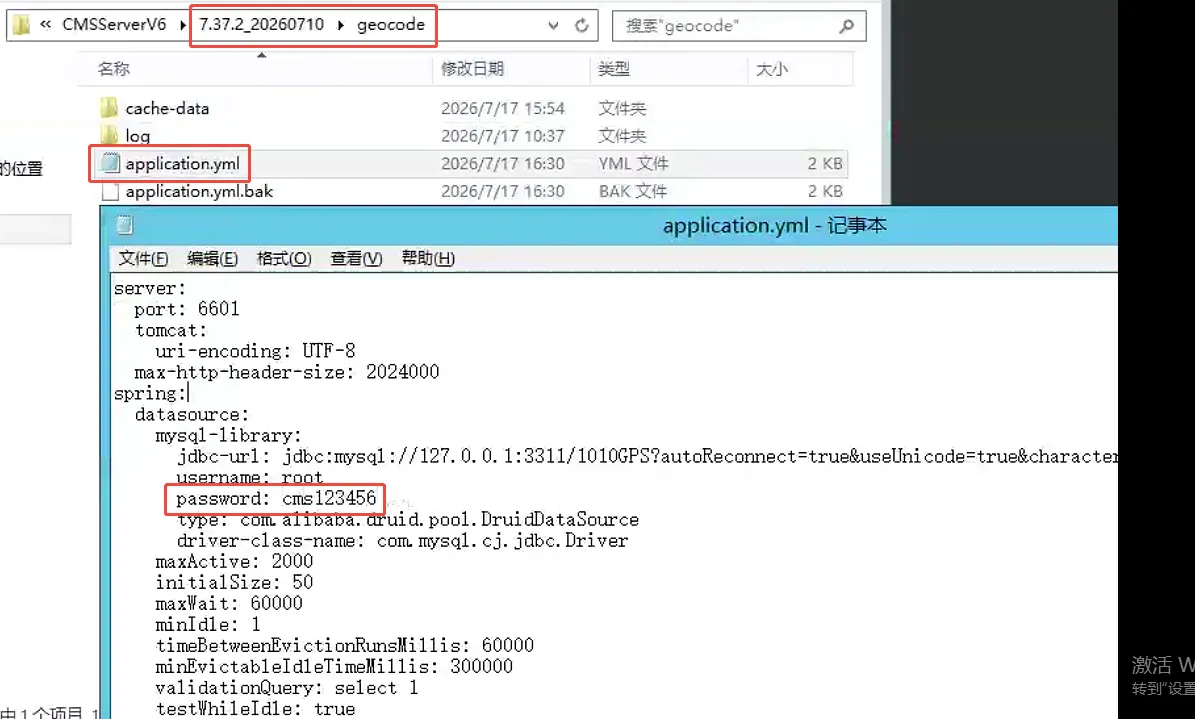
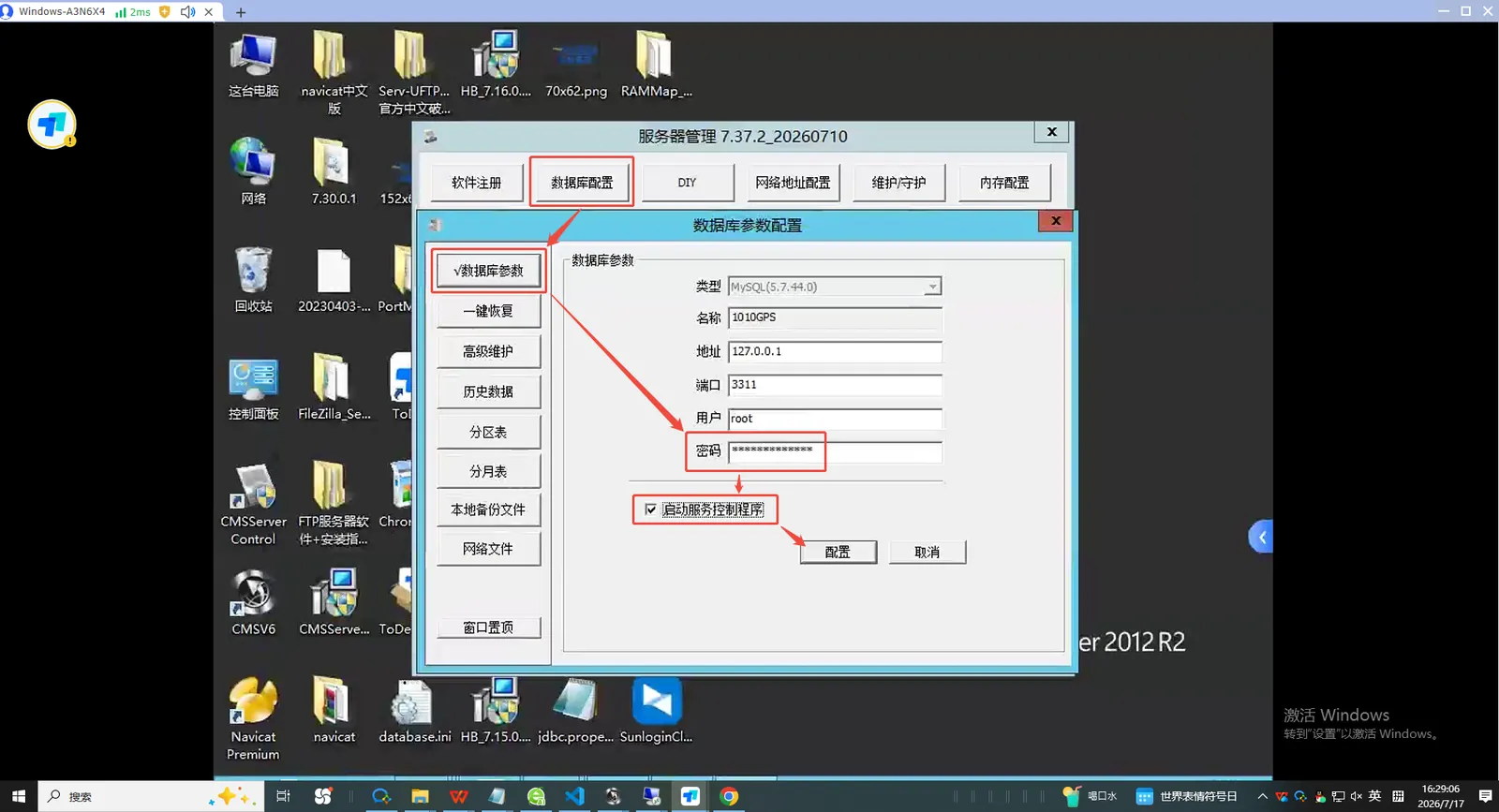
更改完了数据库密码之后,还要同步更改一下其他服务链接数据库的密码
数据库配置-数据库参数修改数据库密码,并勾选启动服务控制程序;点击配置即可
2.2
更改涉及位置: