1 Function Description
1.1 Because the client copies the vehicle icon to a maximum of 100 devices, the number of customer vehicles exceeds and the type is large;
2 Operating Instructions
2.1 server connection database, database access information and access operations:
https://help.cmsv8.com/helpCenter/doc/index.html?isStudy=1&%3BdocType=1&%3BdocId=258&%3Btype=1&docType=1&docId=258&type=1&lang=en
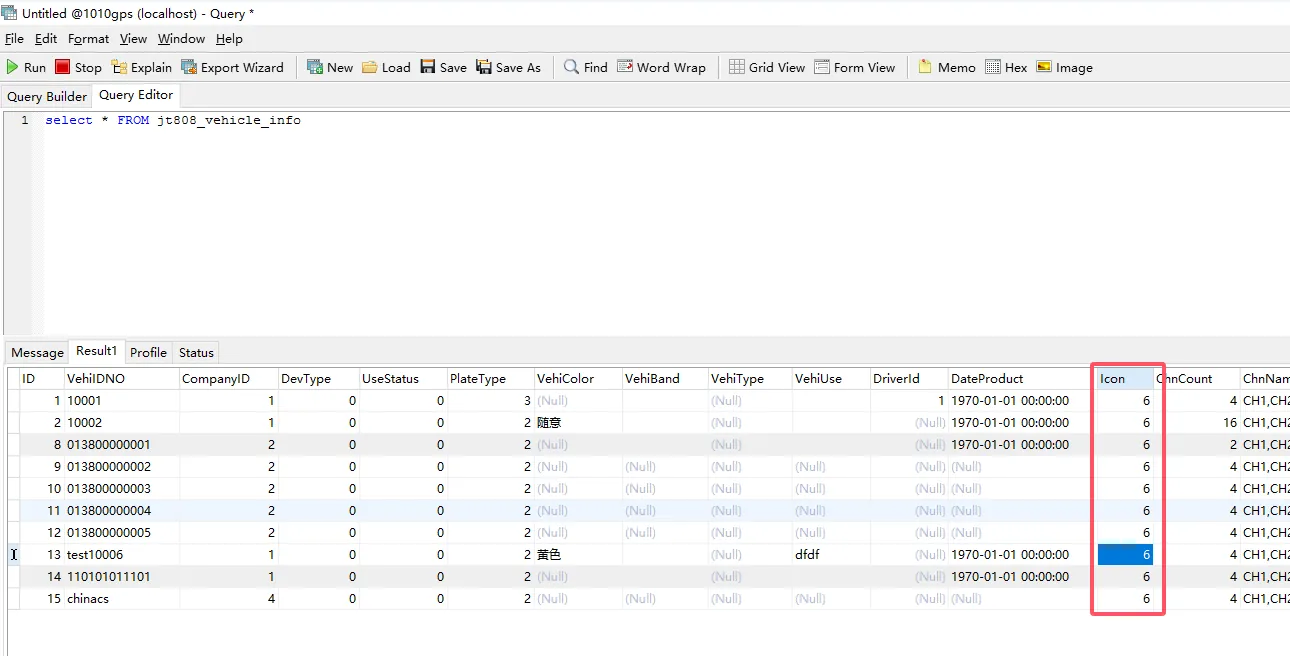
2.2 open the database table, search the database vehicle table jt808_vehicle_info;
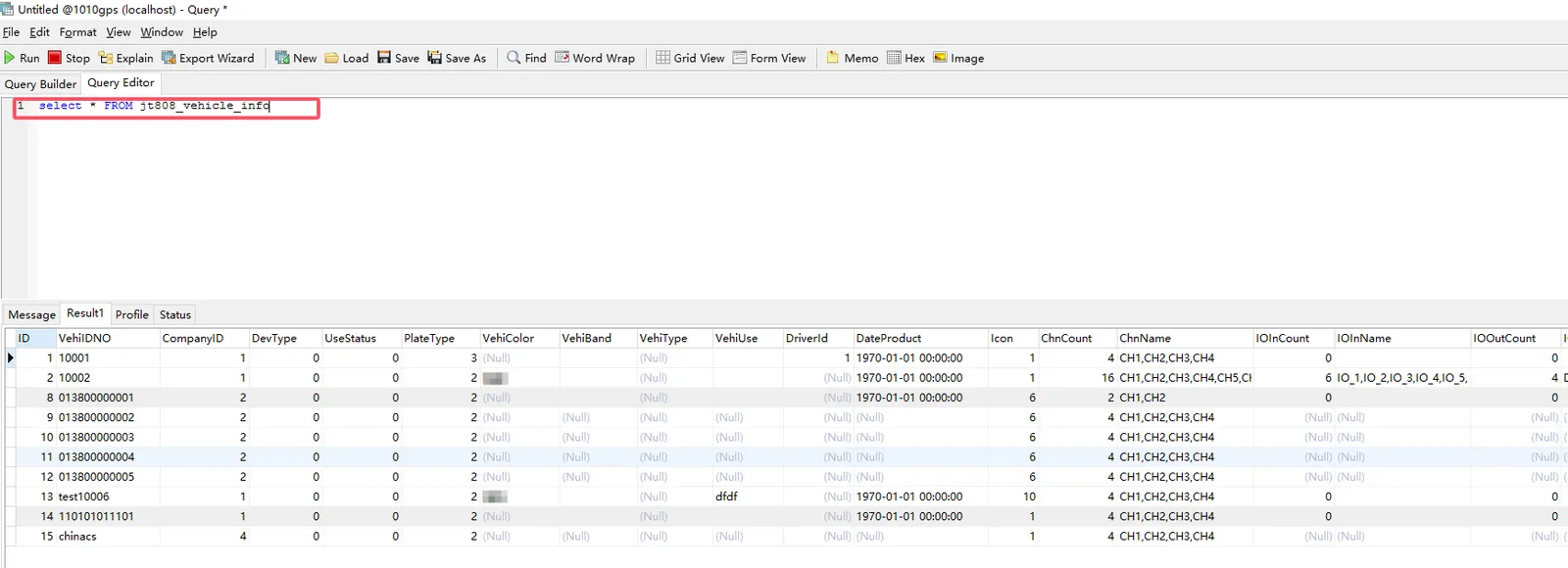
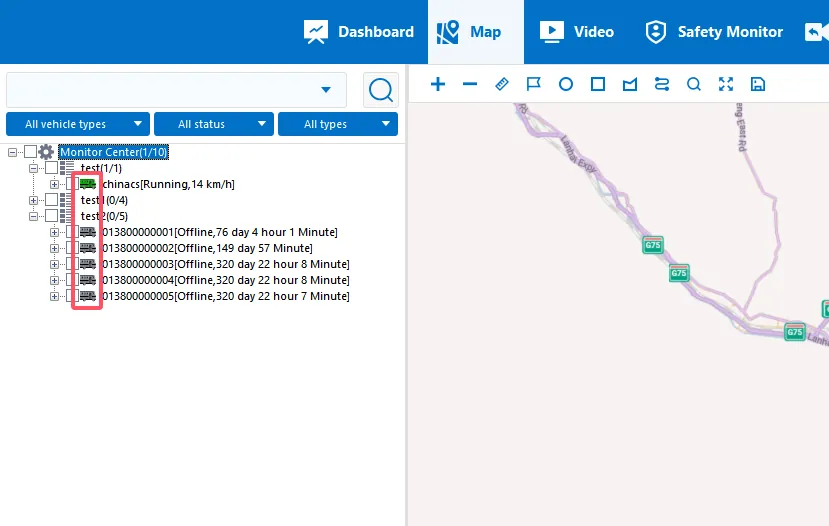
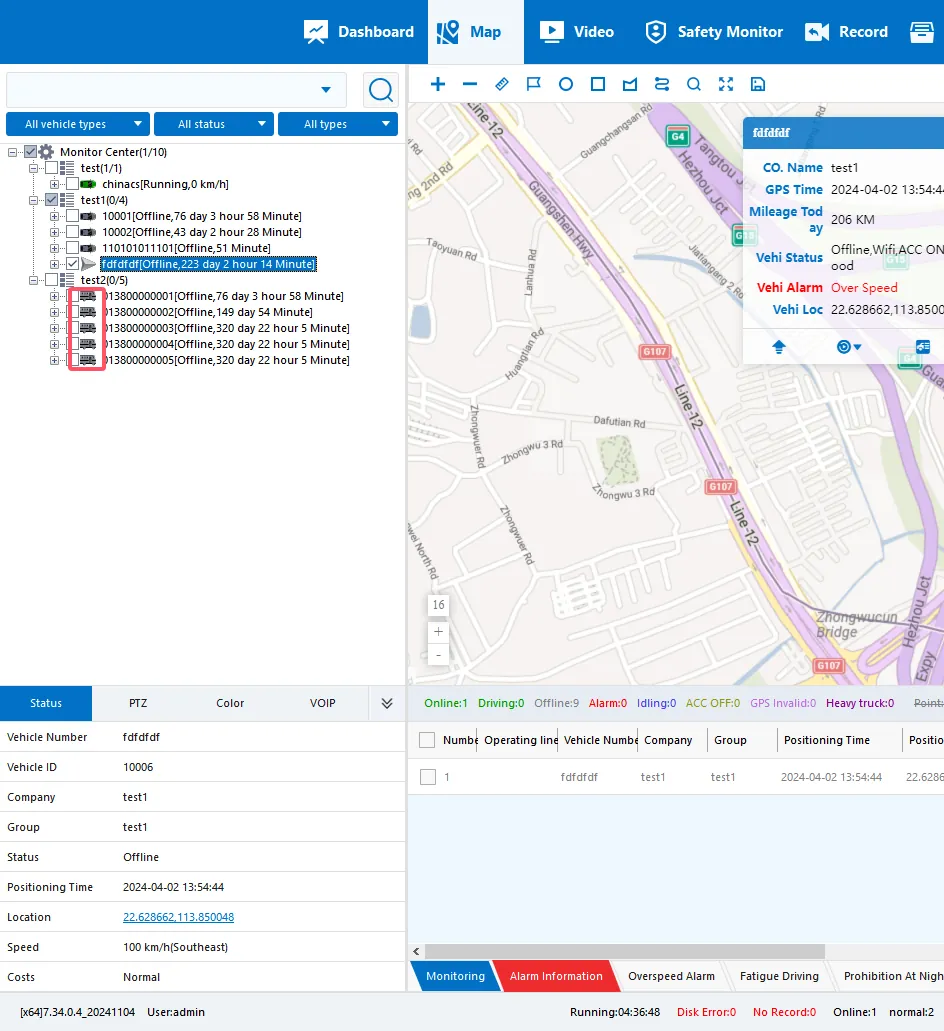
2.3 open the client real- time monitoring page, verify the vehicle icon in the database vehicle table Icon column;
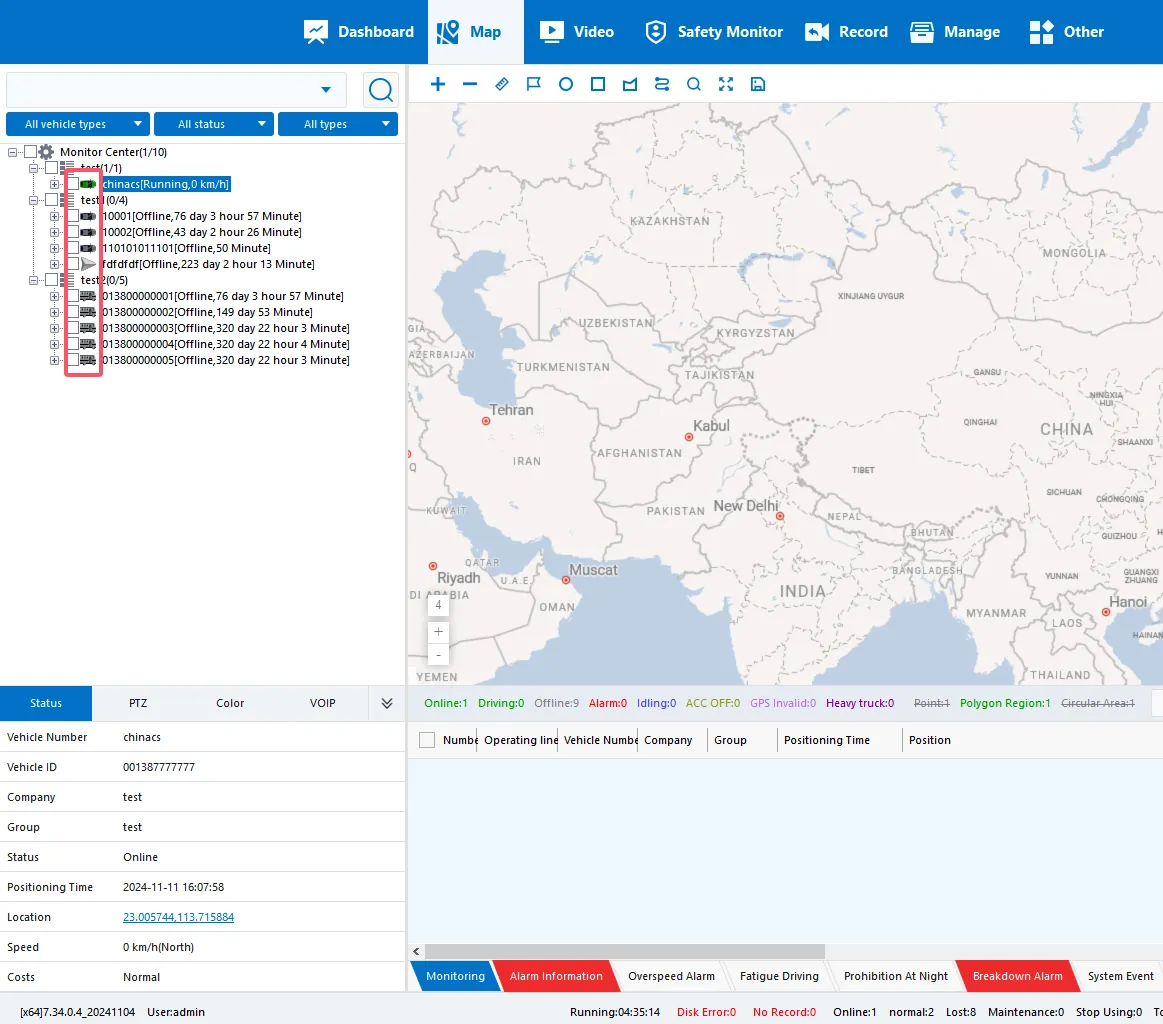
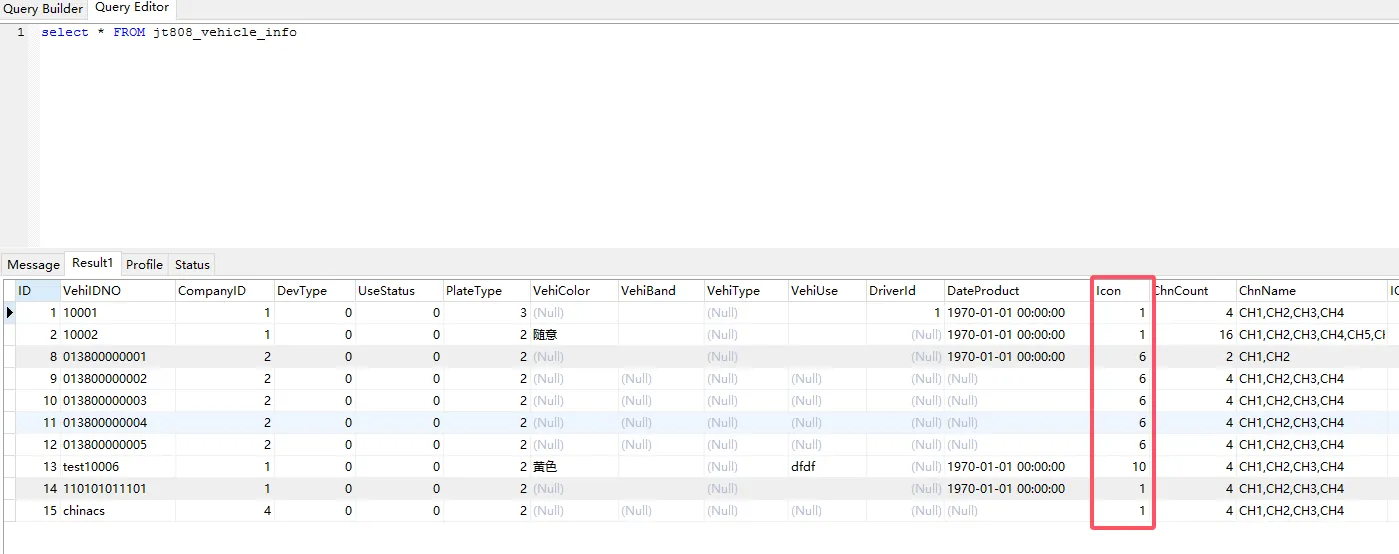
2.4 change the vehicle icon, F5 refresh the database vehicle list, change the vehicle icon Icon item to 6;
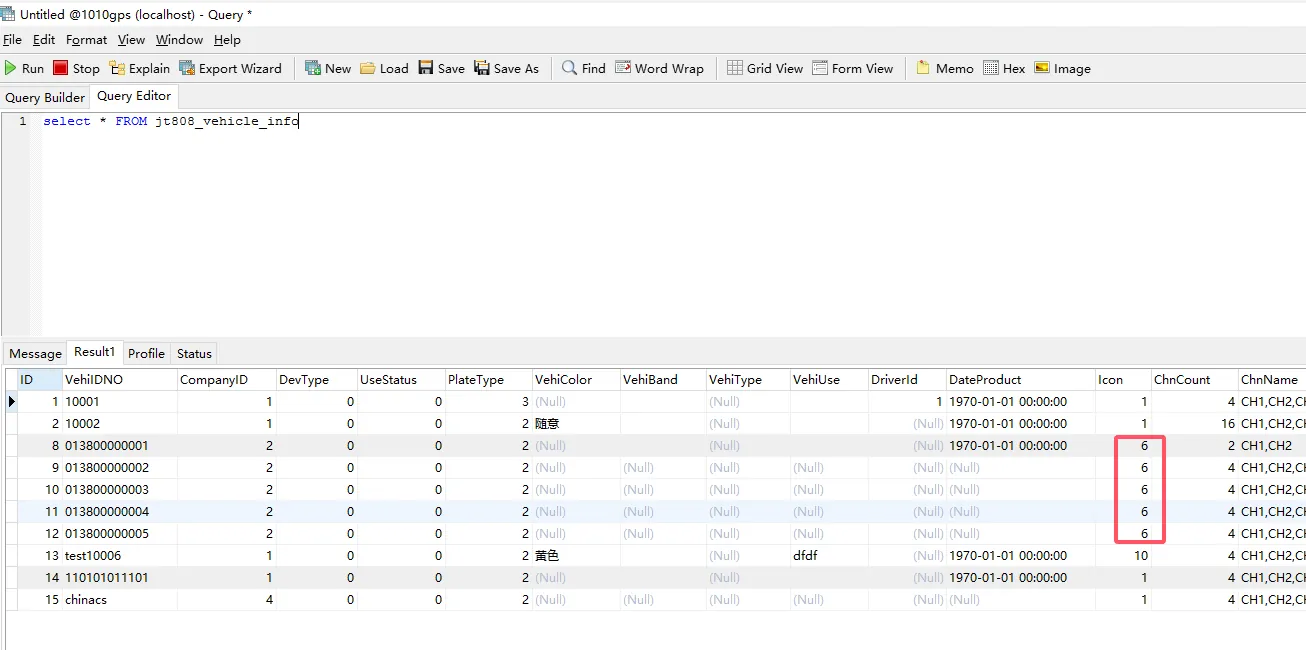
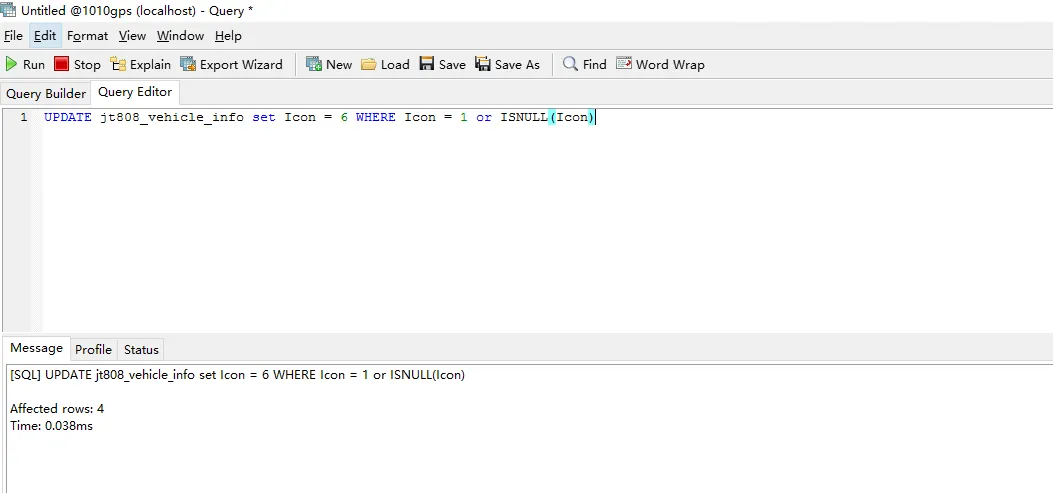
2.5 batch modify the database vehicle list, Icon items are changed to 6, new query
Execute SQL statement: UPDATE jt808_vehicle_info set Icon = 6 WHERE Icon = 1 or ISNULL(Icon)
- Note: Restart the user server after executing the SQL statement and log in to the client again, which will take effect immediately.
2.6 verify the database vehicle table and client icon are modified successfully;