1. Local Backup:
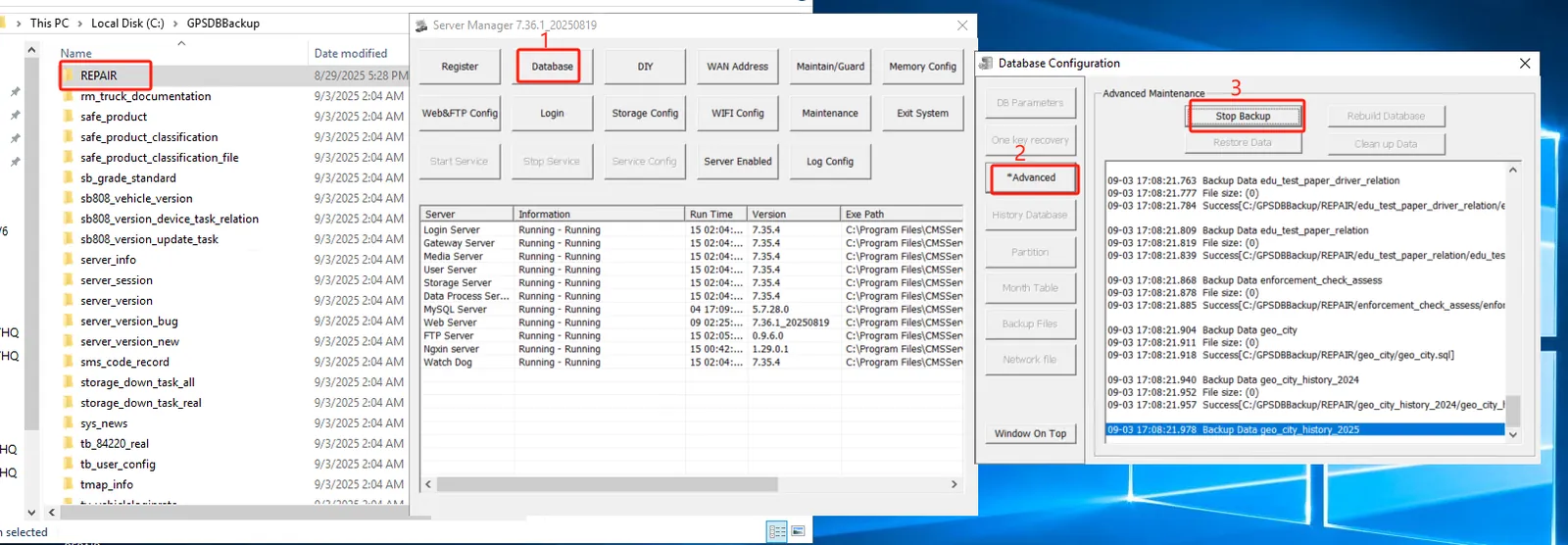
1.1 manual backup
- Operations personnel log on to the remote desktop of the server, go to [Server Console]-> [Database Configuration]-> [Advanced Maintenance]-> [Backup Data], select the backup basic data or big data, and select the backup start and end time. Basic data backs up the data of the latest date. Only big data needs to select a time period.
- Advantages: You can flexibly select the backup period and backup type;
- Disadvantages: manual operation is required, which requires certain requirements for operation and maintenance personnel; If you back up big data, it will take longer;
1.2 automatic backup
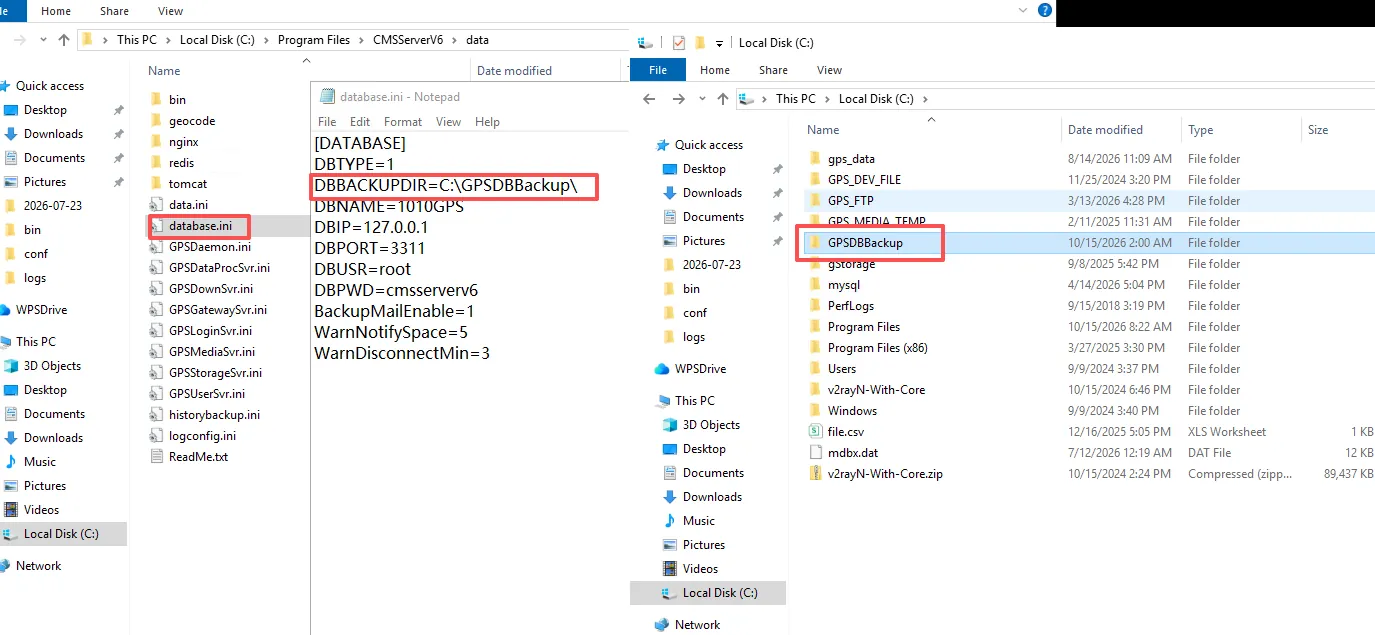
- The server will automatically back up basic data and big data at 2:00 a.m. every day, and the data will be stored on the local disk.
- Backup frequency: Daily scheduled backup, full backup of basic data, and incremental backup of big data.
- Backup Time: The backup starts at 2:00 a.m. by default and supports custom configuration.
- Advantages: fast recovery, does not rely on external networks, low cost, suitable for rapid rollback of sudden failures.
- Disadvantages: single point of failure, it is easy to lose all backups in case of computer room disaster failure.
2. Offsite Backup
2.1 email backup
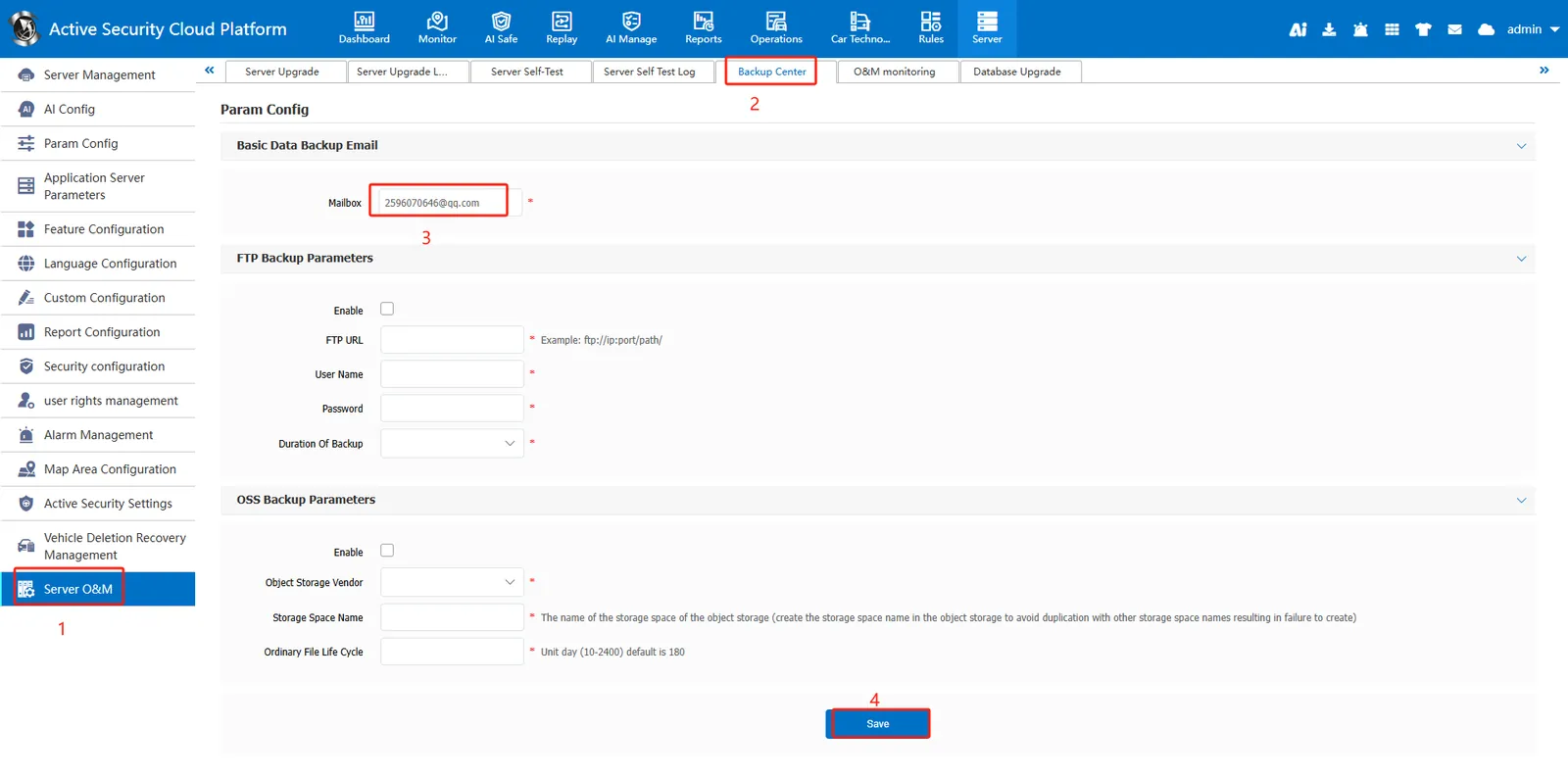
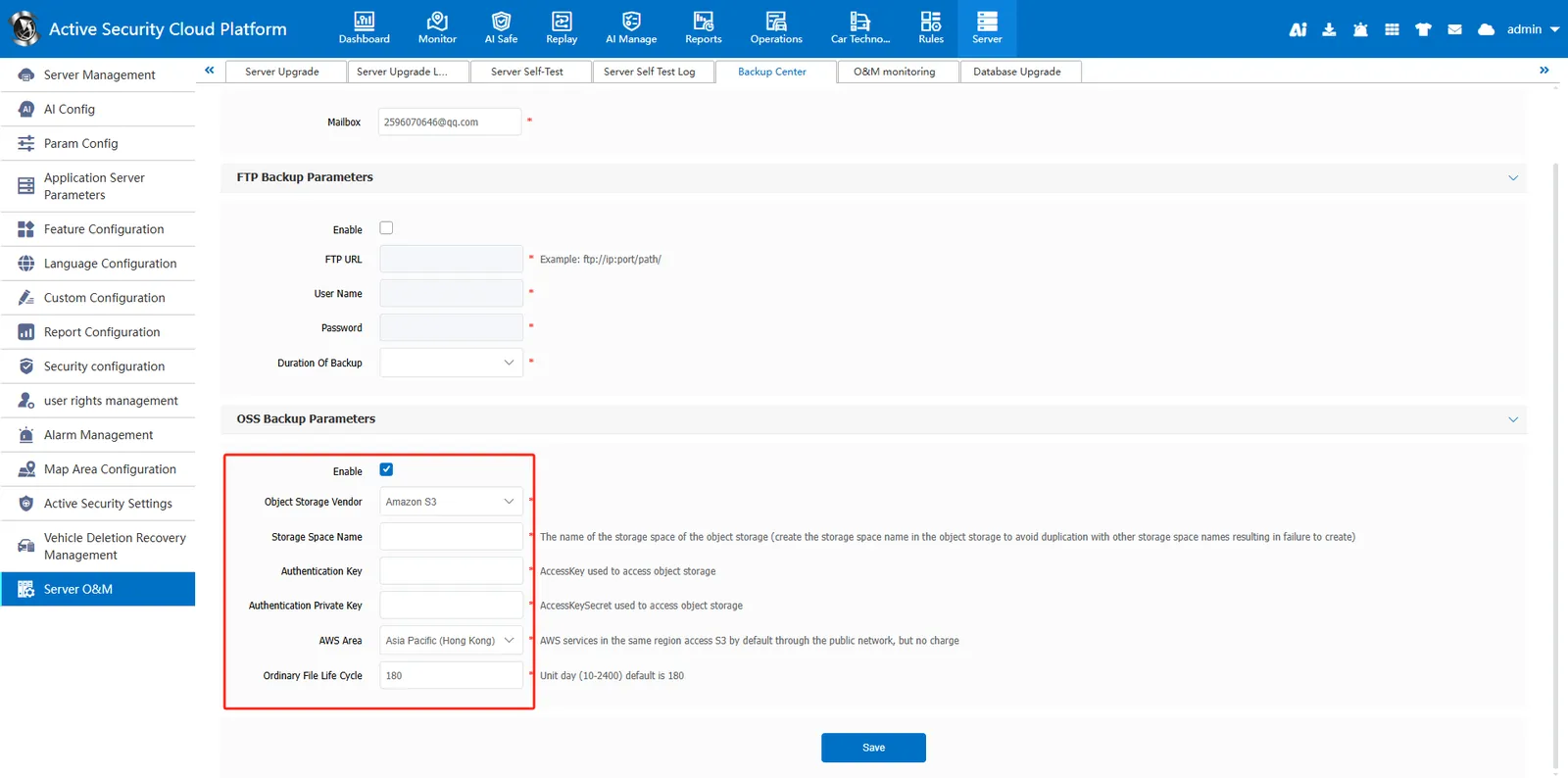
- The server regularly backs up the basic data and sends the basic data to the specified mailbox by mail. By default, the server retains basic data backups for nearly seven days.
- Backup frequency: once daily for VIP customers; once every 3 days for non-VIP customers.
- Advantages: automatic execution without manual intervention; avoid peak hours and avoid seizing system resources;
- Disadvantages: mailbox capacity problem, can only receive basic data
2.2 FTP Backup
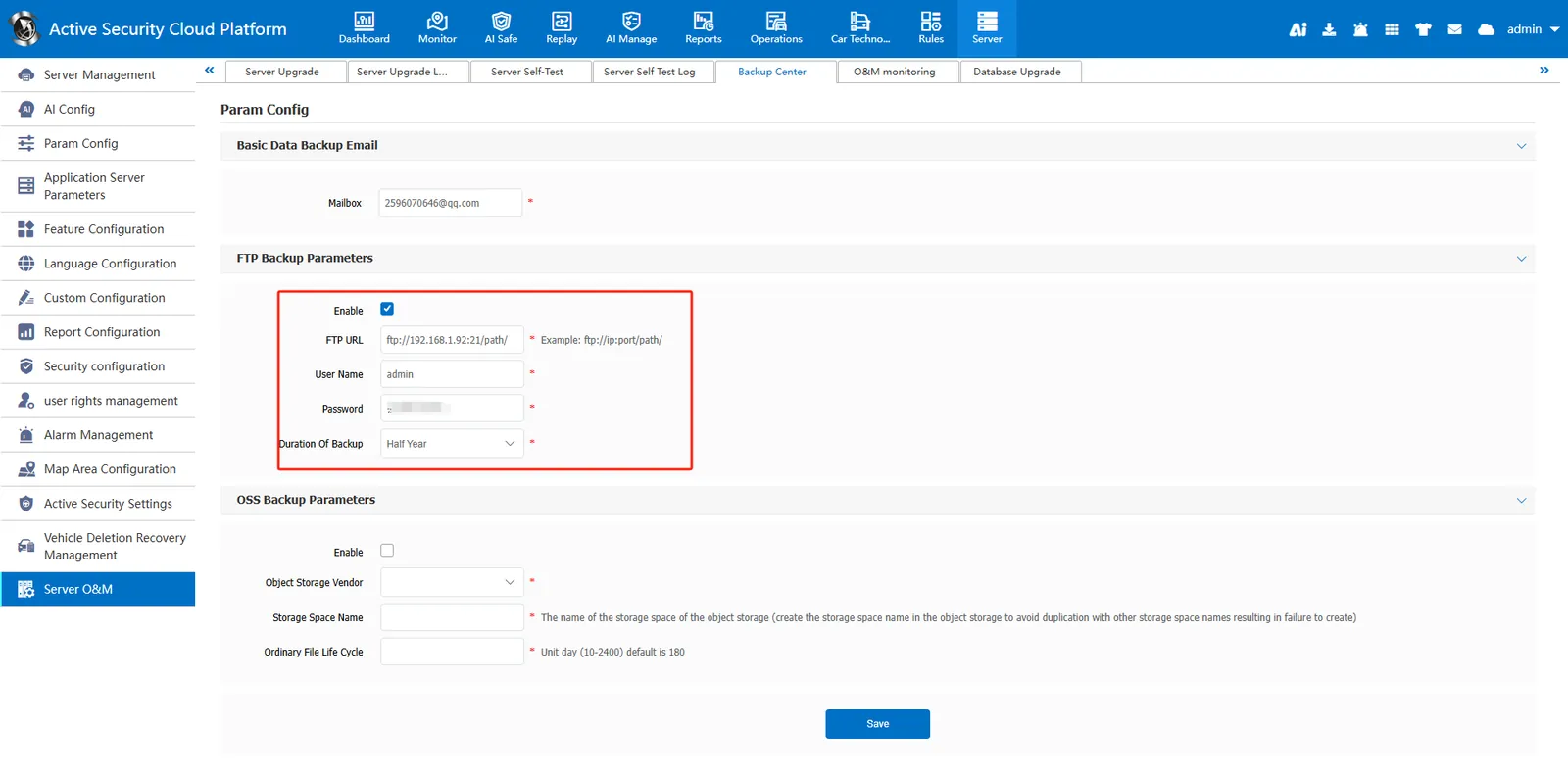
- Server supports offsite FTP backup. Deploy the FTP service in a remote location, and then configure the parameters on the platform. After the local backup is completed, the system will automatically back up the basic data and large data to the remote server.
- Advantages: automatic execution, incremental backup of big data, no server disk space
- Disadvantages: additional servers or computers, dependence on the network, backup will take up a certain amount of network bandwidth
2.3 Object Storage Backup
- The server supports object storage backup. After the customer purchases the object storage service and configures the parameters on the platform, the system will automatically back up the basic data and large data to the object storage space after the local backup is completed.
- Advantages: automatic execution, incremental backup of big data, no server disk space
- Disadvantages: Need to purchase additional object storage space
Document reference: https://help.cmsv8.com/helpCenter/doc/index.html?isStudy=1&pageType=2&docType=9&docId=1848&type=1&lang=en
